
.png&w=1920&q=75)
목차
- 1. Three Realistic Problems Small Business Owners Face When Making Detail Pages
- 2. Comparing Detail Page Creation Methods — How Much Easier Does AI Make It?
- 3. 3 Steps to Turn a Single Product Photo into High-Converting Product Content with a Detail Page
- 4. What changes when you use AI to cut down on repetitive detail page work? — Draph Art boosts user dwell time by up to nearly 3x
- 💡 Frequently Asked Questions (FAQ)

When small business owners sell products online, they need to prepare not just product photos, but also key selling points, usage images, sales copy, and detailed page designs all together. However, it's not easy to handle multiple production steps on your own with limited time and staff. Especially when you need to continuously list new products, the repetitive tasks can pile up. In this post, we'll walk through the common detail page design problems small business owners face, the differences between traditional methods and AI, the process of completing a product detail page with just one product photo, and actual changes in performance.

Draph Art is an e-commerce product detail page auto-generation AI that turns a single product photo into product staging images, real-life usage shots, product detail images, sales copy, and a fully completed detail page layout. You can expand it easily. By automatically placing content into detail page templates that reflect the latest e-commerce design trends, you can quickly create professional detail pages with brand flair and clear product info—no extra photo shoots or design work needed.
💡 3-Second TLDR for Busy People
|
1. Three Realistic Problems Small Business Owners Face When Making Detail Pages
For small business owners, creating a detail page is just one of many tasks alongside product listing, order processing, inventory management, customer service, and marketing. As a result, the actual production process often brings the biggest burdens of lack of experience, lack of time, and inconsistent results.
Lack of Experience: It's hard to know how to show off product benefits

Sellers know their products inside and out, but that doesn't mean they're pros at planning or designing detail pages. To figure out what info to show first, what features to make the core selling points, what usage shots to prepare, and how to combine images and sales copy, you need a certain level of detail page design experience. If you simply list product specs like size, material, and features in order, even if all the info is technically there, it can make it hard for shoppers to quickly grasp the core benefits of the product. If you're a first-time seller, checking out everything from the basics of creating product detail pages to conversion-boosting tips can help you figure out how to prioritize your information.
Lack of Time: Even a single detail page takes multiple steps
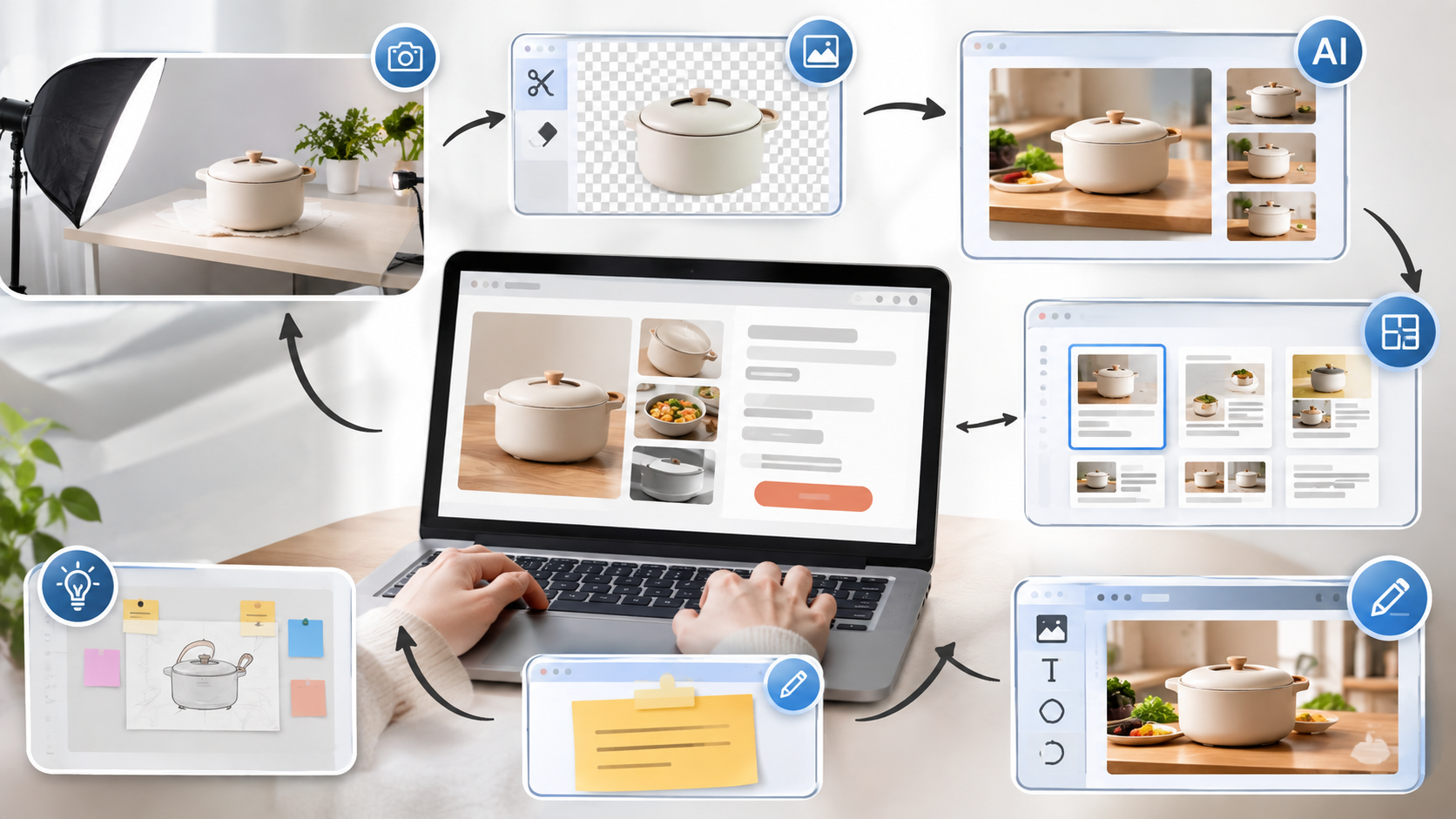
Traditional detail page creation requires going through several stages—from preparing product images, writing sales copy, making graphics, and picking templates, to page design and edits. Even if each individual task doesn't seem that hard, putting together a single detail page takes a significant amount of time. Plus, as new products pile up, the pressure to repeat the same tasks for every single item grows. Especially when it's tough to create the usage shots you want with just product photos, you have to rely on separate AI image generation or photo composition AI, which can make the whole process even more complicated.
Inconsistent Results: Even with a lot of time spent, selling points might not come across well
Having a finished detail page is totally different from shoppers actually understanding the product easily. If the core selling points don't pop, multiple images repeat the same thing, the sales copy just lists boring specs, or important info is buried at the very bottom of the page, it's tough to effectively communicate why they should choose your product—even if the page is long and packed with text.
At the end of the day, the core challenge small business owners need to solve isn't just "finishing a page," but reducing repetitive tasks within limited time and experience, and reliably creating detail pages that clearly communicate product benefits.
2. Comparing Detail Page Creation Methods — How Much Easier Does AI Make It?
The most annoying part for small business owners making detail pages isn't one specific task, but having to constantly jump back and forth between multiple tools and workflows. In the traditional method, you have to retouch product photos, do BG Removal if needed, and then use separate AI image generation sites if you lack usage or feature images. After that, you have to write sales copy, hunt down proper PPT templates or detail page layouts, and piece the whole detail page design together yourself. The more products you have, the more this cycle repeats.
On the other hand, with Draph Art detail page AI, you just need to prep your product photos and basic info to handle image generation, sales copy, page layout, and design all in one smooth workflow. You'll cut down on hopping between different creation tools, making your workflow way simpler the more products you have.

| Comparison Category | Traditional Detail Page Method | Draph Art Method |
| Product Image | Shoot & retouch, then do separate BG Removal if needed | Start right from existing product photos |
| Usage & Feature Images | Shoot yourself or use separate AI image generation sites | AI automatically creates usage shots, feature images, and detail shots |
| Sales Copy | Organize product info and write it manually | Auto-generated based on the product info you enter |
| Page Template | Browse PPT templates or detail page templates on your own | Automatically generate a page structure that fits your product info |
| Detail Page Design | Design and arrange everything yourself after getting your images and text ready | Generate images, text, and page design all at once |
| Draft Creation | Work on each production step one by one | Create a draft in about 3 to 10 minutes |
| Follow-up Edits | Go back to each tool to edit things separately | Edit and regenerate images, text, GIFs, or individual modules |
| Overall Production Flow | Jump back and forth between multiple tools | Input → Generate → Edit → Export all in one smooth flow |
3. 3 Steps to Turn a Single Product Photo into High-Converting Product Content with a Detail Page
Once you have your product photos and info ready, it is time to turn those basic materials into real sales content. The key is not just adding more images, but step-by-step filling in the info customers need to understand the product and make a purchase.


Step 1. Figure out your core selling points from product info

First, break down your product info into core selling points, extra selling points, and basic product details. Core selling points show off the biggest perks of your product, while extra selling points give people more reasons to buy. Things like size, material, color, and specs are used later to help customers double-check before buying.
Sorting things out this way makes the direction of your images and sales copy super clear, and helps cut down on repetitive info or mixed messages while making your detail page.
Step 2. Generate a detail page draft with AI and tweak only what you need

Just plug in your product photos and basic info, and the AI will automatically put together a main visual, lifestyle shots, feature and detail images, sales copy, and the whole detail page layout.
After it is generated, you do not need to remake the whole page. You can easily swap images, fix text, change the order of content, or regenerate specific images and sections. You can also use GIFs to show how things work, how to open and close them, or how features change.
Step 3. Export your finished detail page to fit your sales channel
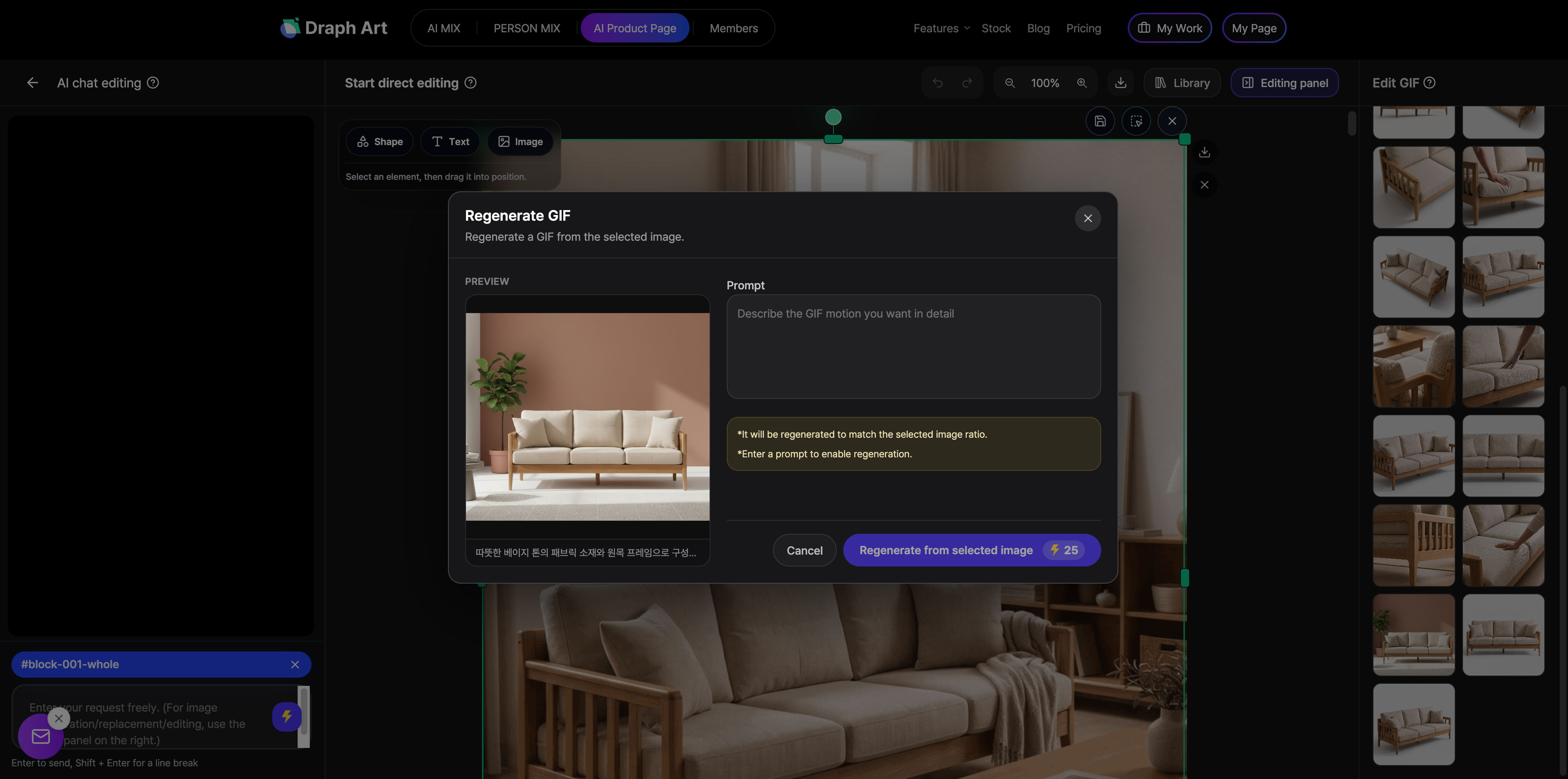
Once you are done with final edits, you can export your detail page in a format ready for your online store. Draph Art supports up to 2048px high-res exports, and you can download the whole page as one long image or as section-by-section split images that are super easy to upload to Smart Store or Coupang.
If you are using your own brand mall or website, we also support HTML file downloads and source code copying so you can apply your finished detail page right away.
4. What changes when you use AI to cut down on repetitive detail page work? — Draph Art boosts user dwell time by up to nearly 3x

The perks of detail page AI do not stop at saving time. What really matters is whether a more efficiently made detail page actually makes positive changes to how customers browse and buy.
In tests Draph Art ran with various e-commerce sellers, more than half of the participating sellers saw their average dwell time double or more after using detail page AI, and in some categories like fashion and living, we even saw jumps of up to nearly 3x.
Plus, when we tracked performance data for a month after using Draph Art, we found that conversion rates went up by about 1.65x compared to before. By setting things up so shoppers can easily check out core selling points, lifestyle shots, and product info on the detail page, we saw positive changes not just in dwell time, but in actual buying behavior too.
At the end of the day, the real value of Draph Art for small business owners goes way beyond just automating design. The big win here is saving hours on tedious work while cooking up product pages that actually help shoppers get the item and hit that buy button, all super efficiently.
💡 Frequently Asked Questions (FAQ)
Q1. Can I really make a product page with just a product photo?
A1. Yep, totally! With just a clear product photo and some basic product info, you can create lifestyle shots, action shots, and images highlighting different features. That means sellers don't have to stress about setting up a brand-new photoshoot from scratch.
Q2. Can I download it in a format ready to upload right away?
A2. For sure! You can download your finished product page as a full-length image ranging from 500px up to 2048px wide, and we also support downloading split images by section so it's super easy to upload to online stores. Plus, we offer an HTML source code copy and download feature so you can use it on your own website or online shop too.
Q3. How long does it take to make a product page?
A3. Once you drop in your product photos and basic info, you can check it out in about 3 to 10 minutes. While the exact time might vary a bit depending on the number of images and edits, using automated product page generation cuts your production schedule down massively.

.png&w=1920&q=75)
.png&w=1920&q=75)