
.png&w=1920&q=75)
목차
- 1. Before Making Your Coupang Detail Page — Setting Sales Direction and Core Target
- 2. Designing the First Screen of Your Coupang Detail Page — A Layout That Helps Customers Quickly Understand Product Benefits
- 3. Creating Coupang Detail Page Content — Visualizing Product Selling Points with Images and Copy
- 4. Coupang Detail Page Design — Arranging Content in the Order Customers Understand Products
- 5. If Making a Coupang Detail Page Is Still Too Complicated — AI One-Click Generation Using Just Product Info
- 💡 Frequently Asked Questions (FAQ)

Whether you are creating a Coupang detail page for the first time or have done it before, if you have to look for references and organize materials every time, it is important to map out the entire production flow first. Creating a Coupang detail page is not just about listing product images and information; it is the process of setting key selling points, preparing the right images and marketing copy, and then completing the overall detail page design. Below, we will walk you through how to create a Coupang detail page step by step so you can make sure every key element is properly prepared.

First, let's look at the Coupang detail page production process step by step. If preparing images, copy, and designs separately feels like a hassle, you can streamline these tasks into a single generation process using AI. Draph Art is an AI-powered tool for automatically creating furniture detail pages, allowing you to expand a single furniture product photo into lifestyle images, product detail shots, furniture styling scenes, sales copy, and a fully completed furniture detail page structure. By automatically arranging content into furniture detail page templates reflecting the latest e-commerce design trends, you can quickly finish a furniture detail page equipped with both brand sense and product information without any extra photo shoots or design work.
💡 3-Line Summary for Busy People (TLDR)
|
1. Before Making Your Coupang Detail Page — Setting Sales Direction and Core Target

Before you jump into creating a Coupang detail page, instead of hunting for templates or starting with design right away, it's crucial to decide why customers should choose this product. To figure this out, you can start by answering three questions: Who is this product for, what needs or problems does it solve, and what is its most standout feature compared to similar products? For example, even for cooking utensils, a small, single-serving pot targeted at college students or single-person households can emphasize "just the right capacity, lightweight feel, and easy storage." On the other hand, a cookware set containing various sizes and types like frying pans, pots, and woks can target larger families or people who frequently cook for groups, highlighting "versatility for various dishes, capacity options for the number of people, and a convenient configuration for families."
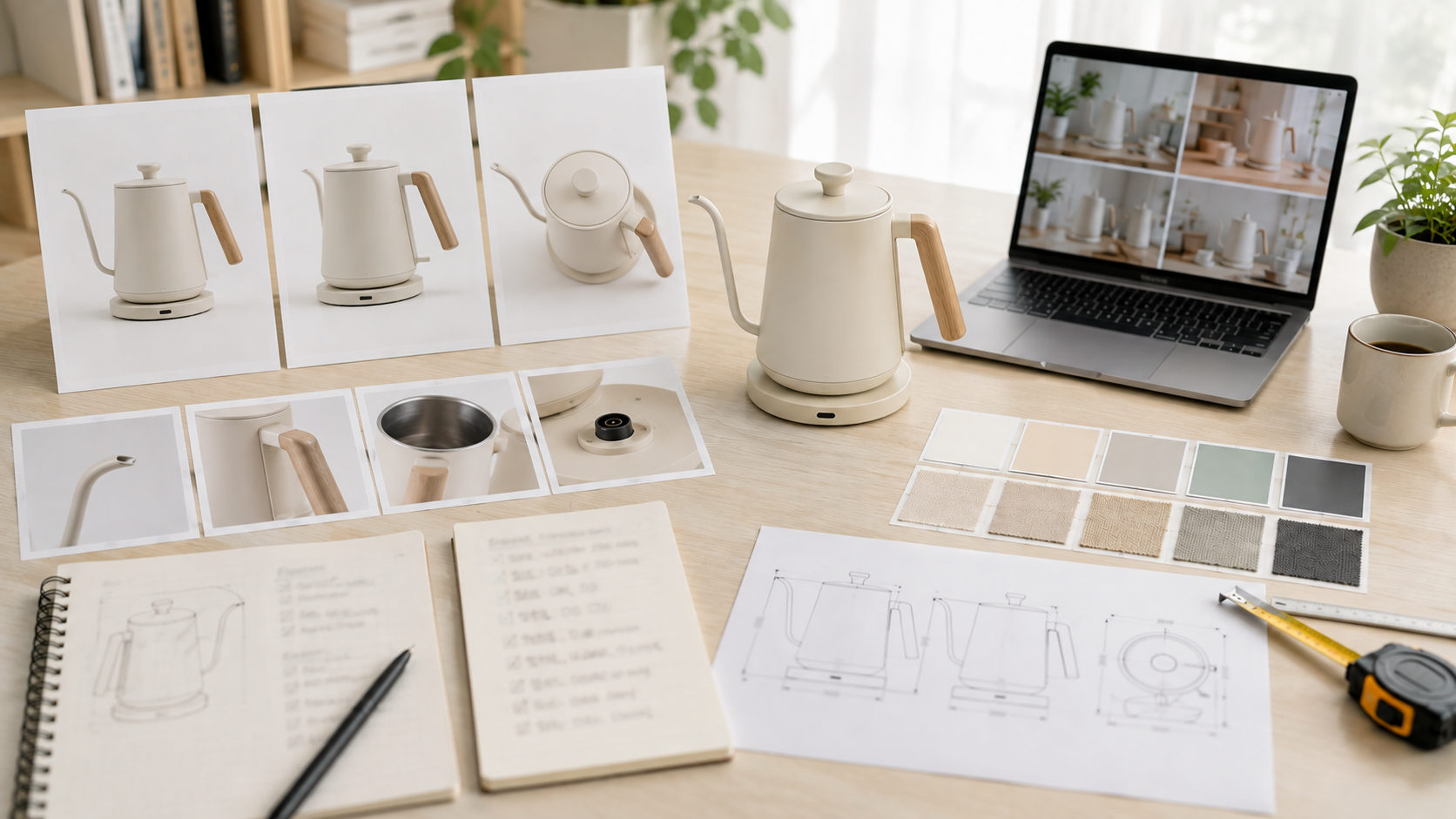
Once you've decided on your sales direction, the next step is to organize the basic product info needed to build your detail page, such as product photos, product name, size, material, color, capacity, main features, and how to use it. If you need to clean up the background of your product photos, you can use BG Removal to make the product shape stand out clearly. Preparing your product info clearly in advance lets you build your subsequent images, sales copy, and detail page design around a single core selling point, reducing the need to change direction midway through.
2. Designing the First Screen of Your Coupang Detail Page — A Layout That Helps Customers Quickly Understand Product Benefits
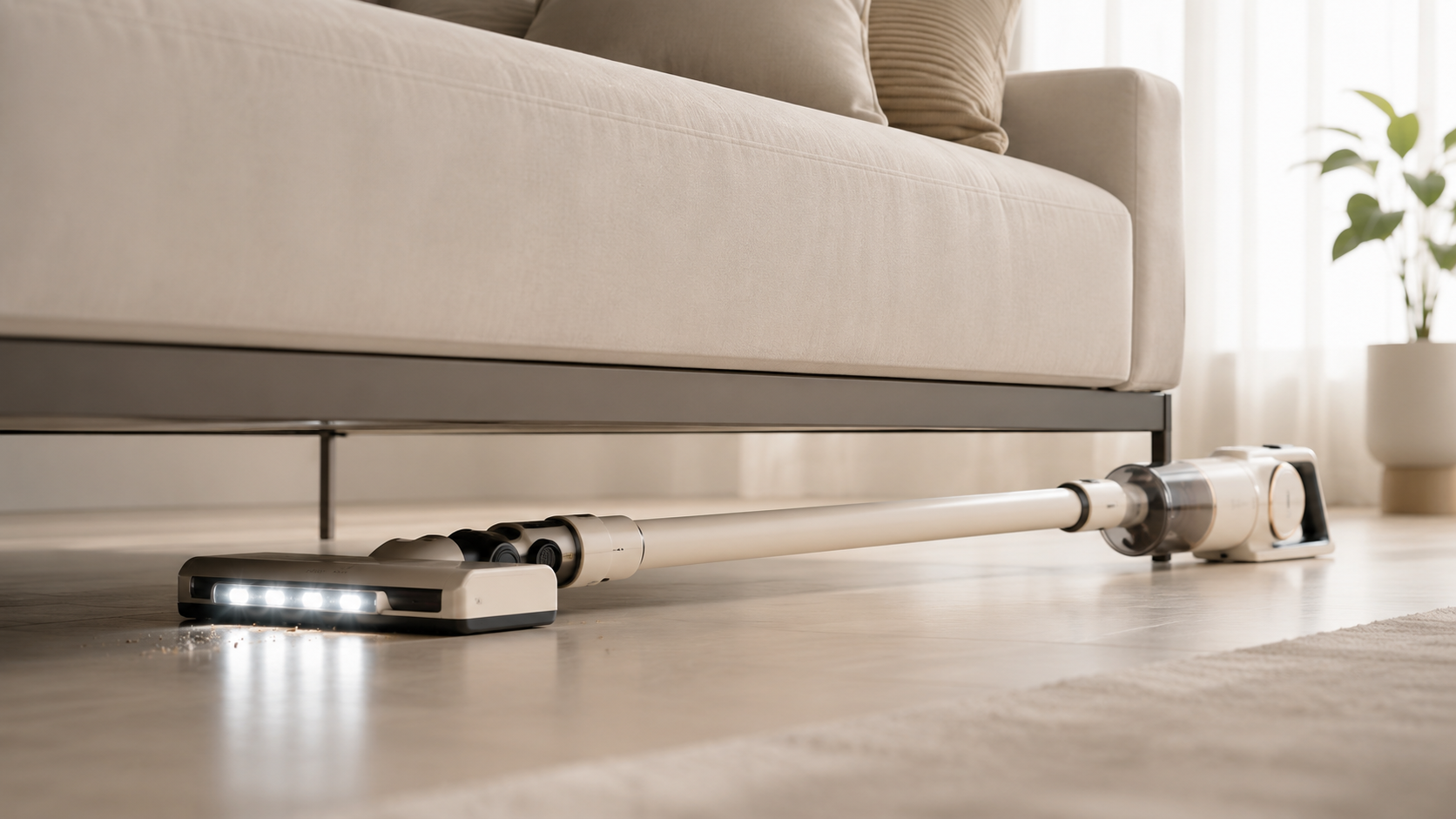
Once you've set your sales direction, you need to decide what customers should see first when they land on your detail page. Rather than cramming all features and product info onto the first screen at once, it's better to prioritize the product itself and its single most important selling point. Your main image, title, and short description should also center around one core message so customers can grasp "what this product is" and "what its standout feature is" within seconds.
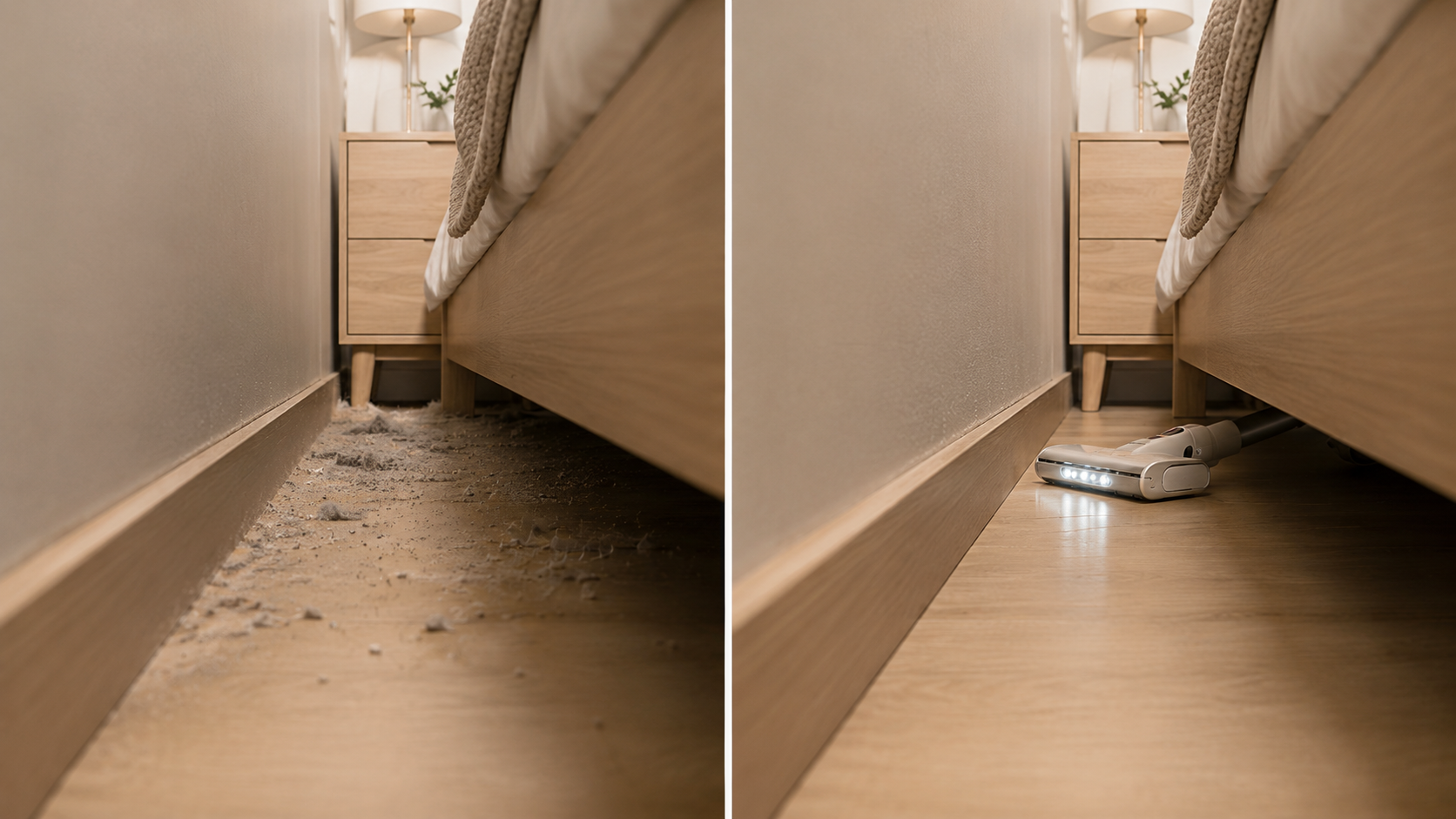
For instance, in the case of a cordless vacuum, instead of listing all general benefits like "strong suction, long battery life, light weight, various brushes, and low noise" on the first screen, you can first emphasize a single usage benefit: "easily clean hard-to-reach low spaces like under the sofa or bed." Showing a shot of the vacuum body lowered close to the floor reaching under furniture, along with a before-and-after of the dust being cleaned up, helps customers instantly understand what advantages the product offers in real-world use. Afterward, you can explain the suction power, run time, brush types, and dustbin management style one by one, leaving a clear first impression on the first screen of your Coupang detail page while naturally leading into the rest of the features.
3. Creating Coupang Detail Page Content — Visualizing Product Selling Points with Images and Copy
Once you've established your core selling point on the first screen, the next step is to prepare images and sales copy to back it up. Images help customers intuitively grasp product features, while copy can explain what practical benefits those features deliver.
Coupang Detail Page Images: Usage Scenes for Instant Understanding of Product Features
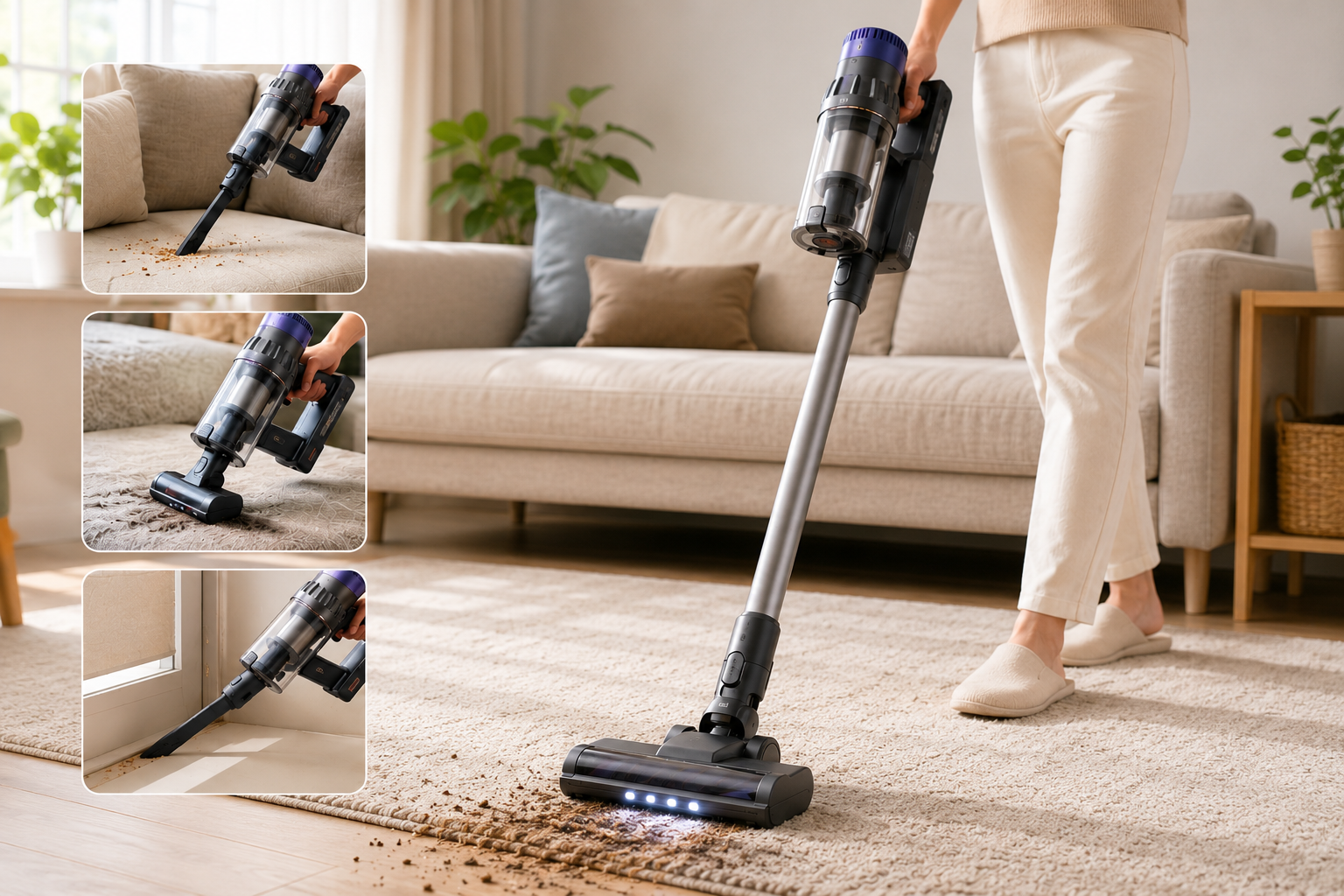
Images are great for showing things that are hard to understand with text alone, like the actual size, how to use it, functional changes, or post-use effects. For example, if a suitcase highlights "360-degree silent spinner wheels," rather than just writing "360-degree rotation, smooth movement" on the detail page, it is much more intuitive to show someone actually pulling the suitcase across various surfaces like airport floors, indoor tiles, and outdoor pavement. If maximizing interior space is a selling point, showing clothes, shoes, and toiletries actually packed inside lets customers judge the capacity for themselves. For usage scenes that are hard to shoot yourself, you can also use Photo Synthesis AI with your existing product photos. In creating a Coupang detail page, images should serve to turn abstract product features into real-world usage experiences.
Coupang Detail Page Copy: Sales Copy That Conveys Reasons to Buy Rather Than Just Feature Descriptions
Instead of repeating information already visible in the images, your sales copy should explain what practical advantages the feature brings to the customer. For example, if adjustable headrests, lumbar support, and armrests are already visible in an office chair image, rather than just repeating "adjustable headrest, adjustable armrest," the copy can convey value of use like: "Adjust the support position to fit your height and sitting posture, helping you find a more comfortable position even during long work hours." Designing your detail page this way lets images show "how it's used and what effect it has" while copy explains "why the customer needs this feature," allowing each piece of content to deliver different info.
4. Coupang Detail Page Design — Arranging Content in the Order Customers Understand Products
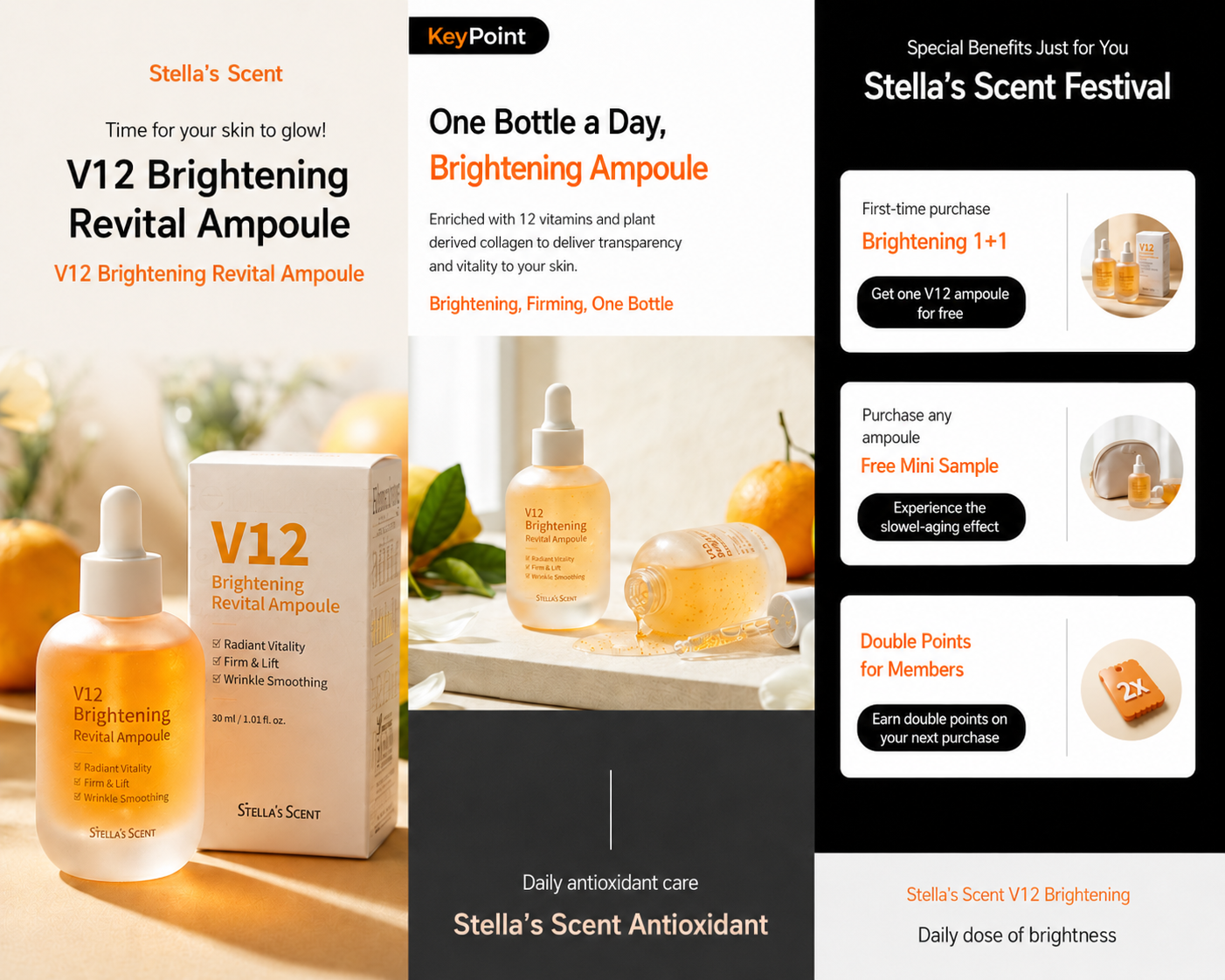
Once you have both your images and sales copy ready, it's time to put together the overall detail page design. The key at this stage is not just listing the prepared content, but arranging it according to the order in which customers need to understand the product. Generally, you can start by showing the main visual and core selling points, follow up with actual usage scenes and main features with their effects, and finish off with product details, size, material, color, and specifications that need to be checked before purchasing.
This flow naturally transitions from grabbing the customer's interest to helping them understand the product's features and value, and finally to checking specific product info. During the Coupang detail page creation process, it's important to review the overall layout to make sure you aren't repeating the same selling points or showing similar things across different images. You should also check whether essential product info needed for a buying decision is buried too far down the page. Each section needs to connect smoothly with what comes before and after so customers can fully grasp the product as they scroll to the very end.
5. If Making a Coupang Detail Page Is Still Too Complicated — AI One-Click Generation Using Just Product Info
If it feels too difficult or time-consuming to handle everything yourself—organizing core selling points, creating images using an AI image generation site, writing sales copy, and designing the detail page while making your Coupang detail page the way we outlined above—you can use Draph Art's One-Click Detail Page Generation feature. Sellers just need to input a clear product photo, product name, size, material, color, features, and other basic product info like you prepared in step one, and the AI will take care of the rest of the detail page creation process.
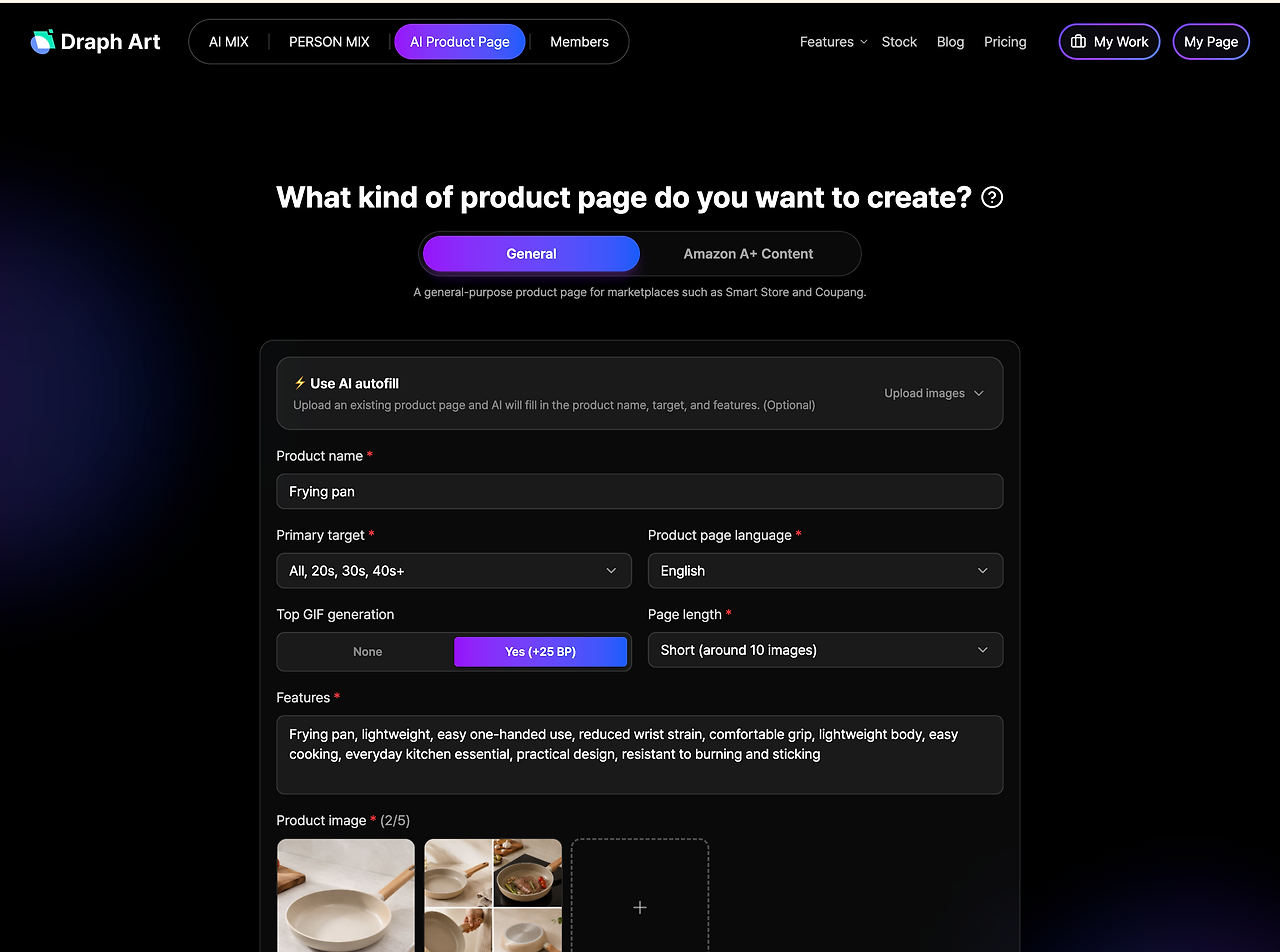
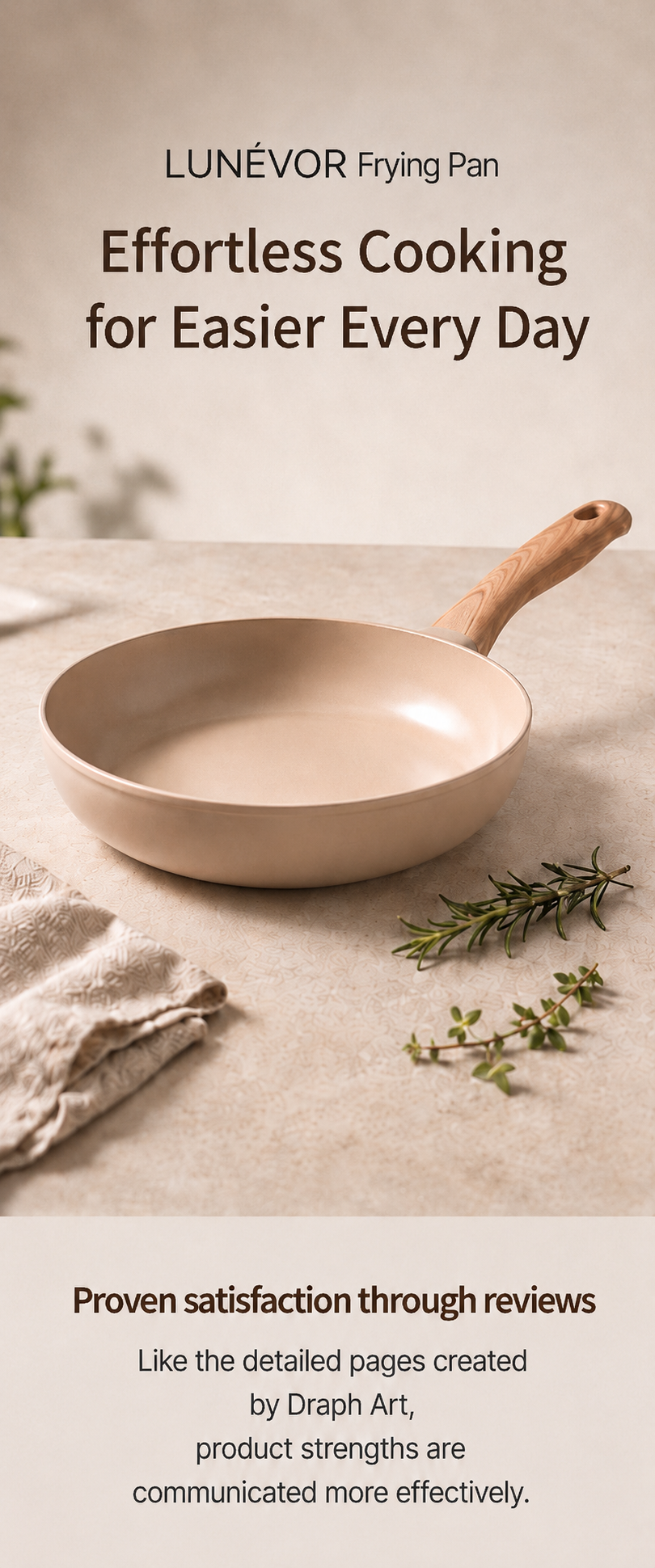
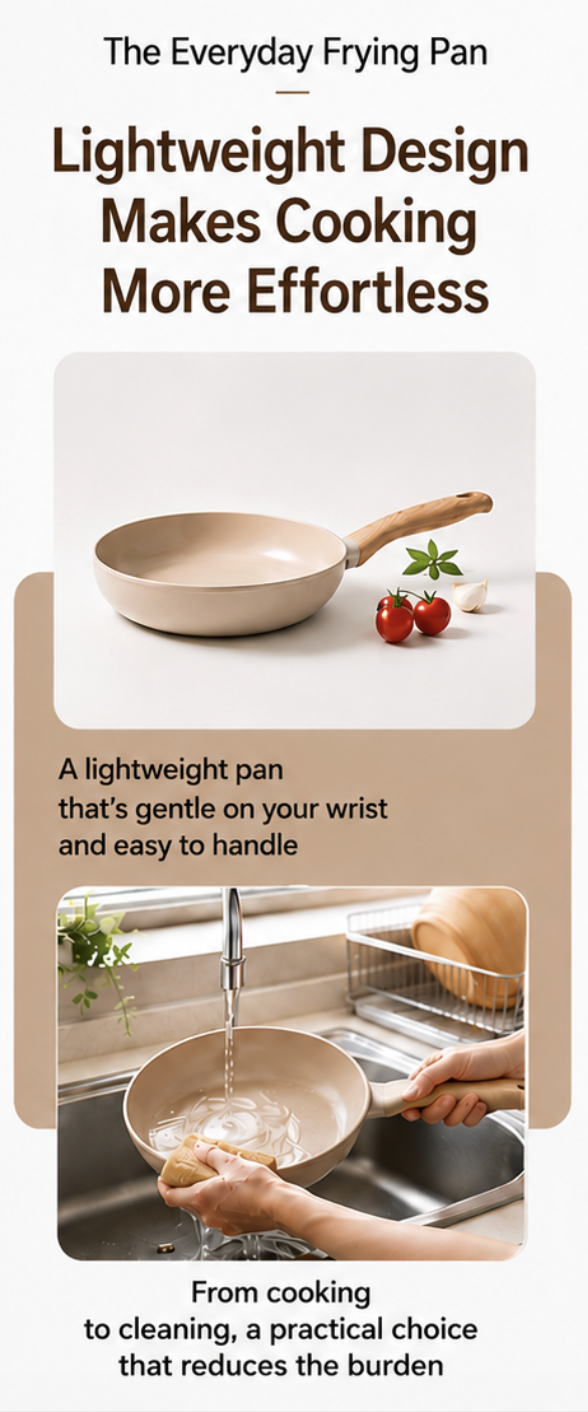
Based on the entered product info, Draph Art analyzes the product's features and core selling points, automatically generating main visuals, actual usage scenes, feature images, product detail images, and sales copy. Because it even auto-arranges the content order and overall detail page design, you don't have to prepare images, copy, and page layouts separately like in steps 2–4; you can create a complete Coupang detail page all at once. Afterward, you can simply review the product info and make partial edits to any specific images, copy, or sections you want.

💡 Frequently Asked Questions (FAQ)
Q1. Can I create a Coupang detail page myself even if I have no design experience?
A1. Yes, you can. Even without professional design experience, you just need to prepare product photos and basic product information. Draph Art automatically organizes your core selling points and generates the product main visual, usage scene images, product detail images, sales copy, and complete detail page design. You don't have to learn image creation, copywriting, and page layout separately to quickly finish your Coupang detail page, and you can just tweak whatever parts you need based on your actual product info afterwards.
Q2. How long does it take to create a Coupang mall detail page?
A2. Once you input your product photos and basic product information, you can check your detail page in about 3 to 10 minutes. While the actual completion time may vary depending on the number of images generated and the scope of edits, using AI-powered automated Coupang detail page creation cuts down production time significantly compared to traditional methods.
Q3. What kind of product photos should I prepare to make a better detail page?
A3. It's best to use a high-resolution photo where the whole product is clearly visible, with accurate shapes and colors. You should avoid blurry photos, heavy reflections, blocked parts, weird angles, or images with watermarks and random text. Using a clear product photo helps the AI catch the shape, material, and tiny details better, which makes awesome main visuals, lifestyle shots, and product close-ups!

.png&w=1920&q=75)
.png&w=1920&q=75)