
.png&w=1920&q=75)
목차
- 💡 TLDR (3-line summary for those in a rush)
- 1. How are traditional interior detail pages made?
- 2. Why are room setting images so important for interior products?
- 3. How does AI change the game for interior detail page production?
- 4. How to create an interior detail page with Draph Art
- 5. Traditional production vs. using Draph Art
- 💡 Frequently Asked Questions (FAQ)

When launching new interior products, creating a product detail page is one of the most challenging tasks for sellers. This is because it involves organizing product information, preparing room setting images and sales copy, and structuring the entire page layout. Especially when you need to list multiple items at once, creating detail pages can put a heavy burden on your product launch schedule.

Nowadays, you can use AI to create room setting images, sales copy, and page structure all in one flow. This helps you skip repetitive photo shoots and production hurdles, allowing you to prepare the detail pages you need for your sales much faster. Draph Art is an AI-powered interior detail page generator that can expand a single interior product photo into room settings, product detail images, interior styling scenes, sales copy, and a complete interior detail page structure. It also helps you create high-quality detail pages by applying design and visual styles that match your product's unique features and brand vibe.
💡 TLDR (3-line summary for those in a rush)
|
1. How are traditional interior detail pages made?

Traditional interior detail page production usually starts with product analysis and page planning. Sellers first identify the product's core selling points, the target customer's lifestyle, and the desired room style, then prepare the shoot location, furniture, props, lighting, and staff.
During the shoot, you need to prepare not only white-background product shots but also lifestyle images showing the product in real spaces like living rooms, bedrooms, or studies, as well as detail shots showing materials, structure, and usage. After the shoot, you still need to retouch images, write copy, design the layout, and go through multiple rounds of revisions to finish a single interior detail page.
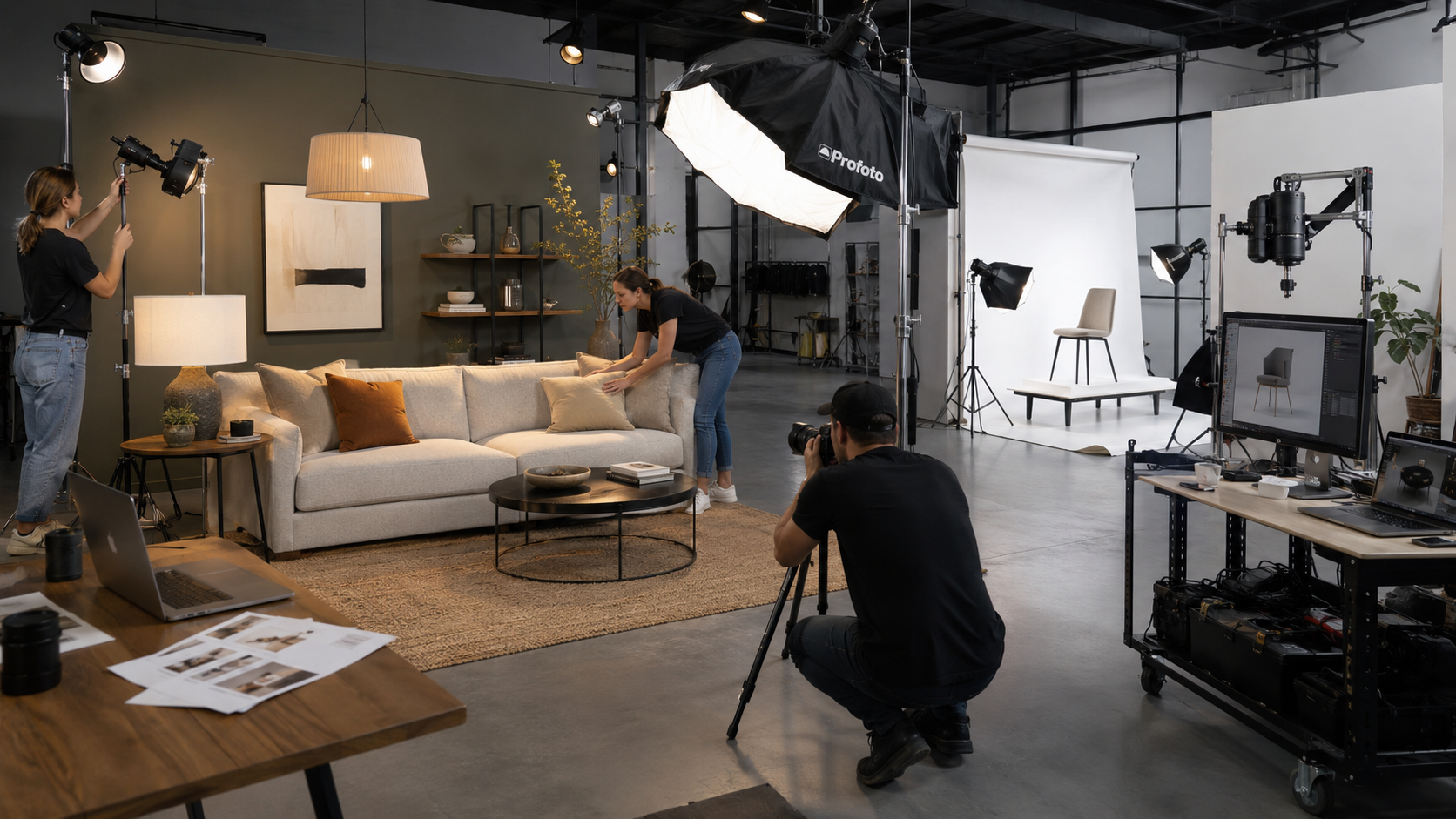
Because of this, the traditional process isn't just about shooting the product—it involves space planning, scene staging, image production, and page design all at once. For sellers who launch new products frequently or manage many items, this can be extremely time-consuming and resource-heavy. In particular, staging and shooting room settings are usually the most time-consuming and expensive parts of the entire production process.
2. Why are room setting images so important for interior products?
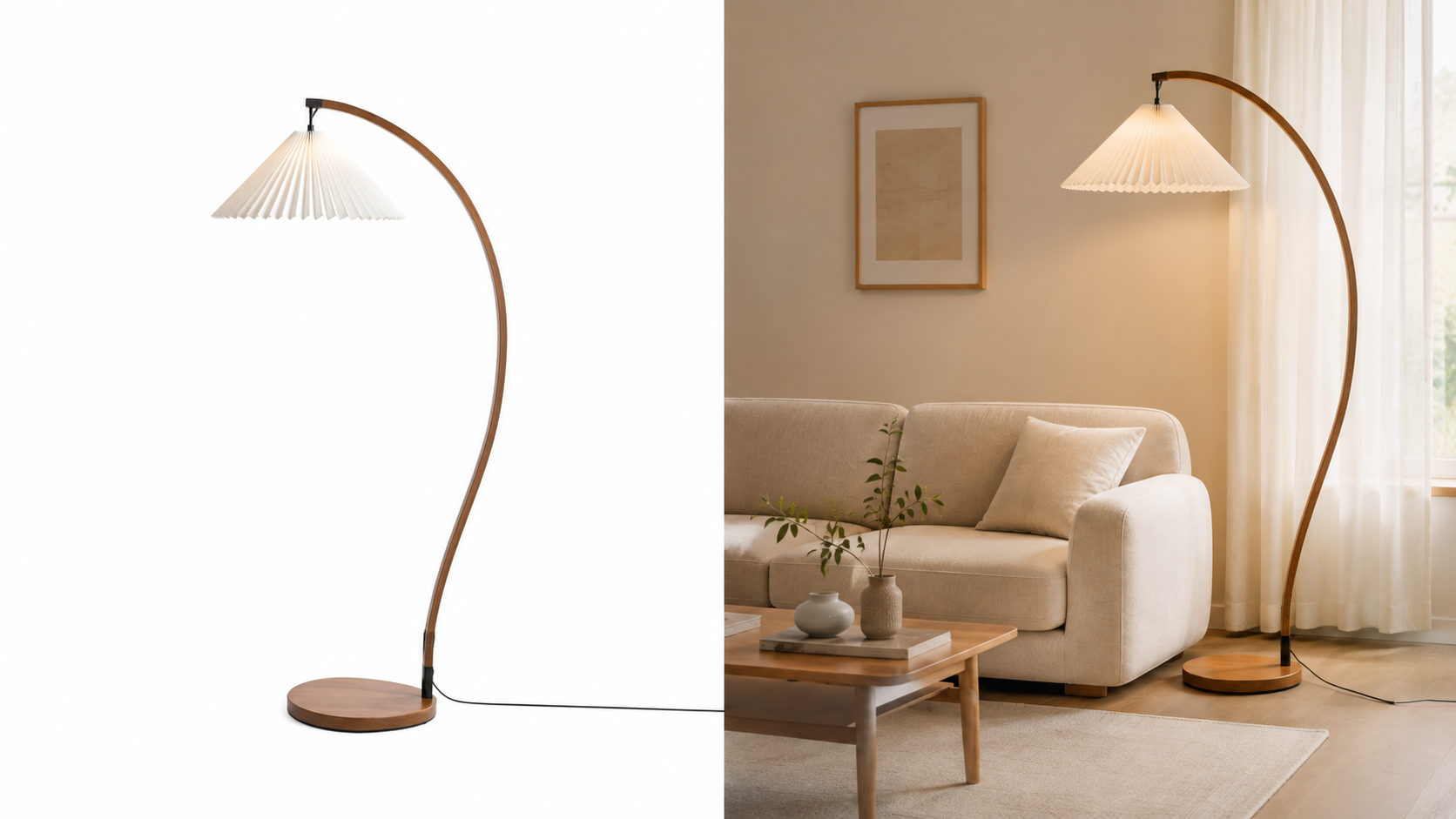
When customers shop for interior goods, they don't just look at how the product looks; they consider how it will look in their own space. For example, they check if it fits their living room or bedroom, if it coordinates with their existing furniture, and how the size, color, and material feel in an actual room.
While white-background shots clearly show the product's basic form, it's hard to get a sense of scale or the overall vibe. On the other hand, room setting images help customers intuitively imagine the product in their home, making it easier for them to decide if it matches their interior style and needs.
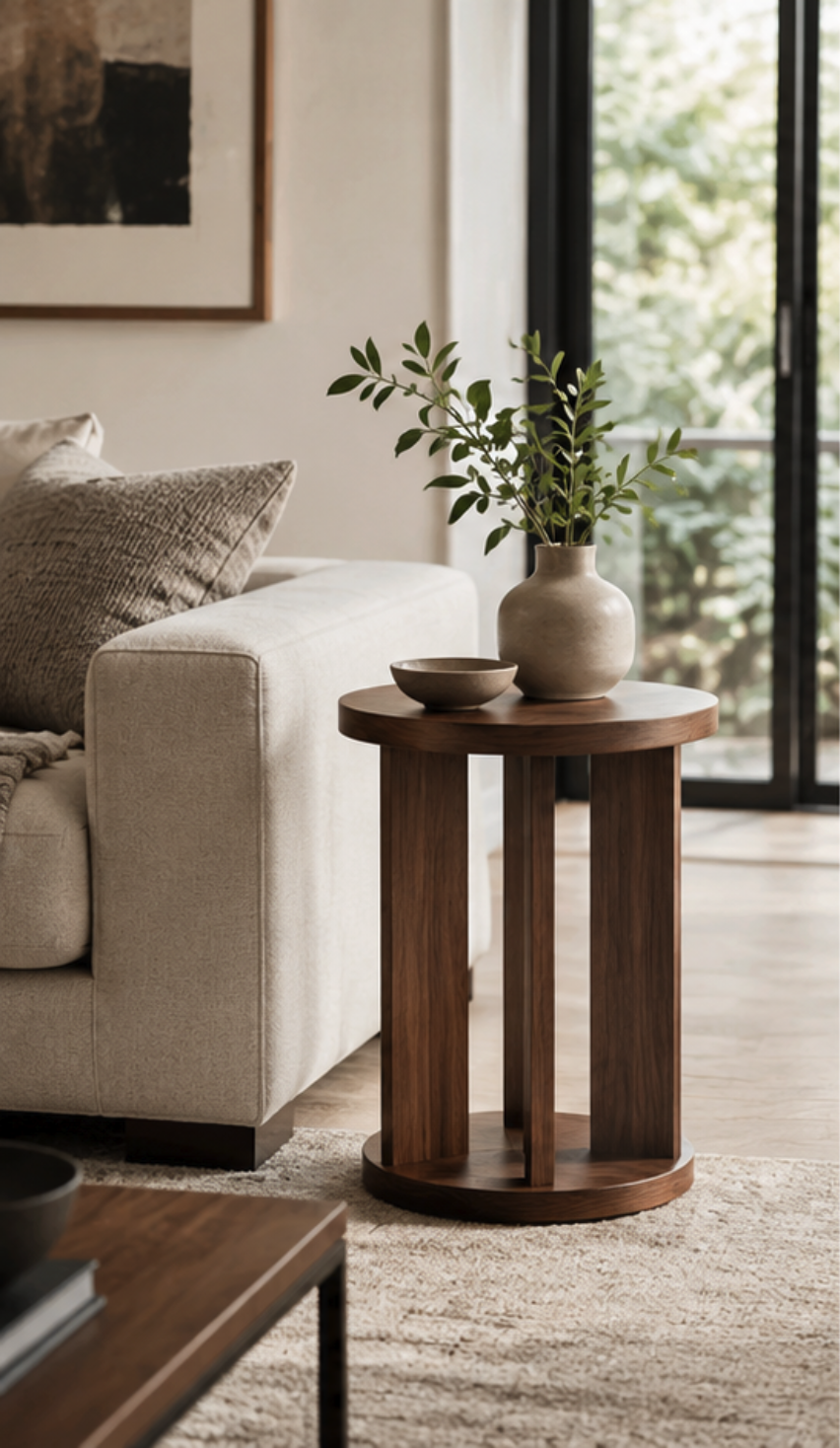
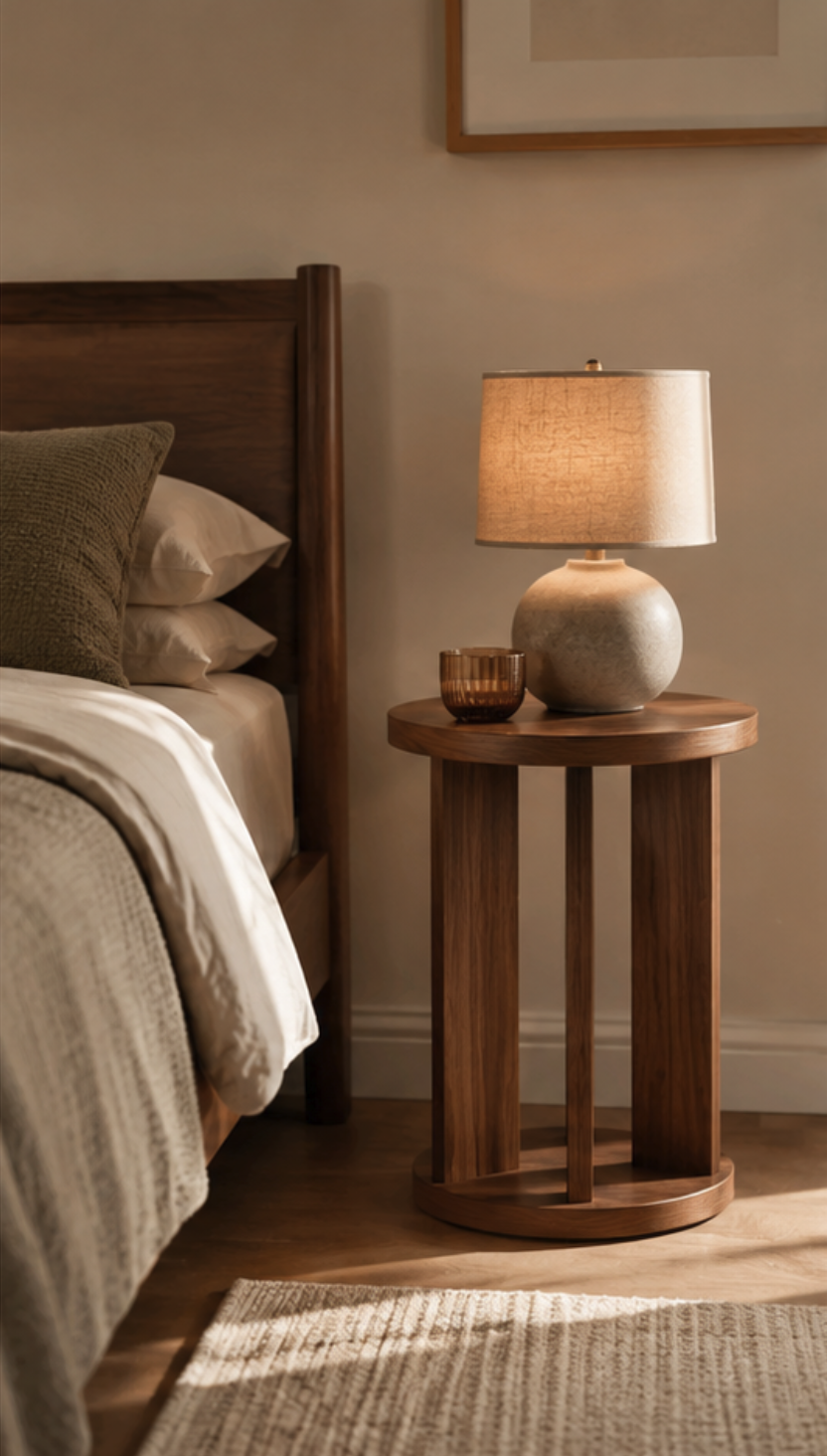
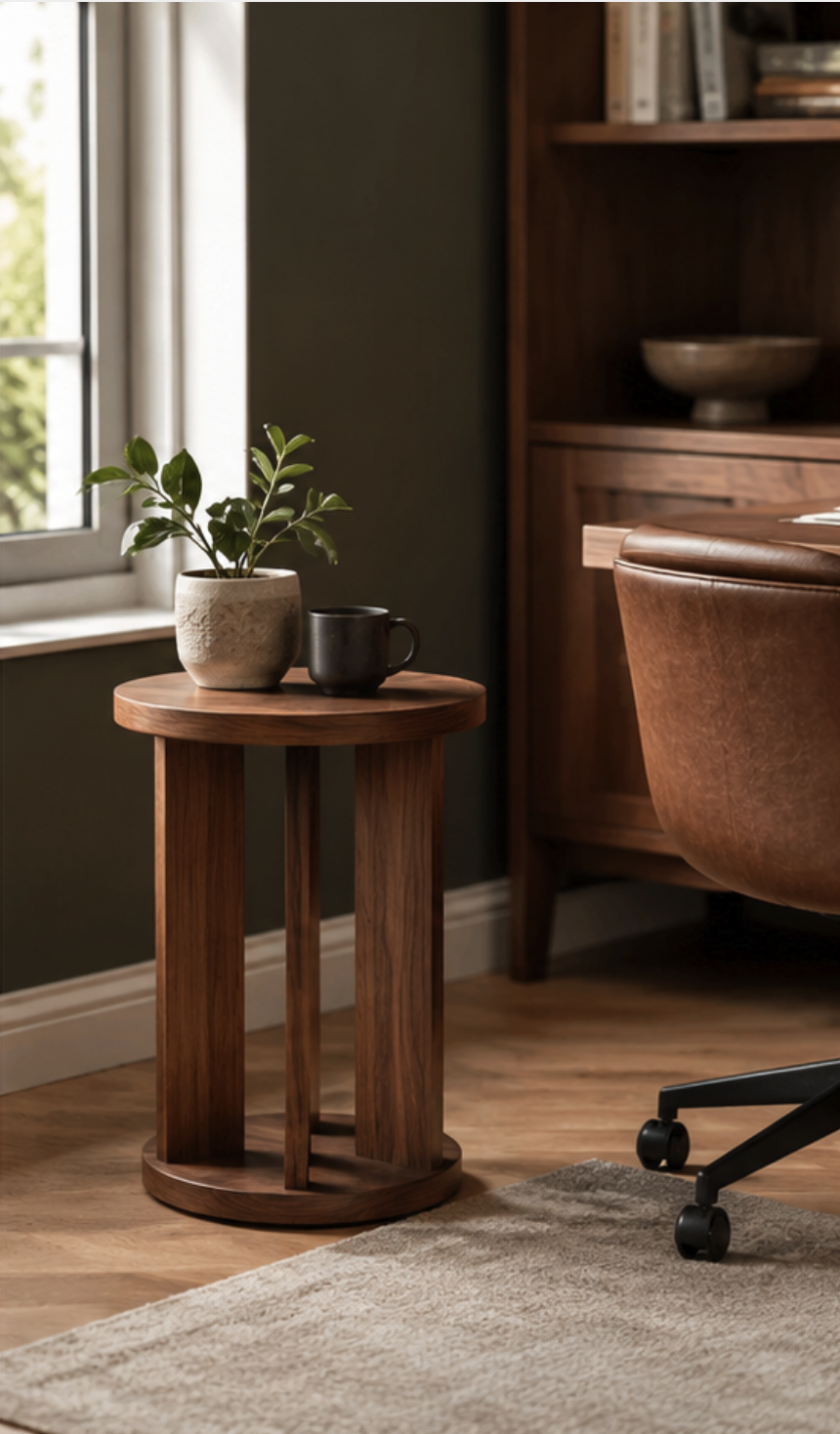
Therefore, a high-quality interior detail page usually needs a mix of white-background product photos, room settings, and detail shots. However, setting up a new space for every product shoot significantly drives up time and costs. Finding a way to generate the necessary space images for each product without constant, repetitive staging and shooting is a major hurdle for interior sellers.
3. How does AI change the game for interior detail page production?
As AI image generation technology evolves, you no longer need to manually stage a room or perform physical photo shoots for every product. Now, you can create realistic product scenes using AI. Consequently, more businesses are starting to replace parts of their traditional photography with AI-generated images. A single product photo can be expanded to show the item in various settings like living rooms, bedrooms, and studies.
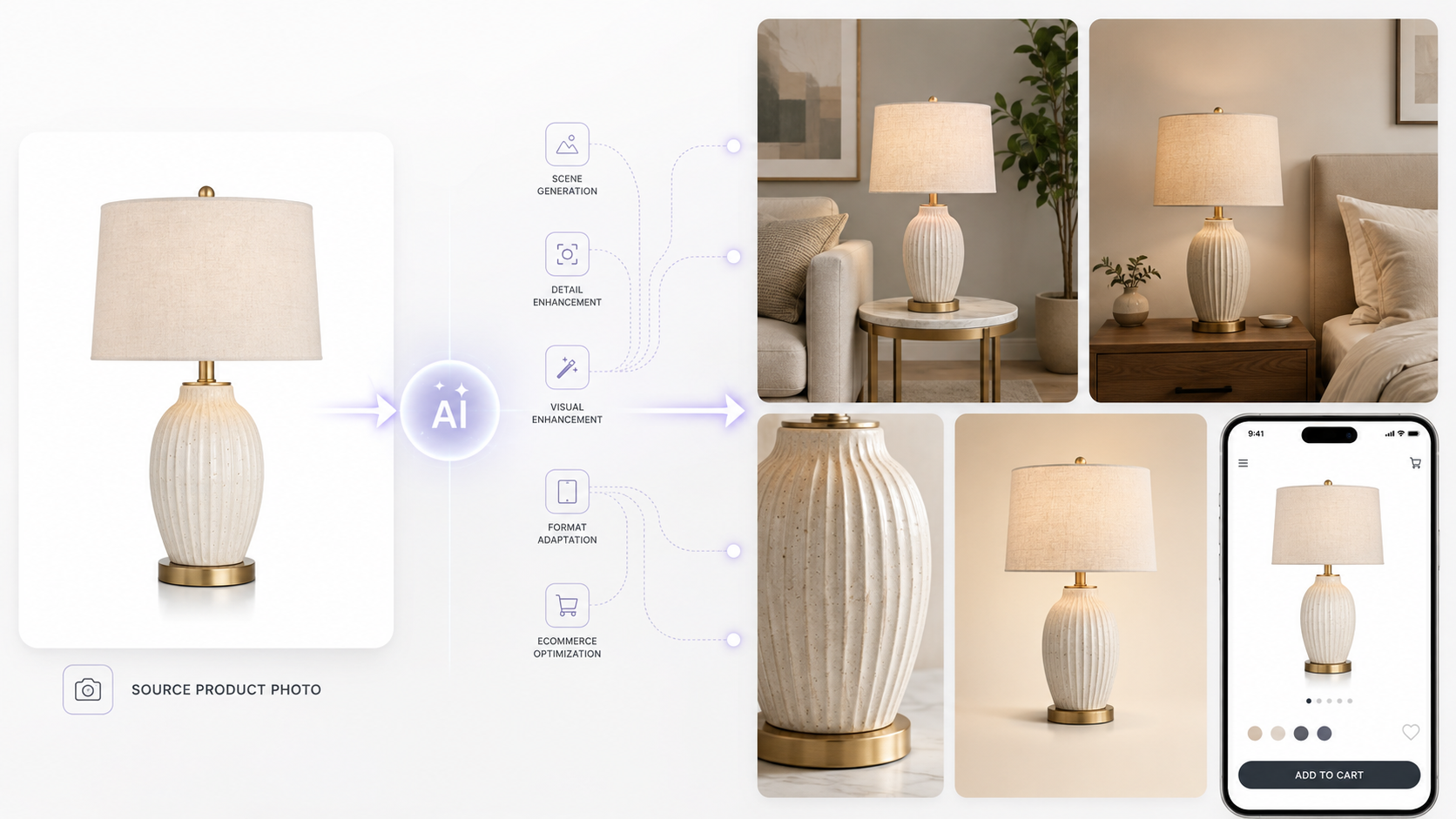
AI can do more than just room settings—it can generate main visuals, usage scenes, and various styled content based on the product's appearance, material, and features. It also helps organize the core selling points, introductory text, and the overall structure of your detail page. This connects what used to be separate steps—photography, image production, copywriting, and page design—into one streamlined workflow. Sellers who frequently launch new products or manage multiple SKUs can slash their shooting time and create consistent, high-quality interior detail pages much faster.
Now, with just one product photo, you can quickly generate the main visual, room settings, detail shots, and sales copy, and structure the page based on the customer's journey of browsing and making a purchase decision. Draph Art is a service that integrates all these AI generation features into one complete detail page production process.
4. How to create an interior detail page with Draph Art
Draph Art combines space image generation, copywriting, and page structuring into one process. Even without a professional photo studio or design team, you can finish the content needed for your interior products much faster.
STEP 1 | Upload product photos and info
First, upload a clear product photo and enter basic info like product name, dimensions, material, color, key features, and target audience. You can also set the desired room atmosphere and visual style based on your product's positioning.
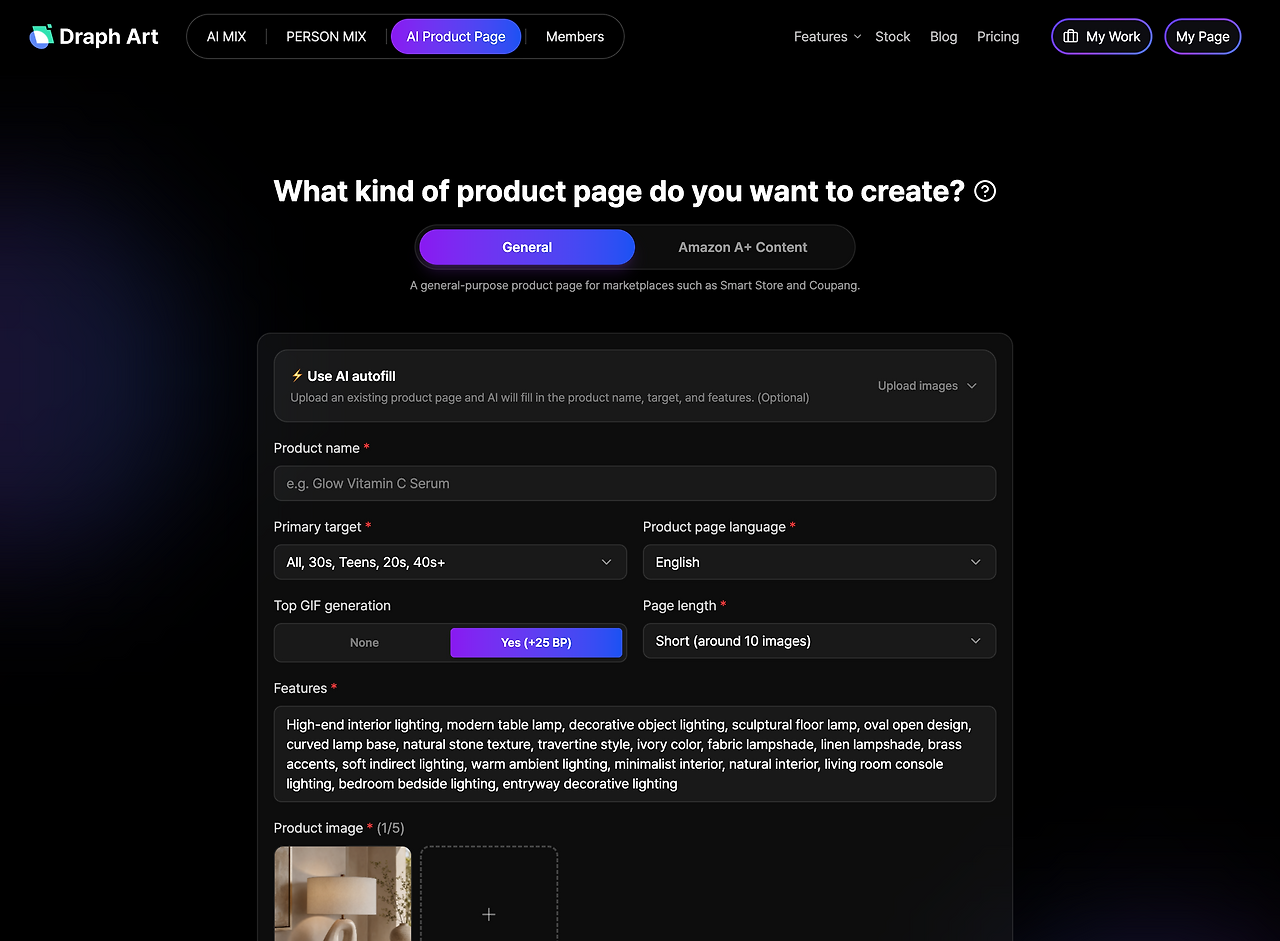
STEP 2 | AI auto-generates space images and detail page content

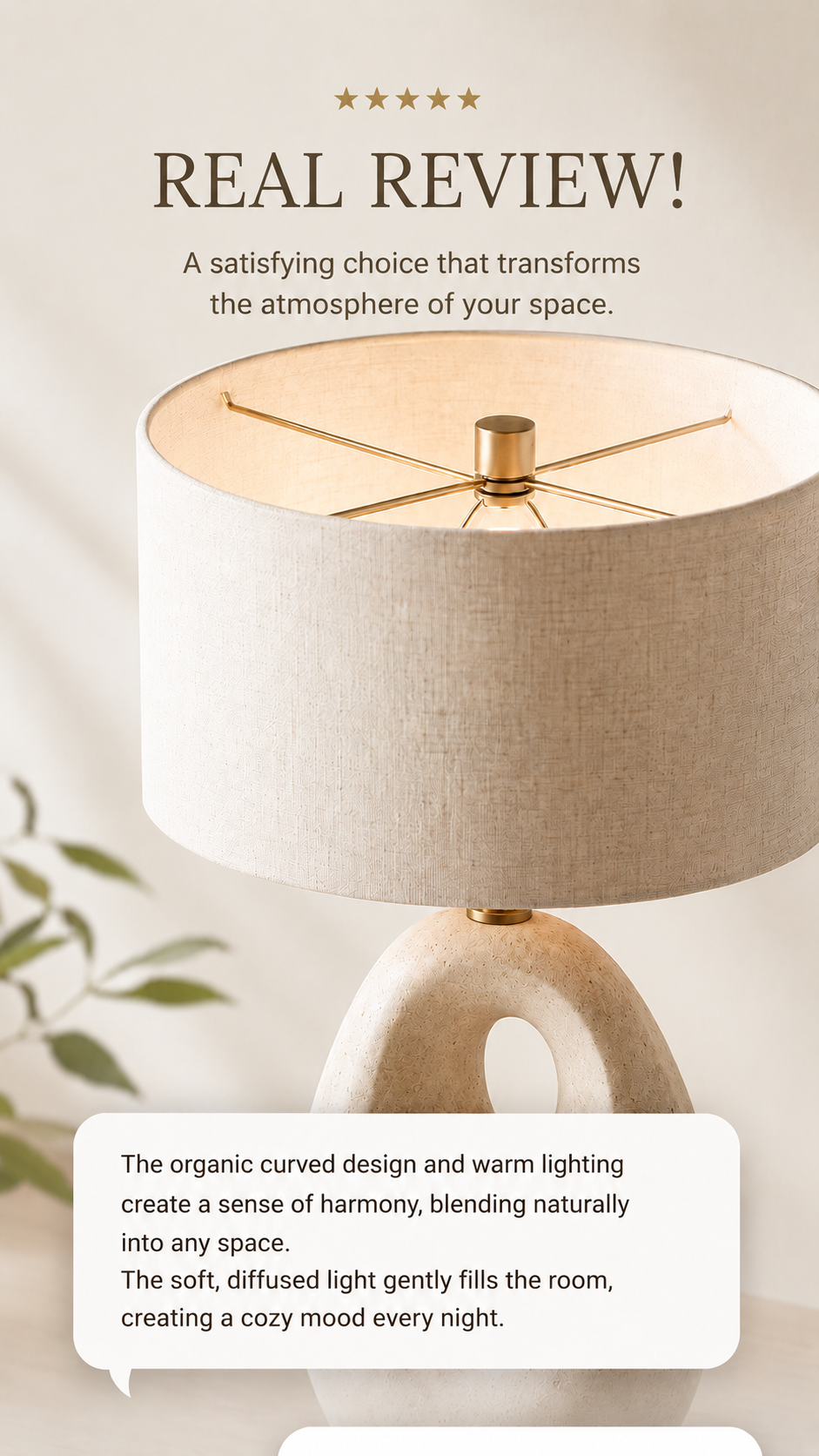
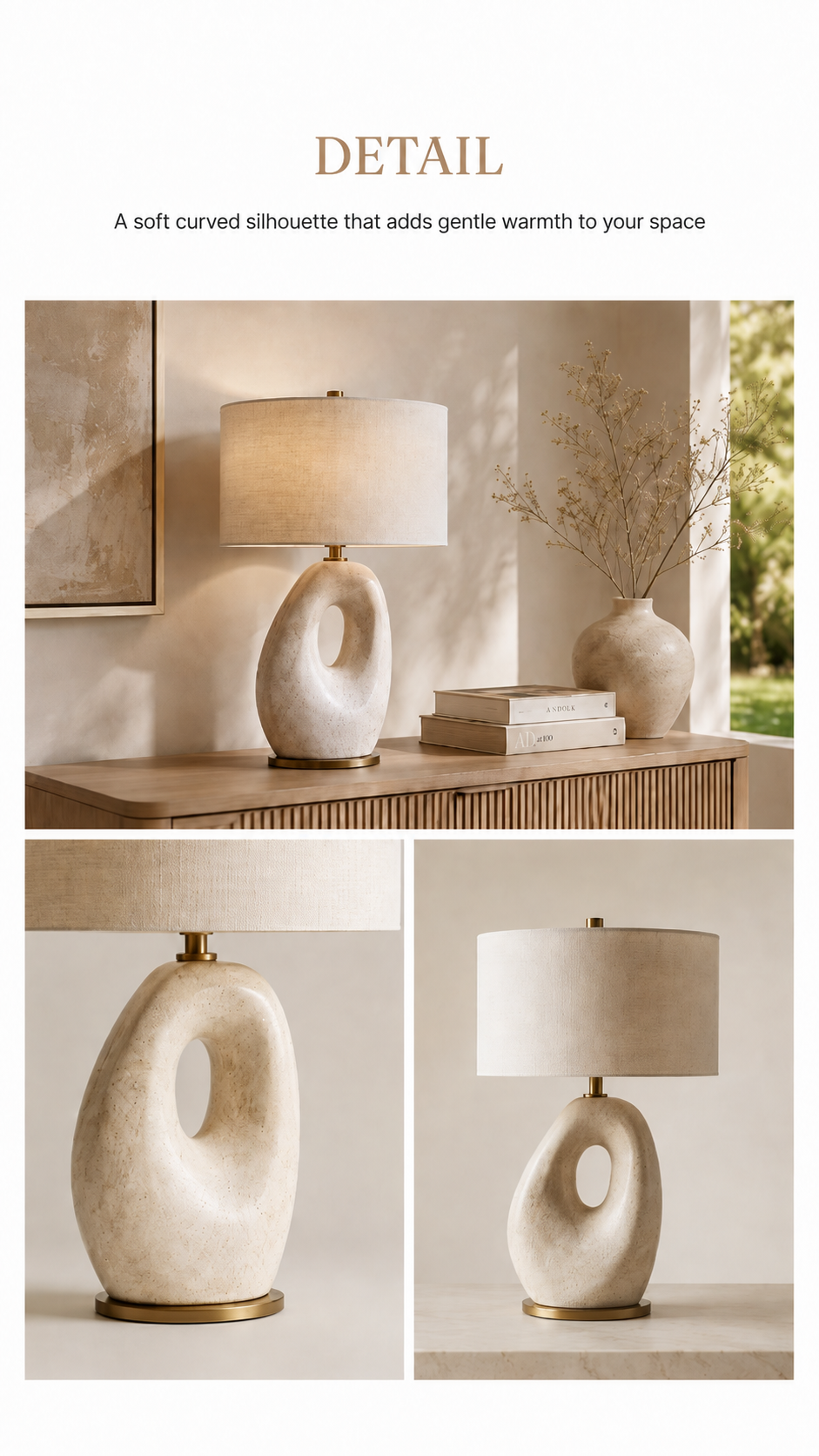
Based on the info provided, Draph Art generates a main visual, room settings, detail shots, and usage scenes that fit your product's unique vibe. It also organizes your key selling points, writes an intro, and structures the content flow for the entire page.
For instance, lighting products can be showcased to highlight light effects and room mood, while rugs can focus on scale and overall harmony with the space. Curtains can emphasize the fabric's drape, light transparency, and indoor color palette.
STEP 3 | Edit and export
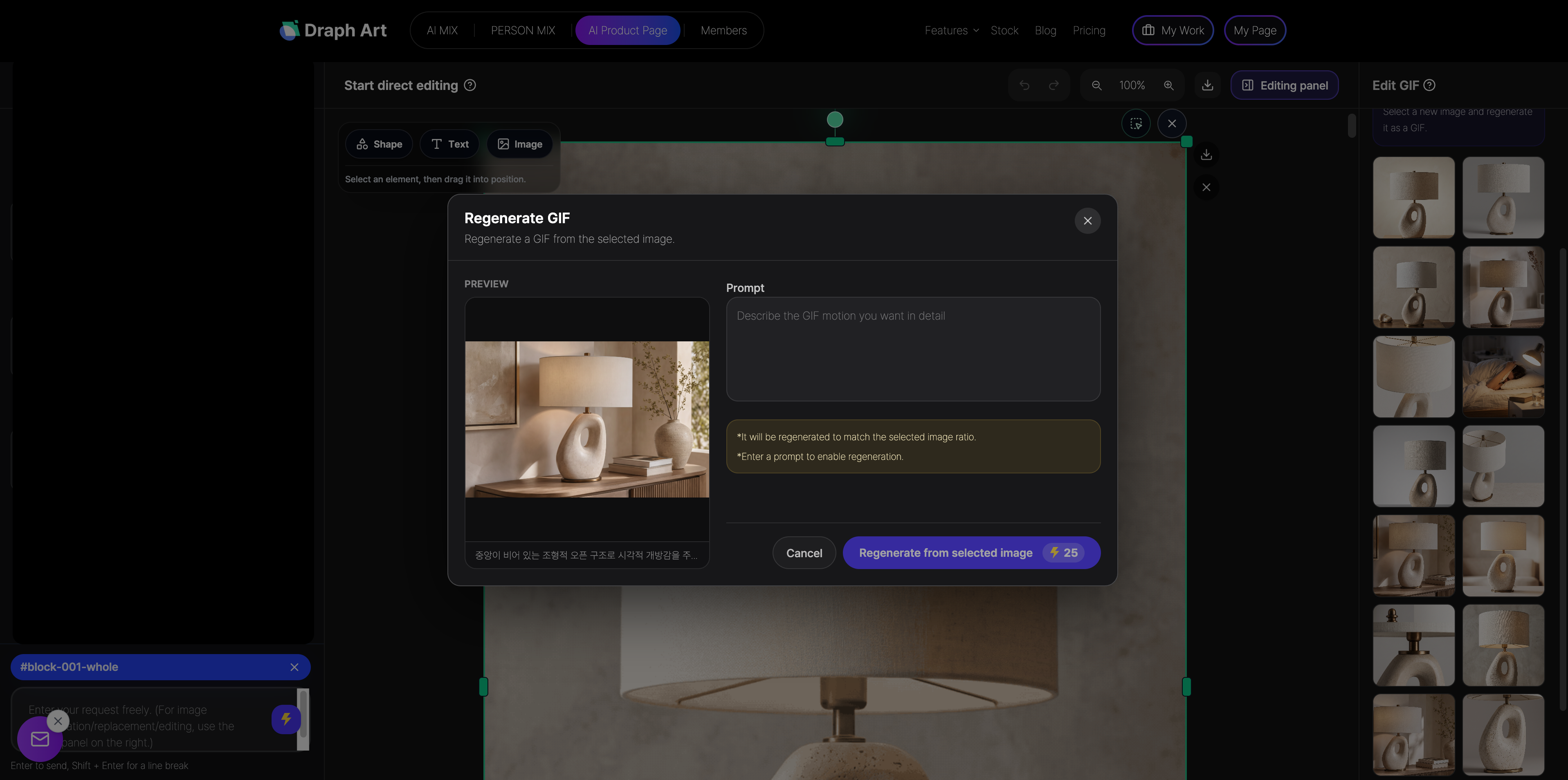
Once generated, you can manually edit the text, change image styles, regenerate specific scenes, or rearrange the order of the detail page modules. After reviewing the final result, you can export the page to use for your product listing.
Through this process, tasks that used to require separate efforts—image production, copywriting, and page design—can now be handled in one place in a fraction of the time. Interior sellers can easily create and manage detail pages for multiple items.
5. Traditional production vs. using Draph Art
The difference between traditional methods and using Draph Art for interior detail pages lies not just in production time, but in the ability to integrate various tasks into one seamless workflow.
| Comparison | Traditional way to create interior product pages | Creating interior product pages with Draph Art |
| Room Staging | Prepare the space and props, then shoot | Generate staged photos with AI based on your product |
| Image Creation | Edit each image manually after the photoshoot | Automatically generate main images, room staging, and detail shots |
| Product Copy | Organize product info and write it yourself | Automatically generated based on your product details |
| Page Layout | Designers plan the content flow and layout manually | Automatically arranged based on the customer's buying journey |
| Editing Process | Ask the photographer or designer to make changes | Simply select and edit specific images or text |
| Production Time | Takes several days for photoshoots and design work | Get a draft of your product page in about 3 to 10 minutes |
💡 Frequently Asked Questions (FAQ)
Q1. How long does it take to create an interior product page with Draph Art?
A1. Once you upload your product photos and enter basic info, you can usually see the first results in about 3 to 10 minutes. By automatically creating an interior product page, you get room staging images, product details, interior styling scenes, and sales copy all at once, allowing you to quickly create AI interior product pages for multiple new arrivals.
Q2. Can I generate room staging images in different interior styles?
A2. Yes, you can! Depending on your product's concept, you can set various room vibes like modern minimalist, natural wood, Scandinavian, cozy home decor, or luxury hotel style. You can generate staging images for living rooms, bedrooms, or home offices, and adjust them later if something doesn't quite match your product's style.
Q3. Can I edit the AI-generated images and text?
A3. Yes, you can. Once generated, you can edit titles, product descriptions, and sales copy. You can also change the room style, re-generate specific images, or reorder the product page modules. Even if you're not happy with a certain part, there's no need to start over from scratch.

.png&w=1920&q=75)
