
.png&w=1920&q=75)
목차
- 1. First, Set Your Brand's Own Visual Standards
- 2. Create Room Styling Guidelines That Keep Your Brand Vibe Alive
- 3. Trendy Images Help Shoppers Grasp Why They Need to Buy Faster
- 4. Expanding Your Set Brand Style to More Product Images with AI MIX
- 5.How to Automate Product Detail Pages with AI
- 6. The Impact of Interior Images and Detail Pages on Time Spent on Site
- 💡 Frequently Asked Questions (FAQ)

When consumers shop online for lighting, rugs, curtains, storage items, or home decor items, it's hard to check the exact size, material, and how they actually look in a real space compared to offline shopping. Therefore, interior product images don't just showcase the product; they also play a key role in shaping how shoppers first feel about your brand's vibe. Especially since interior goods belong to the living and home decor categories, a mix of spatial shots, material close-ups, real-life usage scenes, and the overall page vibe works together to influence buying decisions, rather than just relying on a single main image. When multiple products share similar colors, lighting, and room styles, shoppers naturally start to remember a cohesive brand image. That's why approaching interior image generation as a way to build a visual standard you can reuse across multiple products works much better than just making one pretty picture.
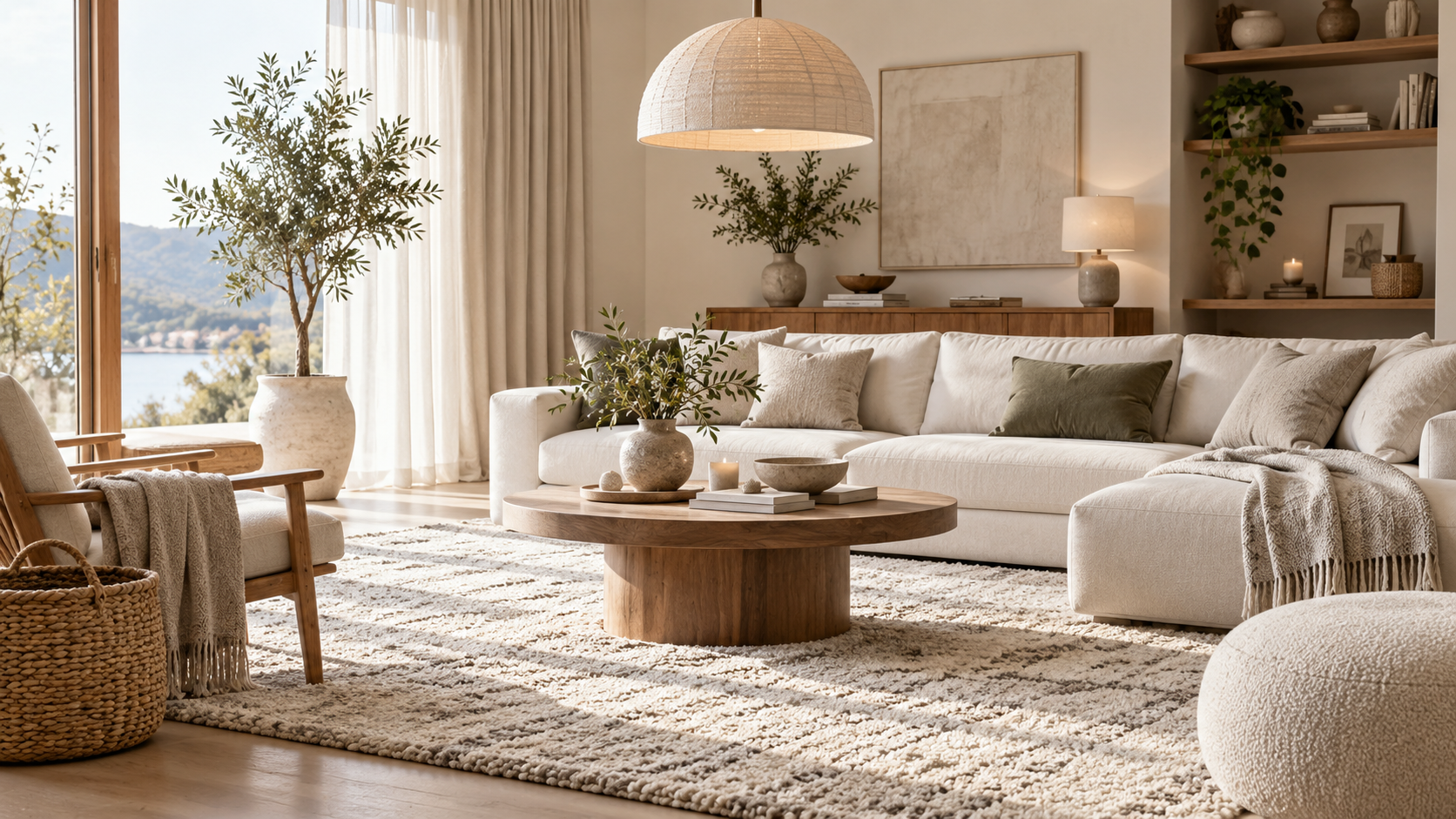
By using Draph Art's AI MIX, you can create spatial shots and various product images that match your brand's vibe based on your existing interior product photos. Plus, with the AI e-commerce detail page generator, you can effortlessly connect product photos and basic info to create image layouts, sales copy, and even interior detail pages, while using templates infused with the latest e-commerce design trends. In this post, we'll walk through how to build your brand visuals with interior image generation, how to turn trendy product images into a reason to buy, and step-by-step AI MIX and detail page creation.
💡 3-Line TLDR for Busy Readers
|
1. First, Set Your Brand's Own Visual Standards
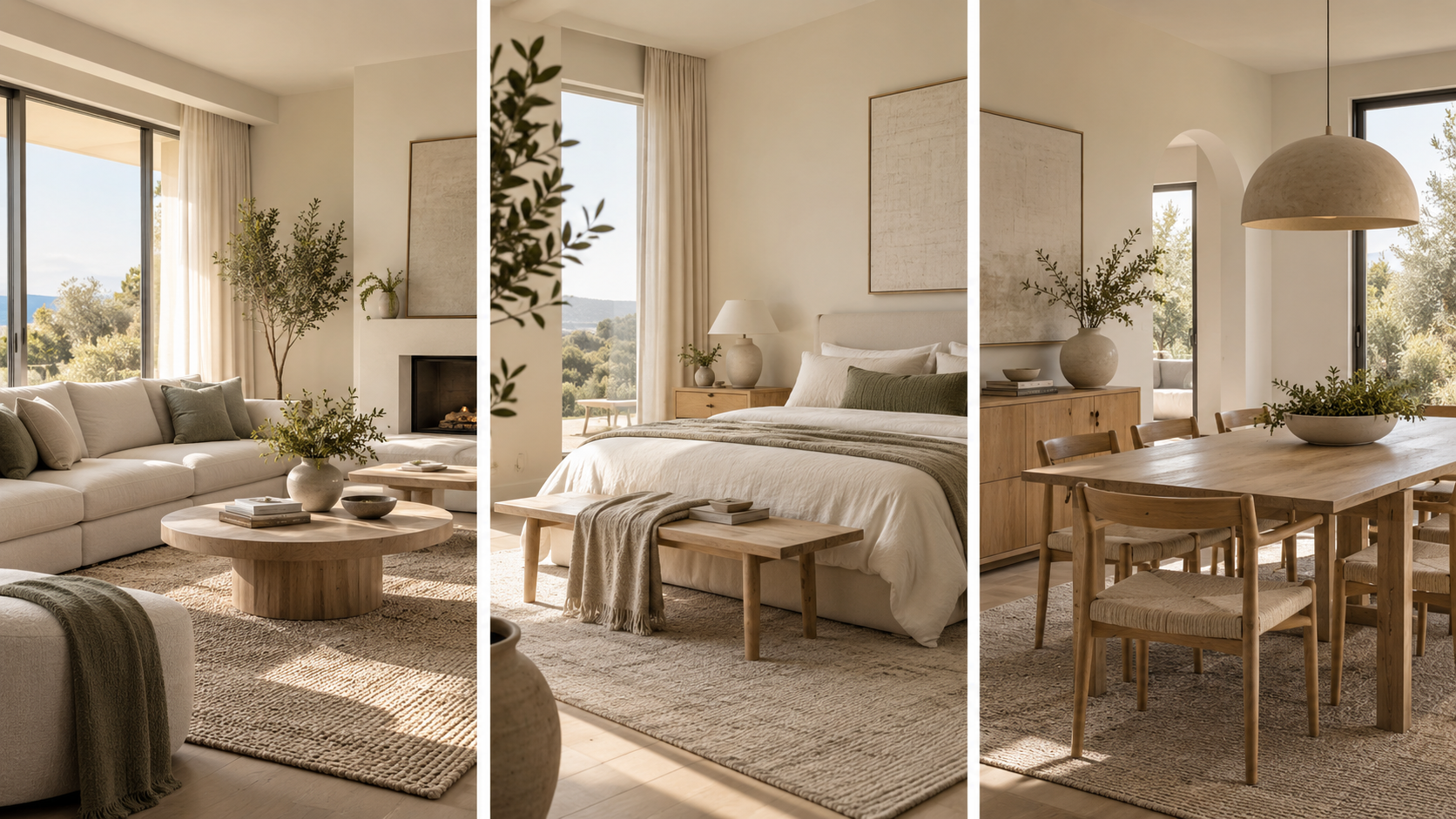
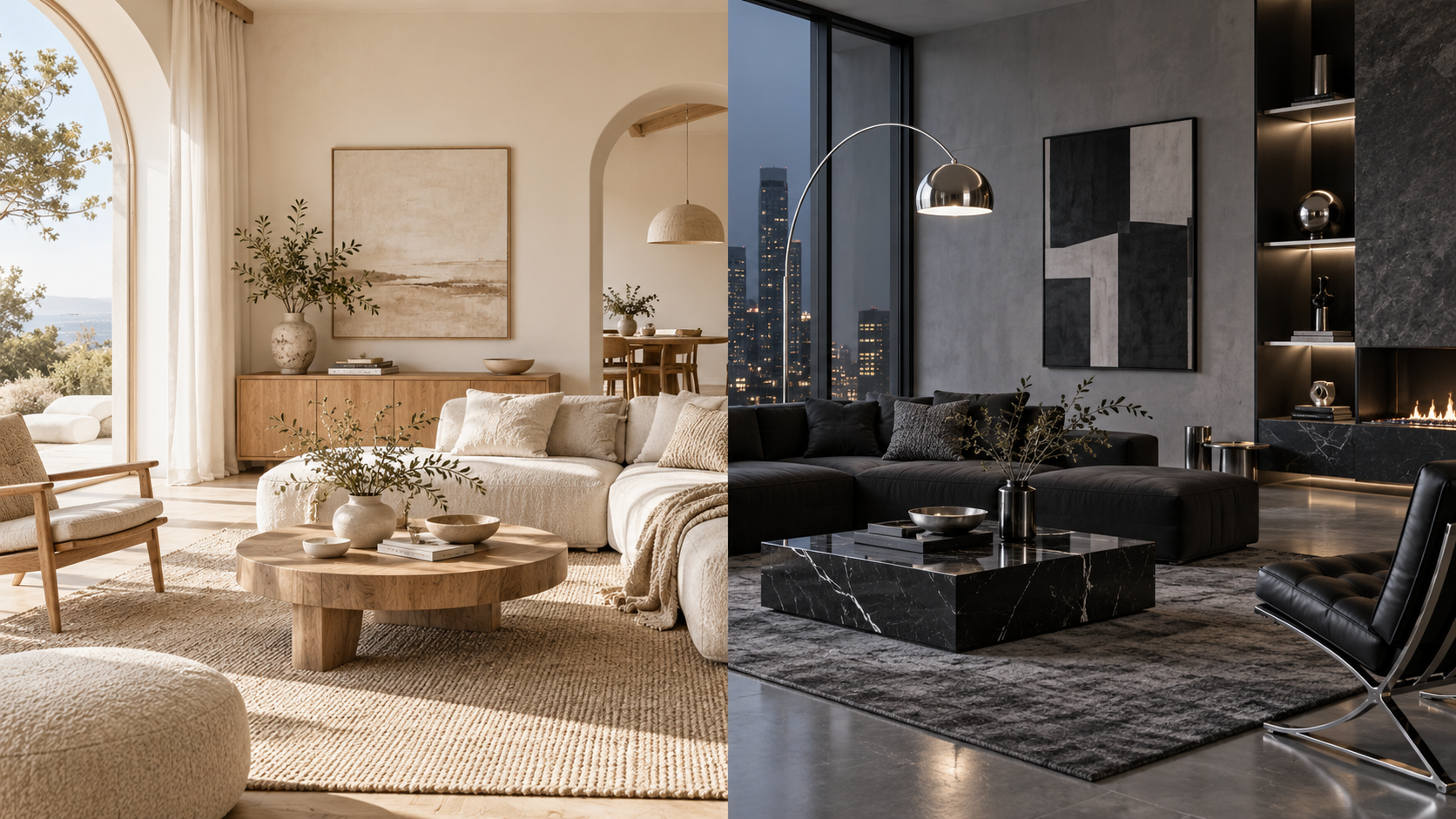
Before diving into interior image generation, it's a good idea to figure out what visual features you want shoppers to remember first when they look at your images. Instead of applying totally different styles to every product, it's way more effective to set a few basic elements like color, material, lighting, and room vibe, and then use them over and over across different items. For instance, if your brand has a natural and cozy vibe, you can stick to ivory, light wood, natural light, and low-saturation colors. On the flip side, if you want to push a modern vibe, you can center your visual direction around gray, black, metal materials, and cool tones. Later on, even if your products switch from lighting to rugs, curtains, or home decor, sticking to a similar visual language will naturally tie your whole brand image together.
Also, it's a great idea to pick a few spaces that can represent your brand, like a living room, bedroom, or dining room. You don't need to copy and paste the exact same room every single time, but keeping the wall colors, furniture materials, lighting, and overall room vibe similar does the trick. Especially when you're using AI image generation, setting these visual rules ahead of time cuts down on the hassle of hunting for new styles for every product, letting you easily expand your new arrivals within your existing brand vibe.
2. Create Room Styling Guidelines That Keep Your Brand Vibe Alive
Once you've nailed down your brand's colors, materials, and room vibe, the next step is to set up room styling guidelines so you can reuse them across multiple products. While the specific room might change depending on the product, keeping the overall visual direction steady is key. For example, you can set up basic room combos like 'living room with natural light + light wood furniture + ivory walls', or 'soft bedroom + low-saturation fabrics + warm lighting'. From there, you can expand by placing floor lamps in the living room or reading nook, and styling rugs in the living room or bedroom.
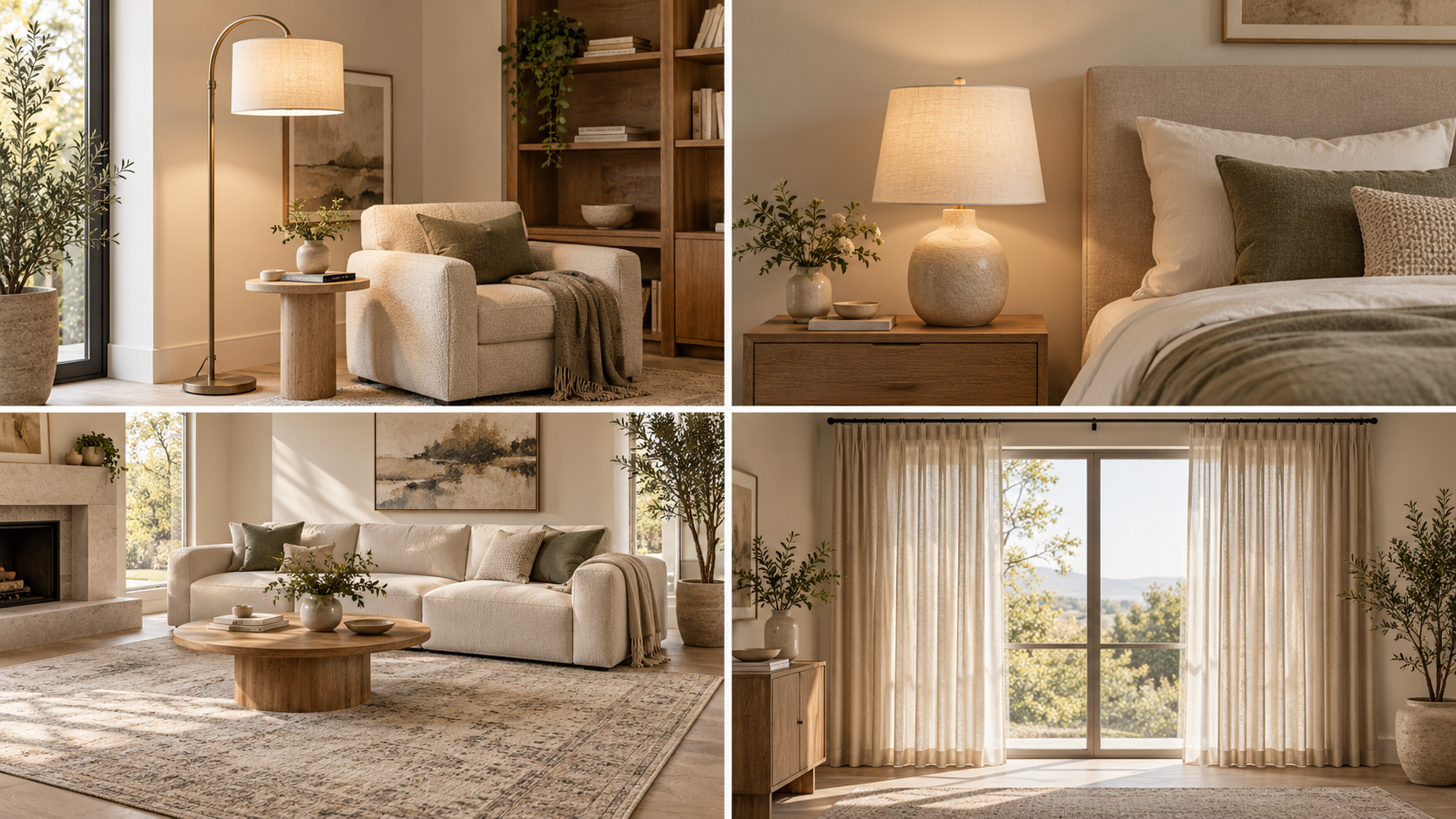
This approach is totally different from just slapping the same background on everything. The room itself can change and the furniture or decor can be tweaked to fit the product, but the main trick is keeping the overall room vibe and visual language intact. This way, your images won't all look identical, yet you'll still maintain that strong brand consistency.
Once you've got these room formulas pretty much locked down, you won't have to hunt for reference images and design directions from scratch every time a new product drops. You can use image generation not as a chore to invent a brand new style every time, but as a way to roll out fresh products within the brand visuals you've already built.
3. Trendy Images Help Shoppers Grasp Why They Need to Buy Faster
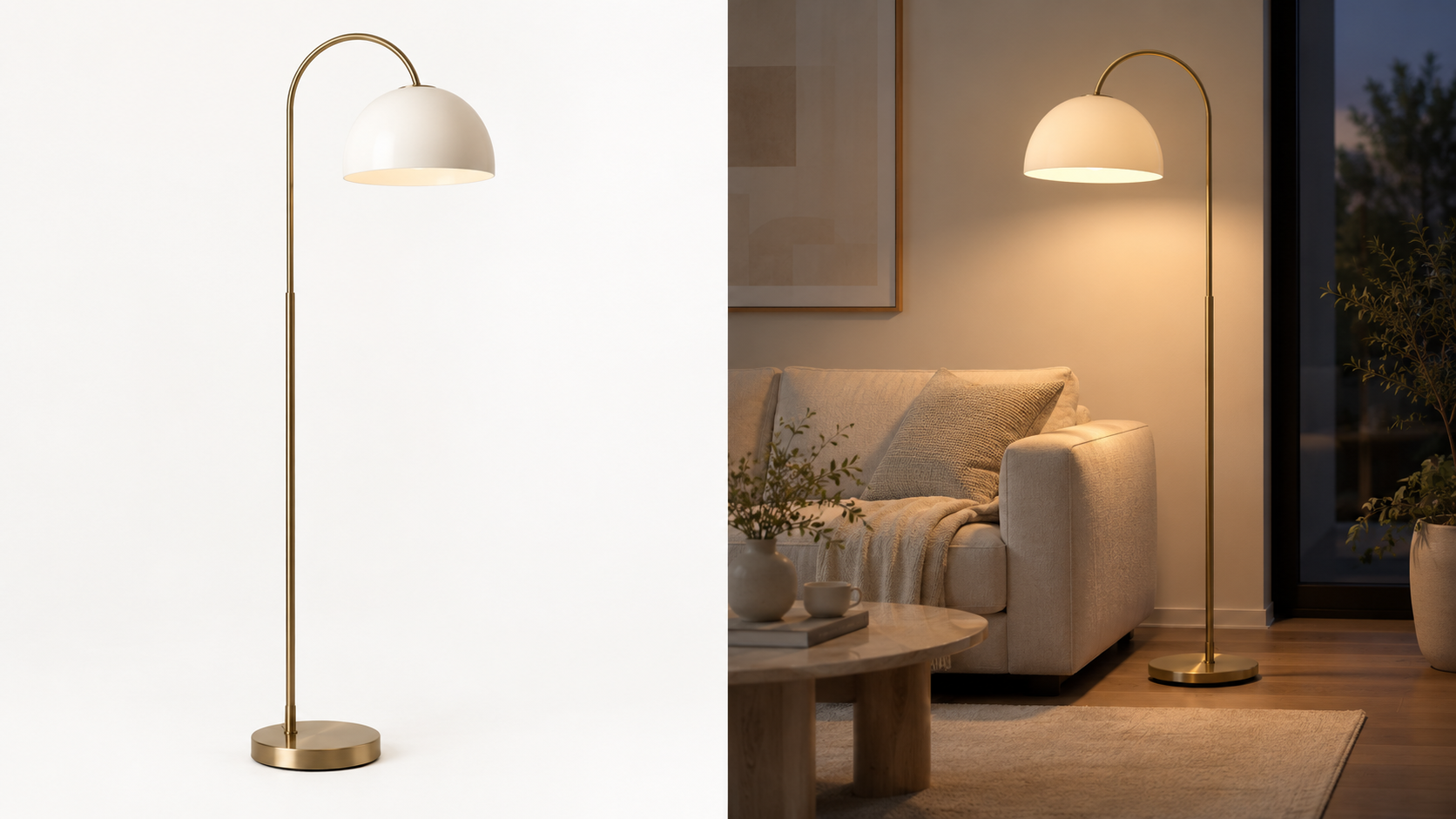
Once your brand's visuals are locked in, it's worth checking if your images are actually helping shoppers understand the product better. Many interior products have value that's hard to get across just by looking at the product itself, and their standout features usually pop when they're actually placed in a real room. For example, you can only see the shape of a lamp in a standard product shot, but showing it lit up in a real room lets you convey the brightness and room vibe all at once.
So when you're doing image generation, it's best to build your scenes around questions shoppers would actually wonder about before buying. It's all about showing things like: where to put this product, how well it goes with existing furniture, how big it actually looks, and how the room vibe changes after using it.

Dropping this kind of info into your images can also cut down the mental hoops shoppers have to jump through to get the product. Showing off features through real spaces and usage scenes is way better at making it clear why they should buy, compared to just listing out abstract buzzwords like 'soft material', 'luxurious design', or 'trendy vibe'.
Also, you don't need to churn out a bunch of similar room shots just to pad your image count. The real deal is making sure the next image brings something new to the table that the last one missed. The more naturally the flow goes—from shoppers checking out the product, picturing it in use, to totally getting its value—the better your brand image and sales content will click together.
| Interior Product Types | Key Points to Show in Images | Recommended Styling Direction |
| Lighting | Brightness, lighting vibe, actual installation spot | Place in living rooms, bedrooms, or reading nooks to capture the vibe before and after turning it on |
| Rugs | Sense of scale, ratio with furniture, fabric texture | Style with sofas and beds to highlight overall room proportions and fabric texture |
| Curtains & Blinds | Light filtering level, length, room transformation | Style with natural window light to showcase sunlight and room ambiance changes |
| Storage Items | Actual storage capacity, organizing effect, and where to use | Show before and after organizing in actual spaces like the living room, bedroom, or dressing room |
| Interior Decor Items | Size, styling combinations, and space focal points | Place them on shelves, tables, or consoles to highlight harmony with other decor |
4. Expanding Your Set Brand Style to More Product Images with AI MIX
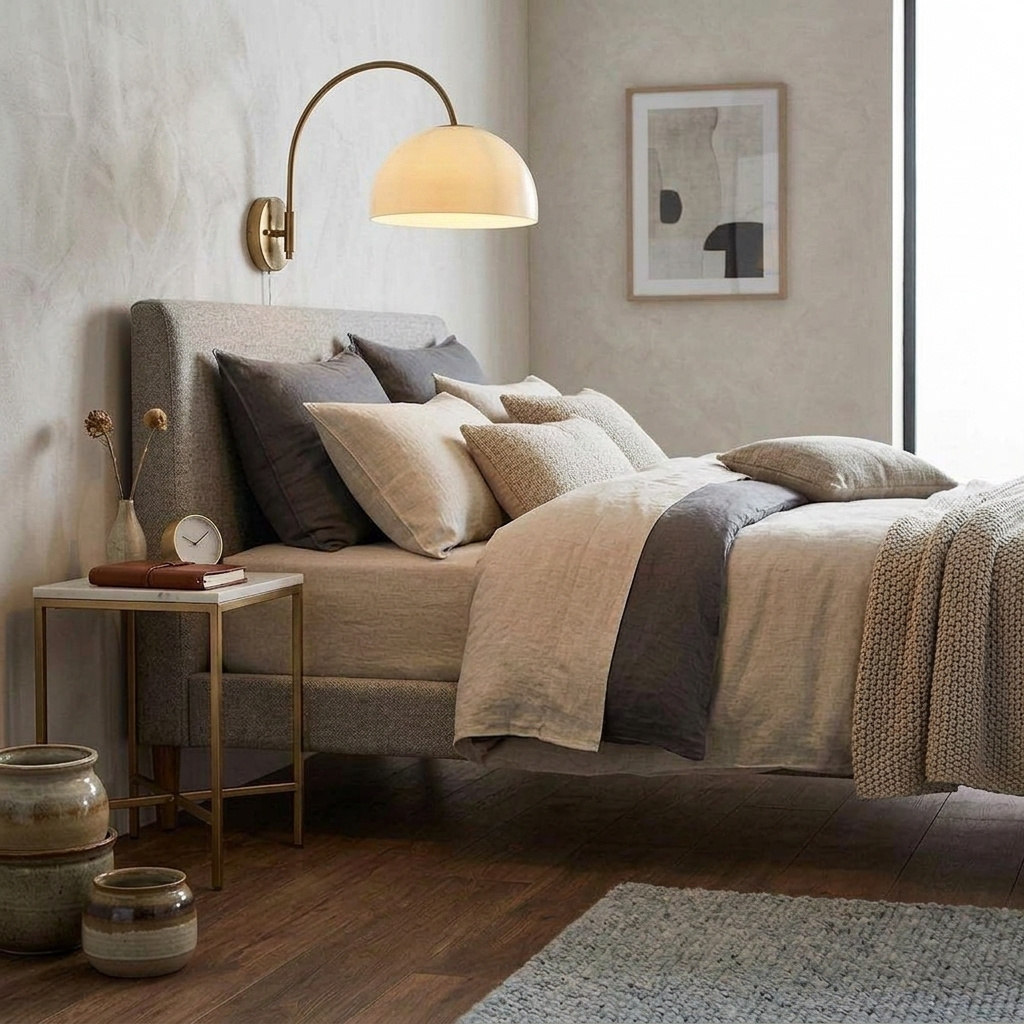
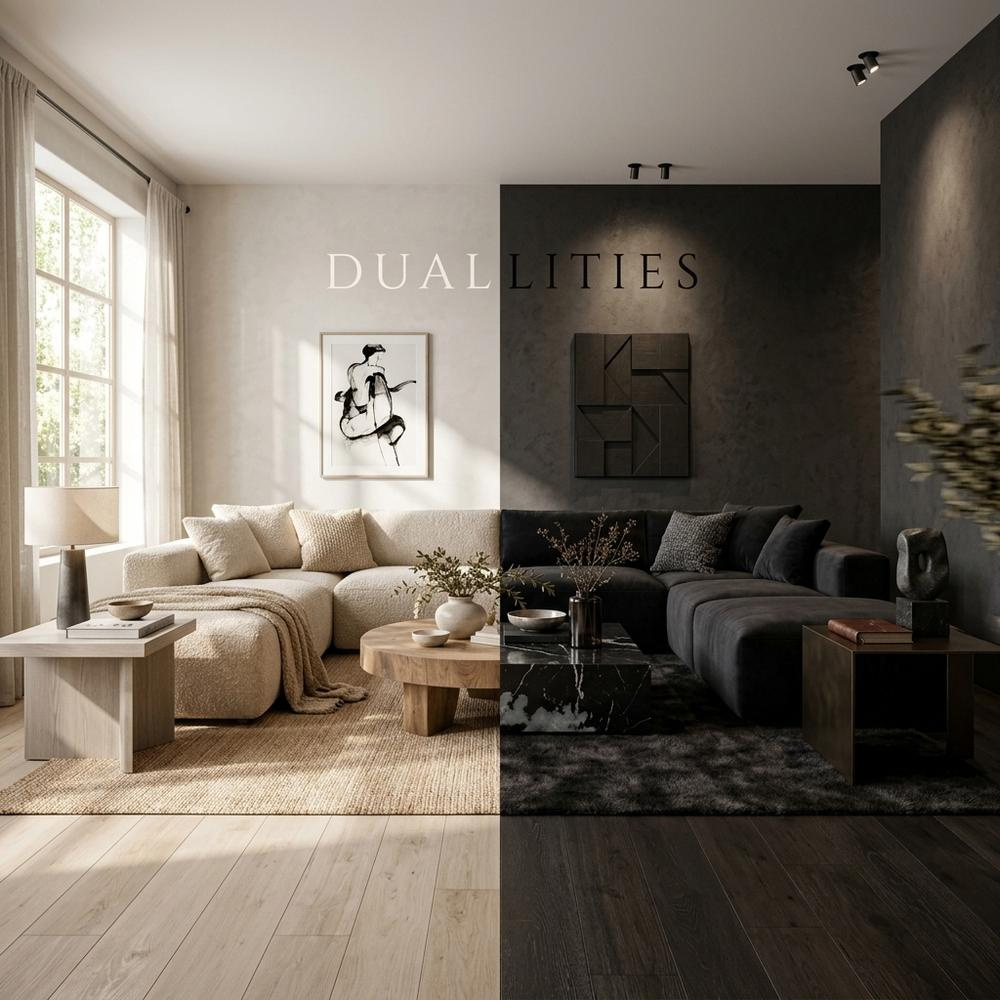
Once the brand's visual direction is set, the part that actually takes a lot of time is consistently creating the spatial images needed for various products. If you have to revisit shooting locations and set up spaces every time a new lighting fixture, rug, or interior decor item is added, the burden of time and production costs will keep growing.
By using Draph Art's AI MIX, you can generate various product scenes based on existing product images. Using a photo composition AI method that naturally connects products with new spaces, you can place a single lighting product in a living room, bedroom, and reading nook respectively, or apply the same rug to different interior spaces to create various usage images.
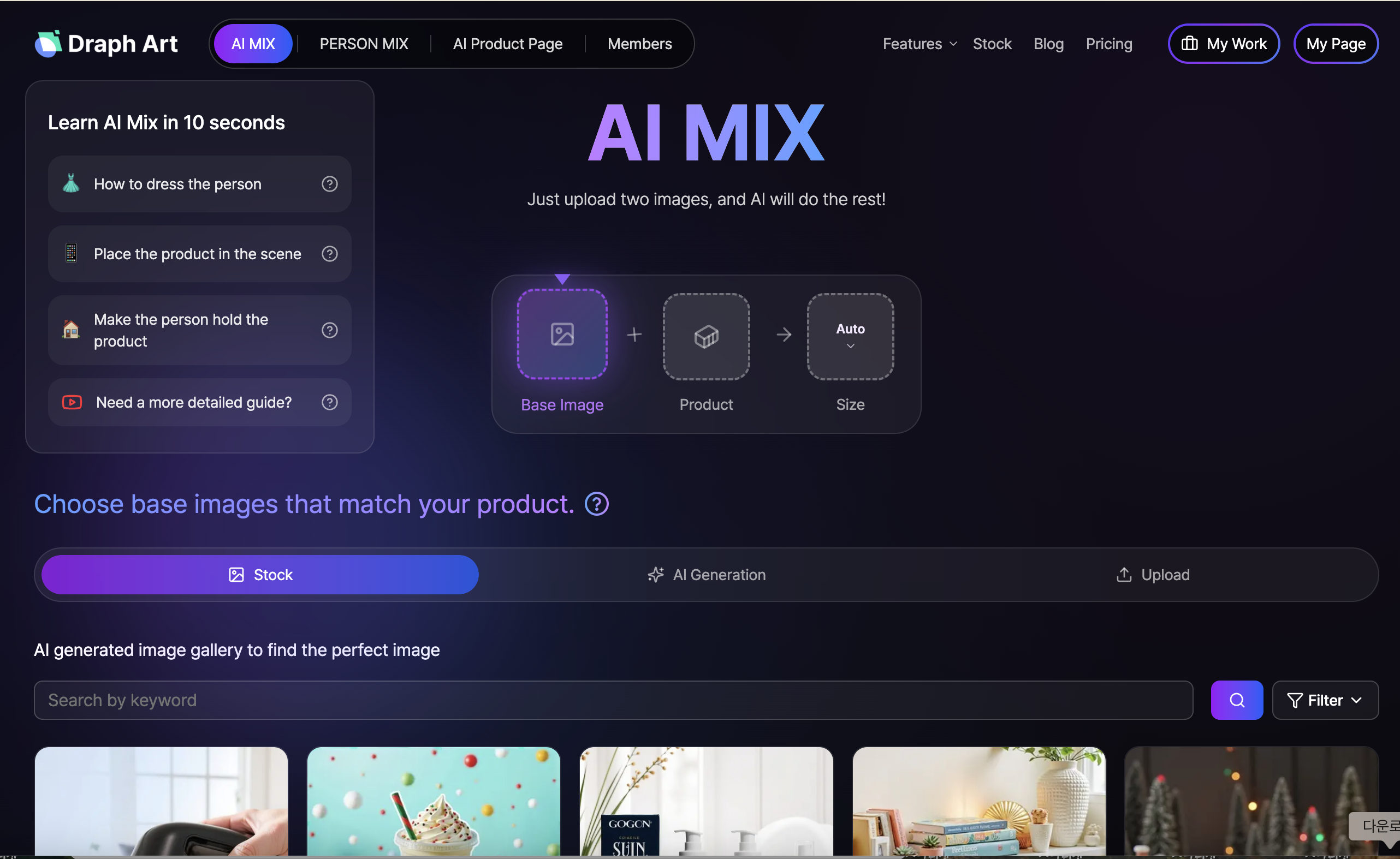
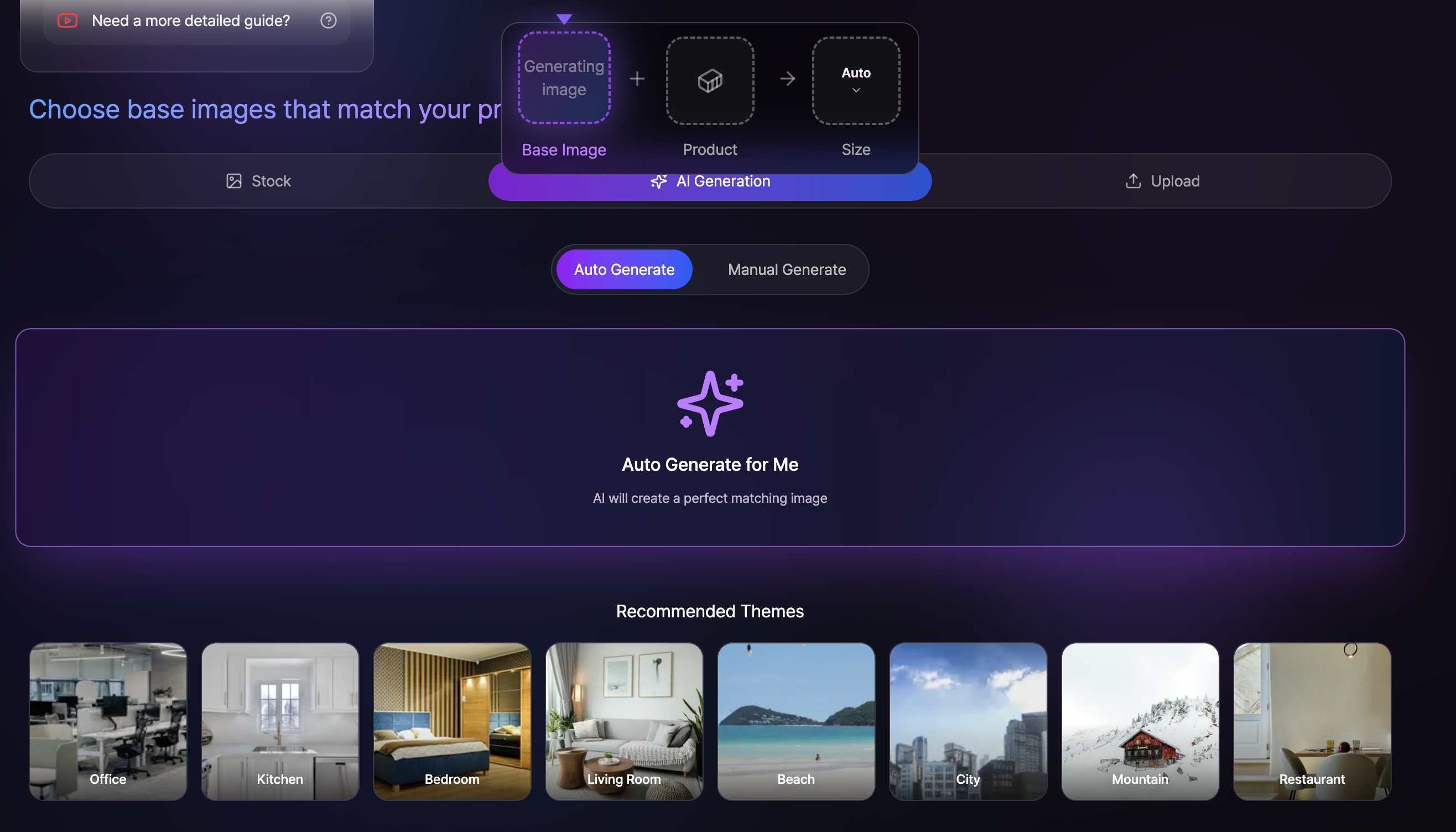
Rather than creating a completely different look every time, it's better to stick with the brand colors, lighting, and spatial style you set beforehand. This way, you can increase the number of product images you need while keeping different products sharing a similar brand vibe. You can also move away from making image generation a one-by-one individual task, and expand it into a brand content production method you can reuse over and over.
5. How to Automate Product Detail Pages with AI
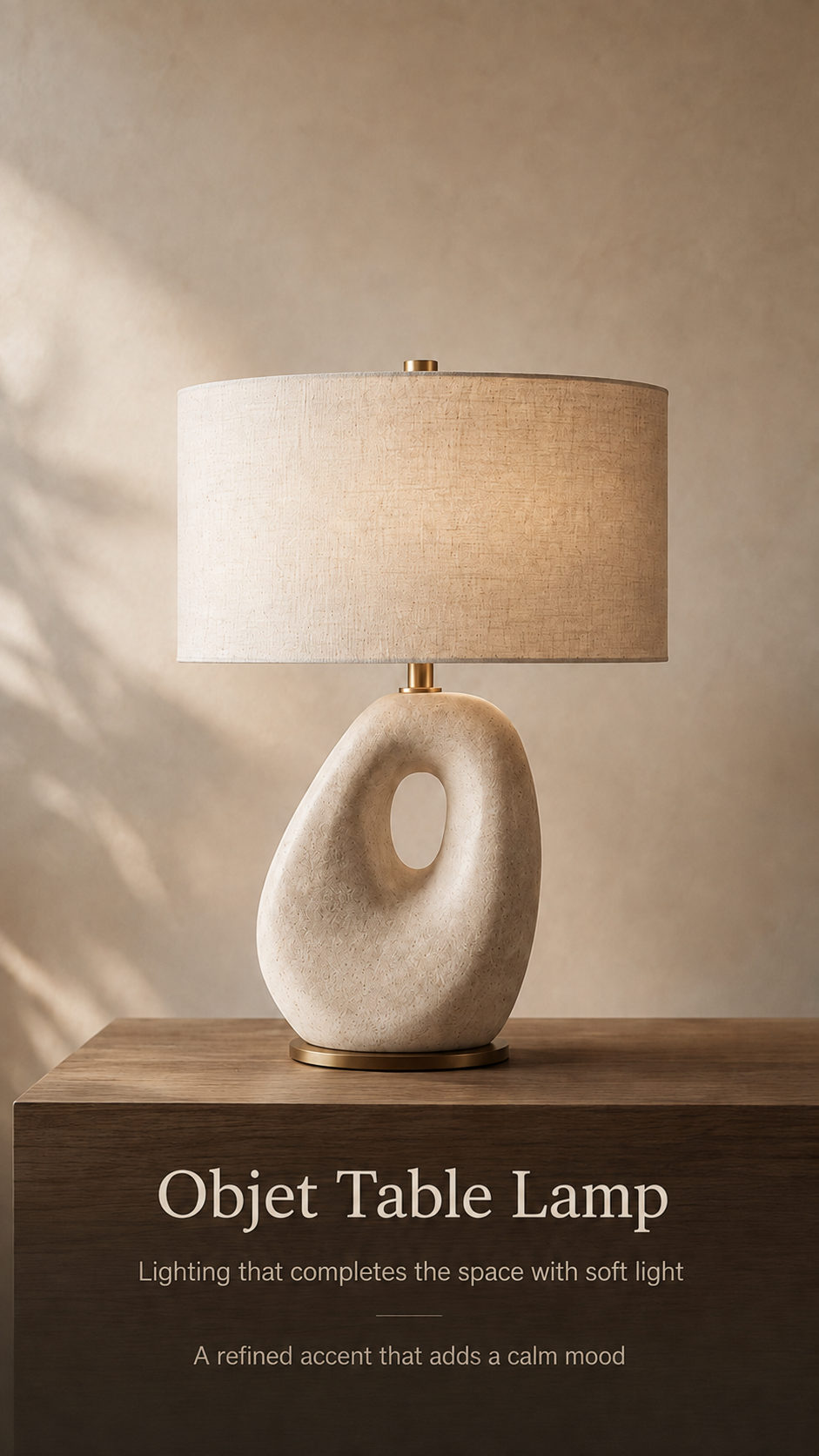
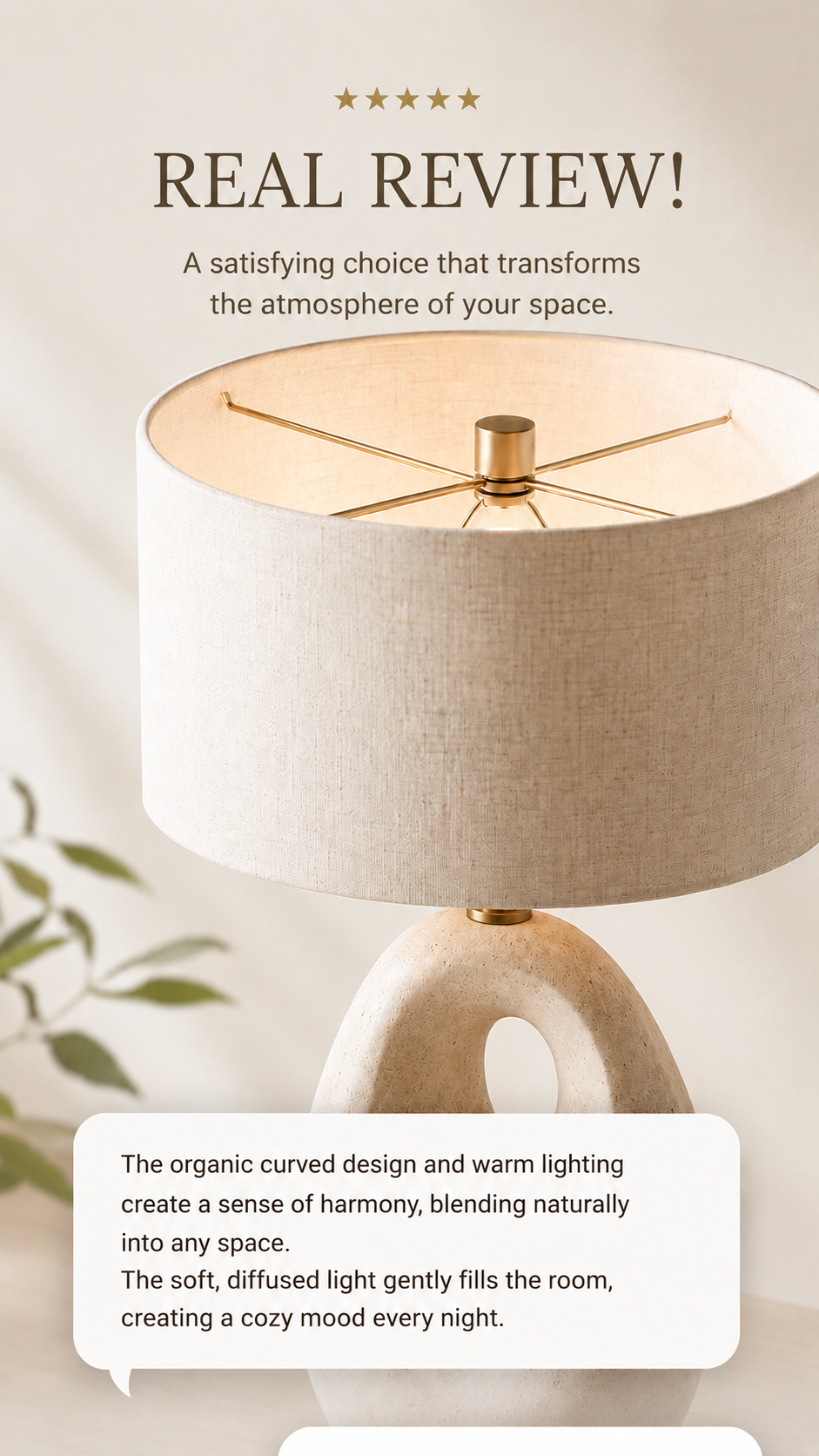

Even after preparing main images, space images, and brand styled shots, actually selling a product requires organizing core selling points, usage info, image placement order, and the overall layout of the detail page. If you do image creation, copywriting, and page design in separate programs, you might end up repeating multiple tasks just to list a single product.
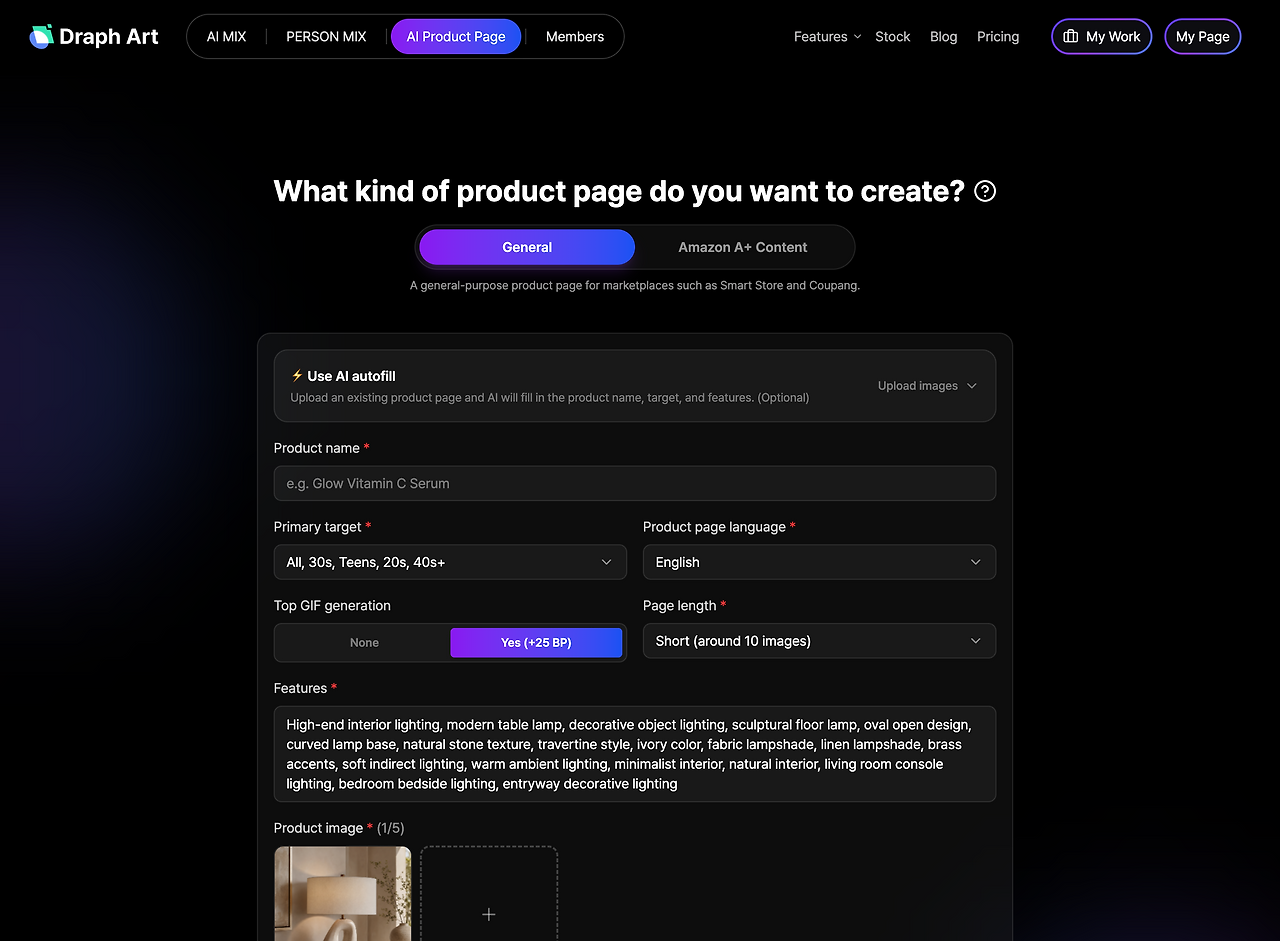
By using Draph Art's AI Detail Page feature, you can tie product photos, basic product info, product images, sales copy, and page layout together into a single detail page. When you select your brand's main colors and reference styles, the AI automatically sets up the whole page, and you can generate a detail page in about 3 to 10 minutes based on existing introduction standards. From the generated result, you can also regenerate or tweak just the images, copy, or individual modules you need.
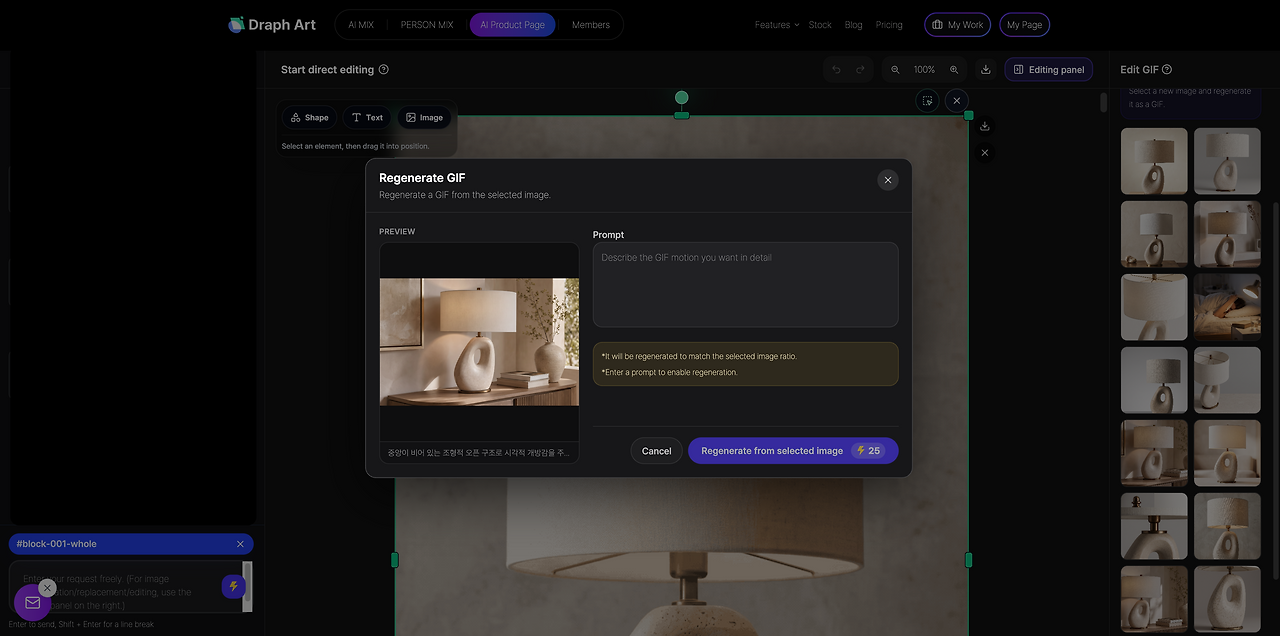
Especially if you have the interior images and brand styled shots made earlier, you can use them together as content for your detail page. Therefore, if you are an interior brand that constantly registers new products, you can prepare product photos, set brand visuals as needed, expand spatial images with AI MIX, and then smoothly move on to creating a detail page. Another perk is that not every product has to go through the exact same production steps—you can just pick and use the image tasks you actually need.
Prepare Product Photos → Set Brand Visuals → Expand Interior Space Images with AI MIX if Needed → Generate AI Detail Page
6. The Impact of Interior Images and Detail Pages on Time Spent on Site
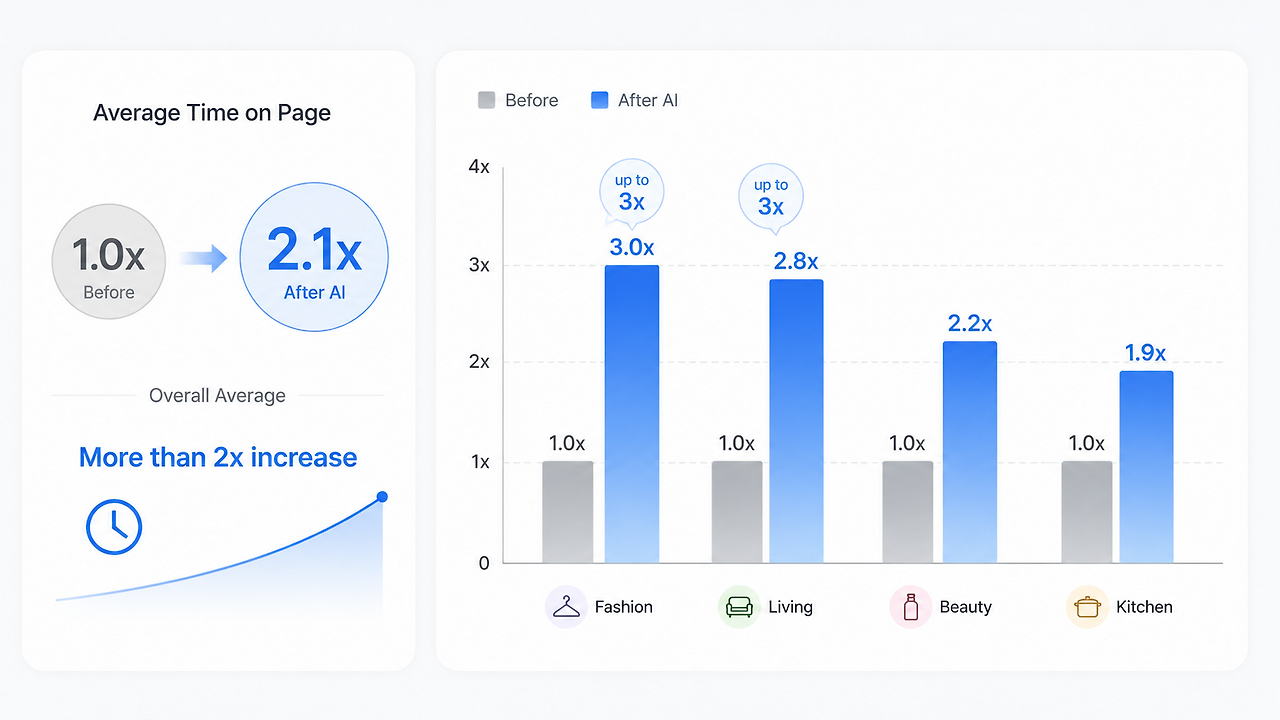
In a test conducted by Draph Art targeting 300 e-commerce sellers across various categories on 'Changes in Average Time Spent After Applying AI Detail Pages', more than 50% responded that their average time spent on site doubled after creating pages with AI detail pages generated by Draph Art. Notably, in fashion and living categories, cases of up to about a 3x increase were also confirmed.
Key factors for this change include consistent overall visuals, reorganizing pages in an easy-to-read order for consumers, and supplementing previously lacking images and info. For interior products as well, when the brand visual, product info, and actual usage scenes flow together rather than just emphasizing the image's vibe, it helps consumers look around and understand the product for longer.
💡 Frequently Asked Questions (FAQ)
Q1. What kind of image creation can AI MIX be used for?
A1: Based on existing product photos, you can use it to create various space-styled images like living rooms, bedrooms, and reading nooks, or to expand the same product into multiple styles and angles. Especially if you set your brand visual standards in advance, it's great to use for repeatedly creating multiple products with the same vibe.
Q2. Can I edit some images or text on AI-generated detail pages too?
A2: Yes, you can. If you want to make extra adjustments to the images or sales copy in the generated detail page, you can edit or regenerate just the parts you need. You don't have to remake the whole detail page from scratch, which cuts down the time spent on repetitive edits.
Q3. What platforms do the generated detail pages support? Can I use them right away to register products?
A3: Currently, it supports domestic e-commerce, Japanese e-commerce, and global Amazon A+ content specifications. Especially if you sell products on domestic online shopping malls, smart store detail page creation image composition and content production methods can also be referenced together. Also, since it can be exported in high resolution and watermark-free formats, you can upload and use it directly on your shopping mall without any extra edits.
.png&w=1920&q=75)