
.png&w=1920&q=75)
목차
- 1. If your Smart Store conversion rate is low, check your existing page first
- 2. What beginner sellers need to prep before making a Smart Store detail page
- 3. How to Design a Smart Store Product Detail Page That Makes Complex Info Easy to Read
- 4. From Pictures to Copy: Make Creating Smart Store Detail Pages a Breeze with AI
- 💡 Frequently Asked Questions (FAQ)

Already selling products in your Smart Store, but orders aren't growing as much as you expected, or are you just about to start selling and feeling totally stuck on how to make your product detail page? Even if you've got your product photos ready, many sellers stress out over what kind of lifestyle shots to add, how to write catchy selling copy, or how to lay out product info. Especially if you lack experience in making detail pages or if you're getting traffic but your conversion rate is lower than expected, you need to double-check whether your current detail page clearly shows off your product's perks and gives people a solid reason to buy.
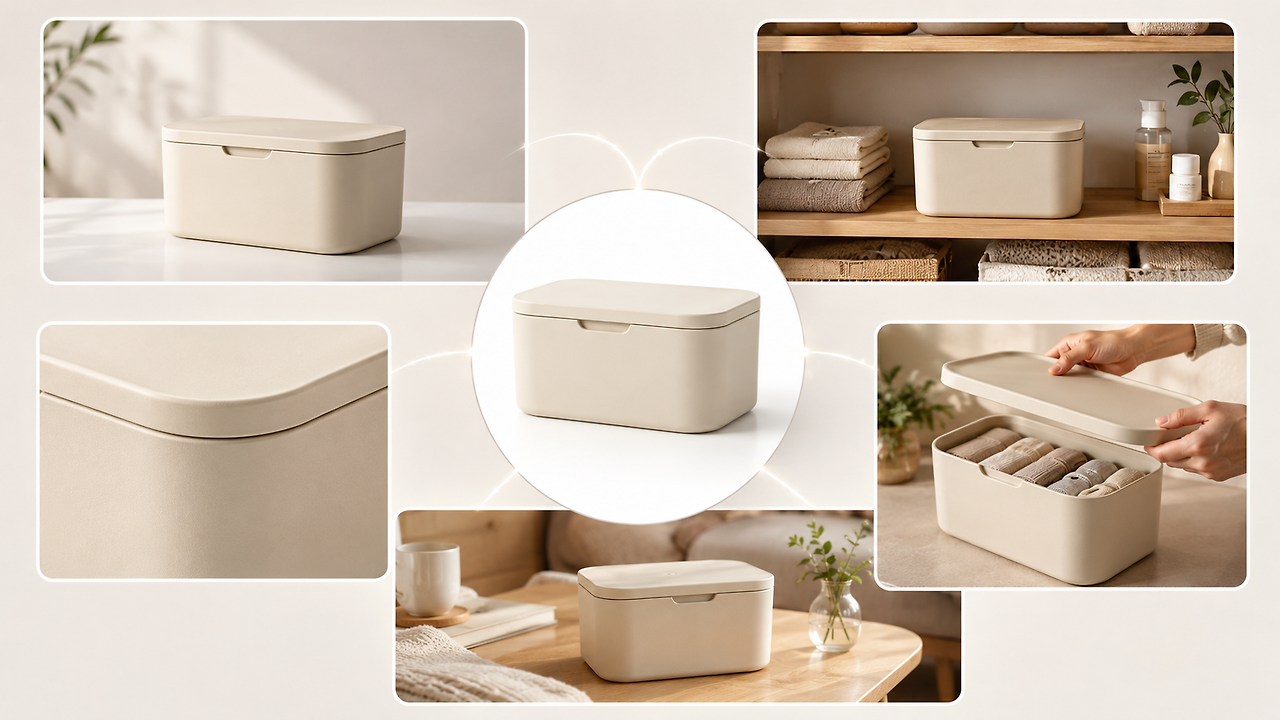
In times like this, using AI can seriously cut down the time it takes to build a Smart Store detail page. Draph Art is an AI-powered tool that automatically generates shopping mall detail pages, letting you expand a single product photo into product staging images, real-life usage scenes, detail shots, feature highlights, sales copy, and a fully finished Smart Store detail page layout. By automatically placing content into latest e-commerce design trends Smart Store detail page templates, you can quickly whip up an awesome page that highlights your product's strengths and all the necessary info without needing any extra photo shoots or complicated design work.
💡 3-Line Summary for Busy People (TLDR)
|
1. If your Smart Store conversion rate is low, check your existing page first
Your Smart Store detail page needs to show why people should buy right from the first screen

On Smart Stores, shoppers usually compare several similar items at the same time. While thumbnails, product names, and prices can grab clicks, the rules change once they actually land on the detail page. They want to check fast: Is this item right for me? What are its best perks? Why is it actually worth buying?
If your detail page doesn't give clear answers to these questions, shoppers might bounce and check out other items even if your product is totally fine. So, if you're getting decent traffic but your sales performance is lagging, you need to re-verify whether your current detail page is actually getting the product's value across.
A high-converting Smart Store detail page makes it super easy to find key info
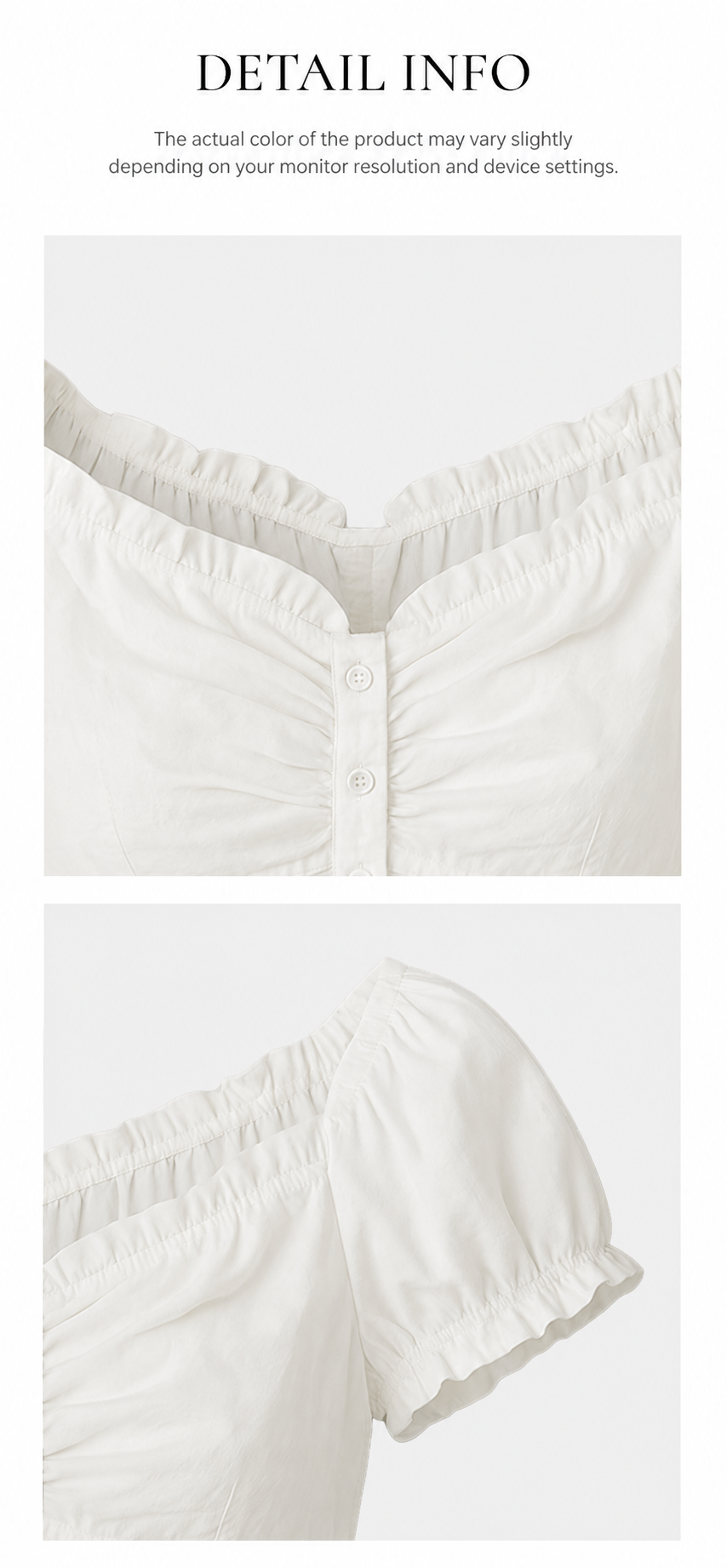
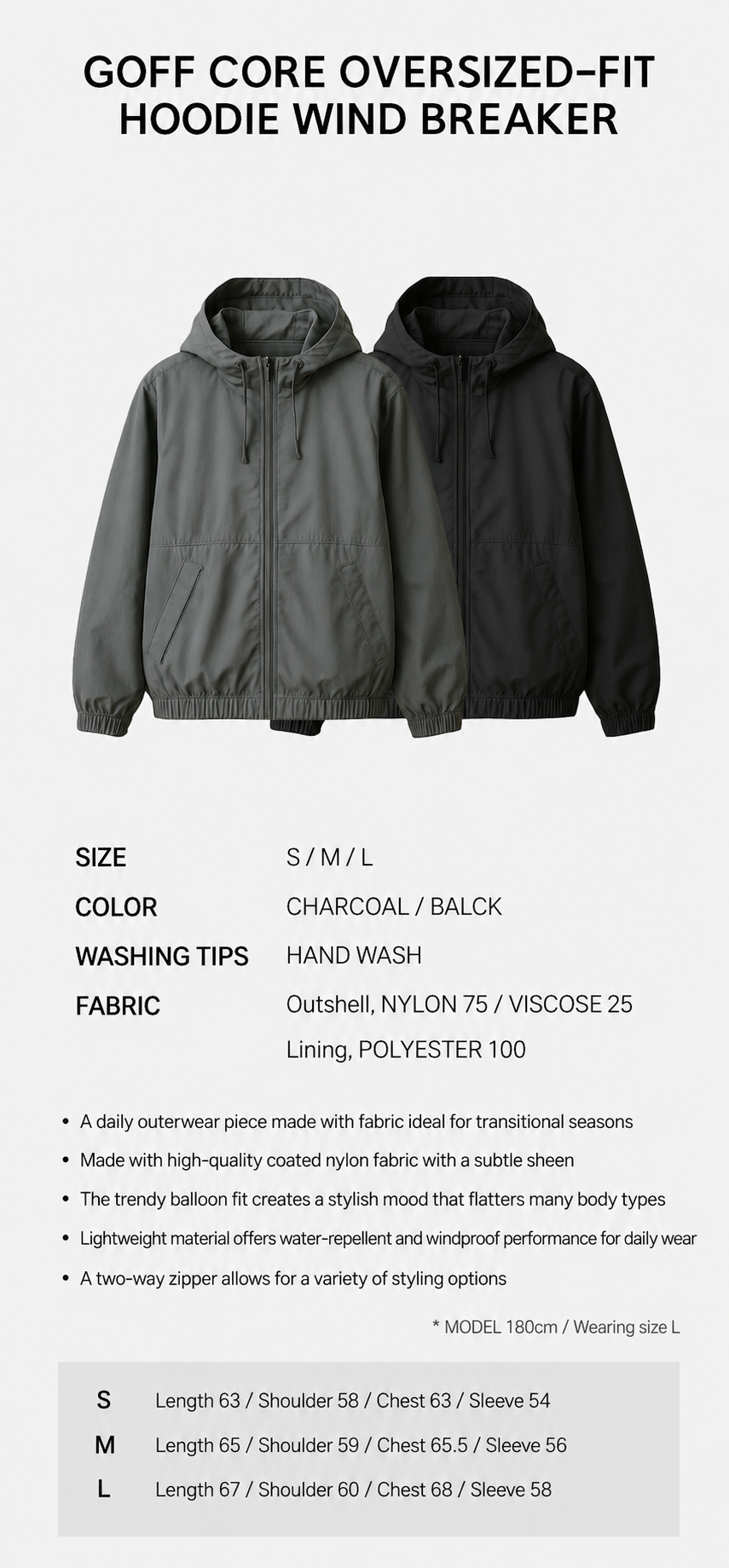
When reviewing your detail page, the key question isn't just "Does it look pretty?" You need to check whether core info catches the eye easily, product features are understood in a snap, and shoppers get enough answers to their pre-purchase questions.
It's also crucial to see if your product and main perks pop out right away on the first screen, if you have enough real-life usage shots, and if essential info like materials, features, and sizes are laid out neatly. If your page is packed with text but lacks a clear focus, or just repeats the same product photos over and over, your biggest selling points might actually get buried.
Therefore, instead of just stuffing in more content, it's way more important to check whether shoppers can quickly figure out why they should pick this product by scrolling through your detail page.
2. What beginner sellers need to prep before making a Smart Store detail page
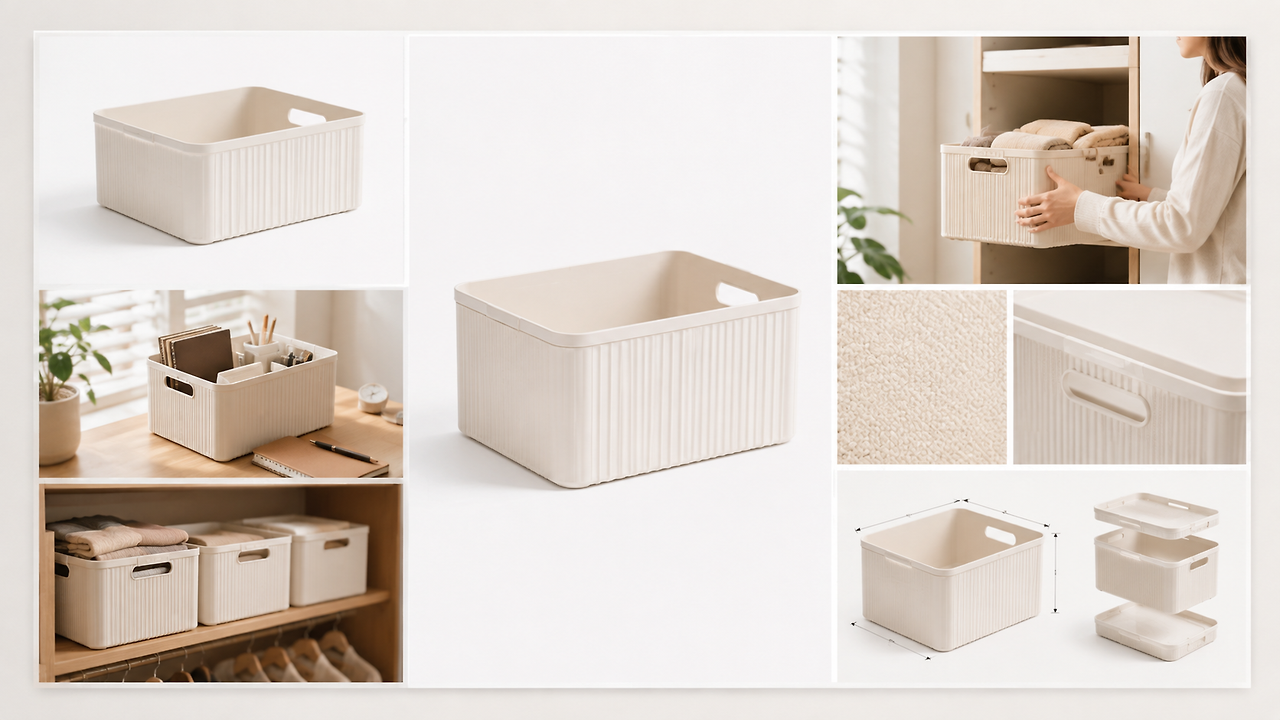
Figure out what your product should highlight the most first
Before you dive into creating your Smart Store detail page, it's super important to figure out what stands out most about your product. You can pin down your core selling points using these three questions: Who is this product for? What needs or problems does it solve? And what makes it stand out compared to similar stuff out there?

Pinning down your core selling points first and then prepping your images and sales copy to match is way more efficient than making a ton of content and trying to filter it later. Instead of trying to make every single piece of info look equally important, pick a few key points that sway buying decisions the most, and build your images and copy around them. That way, your page's message stays consistent and shoppers will easily remember the product's main perks.
Making a Smart Store detail page takes more than just snapping a few product photos
When prepping to sell products on Smart Stores for the first time, many sellers stress out over how many product photos they need. However, actually creating detail pages requires a lot more image work than you'd think, ranging from background removal to clean up your product shots, all the way to prepping hero images and real-life usage scenes.

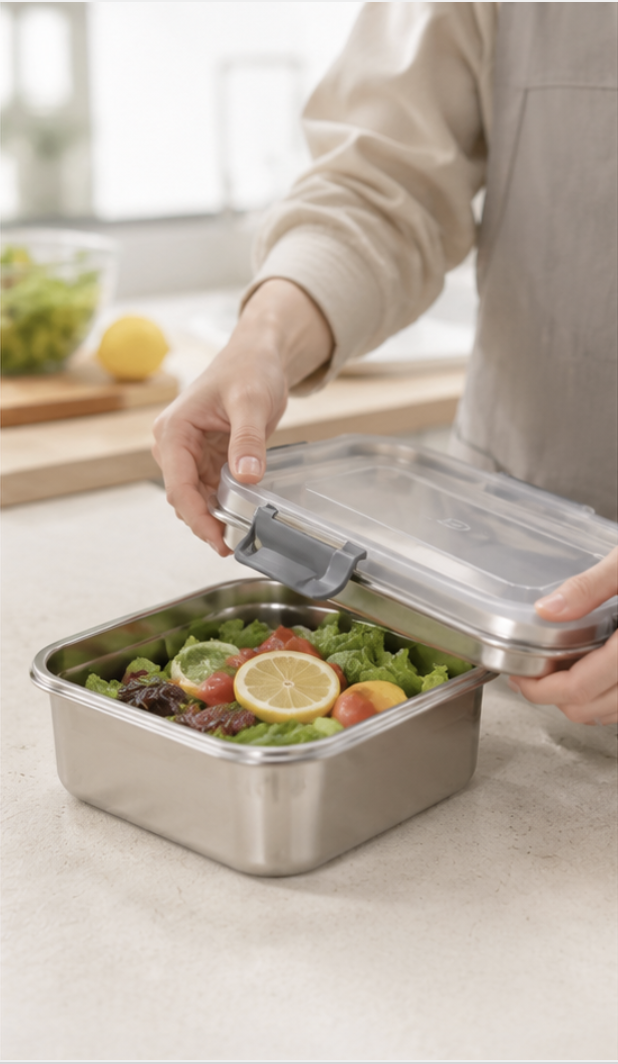

For instance, your main product visual sets the first impression, while real-life usage shots help folks see how the item is actually used. Detail shots show off the materials and structure, and info like size, features, and how-to-use guides help answer pre-purchase questions.
Also, what you need to highlight depends heavily on the product. For clothing and accessories, showing how they look when worn works best; for lifestyle goods, you want to show features and usage; and for furniture, staging the space and showing the real sense of scale are key. So, before you start designing, it's super important to figure out what kind of content shoppers need to truly understand your product.
Content Checklist Before Making Your Smart Store Detail Page
| Category | Recommended Content to Prep | Main Purpose |
| Common | Hero image, product details, size/materials/features, option info | Help folks quickly grasp basic product info and core features |
| Clothing & Accessories | Wearable shots, size info, material details, styling shots | Help buyers see how it actually looks and figure out if it's right for them |
| Household Goods | Real-life usage scenes, feature explanations, how-to-use, before-and-after shots | Show what problems the product solves and how to use it |
| Furniture & Interior | Room styling shots, size comparisons, material & structure details | Help customers easily get a feel for the size and vibe in a real room |
| Kitchenware | Cooking & usage scenes, capacity/size, materials, washing & storage info | Clearly show everyday usability and things to check before buying |
3. How to Design a Smart Store Product Detail Page That Makes Complex Info Easy to Read
Just because you've gathered all the images, key selling points, and product info doesn't mean your job is done once you paste them in. If your detail page lacks a clear layout for images, copy, and product details, shoppers might take forever to find what they're looking for, no matter how much content you have. So, when planning your shopping mall detail page, you need to think about not just how much info you have, but also an easy-to-digest layout so shoppers can quickly spot the main points.
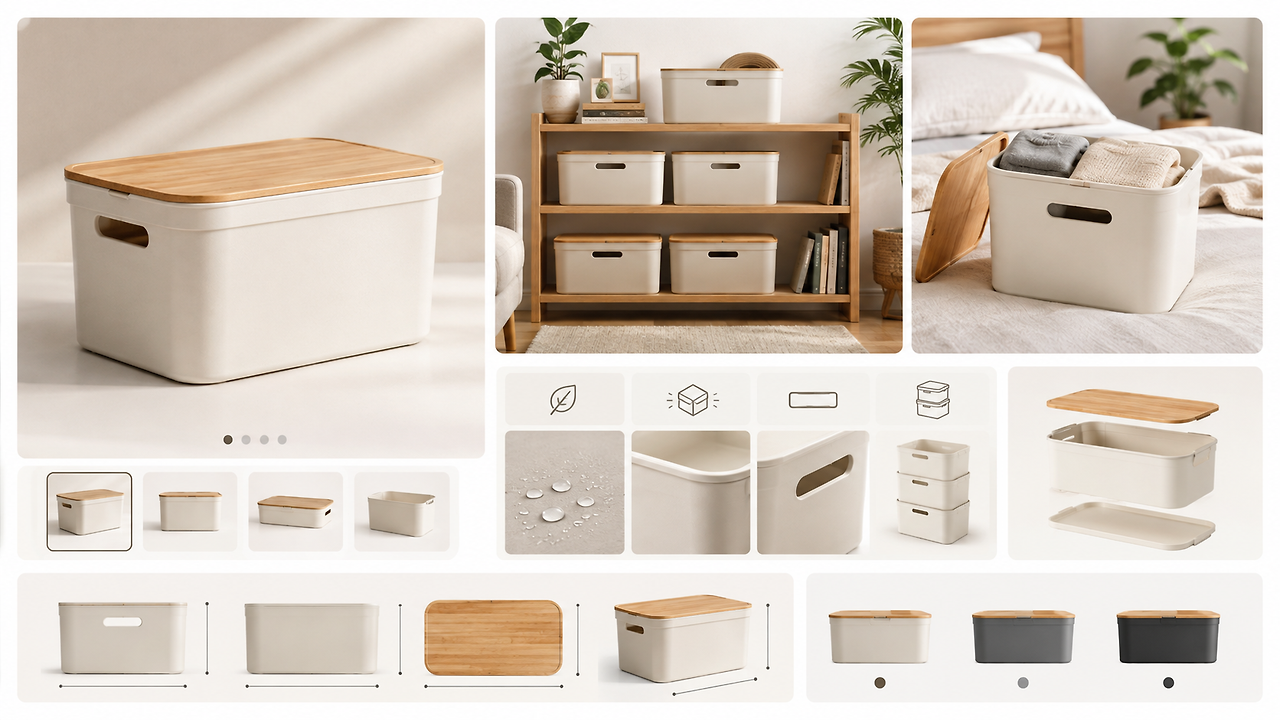
That's why when you're making a Smart Store product detail page, you first need to organize your content and group it by topic. Put images and descriptions about the same topic together, and focus on one main point per section so shoppers don't get distracted by similar selling points, repeated pictures, or super long text. Also, you don't have to show all the info the same way. Highlight the key points with catchy titles and main visuals, keep extra explanations short and sweet, and group detailed specs or sizes all in one spot to build a crystal-clear info layout.
At the end of the day, a great Smart Store detail page isn't just one packed with tons of content—it's a page where complex product info is organized so that the main point is clear, it's a breeze to read, and people can find what they need in a flash.
4. From Pictures to Copy: Make Creating Smart Store Detail Pages a Breeze with AI
Once you figure out what content you need and how to lay it out, you hit another roadblock during production. Do you really have to handle image creation, sales copywriting, and page design all by yourself, step by step? Lately, more and more folks are using AI image generator sites to whip up product images. With Draph Art, you can connect what used to be separate tasks into a single automated AI detail page workflow .
STEP 1. Upload Product Photos & Basic Info
First, grab a clear product photo and drop in the basics like the product name, key features, and functions.
No need to spend time prepping all the styling shots and design assets for your detail page beforehand—you can just start with the product materials you already have on hand.
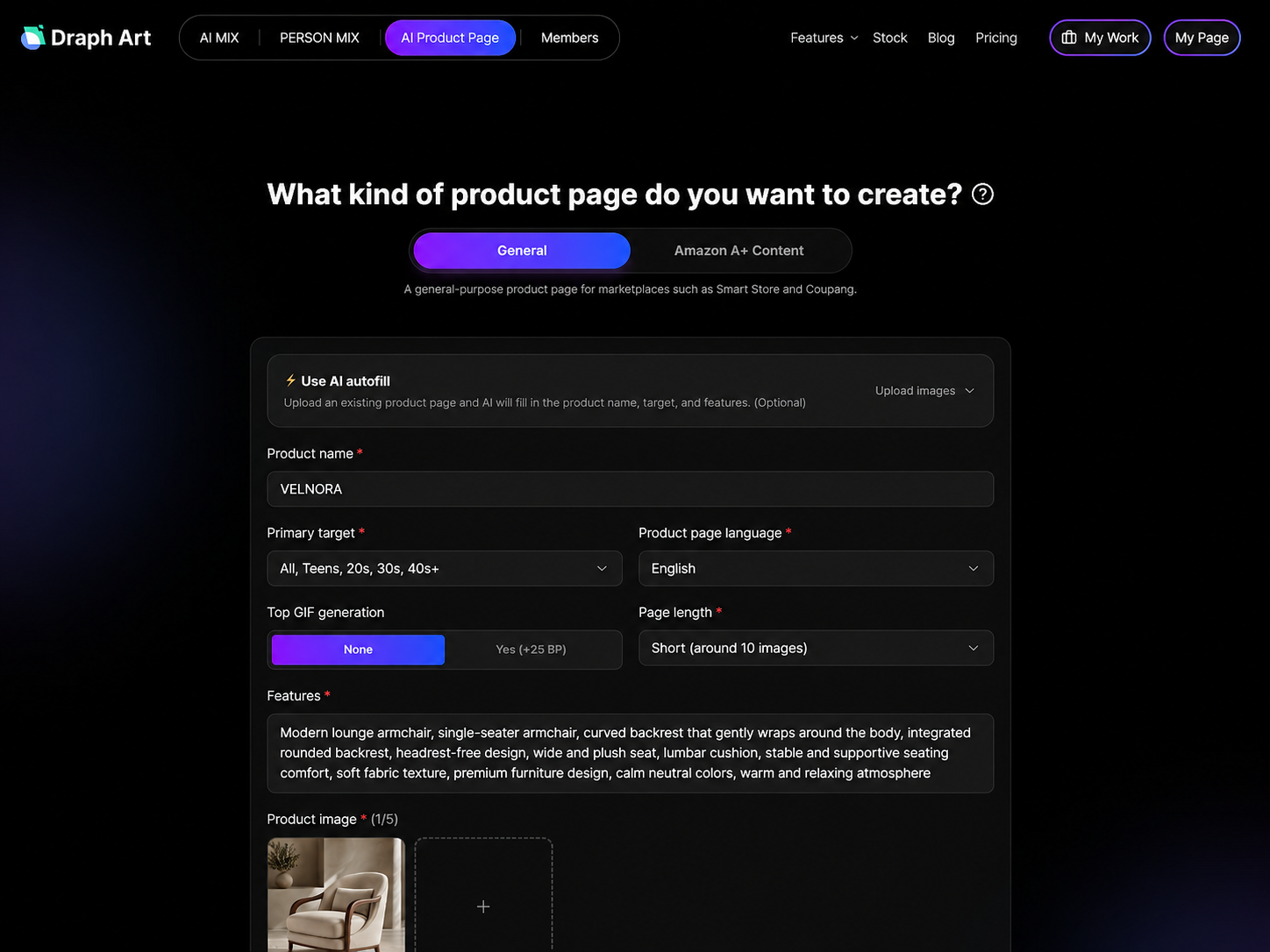
STEP 2. AI Automatically Generates Product Content for Your Detail Page
Once you enter the product info, the AI analyzes your product's features and automatically creates the content you need for the detail page.
It creates the main product visual, real-use and styling shots, product detail shots, feature images, and sales copy, and automatically places this content into a detail page template that fits your product's vibe, setting up the page structure and layout for you.
That way, sellers don't have to waste time doing image creation, copywriting, and page design separately—you can quickly check out a ready-to-go Smart Store detail page draft.

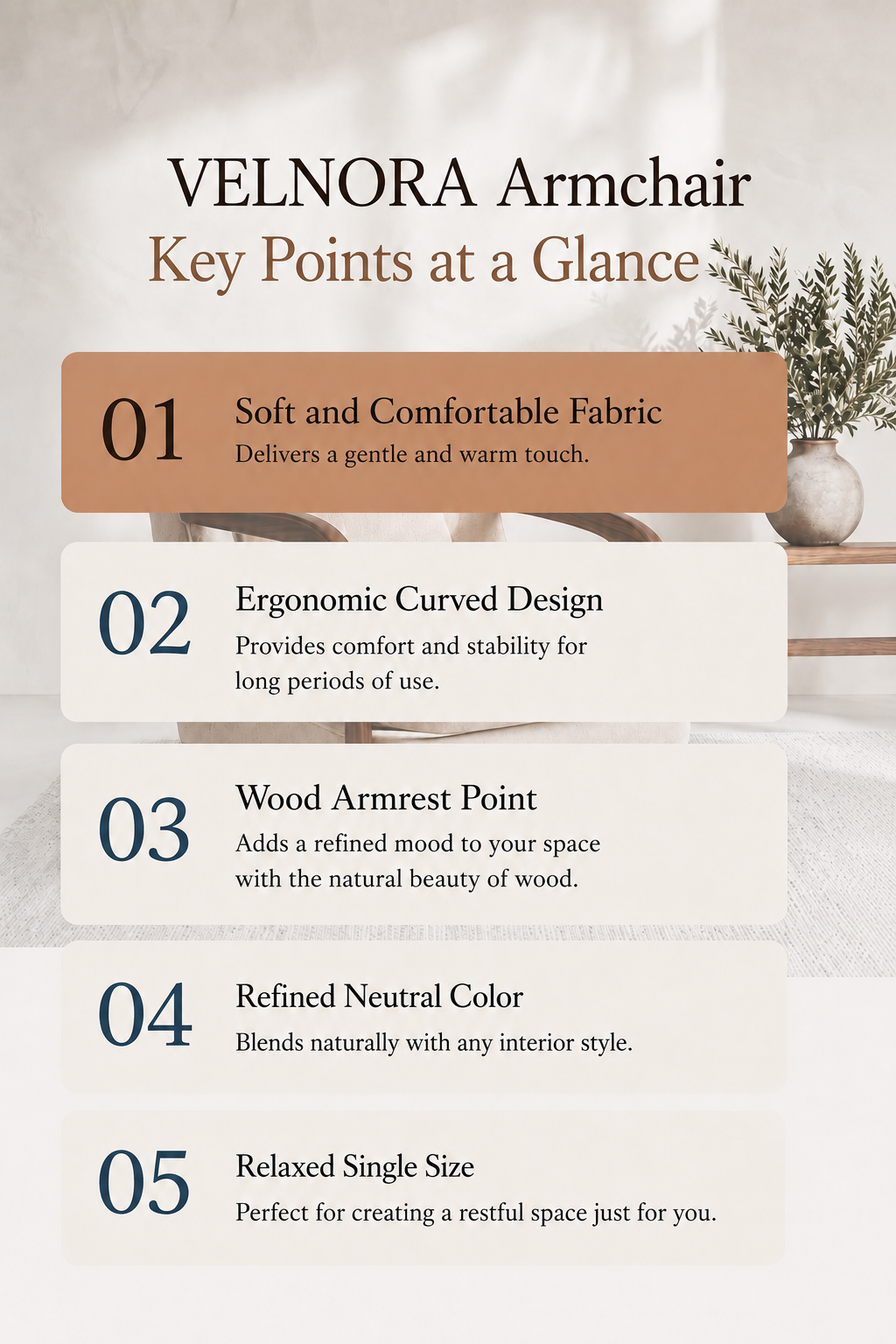
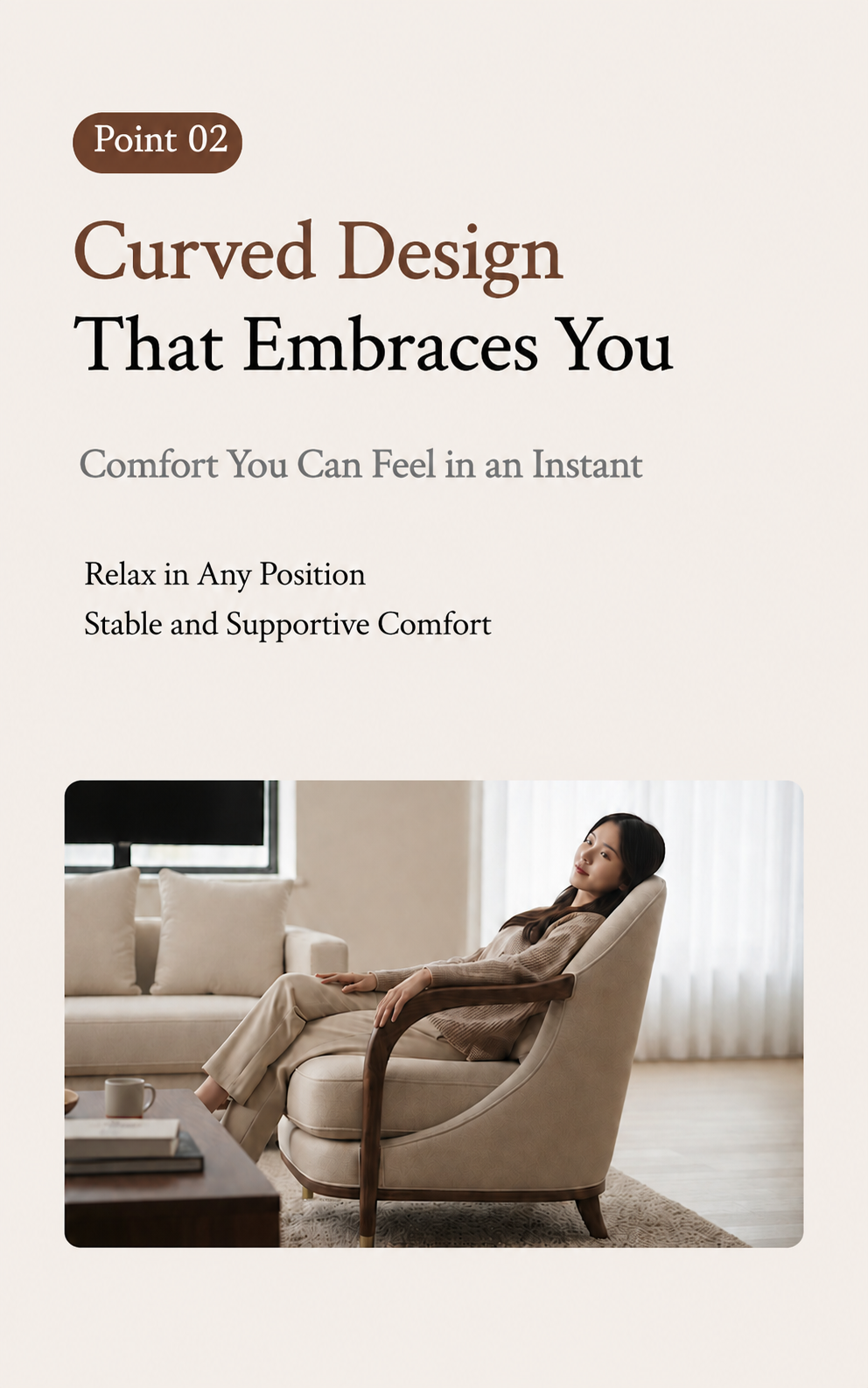
STEP 3. Tweaking What You Need and Exporting as HTML or Images
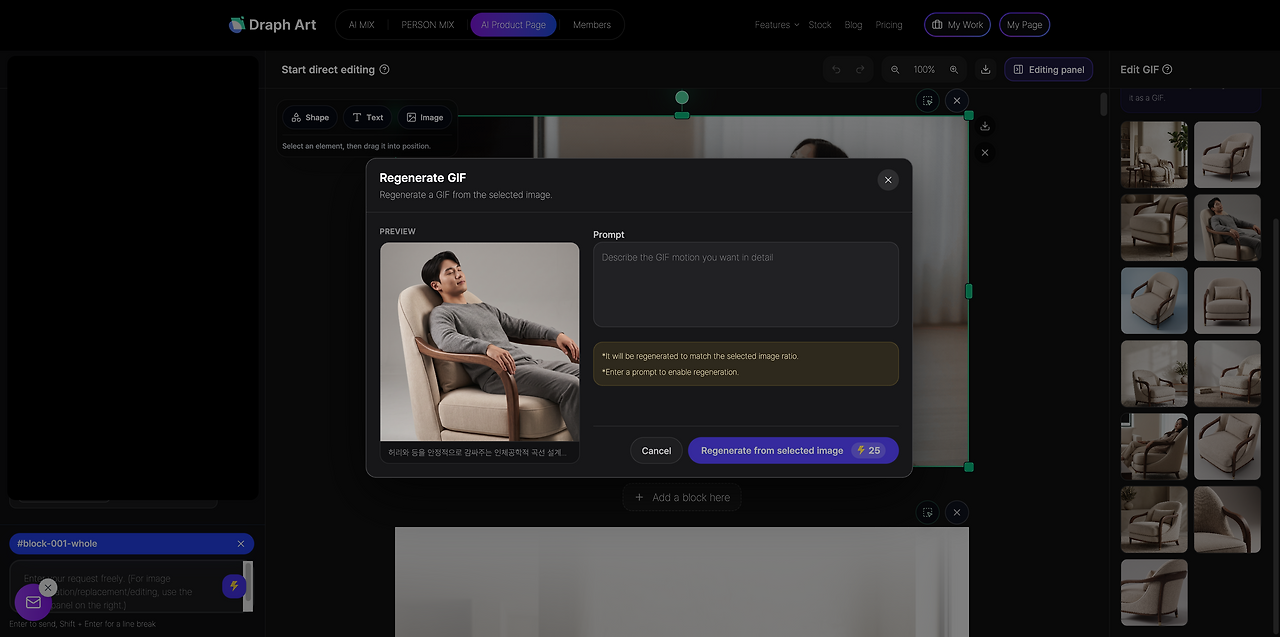
After the detail page is auto-generated, you can tweak some images, sales copy, or text to match your actual product and sales goals. You don't have to rebuild the whole detail page from scratch just to change a tiny detail. Once you're happy with the final look, you can export the finished detail page as HTML or images to upload your Smart Store product or update your page down the road.
This makes it super easy for anyone—from brand new sellers listing products on Smart Store for the first time to experienced sellers looking to revamp their old detail pages—to start with just a product photo and basic info and whip up a flexible, ready-to-use detail page way faster.
💡 Frequently Asked Questions (FAQ)
Q1. Creating a Smart Store product detail page: What should I prep when starting out?
A1. All you need to prep are the basics like product photos, product name, material, size, key features, and options. Based on what you put in, the Smart Store detail page AI handles the images, selling points, and necessary content, making it super easy even for first-time sellers to build one.
Q2. Is the Smart Store detail page AI creation tool useful for solo sellers too?
A2. Yes, you can. It's super helpful for solo sellers who find it tough to prepare image creation, sales copy, and page layout all by themselves. By using the Smart Store detail page AI tool, you can cut down on repetitive tasks and get the content ready way faster to drop new items.
Q3. Smart Store How long does it take to make an e-commerce detail page?
A3. Just plug in your product photos and basic info, and you'll see the results in about 3 to 10 minutes. The actual time depends on how many images you have and how much tweaking you want to do, but using automated household goods detail page generation can seriously speed up your schedule.

.png&w=1920&q=75)
.png&w=1920&q=75)