

목차

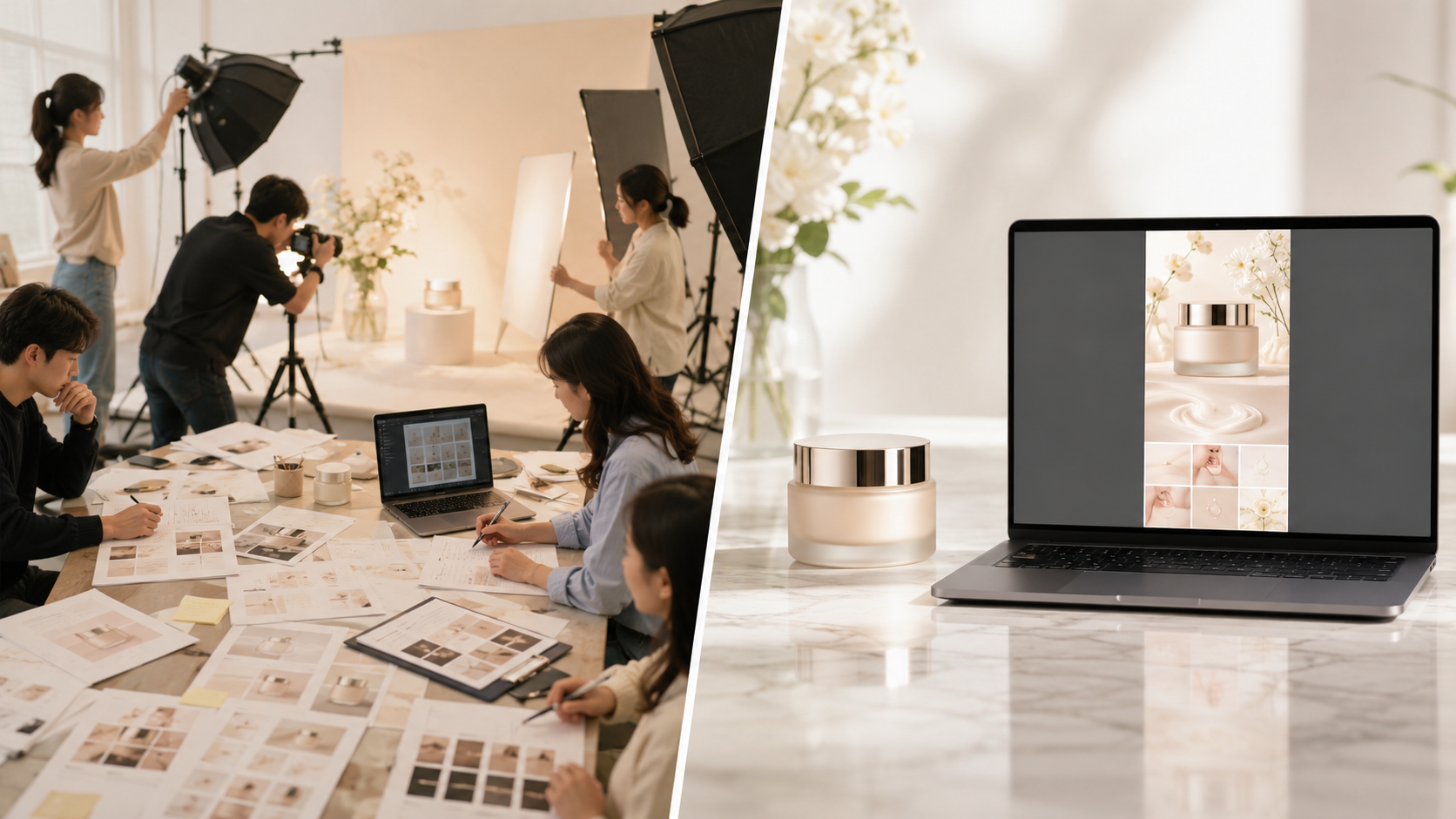
In our previous post, we walked through the 5-step process of creating a skincare product detail page, covering everything from planning and photoshoots to copywriting and design. However, handling all of this on your own takes a ton of time, money, and professional help.
The secret to making this complicated product page creation process much easier is using an AI product detail page generator. Even if you don't have experience with professional photography or design, Draph Art is an AI product detail page generator that takes just one rough original photo and handles the planning, copywriting, custom image styling, and layout design all on its own.
In this post, we'll dive into the common hurdles of creating skincare product detail pages and look at the key info shoppers are really searching for. We'll also show you how to use Draph Art to cut down on the hassle while creating a polished, high-quality product page.
💡 TLDR (3-Point Summary)
|
1. The Traditional Process and Pain Points of Detail Pages
| Planning & Strategy | Organizing selling points, ingredients, skin types, and page structure. | Information overload makes it hard to focus on a single core message. |
| Product Photography | Shooting products, models, and backgrounds. | High costs and long shooting schedules. |
| Post-production | Selecting photos, editing, and color matching. | It's easy to lose visual consistency due to different materials and shots. |
| Copywriting | Explaining efficacy, ingredients, and how-to-use. | Hard to strike the right balance between being professional and easy to read. |
| Design & Layout | Integrating images with copy. | Must balance brand aesthetics with readability. |
| Revisions & Launch | Multiple rounds of edits and platform optimization. | A change in one section can have a domino effect on the entire page. |

Taking a skincare product detail page from initial plan to launch involves many moving parts like photography, models, copywriting, design, and operations. If any part of the plan changes mid-way, it often leads to reshoots, layout adjustments, and endless revisions, which drives up both your time and production costs.
2. From a shopper's perspective, what questions does a detail page need to answer?
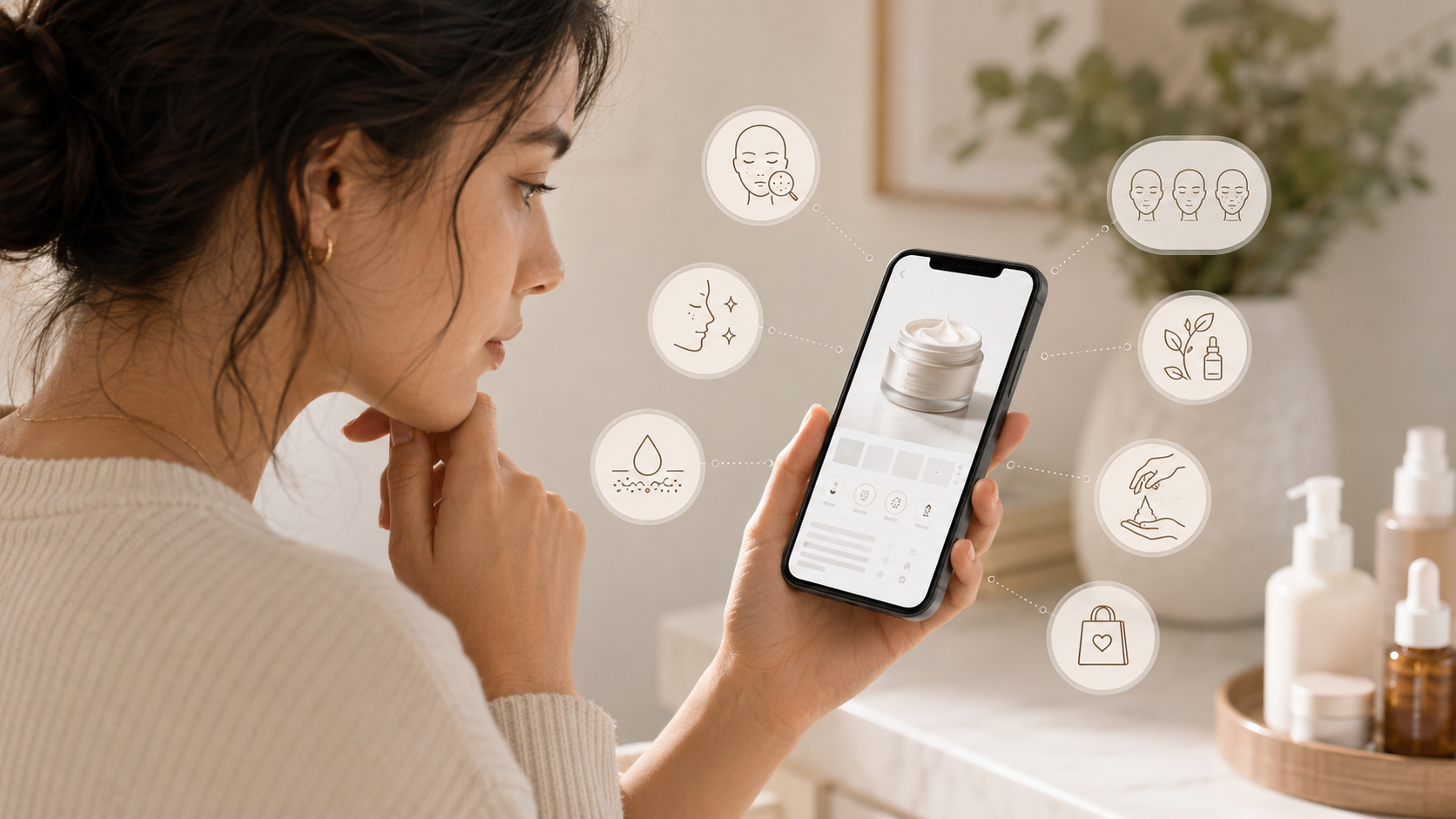
Many sellers think that packing a page with brand stories, endless descriptions, and technical ingredient jargon makes it better. They assume more info equals more sales.
But let's be real—shoppers aren't visiting your page to read a manual. Most of them are just scanning to quickly figure out if the product can solve their specific skin concerns and if it's the right fit for them.
1) What skin concerns does my skin need to address?
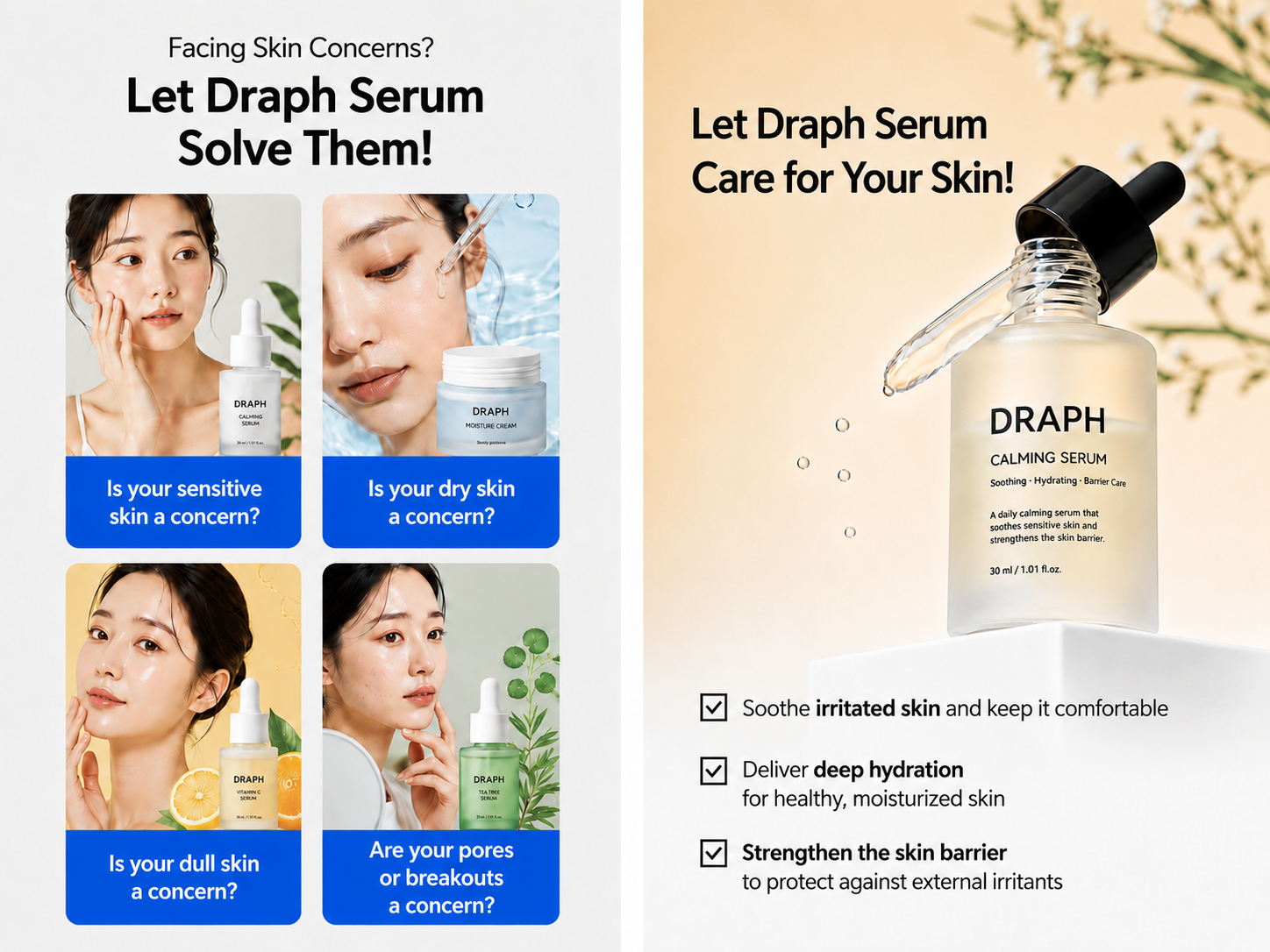
Shoppers first need to know if the product targets their specific concerns, like dryness, sensitivity, excess oil, dullness, or a damaged skin barrier. If the product's benefits aren't clearly laid out at the beginning, it's hard for them to tell if it's the right fit.
2) Is this product right for my skin type?
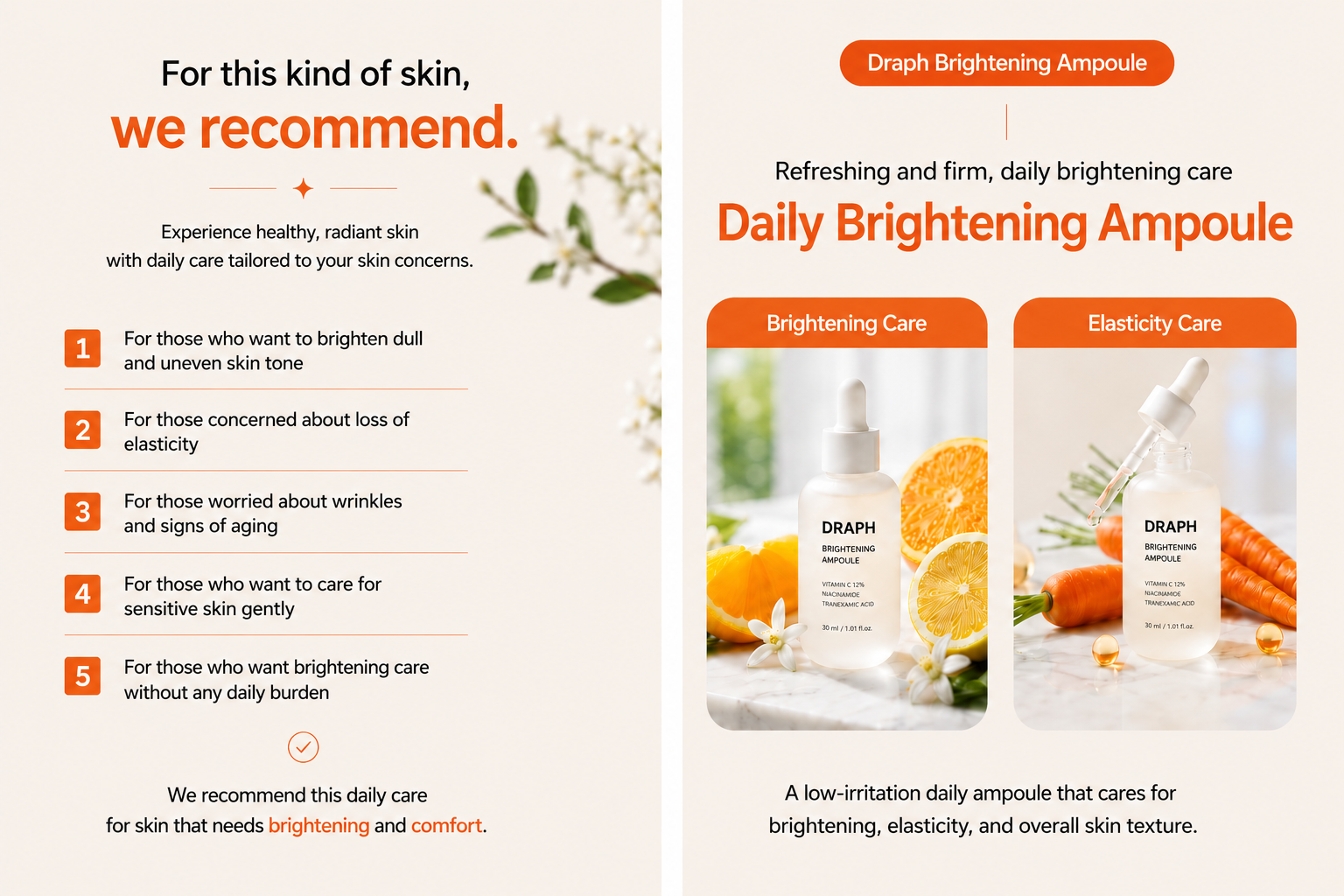
Next, shoppers look for these details:
- Whether it's for dry, oily, or combination skin
- If it's safe for sensitive skin
The clearer the skin type and use case, the easier it is for shoppers to see how the product meets their needs.
3) How can this product help my skin?
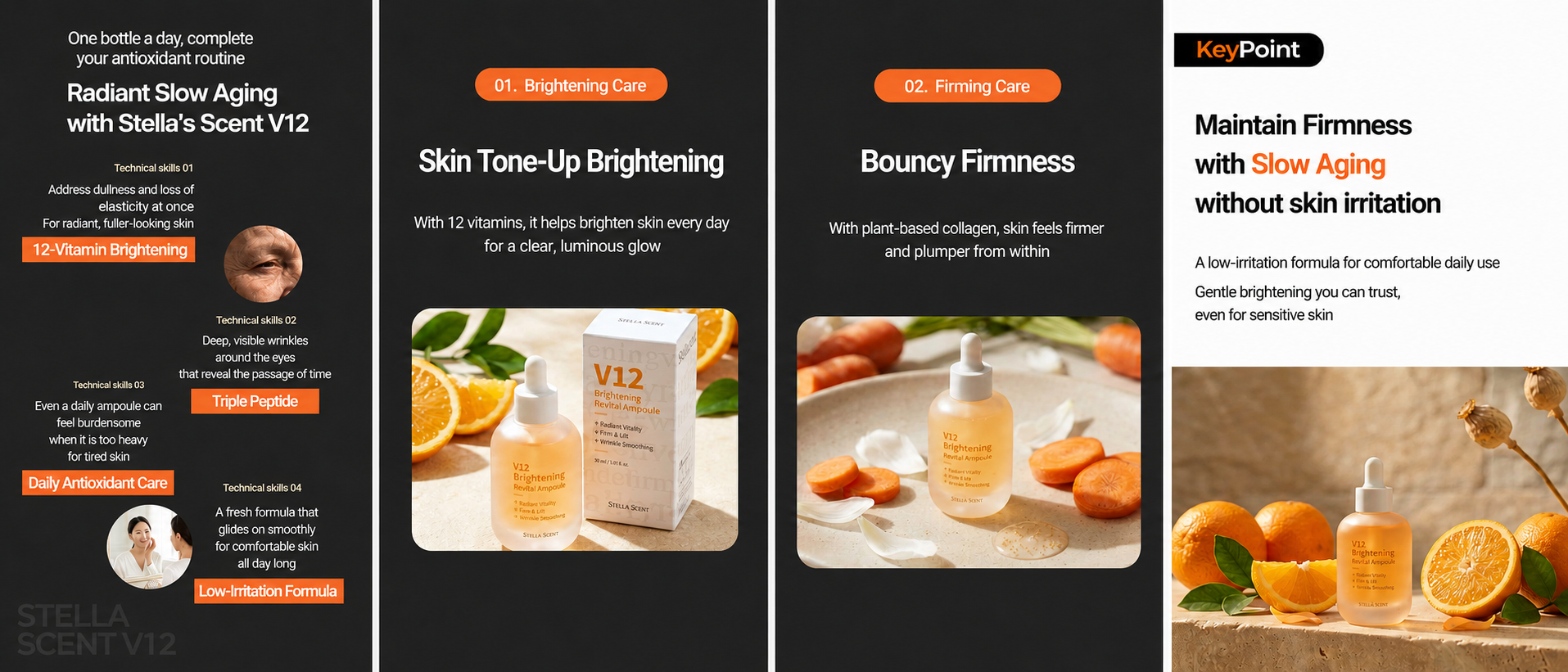
Shoppers need to quickly understand the core benefits, like hydration, soothing, recovery, brightening, or oil control.
Your product detail page shouldn't just list ingredients; it needs to explain how those ingredients actually benefit the user.
4) Are the usage instructions and tips clear?
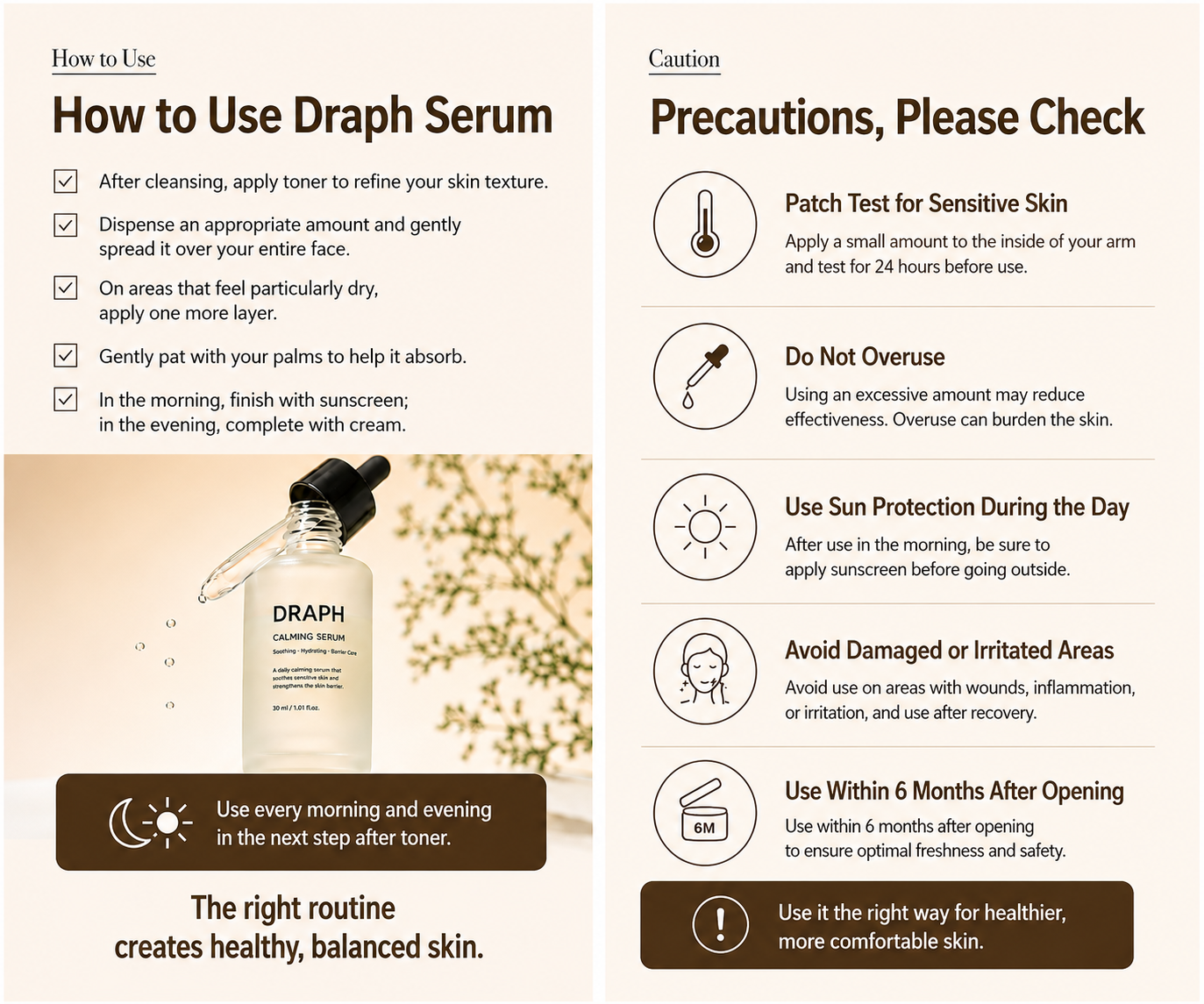
Shoppers want to know the following:
- What the texture and feel are like
- Where it fits in their skincare routine
- How much they should use at once
- Any important precautions to keep in mind
You need to strike a balance between professional advice and readability—too much jargon makes it hard to read, but overly simple language can hurt your credibility.
5) Why should I choose this product?
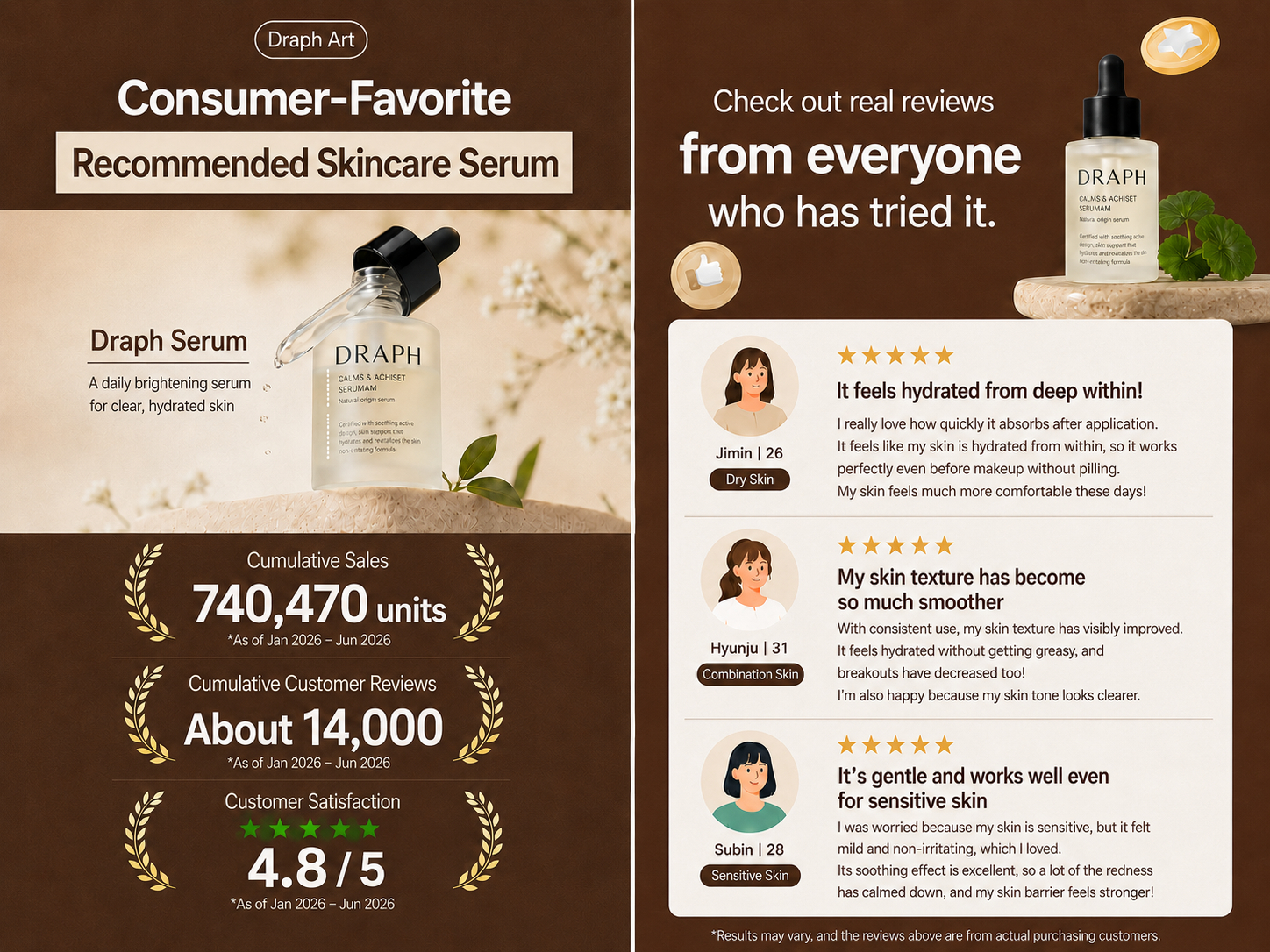
Finally, shoppers decide if the product is worth buying by looking at its unique selling points, brand trust, usage scenarios, detailed info, and FAQs.
3. From product images to a full detail page in just two steps?
We’ve seen how traditional skincare product detail pages involve so many steps: planning, photoshoots, editing, copywriting, design, and revisions. But with Draph Art, you can streamline all these scattered tasks into a single AI-driven production process. You don't need to prep a ton of visual assets in advance, and you don't have to switch between different tools for copy, images, and design. Just provide your product photo and basic product info, and you're ready to go.
1) The 2-Step Draph Art Creation Method
STEP 1 | Upload product images and enter basic product info
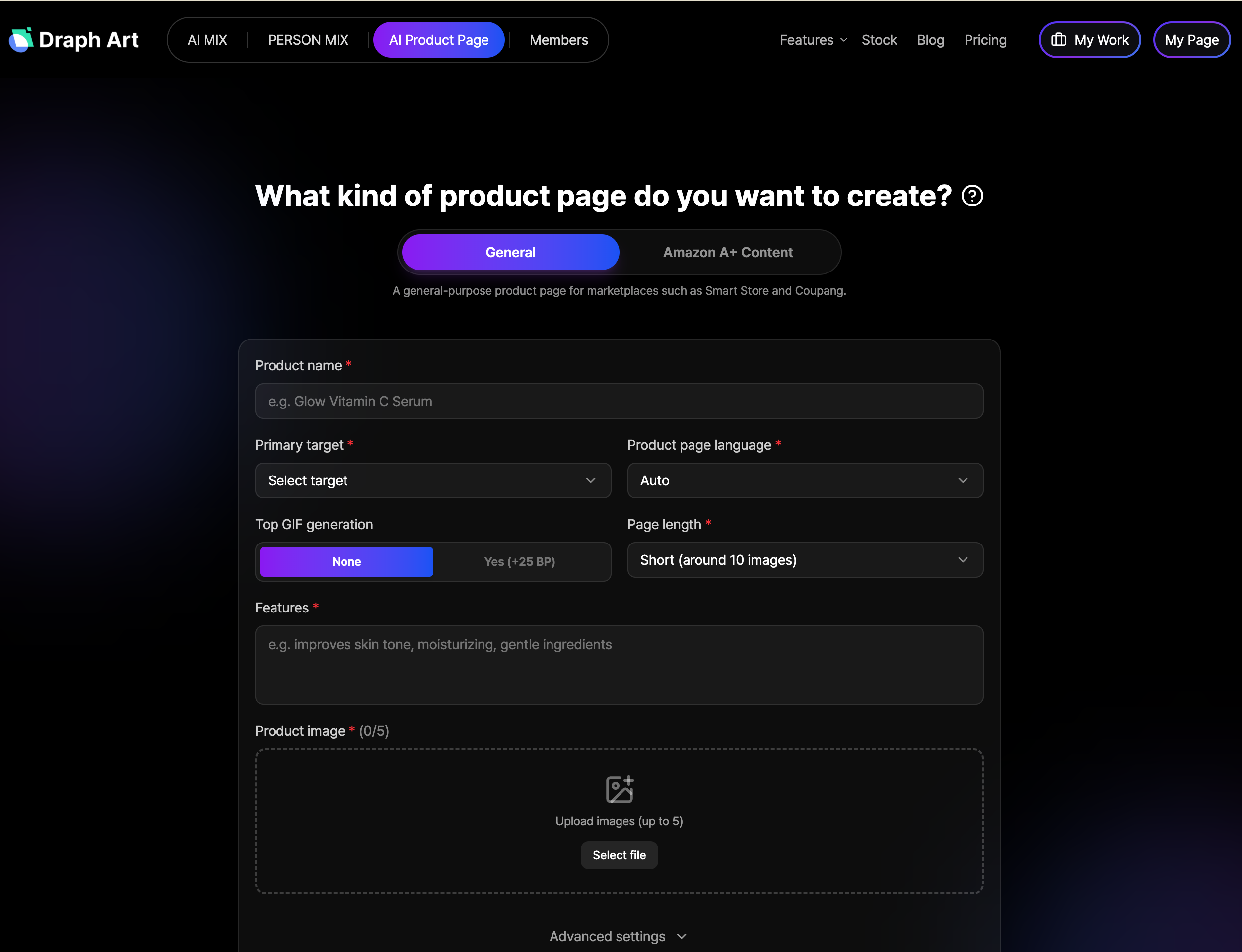
First, upload photos that clearly show the product and packaging. Then, input basic details like the product name, key benefits, main ingredients, recommended skin types, and core selling points.
You can also set the page direction based on your brand positioning.
- Brand main color
- Minimalist, natural, healing, or luxury style
- Target audience
- Desired skincare usage scenario
- AI model style
Unlike the traditional way, sellers don't need to prep full model shots, background images, ingredient lists, or design assets beforehand. All you need are your product photos and basic info to get started on your product detail page.
STEP 2|AI automatically generates the full detail page, with support for tweaks and easy exports
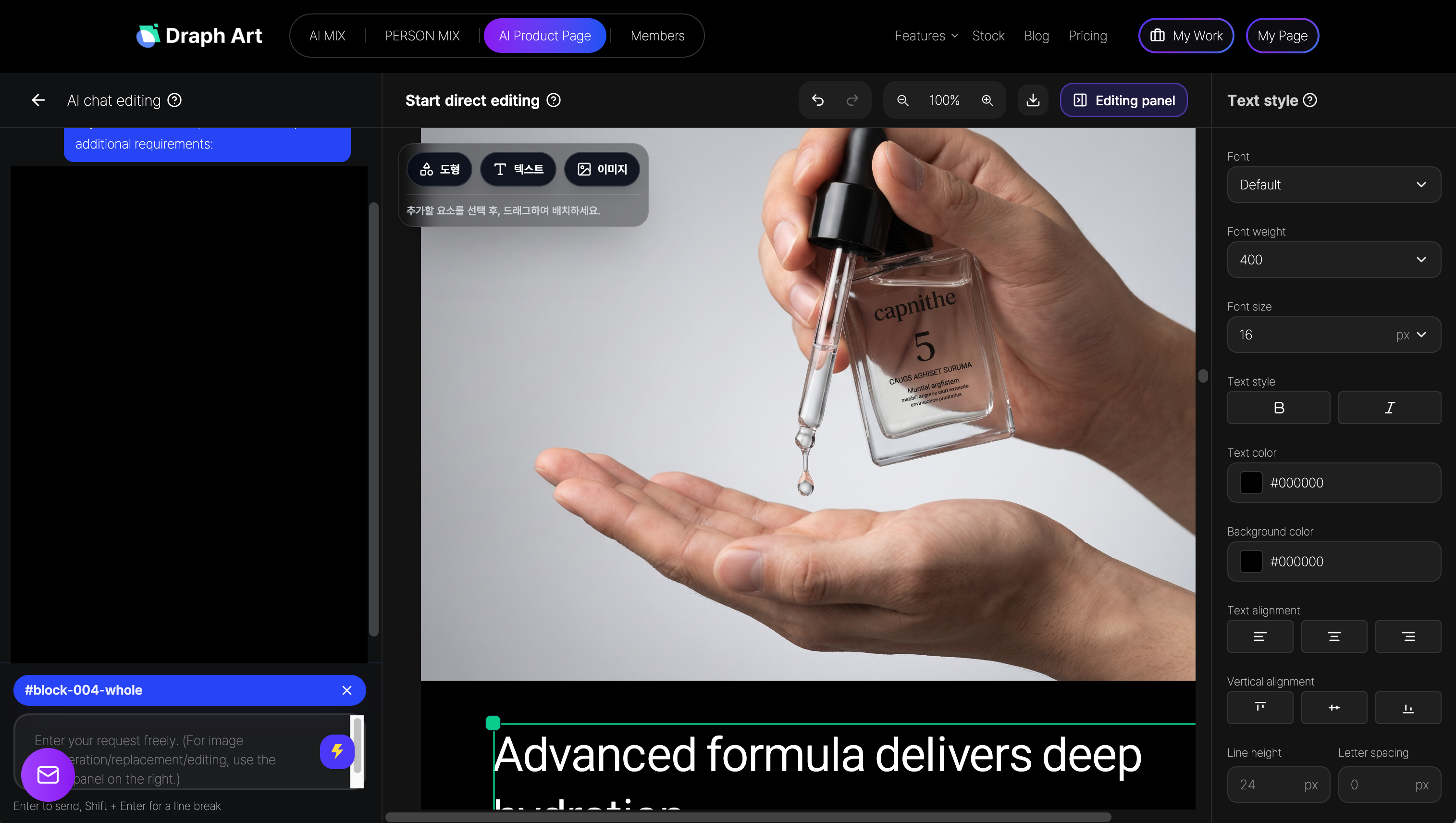
Once you've entered your info, Draph Art automatically creates the entire product detail page for you.
If there's something you don't like, there's no need to redo the whole page. You can just pick the specific module you want and tweak or regenerate it individually.
- Editing specific sales copy
- Swapping product backgrounds
- Adjusting the Face Swap or pose of the AI model
- Regenerating specific scene images
- Tweaking layouts and visual styles
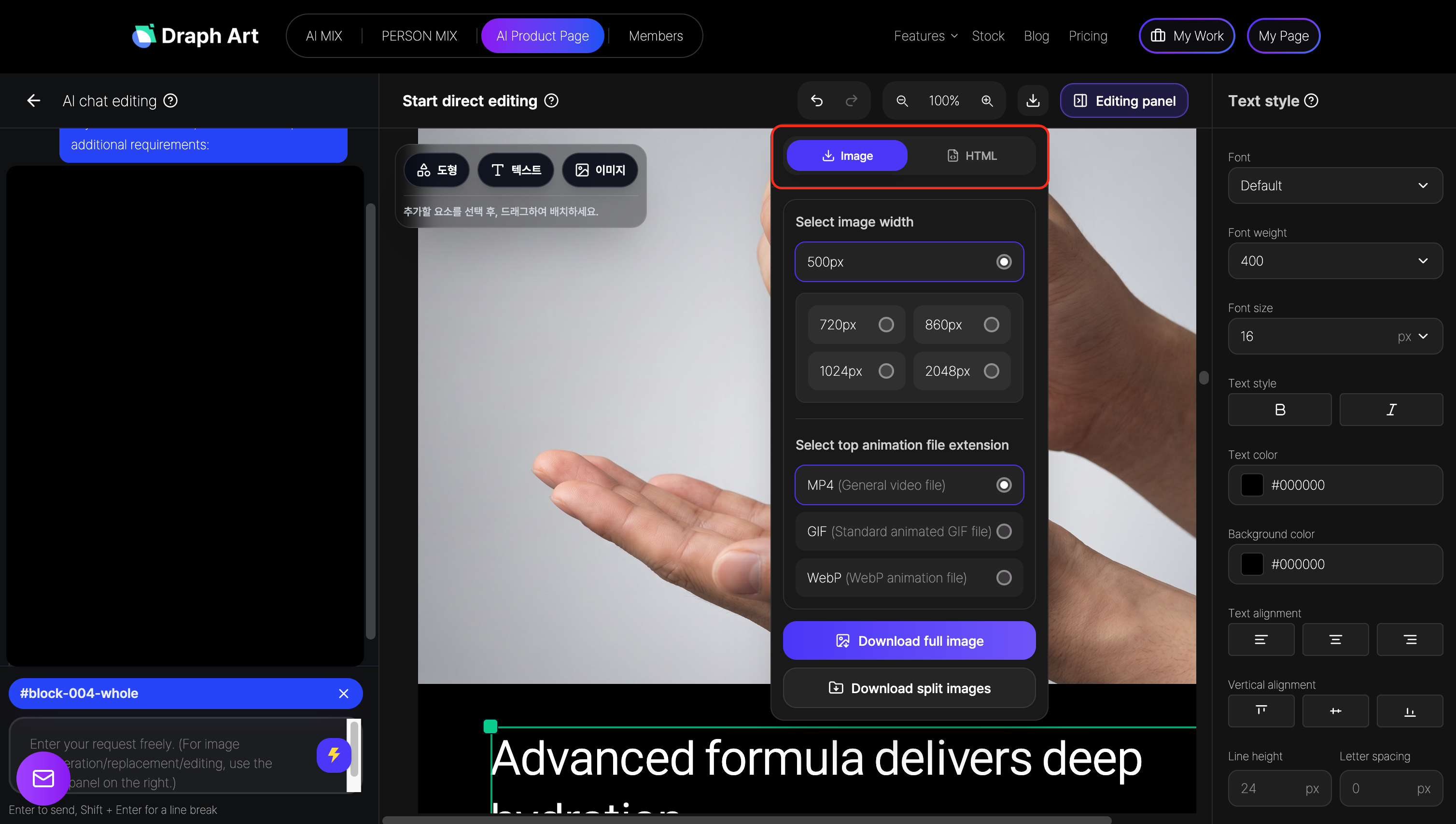
Once you're happy with it, you can export your product detail page as an image or HTML to use on your e-commerce store.
2)Comparing the old way vs. using Draph Art for AI product detail pages:
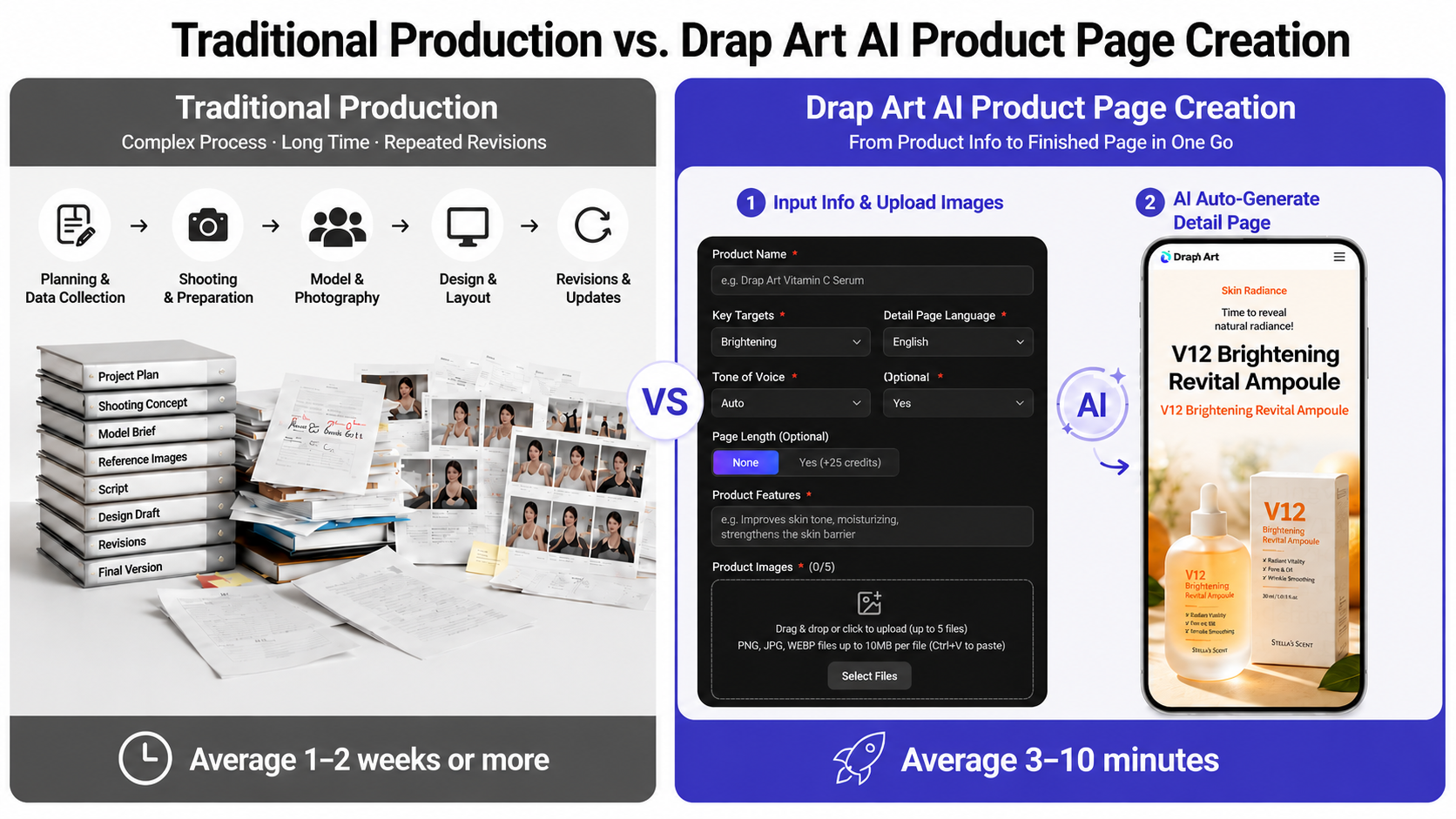
As we just saw, the old way involves a bunch of complicated steps. On the other hand, Draph Art rolls all of that into one smooth AI workflow, saving you a ton of time and effort.

| Comparison | Traditional Skincare Detail Page Creation | Draph Art AI Detail Page Creation |
| Getting Started | Need to prep a full project plan and all kinds of photoshoot assets first | Start with just one product photo and basic product info |
| Product & Model Shoots | Must hire models, crew, studio, and props | Automatically generates AI model images and product scene visuals |
| Copywriting | You or a copywriter have to write out ingredients, benefits, and usage instructions | Automatically generates relevant copy based on the product info you entered |
| Page Layout | A designer manually places images and text to build the design | AI automatically arranges the content flow and layout |
| Prompts | Requires writing specific prompts for every feature when using various AI tools | No complex prompting needed—just select options and enter your info |
| Editing process | May require reshooting, retouching, or rearranging when changing copy or images | Select and edit or regenerate only the copy, images, or modules you want |
| Personnel required | Involves many roles such as planning, shooting, models, copywriting, design, and operations | A single operator can handle production without the need for separate specialists |
| Production time | Usually takes several days to over a week | Drafts can be created and edited in about 3 to 10 minutes |
| Final output | Often requires images and HTML to be produced separately | Available for export as product detail page images and HTML |
| Global use | Requires separate planning and production for different countries and platforms | Supports domestic detail pages, Amazon A+ content, and content for the Japanese market |
The biggest difference between the traditional method and Draph Art isn't just the faster production time. While traditional methods require multiple team members working separately, Draph Art allows you to handle everything in a single, streamlined production flow. This makes it faster and more flexible for skincare brands that frequently launch new products or promotions to create the content they need.
4. Start creating your skincare product detail page right now!
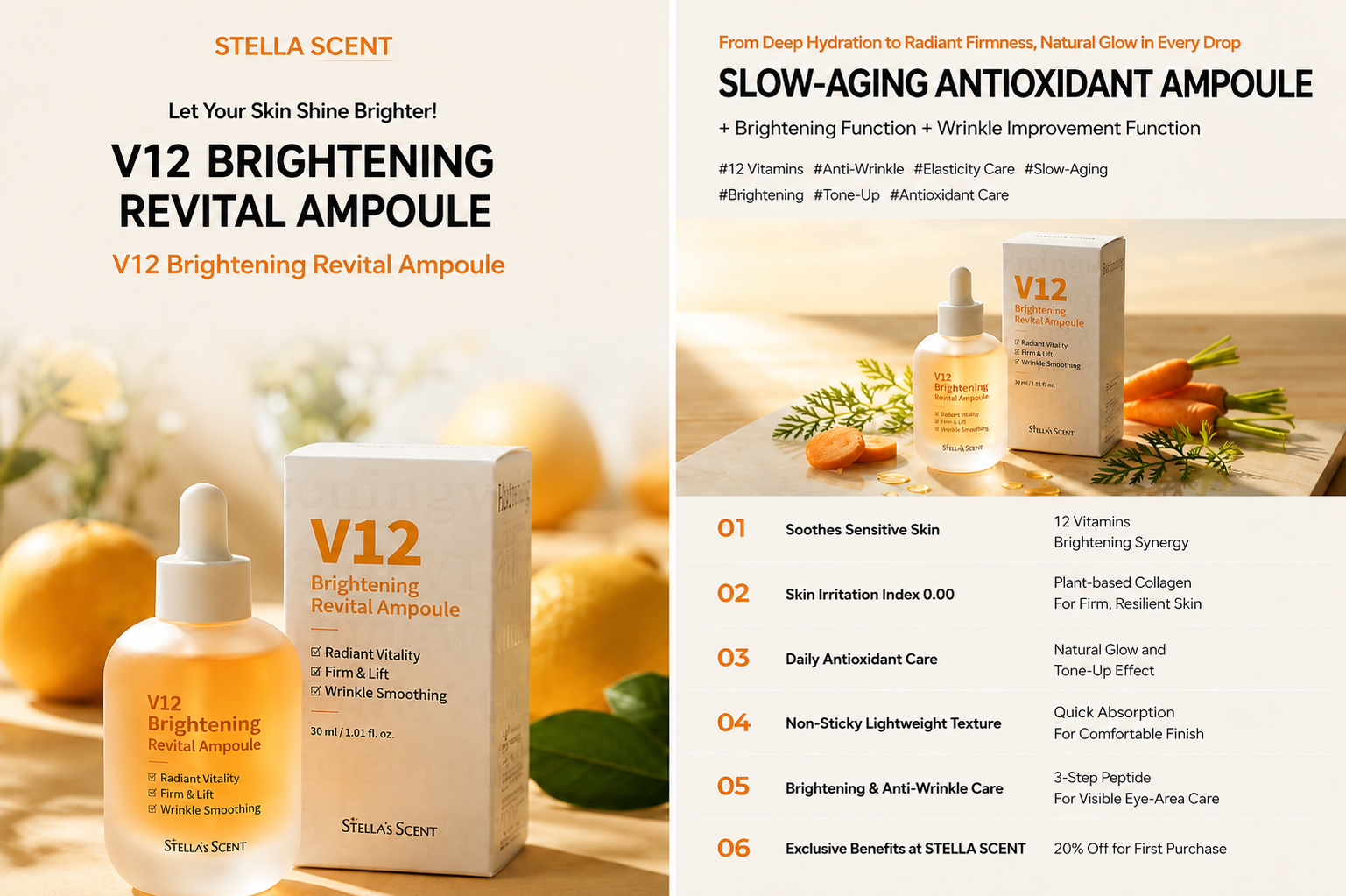
A skincare product detail page isn't just a place to display your goods; it is crucial content that helps consumers identify their skin concerns, decide if the product is right for them, and ultimately gives them the confidence to buy.
Therefore, you don't need to repeat the complex process of planning, shooting, copywriting, and design every time you create a skincare detail page. By using Draph Art, you can upload your product images and basic info to create a high-quality detail page in just 3 to 10 minutes. Try it out today!
💡 Frequently Asked Questions (FAQ)
Q1. My target customers are mainly overseas. Can I use the detail pages generated by Draph Art for international markets?
A1: Yes, you can. Draph Art allows you to adjust the page language, visual style, model images, and content direction to suit your target market. We support not only domestic e-commerce detail pages but also the creation of Amazon A+ content and content for the Japanese market.
It also automatically organizes the structure—from basic info like product intros, key benefits, main ingredients, and how-to-use, to the content flow and layout that considers the consumer's shopping journey—helping you create detail pages that boost conversion rates.
Q2. I only have one original photo of my skincare product and no experience in planning. Can I still create a high-quality product detail page?
A2: Yes, you can. Even if you have no planning or design experience, a clear original product photo is all you need. Just input basic information like the product name, key benefits, main ingredients, and suitable skin types, and Draph Art will automatically handle the page structure, copywriting, product usage scene images, AI models, and layout design.
If you want to generate more product photos before creating your detail page, you can use features like AI MIX / Person MIX to supplement visuals like usage scenes, background generation, and AI model images. Once generated, simply apply your favorite images to your detail page.
Q3. What if I don't like the copy, product background, model image, or page layout generated by AI? Can I edit just the parts I want?
A3: Yes, you can. Draph Art allows you to edit or regenerate individual modules independently. You can select and adjust only the parts you're not satisfied with—such as key sales copy, product backgrounds, AI model images, or specific layout areas—without needing to rebuild the entire detail page from scratch.


.png&w=1920&q=75)