
목차
- Why “It’s on Sale!” Isn’t Enough for Your Black Friday Product Pages
- 5 Things to Review on Your Product Pages Before Black Friday
- Black Friday Product Page Checklist: Typical Page vs. Reviewed Page
- Short on Time? Get Your Product Pages Sale-Ready with Draph Art
- Final Checklist Before Your Sale Goes Live
- Frequently Asked Questions (FAQ)
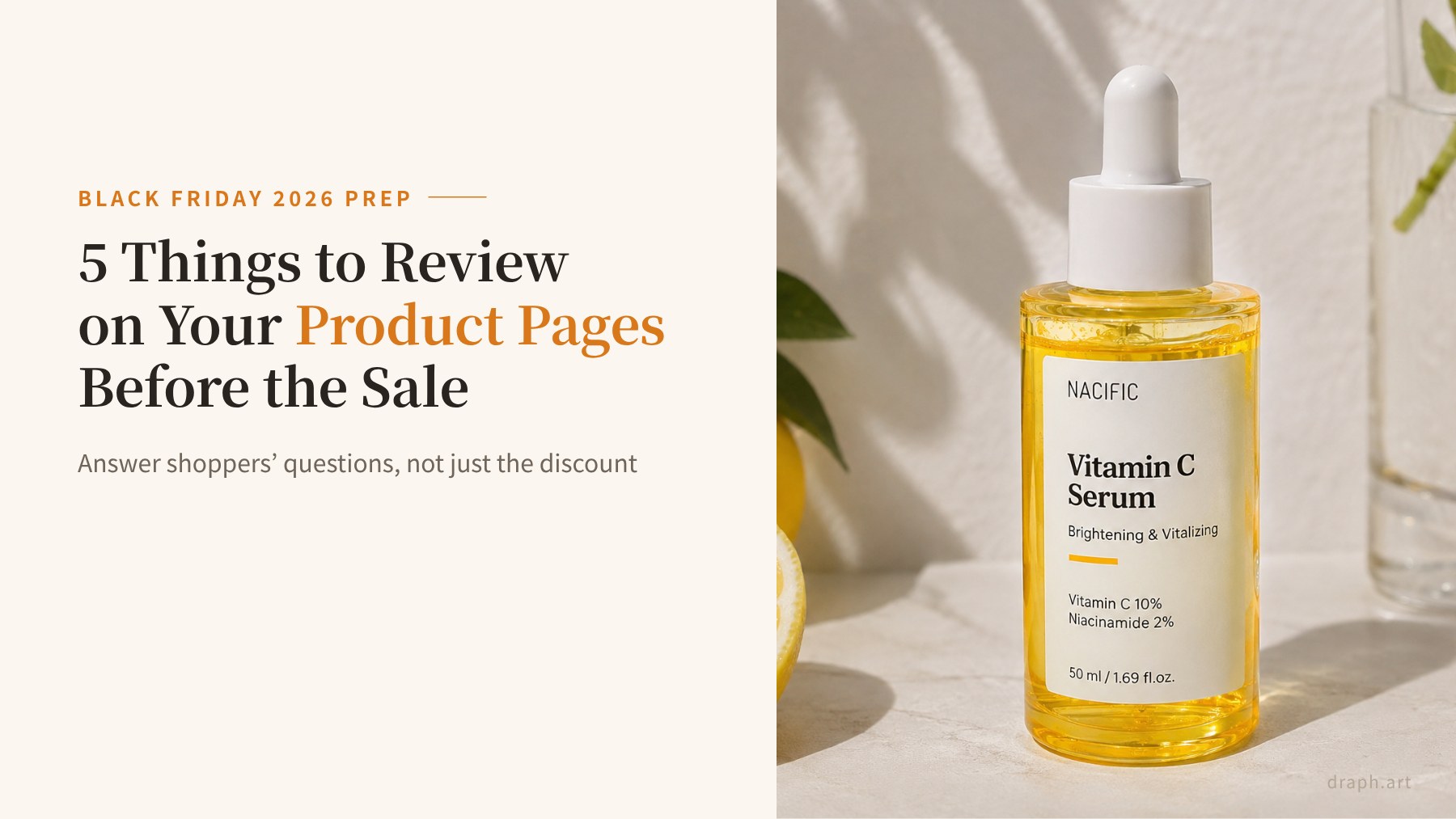
The best way to prepare your product pages for Black Friday is to answer shoppers’ questions before you shout about the discount: what the product is, whether it’s right for them, how to use it, and what happens with shipping and returns. During a big sale, people bounce between stores comparing deals. A low price gets the click, but whether they actually check out depends on how quickly your page clears up the doubts that come next.
In this post, we’ll walk through five things to review on your Black Friday product pages, using a vitamin C serum as the example. You’ll get practical tips on photos, sale offers, and shipping info, plus a checklist you can run through before the sale goes live. If you’re short on time, we’ll also show you a faster way to get pages in shape. Draph Art is an AI product page generator that turns a single product photo and a few basic details into a complete page, handling the planning, copywriting, image styling, and layout for you.
Quick Summary for Busy Readers (TLDR)
- Where things stand: Black Friday 2026 falls on November 27, with Cyber Monday on November 30. Shoppers compare product pages across stores in a matter of minutes.
- The problem: Pages that only push the discount leave questions unanswered, like what the product actually does or how much shipping costs, so carts get abandoned.
- How Draph Art helps: Cover five essentials: photos, real-life use, product details, offer terms, and shipping and returns. Draph Art builds a product page draft from one photo in 3–10 minutes, so you can spend your time on sale-specific details instead.

Why “It’s on Sale!” Isn’t Enough for Your Black Friday Product Pages
This year, Black Friday lands on Friday, November 27, and Cyber Monday follows on November 30. Many brands kick off early deals the week before, and shoppers come in with a list, a budget, and a dozen tabs open.
The discount is what catches their eye. But what gets them to click “Buy” is whether your product page answers the small questions that pop up right after. If those answers are hard to find, the next tab is only one click away.
The data backs this up. According to Baymard Institute’s cart abandonment research, the average documented cart abandonment rate is about 70%. Among US shoppers who abandoned during checkout, 40% said extra costs like shipping, tax, and fees were too high, 20% said delivery was too slow, and 13% weren’t happy with the returns policy. Clear information on the product page can head off all three.

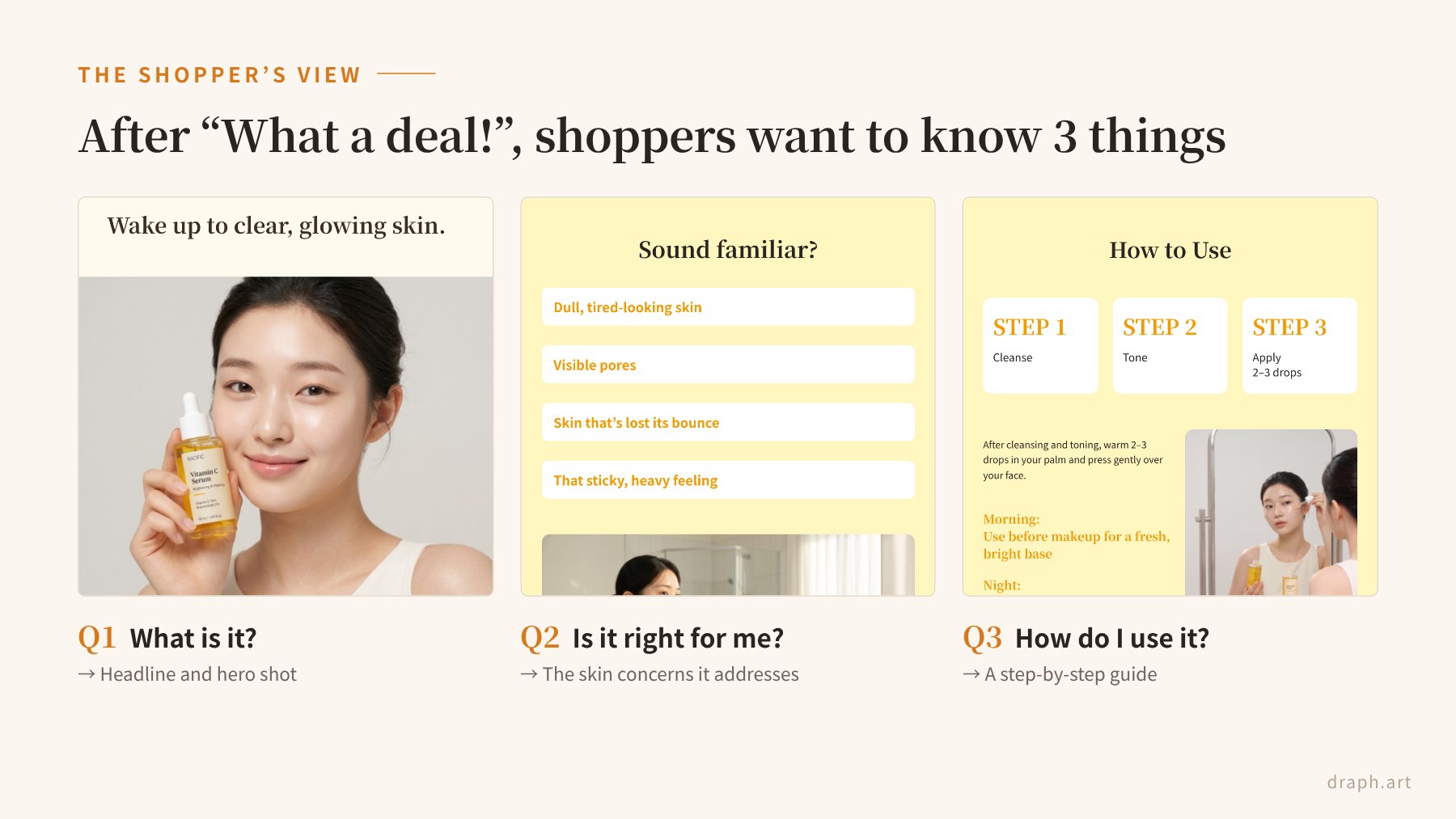
Once a shopper thinks “What a deal!”, three questions usually follow: What is it? Is it right for me? How do I use it? A page that answers those questions, and doesn’t just show off the price, is what turns Black Friday traffic into sales.
5 Things to Review on Your Product Pages Before Black Friday
Here’s a quick look at all five before we dig into each one.
- Point 1: Show the product from multiple angles, not just the front
- Point 2: Show it in real use so shoppers can picture themselves using it
- Point 3: Spell out the details that photos can’t show
- Point 4: Make discounts, coupons, and bundle terms clear at a glance
- Point 5: Put shipping times, costs, and return terms where shoppers can find them
Point 1. Show It from Every Angle
If your product page only has one front-facing photo, shoppers can’t check the shape, the size, or what’s printed on the label. In a store, they’d pick it up and turn it around. Online, your photos have to do that job.
A front shot, an angled shot, and a close-up of the label go a long way. For a serum, make sure the dropper, the color of the formula, and the ingredient list are easy to read. Scroll through your gallery on your phone and see if every photo looks the same.

Point 2. Show It in Real Use
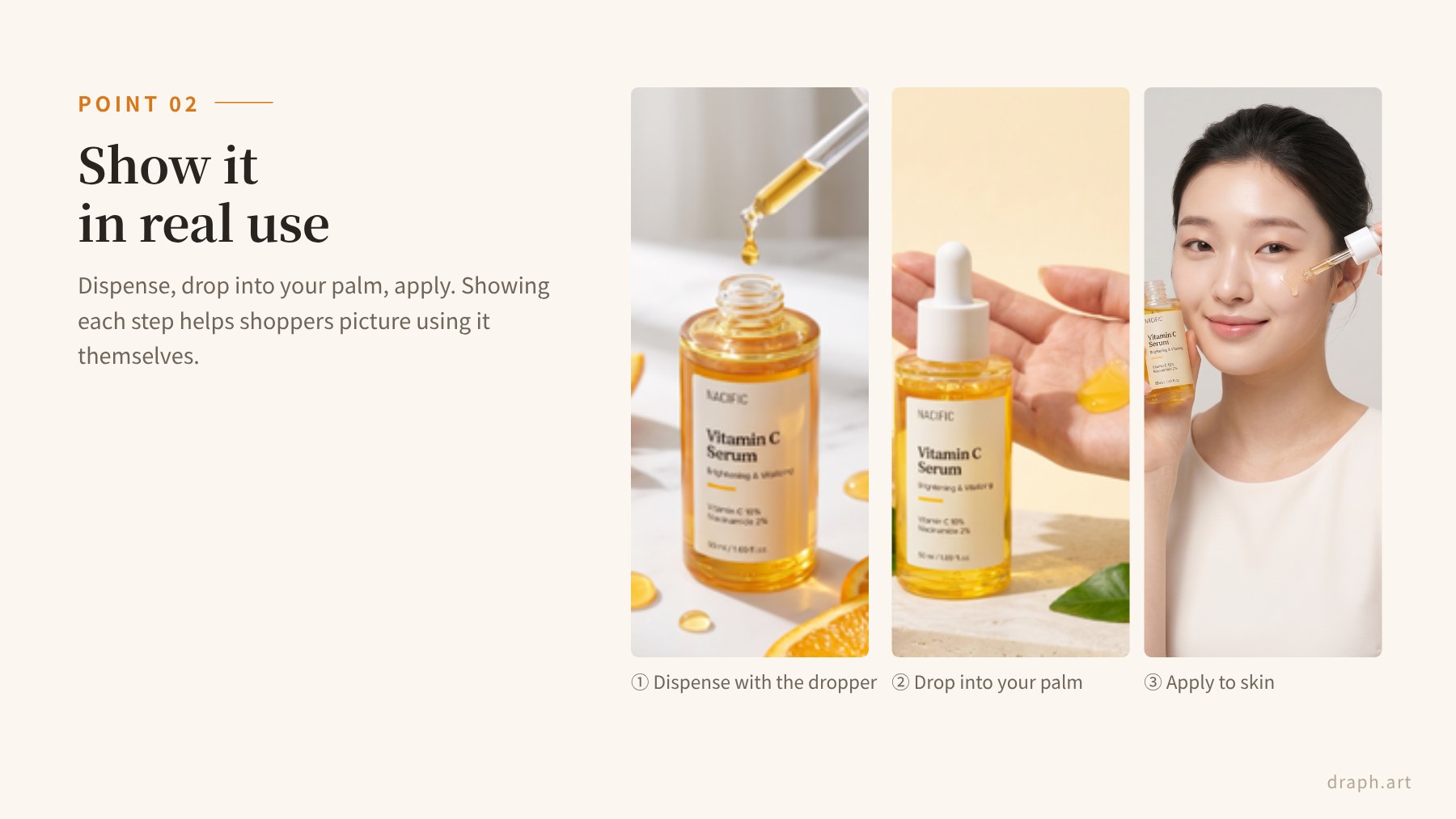
Even with great product shots, many shoppers hesitate if they can’t tell how the product is actually used. Dispense it with the dropper, drop it into your palm, press it into your skin. Showing those steps in order makes the routine easy to picture.
Keep it natural. Everyday moments, like a morning routine in front of the bathroom mirror, make people think “I could see myself using this.” Shooting with a hand in the frame also gives a sense of size.
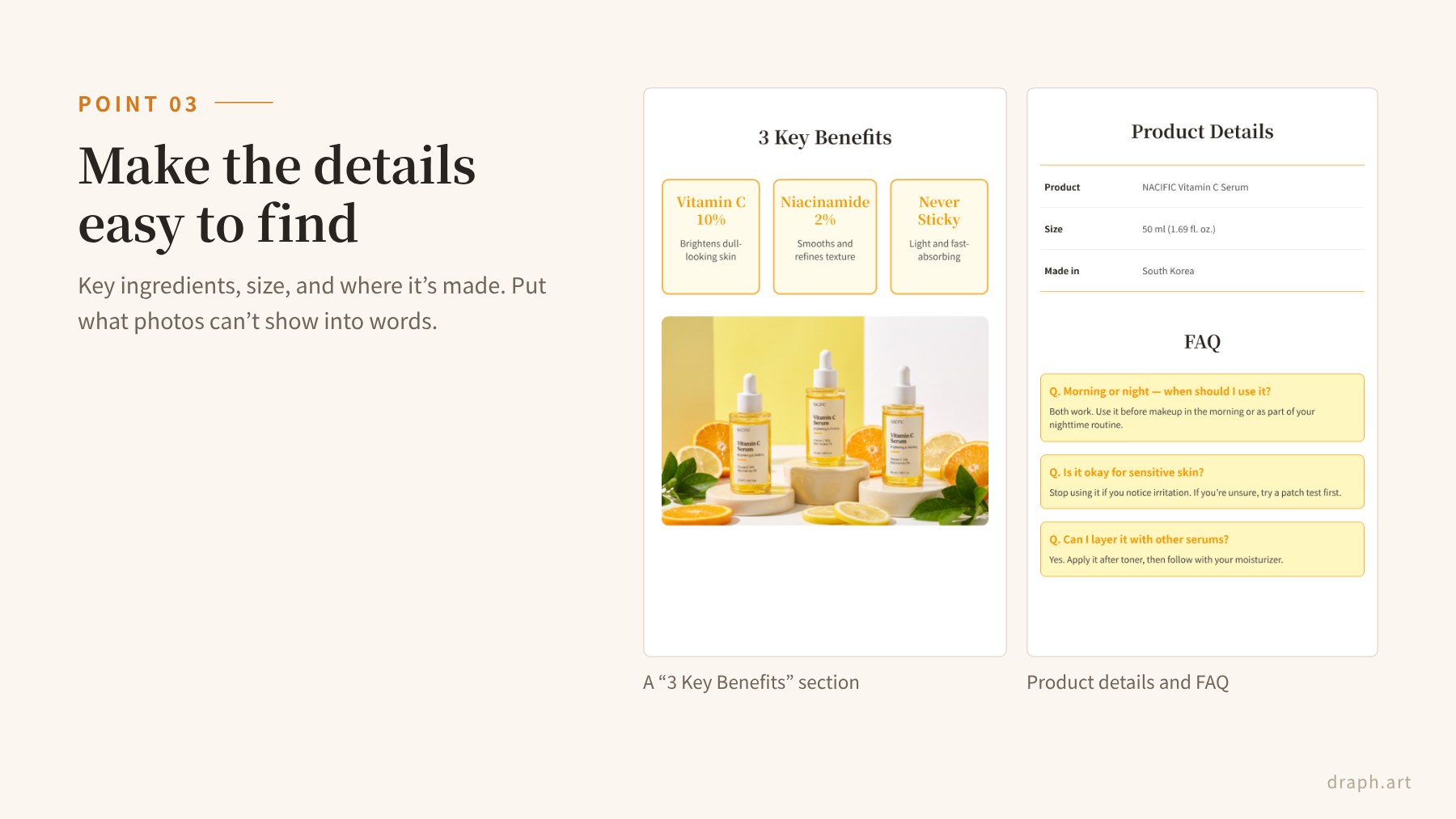
Point 3. Make the Details Easy to Find
Size, key ingredients, and directions are hard to get across with photos alone. If that information only lives in small text inside an image, it’s tough to read on a phone, and search engines can’t see it either. Add it to your product description or a simple spec table as well.
During a sale, when shoppers are comparing options side by side, numbers do the heavy lifting. Details like “50 ml” or “10% vitamin C” make your product easier to choose. For skincare, it’s also worth double-checking that any benefit claims stay within what you can support. If you’re not sure how to structure the whole page, our product page design guide and skincare product page tips are good places to start.
Point 4. Make Offers and Terms Clear at a Glance
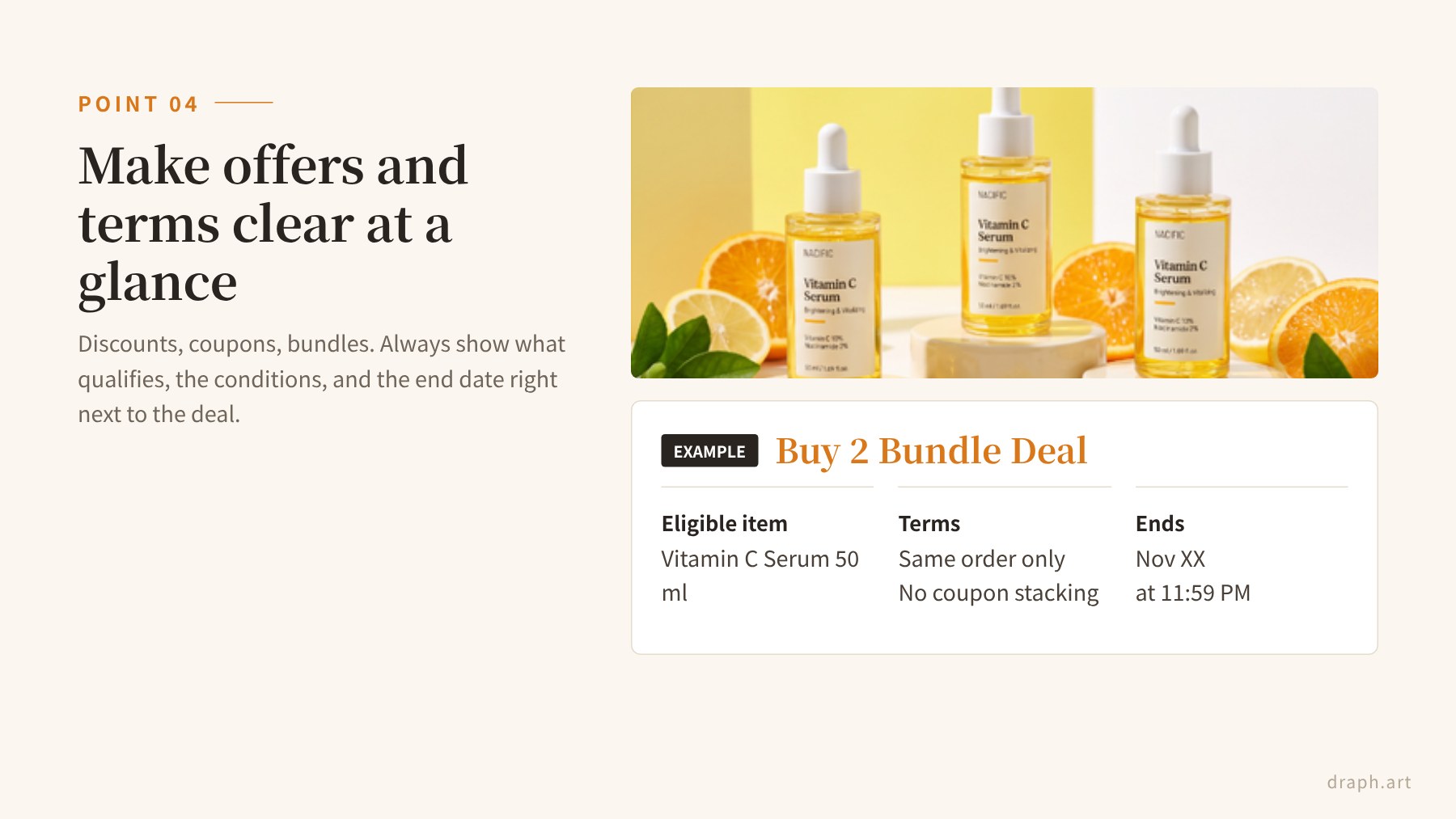
Discounts, coupons, and bundle deals tend to steal the show on Black Friday product pages. But when a big “XX% OFF” banner sits at the top and the eligible items, conditions, and end date are tucked away at the bottom in fine print, shoppers get suspicious instead of excited.
Keep the offer and its terms together. Short, specific lines work best: “Buy 2, get free shipping,” “Ends Nov 30 at 11:59 PM,” “One coupon per order.” And if you’re showing a “regular price” next to your sale price, make sure that price is one you actually charged. The FTC’s Guides Against Deceptive Pricing lay out the rules for former-price comparisons.
Point 5. Answer Concerns Before They Ask
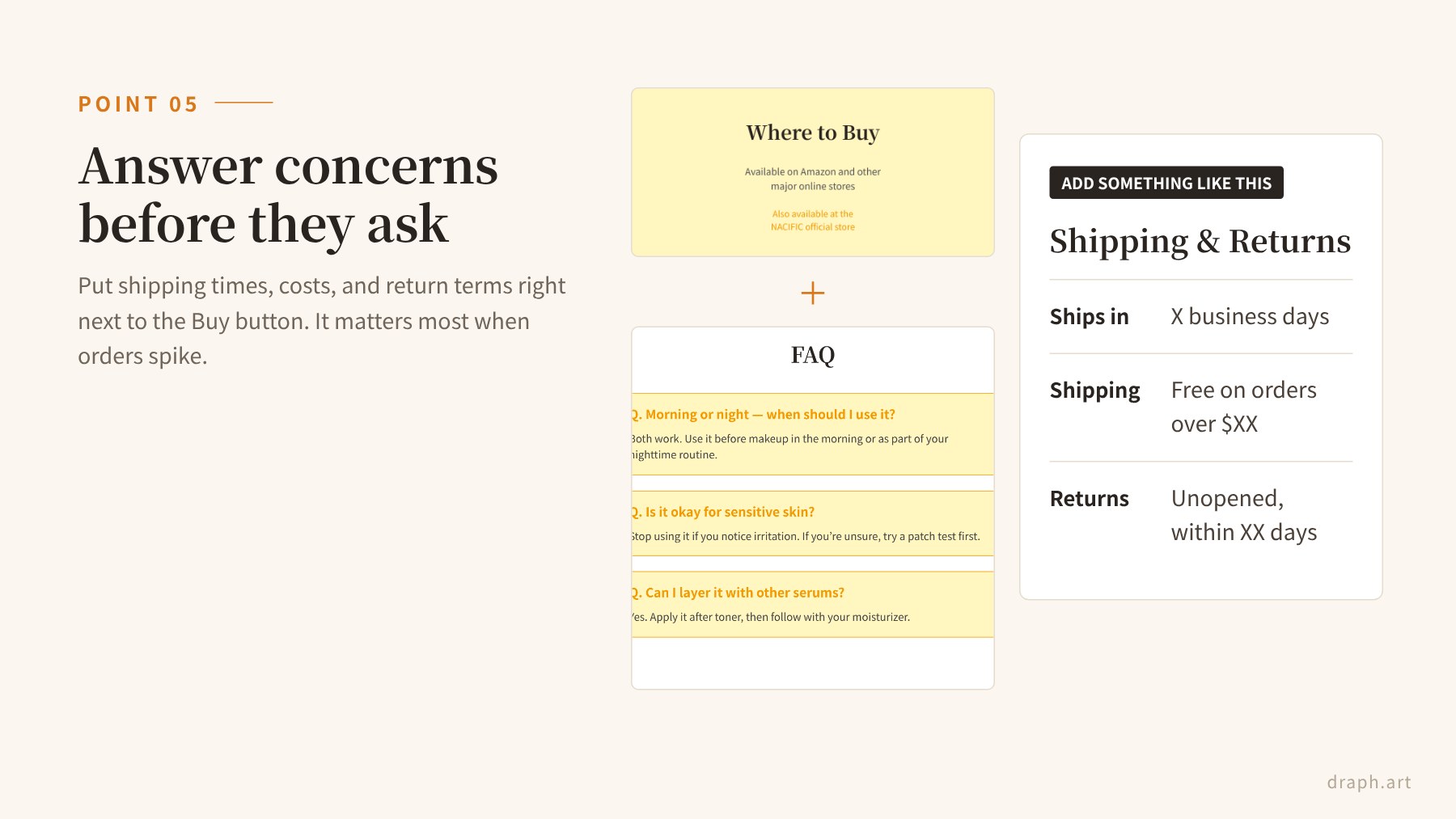
Sale shoppers also want to know when their order will arrive, whether shipping is free, and what happens if they need to return something. Orders pile up during Black Friday week and shipping often slows down, so clear information matters even more than usual.
Don’t bury shipping times, costs, and return terms at the very bottom of the page. Put them near the Buy button or right below your spec table. Since extra costs are the top reason shoppers abandon checkout, answering these questions upfront is one of the simplest ways to cut cart abandonment during the sale.
Black Friday Product Page Checklist: Typical Page vs. Reviewed Page
Here’s how a typical product page compares to one that’s been reviewed with these five points in mind. See which column your pages fall into.
| Element | Typical product page | Reviewed product page |
| Photos | One front shot | Front, angled, and label close-up shots |
| Use scenes | Product-only photos | Shows the dispense-and-apply steps |
| Product info | Tiny text inside images | Size, ingredients, and directions in the description or a spec table |
| Sale offer | Just a big “XX% OFF” | Eligible items, terms, and end date right beside the deal |
| Shipping and returns | At the bottom or on a separate page | Shipping times, costs, and return terms near the Buy button |

If you can’t fix everything at once, start with your best-selling products and focus on two things: photos and shipping info. That alone cuts down a lot of hesitation and gets you closer to a page that sells without leaning entirely on the discount.
Short on Time? Get Your Product Pages Sale-Ready with Draph Art
Let’s be honest: the weeks before Black Friday are already packed with inventory planning and coupon setup. Reshooting photos, rewriting copy, and redesigning every page usually isn’t realistic. That’s where an AI-generated draft can save you a lot of time.
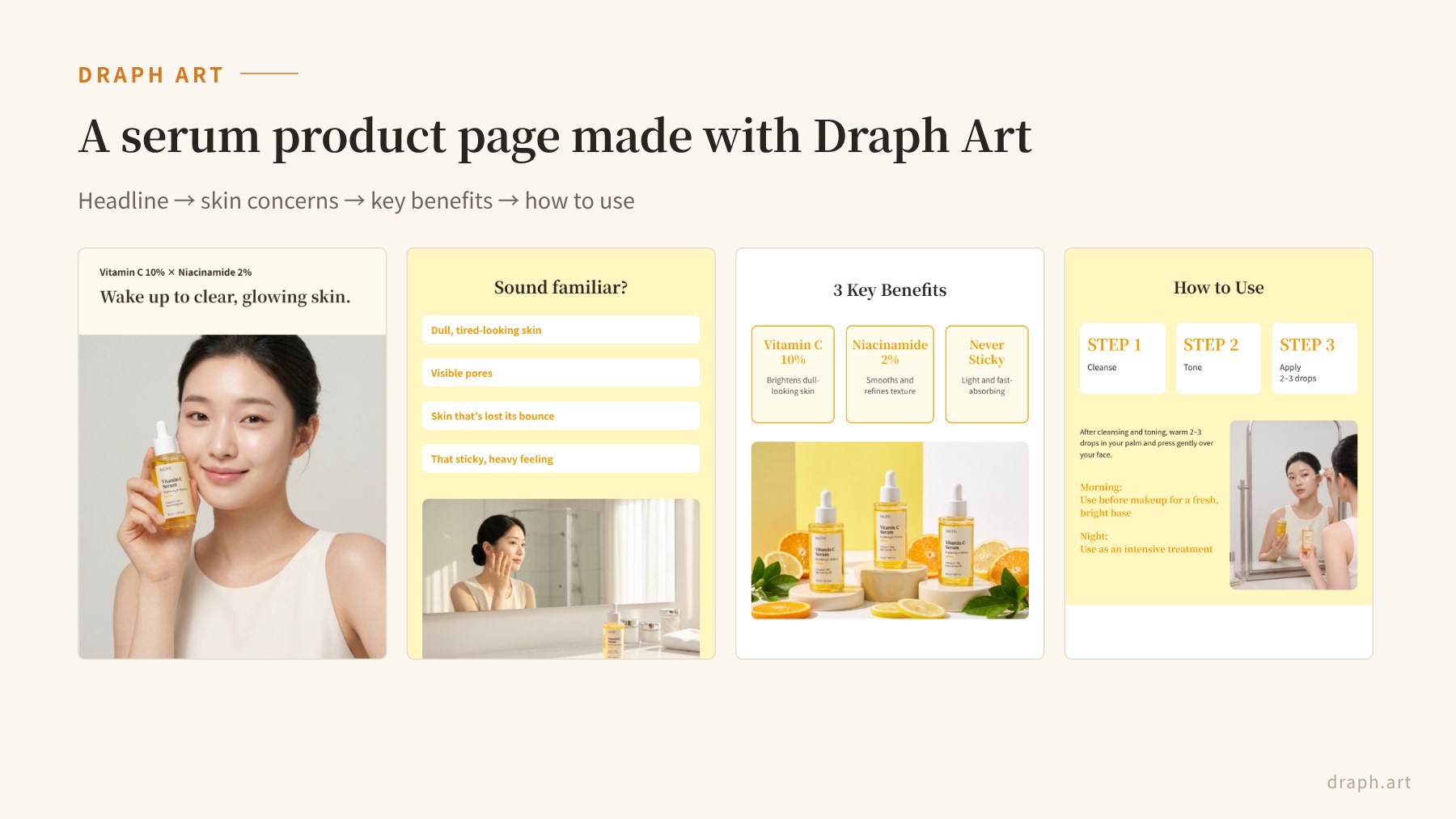
Draph Art’s AI product page maker works like this:
- Start with one original product photo: You can upload the photo as is, with no background removal needed.
- No prompts required: Just fill in fields like product name, target customer, and key features.
- Get a draft in 3–10 minutes: Planning, copy, images, and layout are all generated together.
- Built on 4.6M+ commerce data points: Page layouts are suggested based on what tends to perform on real product pages.
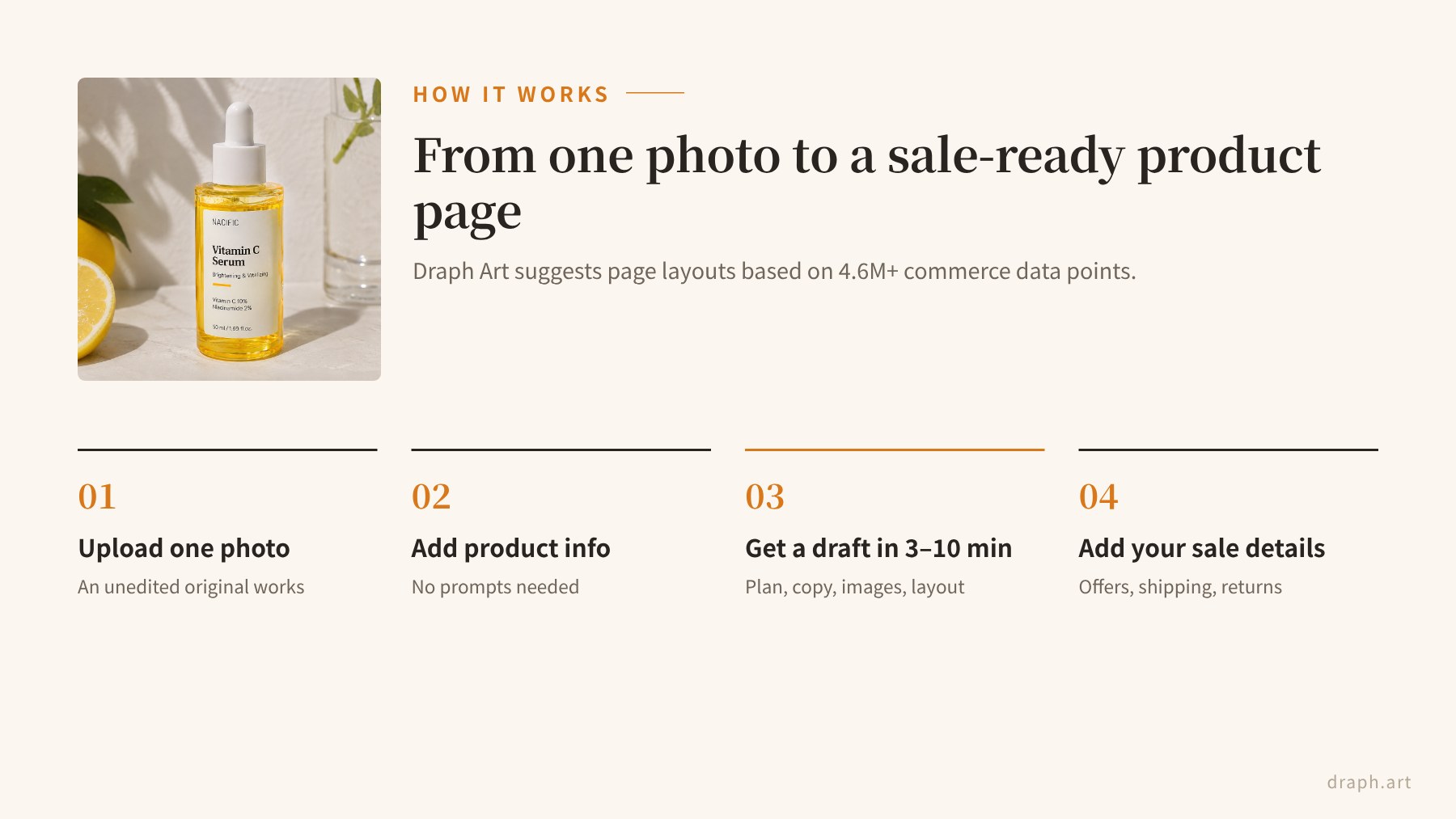
Once your draft is ready, use the five points above to add your offer terms and shipping and return details. Instead of starting from a blank page, you’re polishing a solid first draft, which makes last-minute updates before the sale far more manageable.
Draph Art also goes beyond product pages. In the same workspace, you can create styled shots with new backgrounds, AI model images, short video ads, and Amazon A+ Content for global marketplaces. That makes it handy for the holiday sales that follow Black Friday, too. For a step-by-step walkthrough, check out how to automate your product page with AI.
Final Checklist Before Your Sale Goes Live
Here’s everything to double-check on your Black Friday product pages before the sale starts. Bookmark it and run through it one last time before you hit publish.
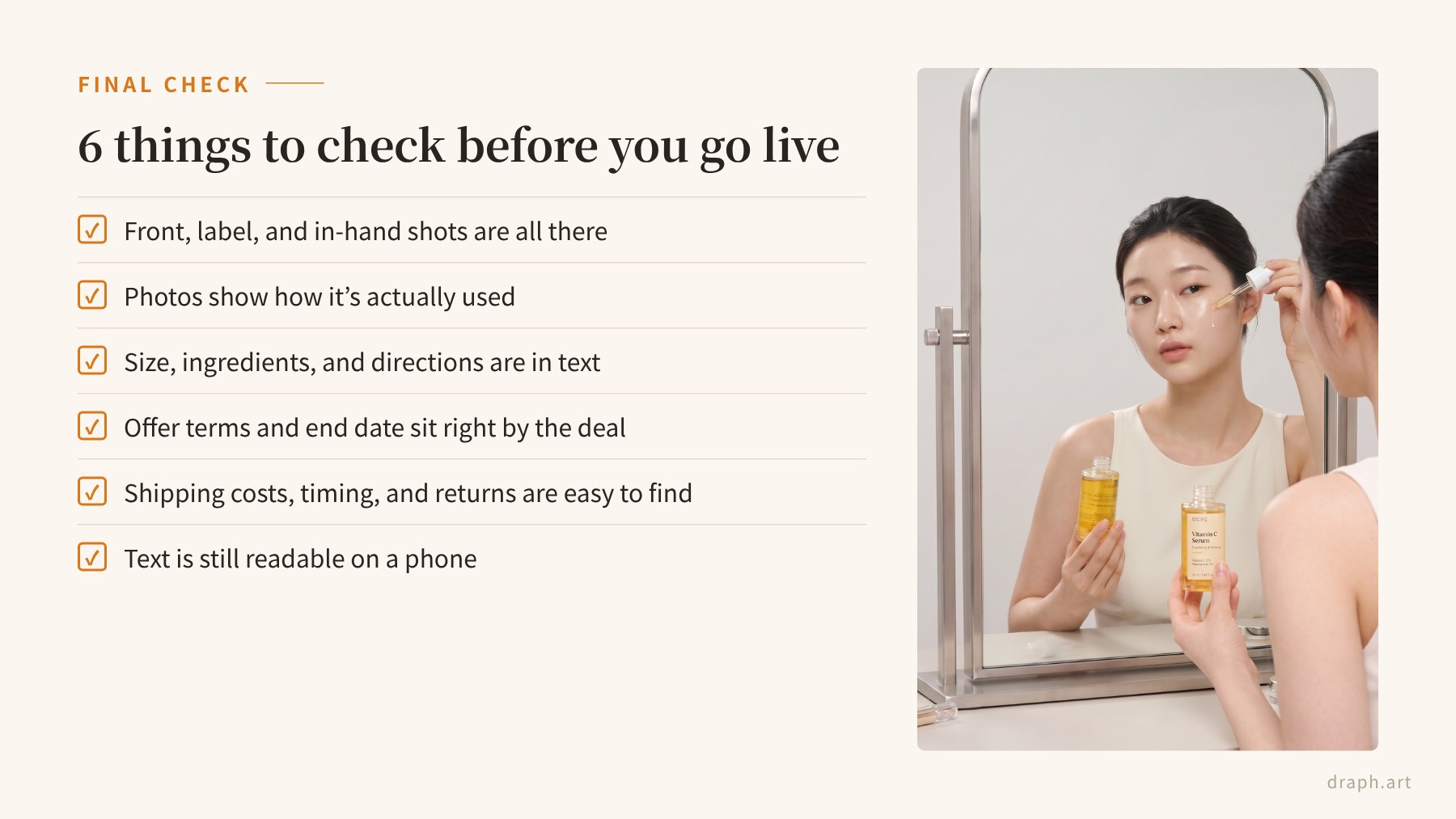
- Front, angled, and label close-up photos are all there
- Photos show how the product is actually used
- Size, ingredients, and directions are written out in text
- Discount and coupon terms and end dates sit right next to the offer
- Shipping times, costs, and return terms are easy to find
- Text is still easy to read on a phone
Frequently Asked Questions (FAQ)
Q1. What should I fix first on my Black Friday product pages?
Start with your photos and your shipping and returns info. Baymard Institute found that 40% of US shoppers who abandoned checkout blamed extra costs like shipping, and 13% weren’t happy with the returns policy, so clearing those up removes some of the biggest reasons people walk away.
Q2. Why doesn’t a big discount alone drive more sales?
A discount gets attention, but it rarely closes the sale on its own. On Black Friday, shoppers compare several stores at once, so the page that also explains how to use the product, what’s in it, and what shipping and returns look like is the one they trust.
Q3. Can I build a sale-ready product page if I only have one product photo?
Yes. With Draph Art, you upload one original product photo and enter a few basic details, and you get a full draft with planning, copy, images, and layout in 3–10 minutes, no prompts needed. From there, just add your offer terms and shipping info.
Q4. Where should I put the terms for my Black Friday offer?
Right next to the discount or coupon itself. List the eligible items, conditions, and end date in a few short lines, and if you show a “regular price,” make sure it’s a price you actually sold the product at.