
.png&w=1920&q=75)
목차
- 1. A great first impression of your furniture detail page starts with the product image
- 2. A complete furniture detail page needs a mix of different image types
- 3. What you emphasize on your detail page should change based on the furniture type
- 4. Create Furniture Product Detail Pages with Just One Photo Using Draph Art
- 💡 Frequently Asked Questions (FAQ)

Since shoppers can't touch or see the furniture in person when buying online, a single photo on a white background isn't enough to capture the design style, material details, or the actual vibe of the piece. Therefore, to create a high-quality product detail page, you need to combine a full product view, lifestyle staging shots, and close-up detail shots so customers can step-by-step understand the look, style, and materials. Also, since every piece of furniture has different uses and key features, it’s crucial to show the right usage scenarios and highlight the main selling points for each product.
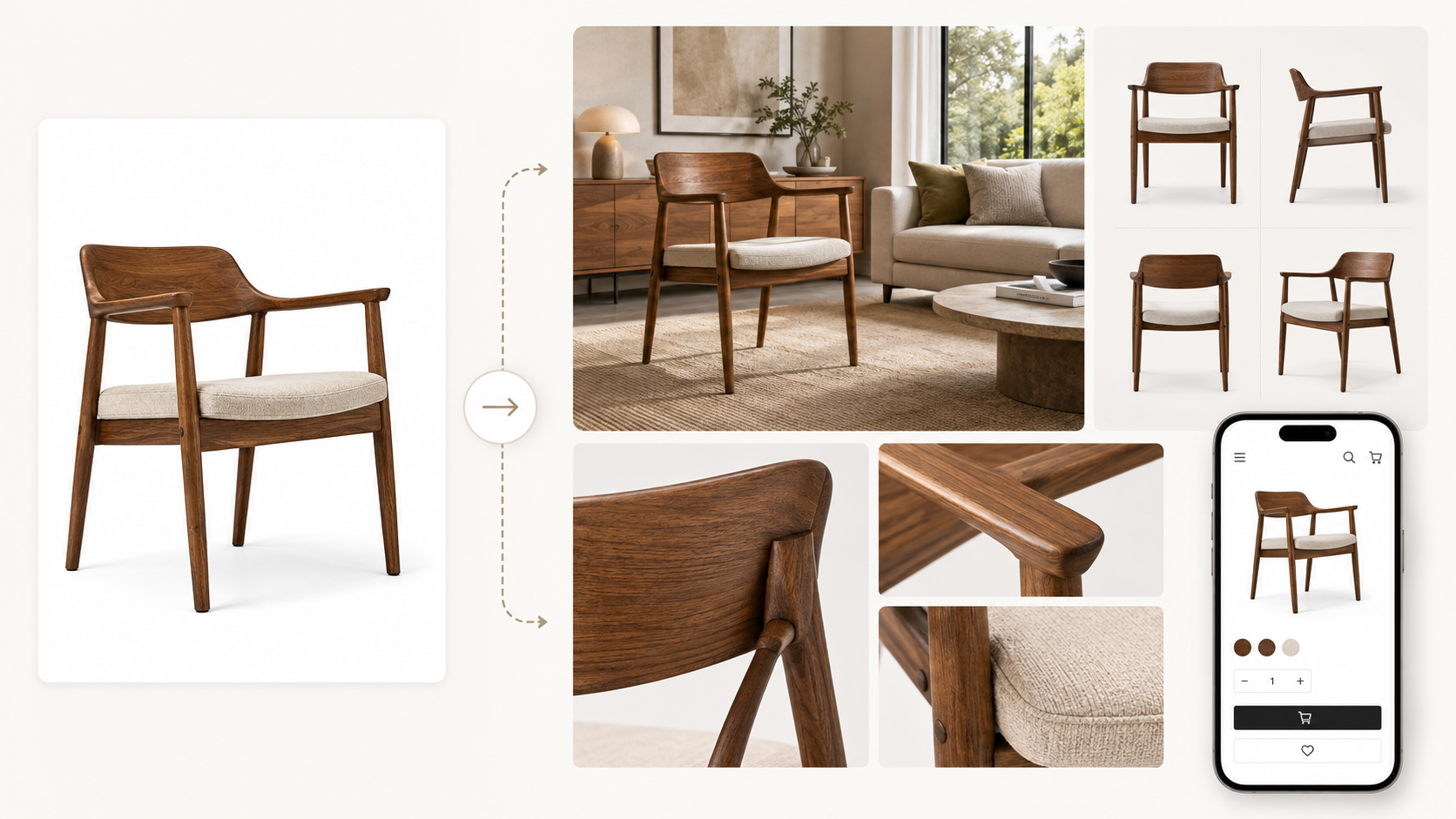
Draph Art is an AI-powered furniture detail page generator that takes a single furniture photo and expands it into lifestyle staging shots, product detail images, furniture styling scenes, ad copy, and a complete, ready-to-use product detail page structure. With the latest e-commerce deshttps://draph.art/en/blog/insights/detail-page-design-trends-2026_enign trends automatically applied to your templates, you can quickly finish high-end product pages that capture your brand's aesthetic and product info without any extra photoshoots or design work.
💡 TLDR (3-point summary for busy people)
|
1. A great first impression of your furniture detail page starts with the product image
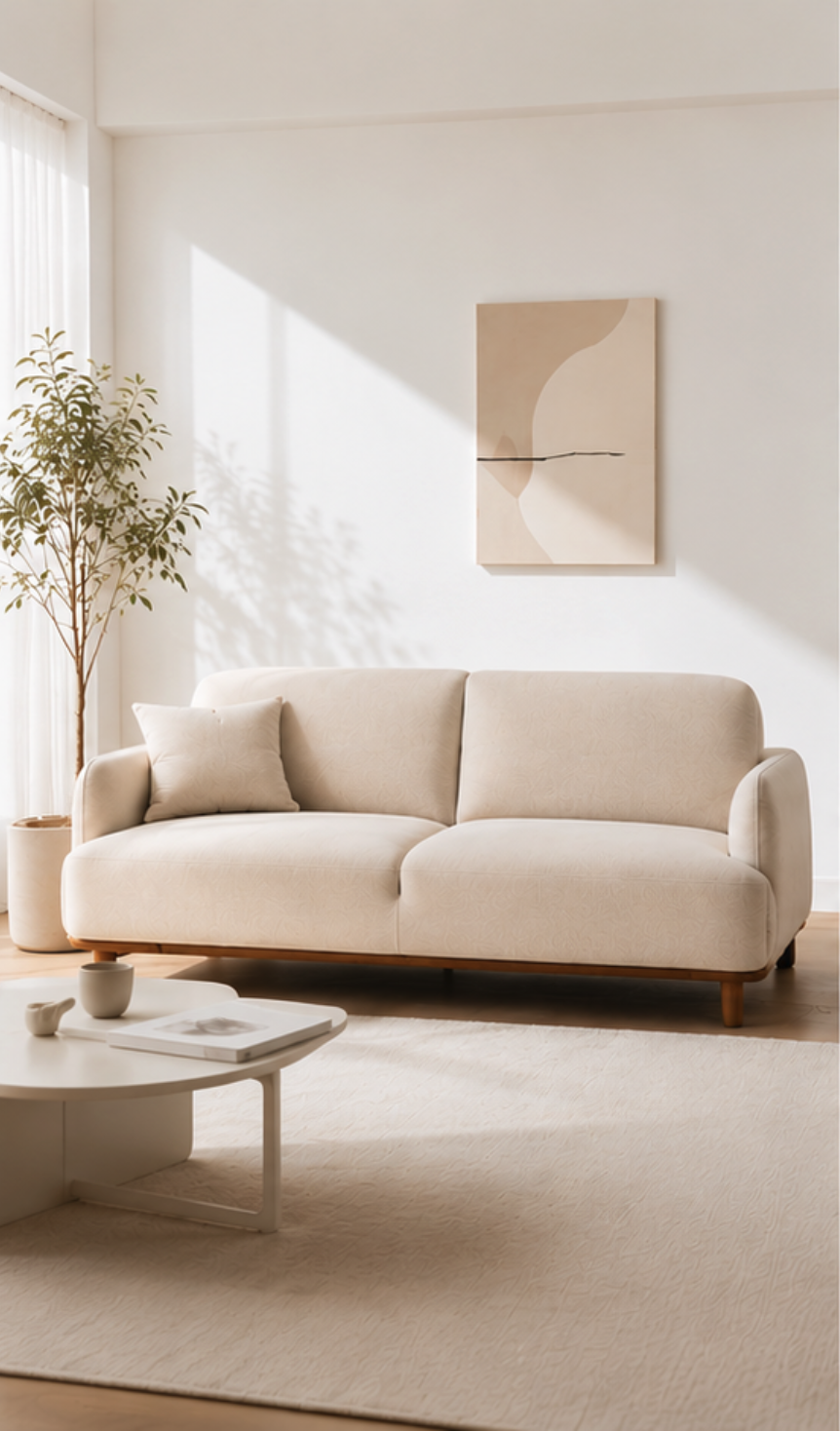
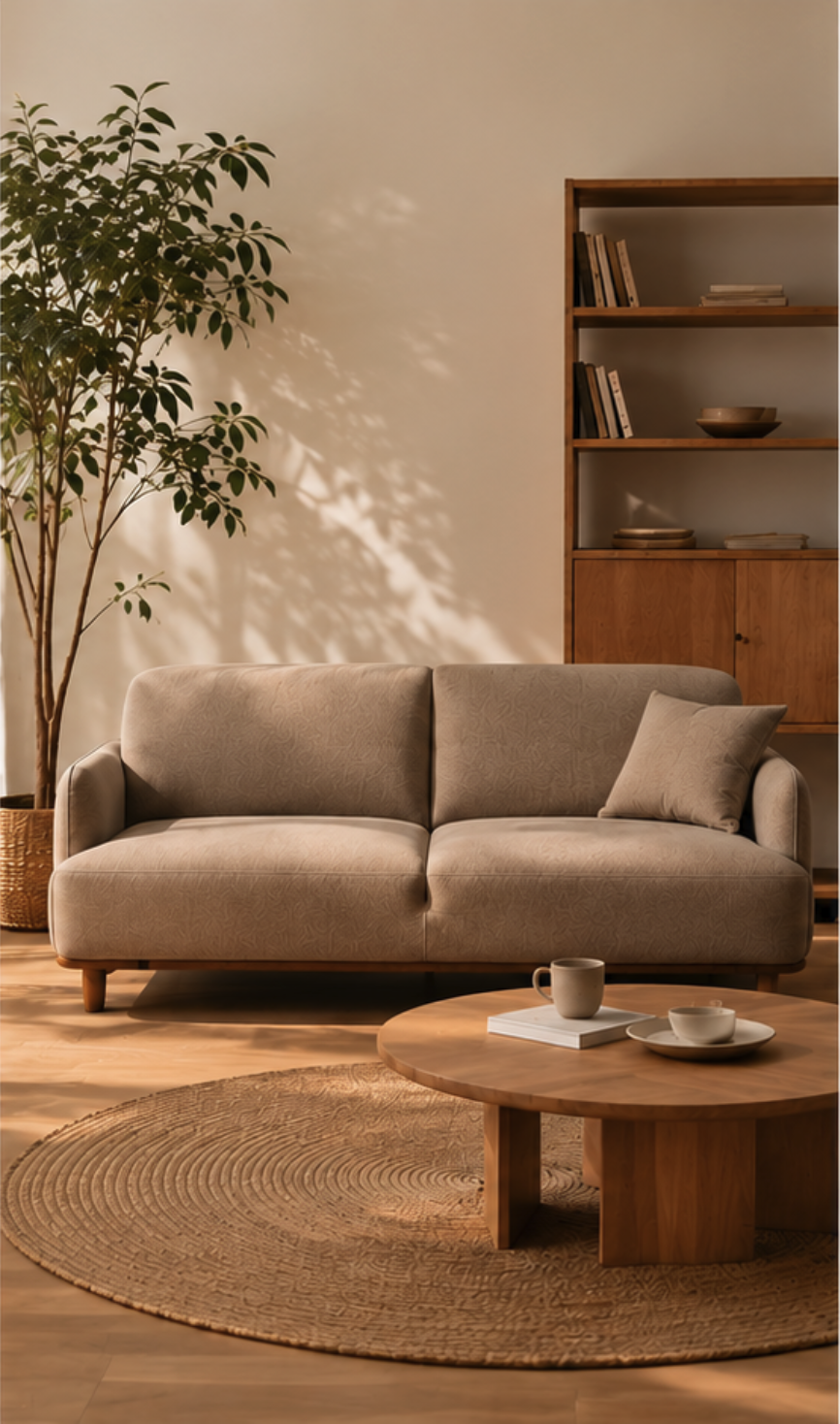

Because shoppers can't physically touch or see the materials when buying furniture online, the images on your product detail page are the most important factor in their decision. While standard white-background images are great for showing the shape, color, and basic structure, they just don't capture the style or the real-life vibe of the furniture well enough.
The same sofa or table can look completely different—minimalist, natural, cozy, or sleek—depending on the background, lighting, and how you stage the surrounding space. That's why a furniture product page shouldn't just show the item clearly; it needs to deliver the style and usage context through consistent, high-quality visual content.
Using staging images that match the product concept makes it much easier for customers to grasp the style and purpose. The key to making a great furniture detail page isn't just adding more photos; it’s about balancing full product shots, lifestyle staging, and detail shots to create a clear and engaging first impression.
2. A complete furniture detail page needs a mix of different image types
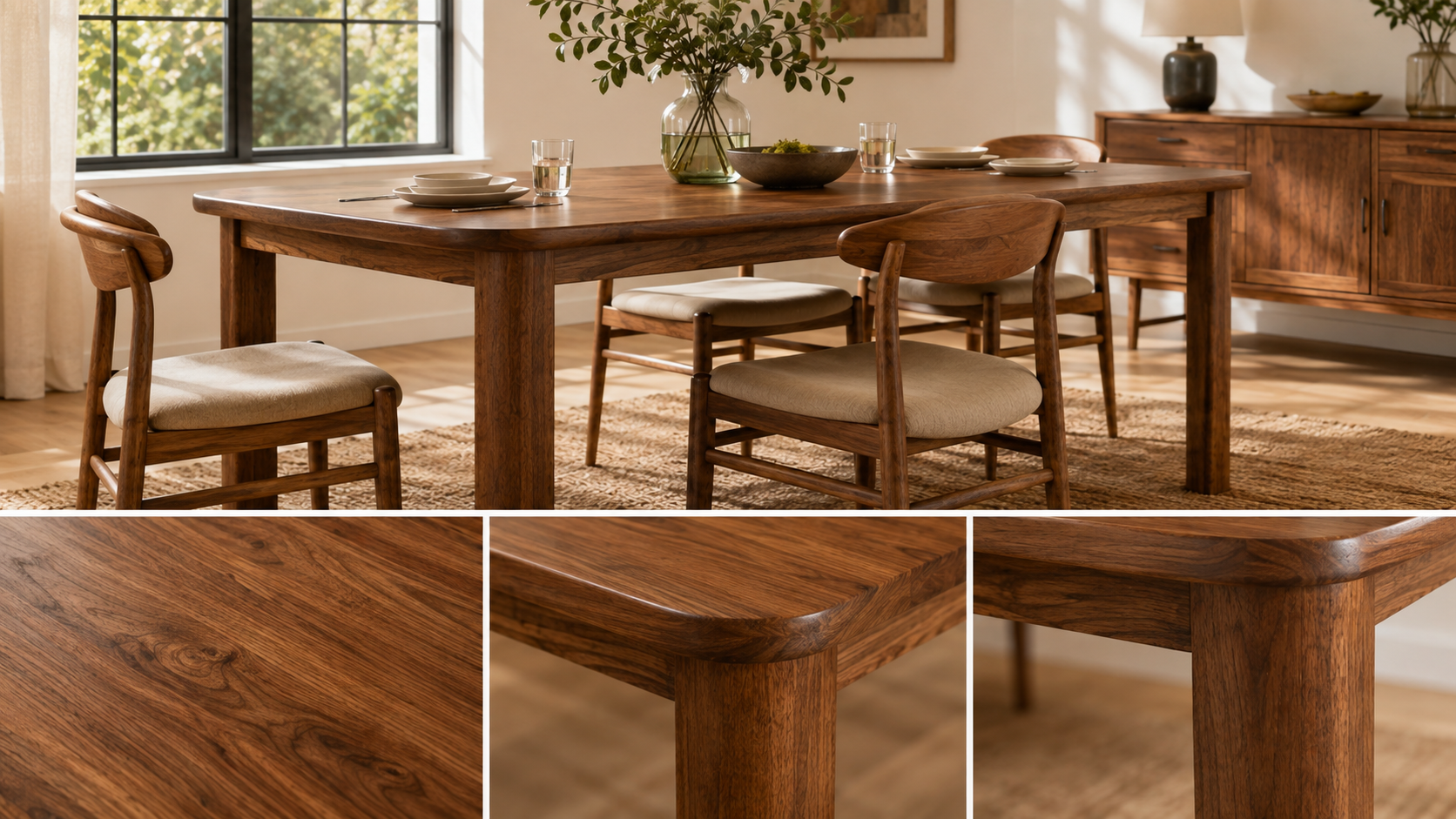
Just having clean lifestyle shots isn't enough for a furniture detail page. Before buying, customers need to check the shape, color, structure, materials, and design details. To make a high-quality product page, you generally need a combination of full product shots, lifestyle shots, and close-up detail shots. Each of these serves a different purpose: showing 'what it looks like,' 'how it fits into a space,' and 'how the design details are constructed.'
Images that clearly show the full product
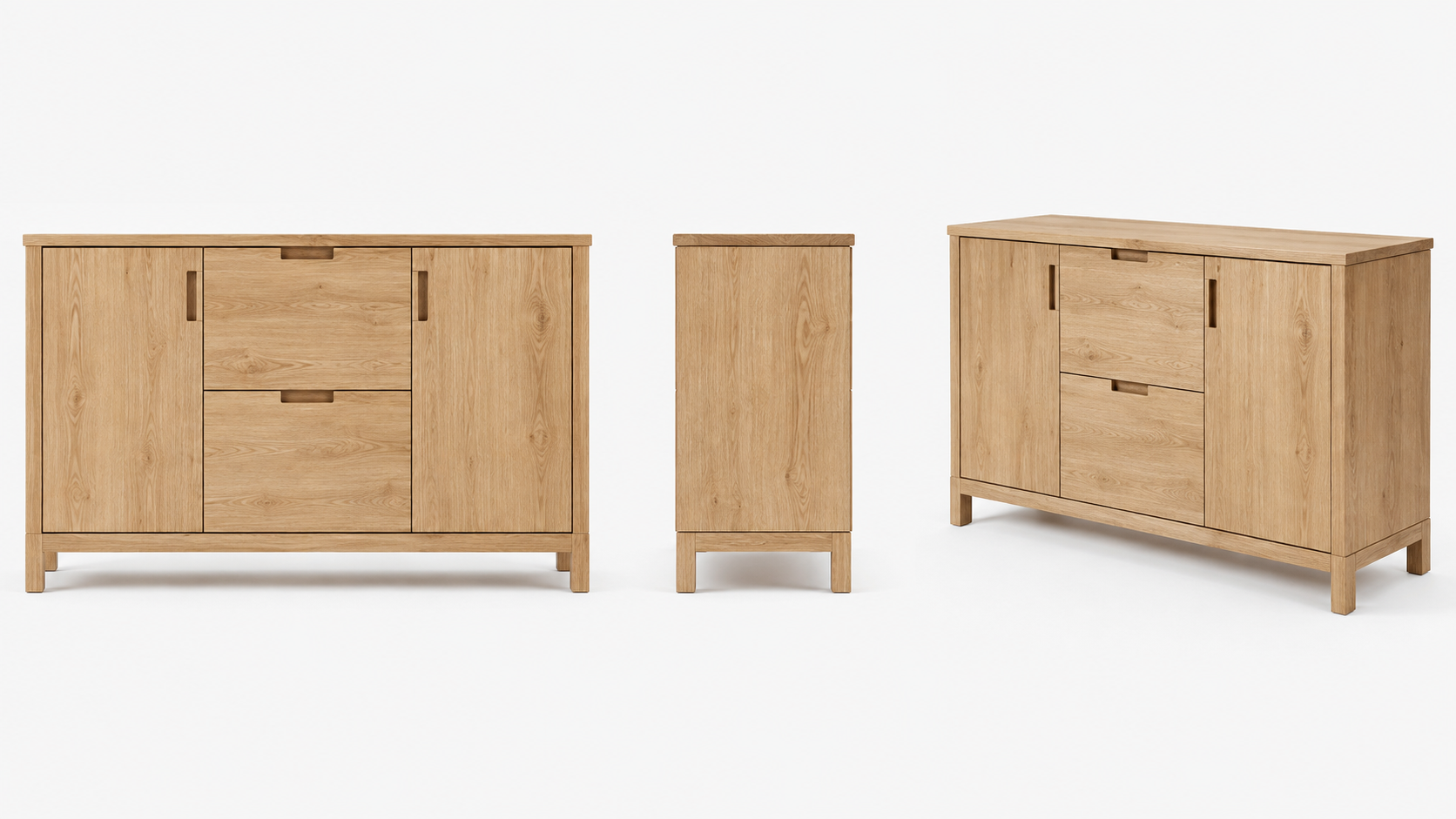
Full product images are meant to show the shape, color, and basic structure accurately. Nothing should obstruct the view, and the furniture itself should be the star of the shot.
Beyond just front-facing shots, using side or angled shots depending on the furniture type makes it easier to understand the depth, thickness, and overall build. For instance, show the front and side silhouettes for a sofa, highlight the back and leg structure for a chair, or display the arrangement of doors and drawers for storage cabinets.
For full product shots, it's more important to show the item clearly and accurately than to focus on a fancy, distracting background.
Lifestyle images that show the space and vibe
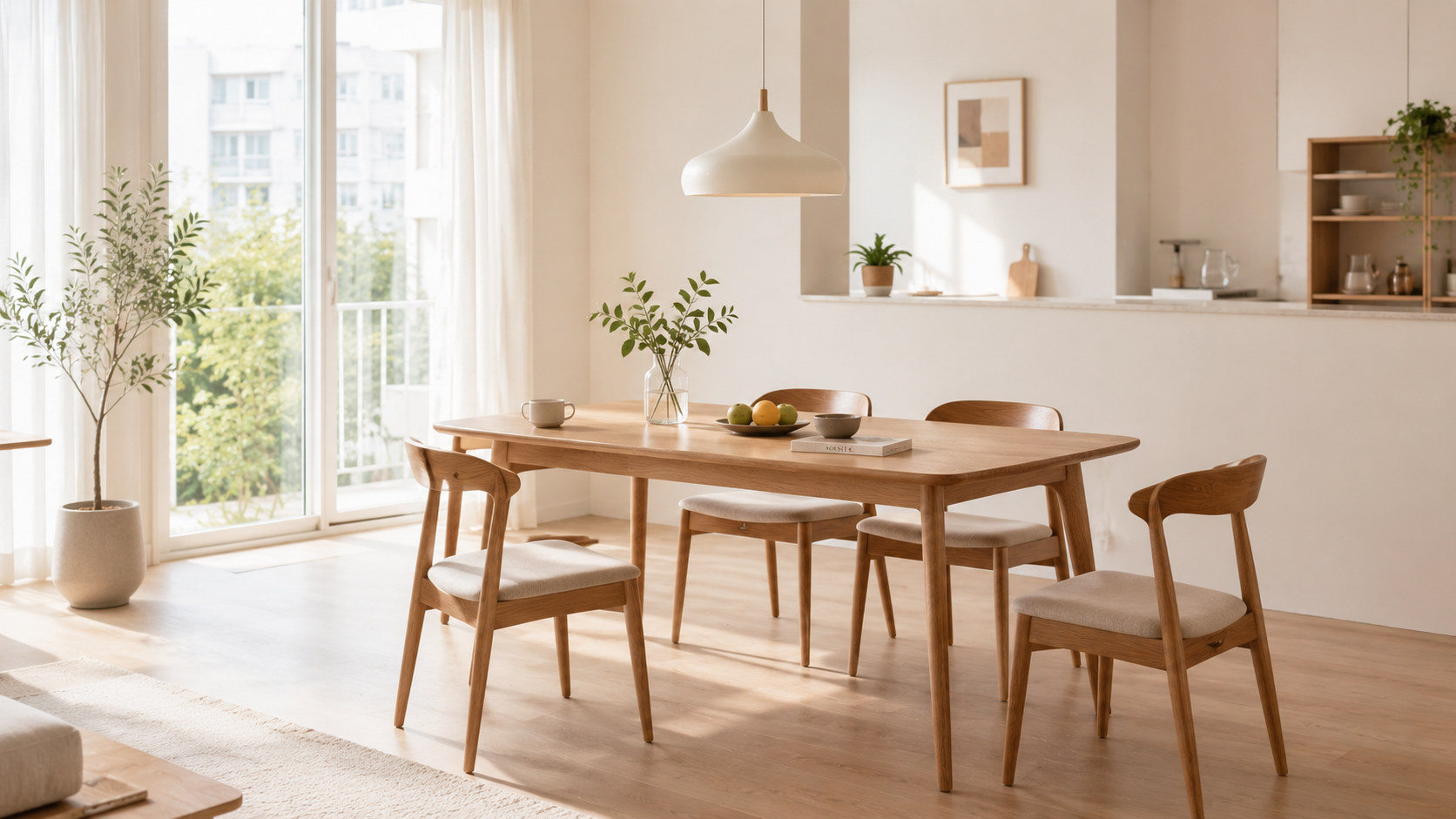
After checking the look, shoppers want to see what kind of space the furniture suits. Lifestyle images place the furniture in a natural living environment, helping customers understand how it can be used and the overall atmosphere it creates.
The same piece can give off a totally different impression depending on the lighting, flooring, and props. For example, a wooden dining table looks light and fresh in a bright space with white walls, but can look cozy and calm with darker floors and warm lighting.
Use props and backgrounds to highlight the product's concept. Instead of cluttering the scene, make sure the focus remains entirely on the furniture being sold.
Detail images to show off materials and design features
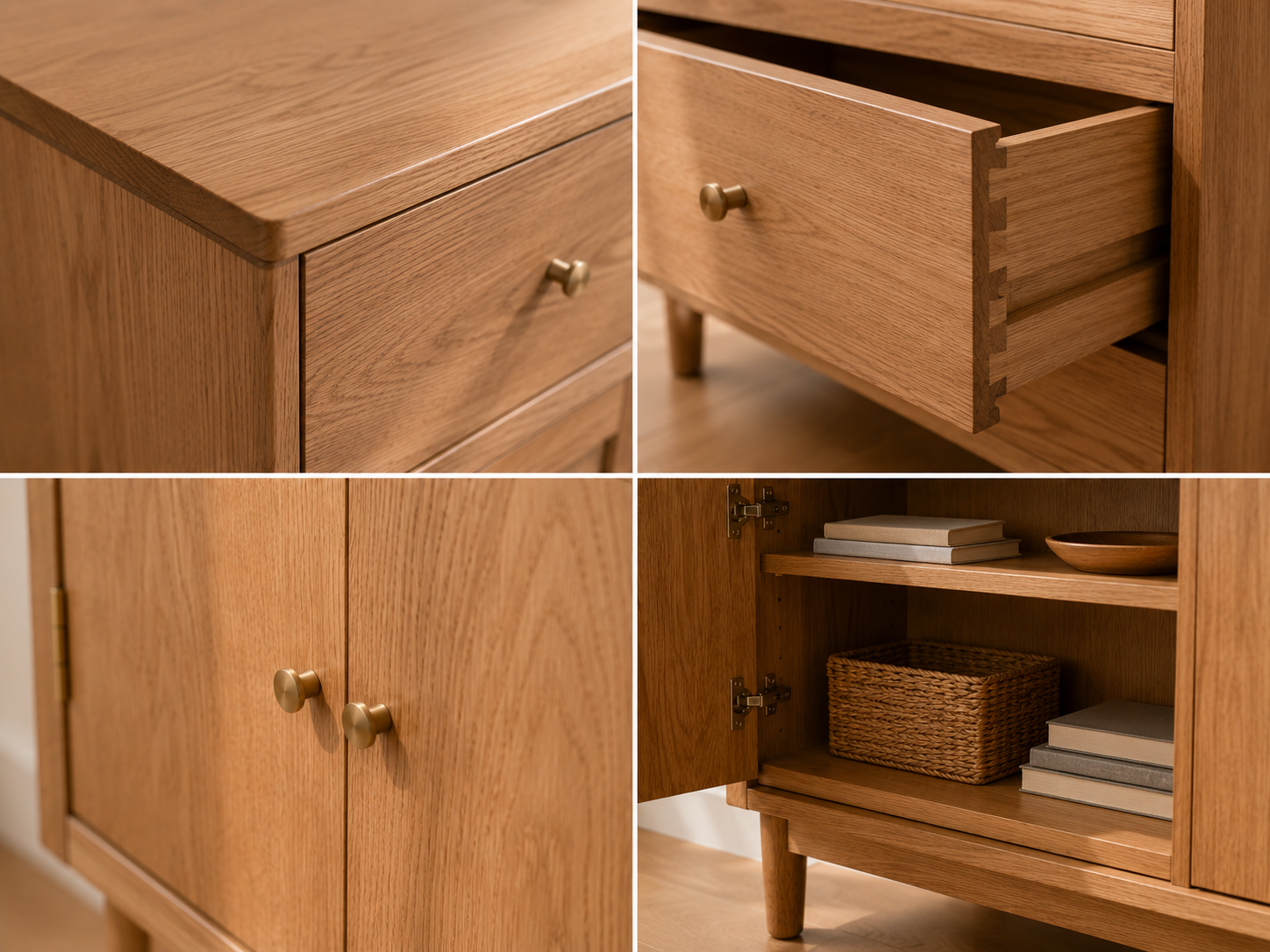
Small details like wood grain, fabric texture, stitching, or handle connections often get lost in wider shots. That’s why you need close-up detail images to highlight the quality of the materials and design features.
For wood furniture, you can emphasize the surface texture and edge finish. For fabric sofas, show off the weave and the stitching. For cabinets, show the doors, drawers, and handle designs in detail. These close-ups help customers fully understand the build quality and design.
Detail shots don't just make the page look better; they provide the concrete information shoppers need before clicking 'buy.' While full product images show the item, lifestyle images convey the style, and detail shots provide the necessary proof of quality.
3. What you emphasize on your detail page should change based on the furniture type
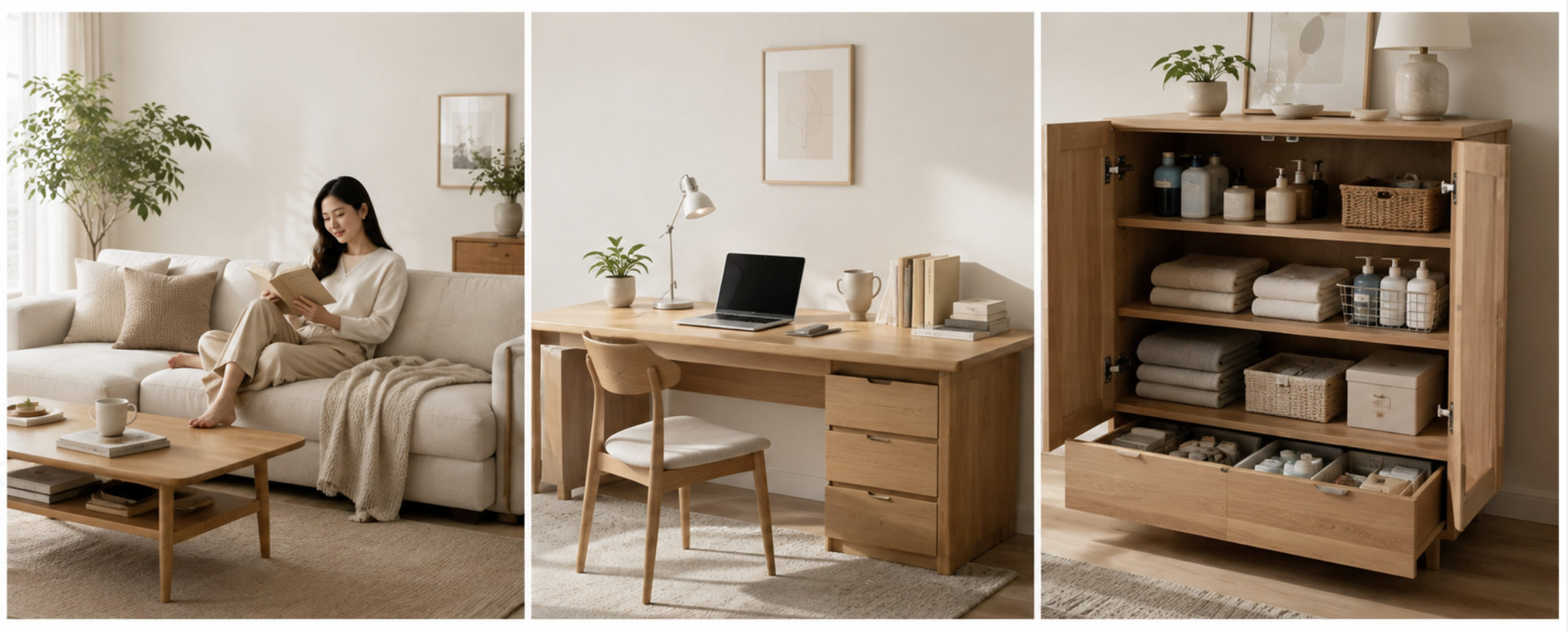
You shouldn't just swap the product photo and repeat the same text for every page. Different furniture types have different usage scenarios and unique selling points.
| Furniture Type | Best Image Types | Best Content to Highlight |
| Sofa | Living room, reading, and relaxation scenes | Materials, overall design, seating area, and cozy atmosphere |
| Dining Table | Dining area, scenes of multiple people using it together | Tabletop material, seating capacity, and harmony with the overall space |
| Chair | Dining area, desk, and vanity staging scenes | Backrest, seat, line design, and harmony with various spaces |
| Bed and Nightstand | Bedroom, lighting, and relaxation scenes | Bedroom vibe, storage, and cohesive design |
| Desk | Home office and study space | Surface space, storage, and workspace environment |
| Storage Cabinet | Living room, bedroom, and entryway | Internal structure, organization efficiency, and usage methods |
| Coffee Table and Side Table | Styling scenes next to a sofa or bed | Accessory placement, design accents, and blending into the space |
For instance, it is important to showcase sofas by focusing on the living room mood, materials, and relaxation scenes. For desks, it is best to highlight the workspace, surface usability, and storage features, while for storage cabinets, you should show the internal structure when doors or drawers are opened to demonstrate how it actually organizes items. By tailoring the image and description focus based on the furniture type, you can prevent product detail pages from looking all the same, and customers will find the information they need much faster.
4. Create Furniture Product Detail Pages with Just One Photo Using Draph Art
Draph Art is an AI-powered product page builder that automatically generates visual content, sales copy, and page layouts for detail pages based on your product photos and basic info. Draph Art can handle everything mentioned earlier—full product shots, space staging, material details, and the specific highlights needed for different furniture types—all at once.
Comparing Traditional Furniture Page Creation with Draph Art
The traditional way requires separate steps for furniture photography, staging images, writing sales copy, and page design. With Draph Art, you can generate full product images, space staging, detail content, and sales copy all in one go, which helps cut down on the repetitive work involved in the standard creation process.
| Comparison Category | Traditional Furniture Page Creation | Draph Art Furniture Page Creation |
| Image Preparation | Shooting or creating full product images, space staging images, and detail images separately | Generate various furniture images based on a single product photo and basic info. |
| Sales Copy | Create titles, key selling points, and product descriptions tailored to the product features. | Automatically generate key selling points and sales copy based on product information. |
| Page Layout | Directly arrange the order of images and text, page layout, and modules. | Automatically organize generated content according to a furniture product page structure. |
| Production Time | Requires separate processes for photography, design, and copywriting. | Generally, you can check a draft for your product page in about 3 to 10 minutes. |
How to create a furniture product page with Draph Art
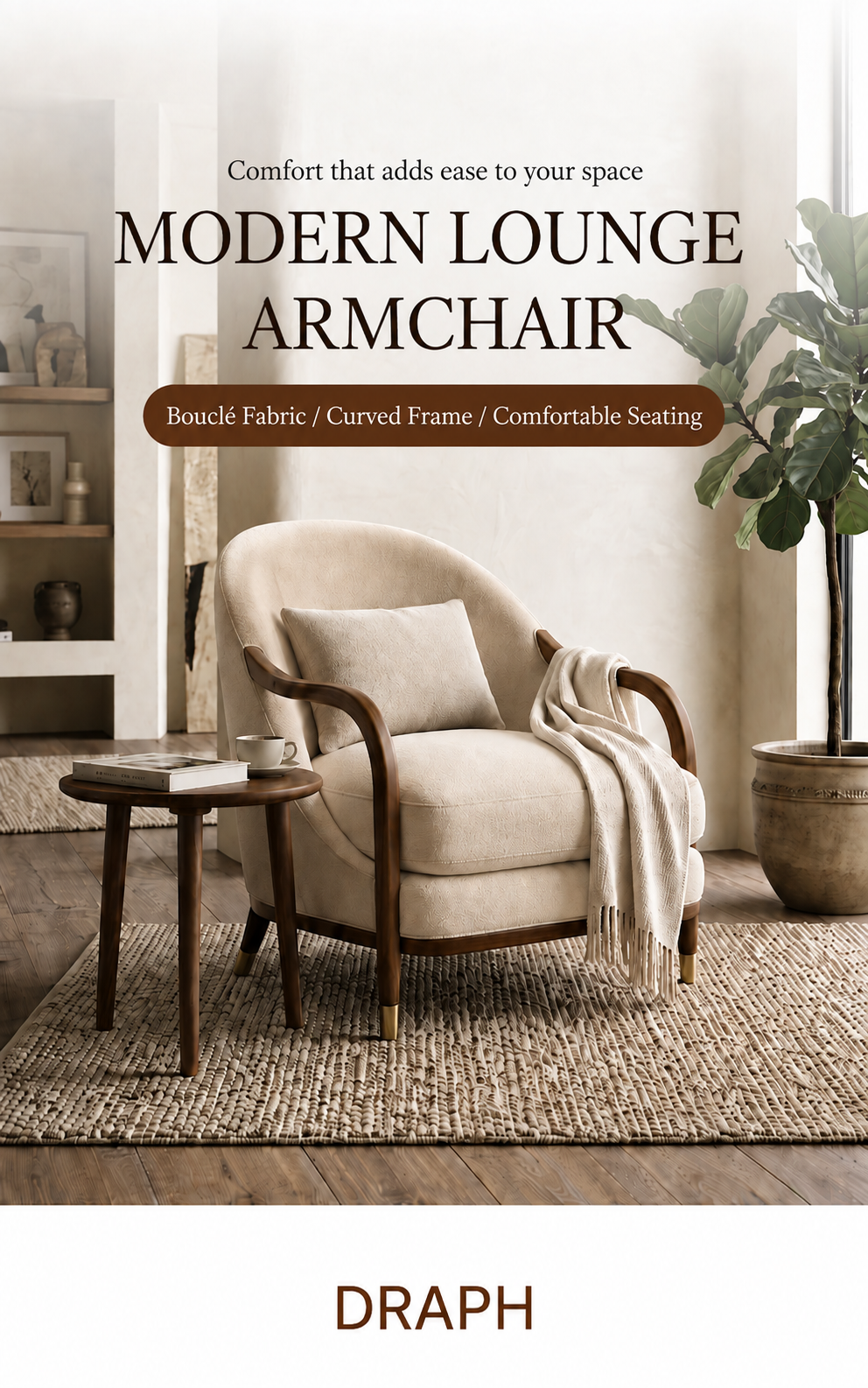
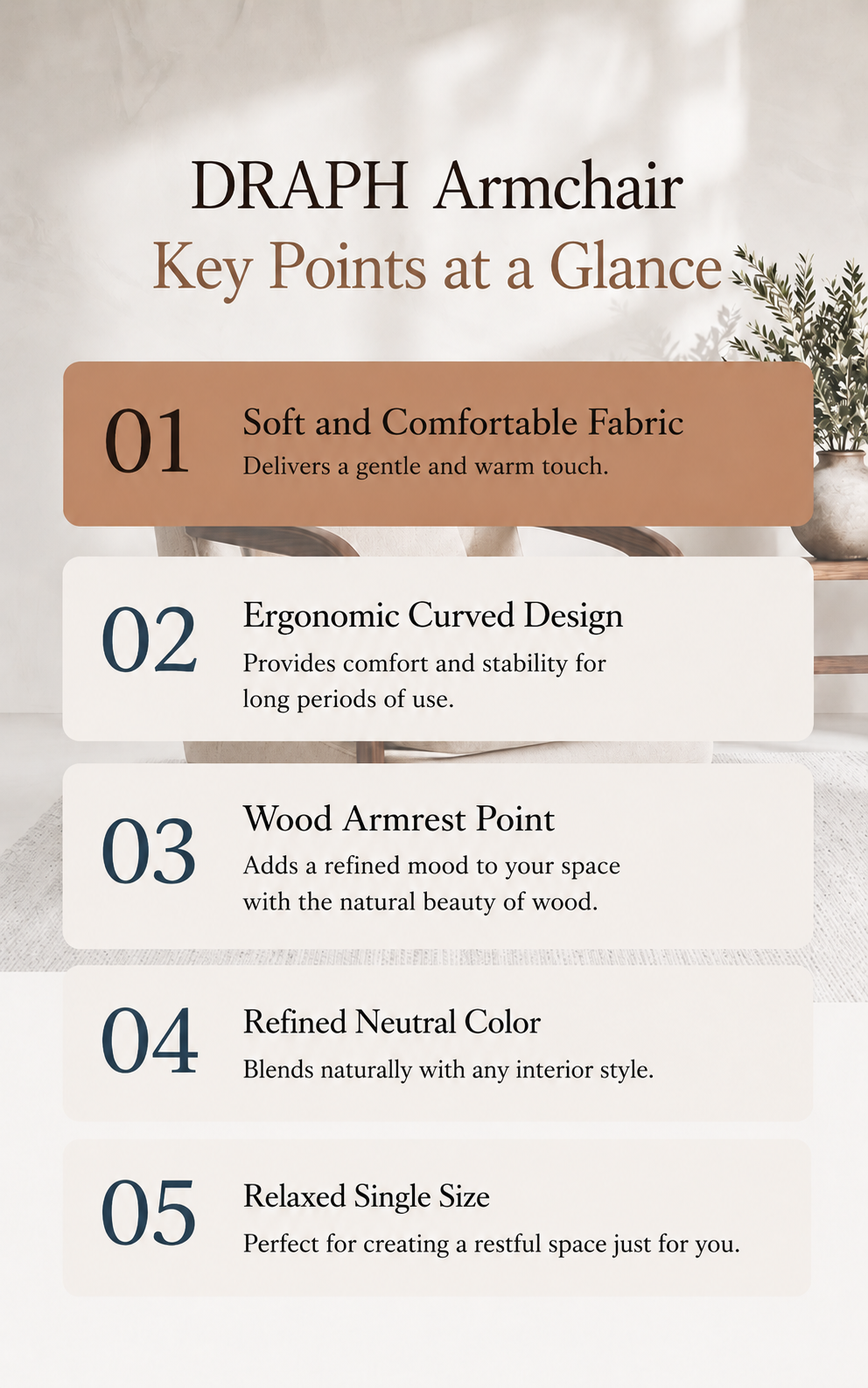
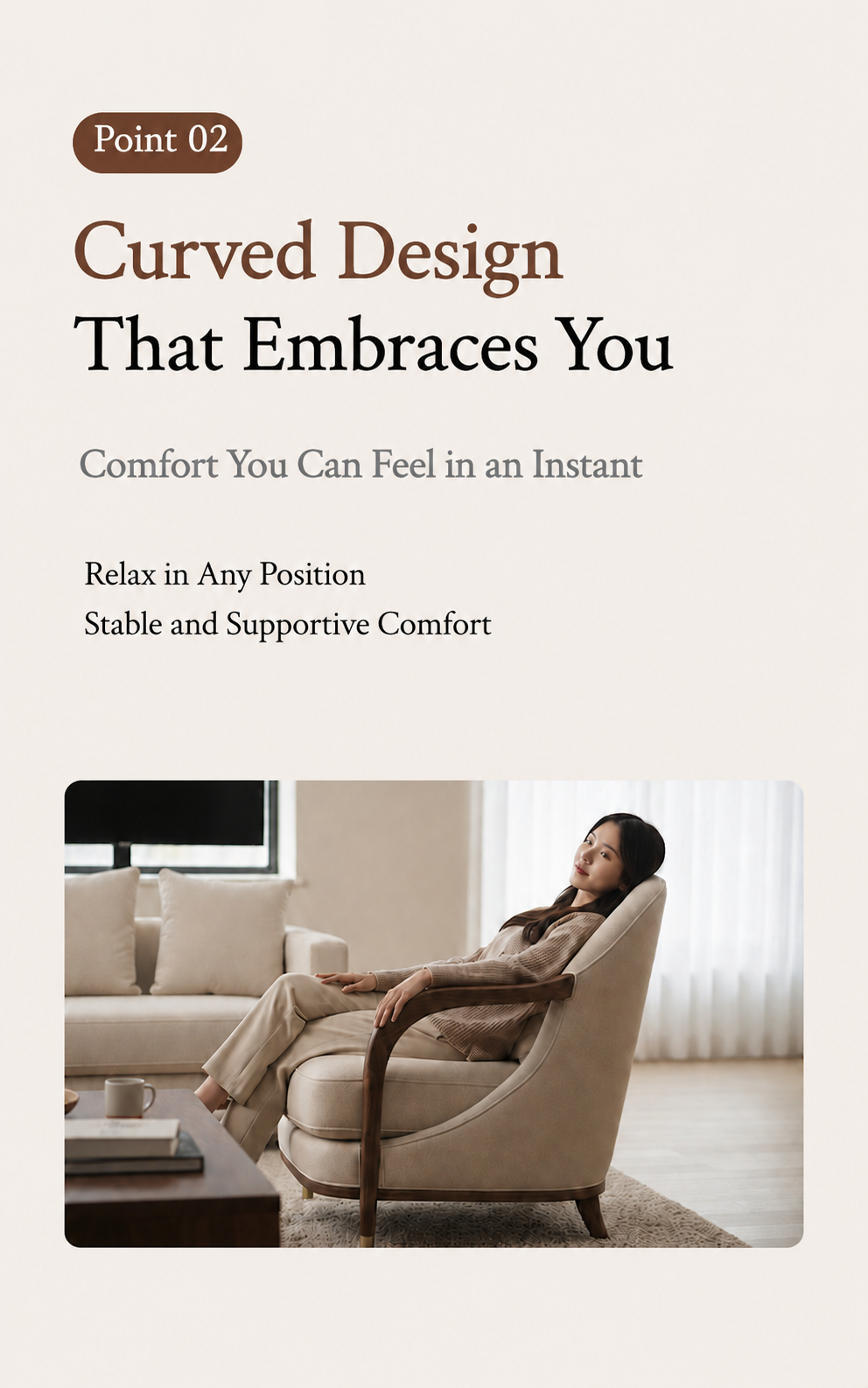
First, upload a clear product photo where the furniture's outline, color, and main structure are visible. Then, enter basic details such as the product name, furniture type, material, color, and key features.
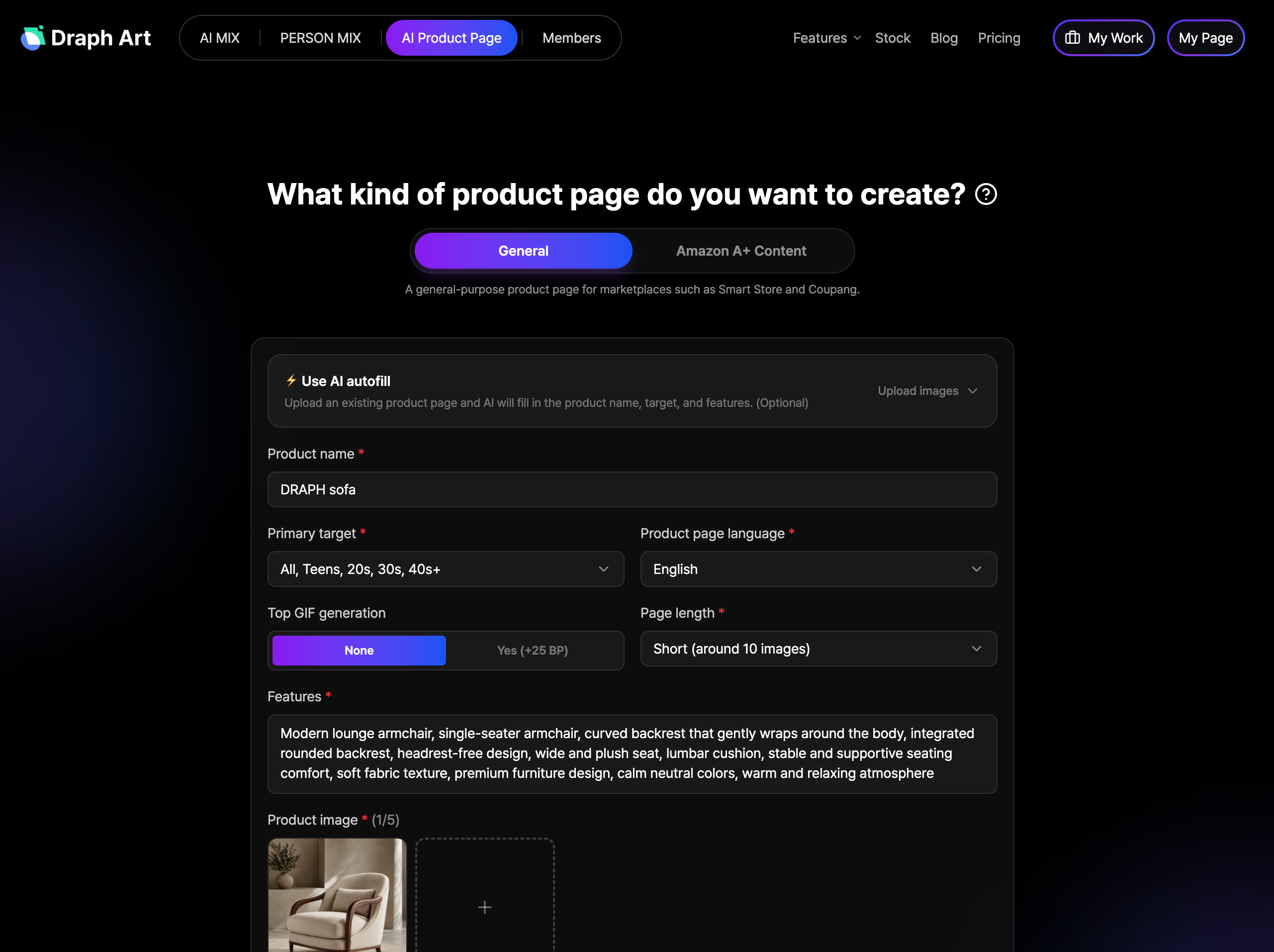
Based on your input, the AI generates a main product visual, lifestyle images, and detail shots, while also drafting the product title, key selling points, and description. For example, a photo of a sofa taken alone can be expanded into a living room scene, full-view images, and fabric texture close-ups. Dining tables, desks, and storage units can also have lifestyle images and descriptive content created to fit their specific use.
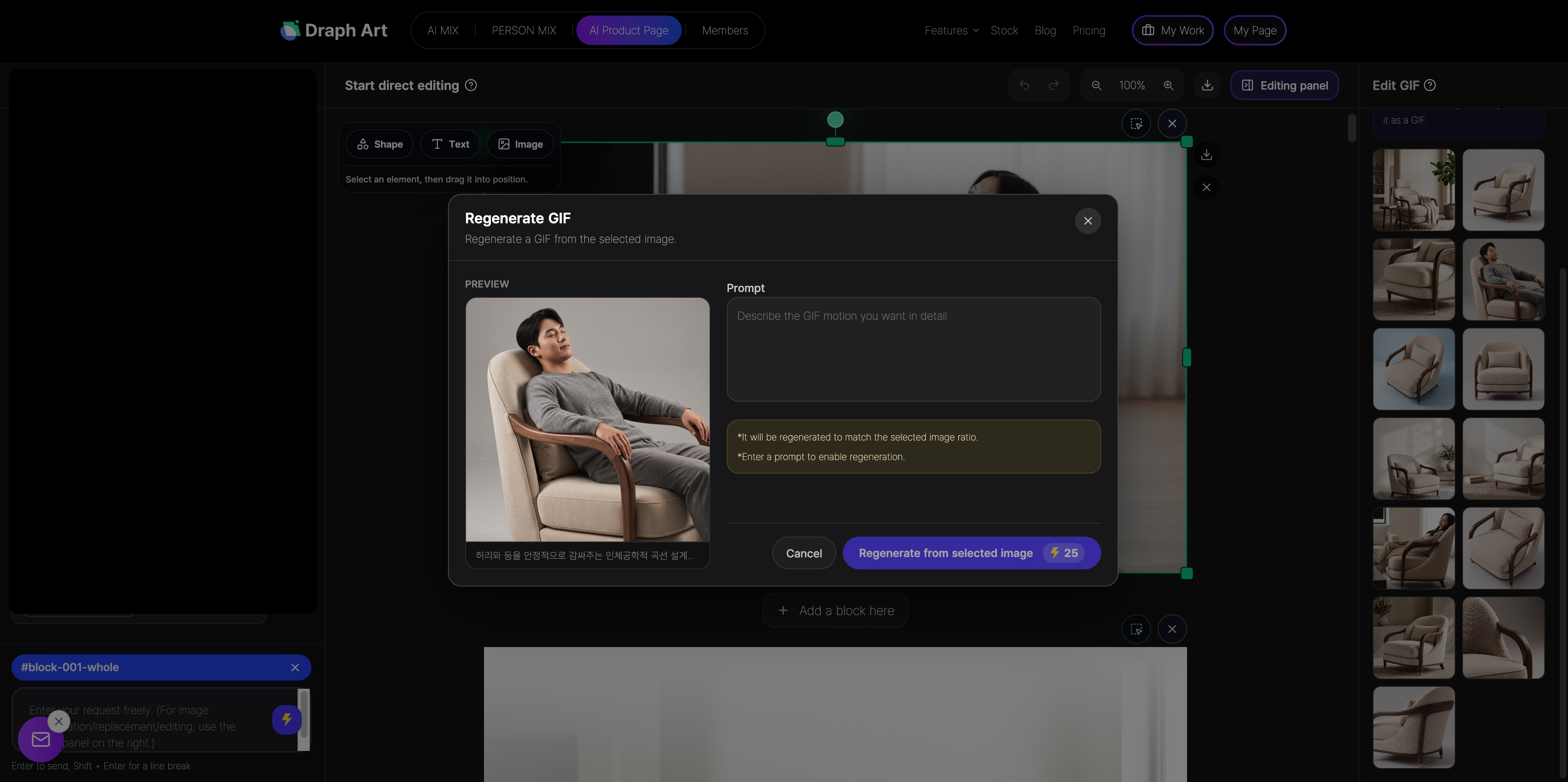
The generated images, text, and page modules are automatically organized into a furniture product page draft. Sellers can then edit the images and text or re-generate specific parts that don't match the product features.
By using Draph Art, you can create professional-looking furniture product pages with consistent visual styles much more efficiently, without needing to stage photoshoots, write copy from scratch, or design the page layout yourself.
💡 Frequently Asked Questions (FAQ)
Q1. Can I just use images of the furniture on a white background?
A1. While white-background images clearly show the shape, color, and structure of the furniture, they don't capture the interior style or the actual vibe of using the item. Including full-view shots, lifestyle images, and detail shots on your product page helps customers understand the product more comprehensively.
Q2. What kind of product photos do I need to prepare?
A2. You only need one high-quality, clear photo. It's best to use an image where the furniture's silhouette, color, and main structure are fully visible; avoid blurry or obstructed photos. Once you upload the photo and enter the basic info, Draph Art generates lifestyle images, detail content, sales copy, and a complete furniture product page.
Q3. How long does it take to create a product page with Draph Art?
A3. After uploading a clear photo and entering basic info, you can typically generate lifestyle images, sales copy, and a full product page draft in about 3 to 10 minutes. While actual time varies based on the number of images, content, and edits, it is significantly faster than managing separate photography, copywriting, and design tasks.


.png&w=1920&q=75)