
.png&w=1920&q=75)
목차
- 1. Before building your fashion detail page, focus on what shoppers actually care about
- 2. How can you show the actual fit on your fashion detail page?
- 3. For a great fashion detail page, how you use information matters more than the number of images
- 4. Build an AI fashion product page in just 3 steps with Draph Art
- 💡 Frequently Asked Questions (FAQ)

When shopping for clothing online, customers cannot try the items on or feel the fabric and stitching for themselves. That is why a product detail page should do more than just show what an item looks like. It should include actual fit shots, detailed information, and various styling scenes to help shoppers imagine themselves wearing the clothes, effectively reducing any uncertainty before they make a purchase.
Draph Art is an AI-powered automated fashion detail page generator that can transform a single product photo into high-quality AI Person MIX images, product detail shots, fashion styling scenes, professional marketing copy, and a complete fashion detail page layout. It also automatically organizes your content using the latest e-commerce design trends. Clothing sellers can now create high-quality detail pages that capture the brand's unique style, fashion sense, and comprehensive information without needing to individually manage model photoshoots, set production, or page design.
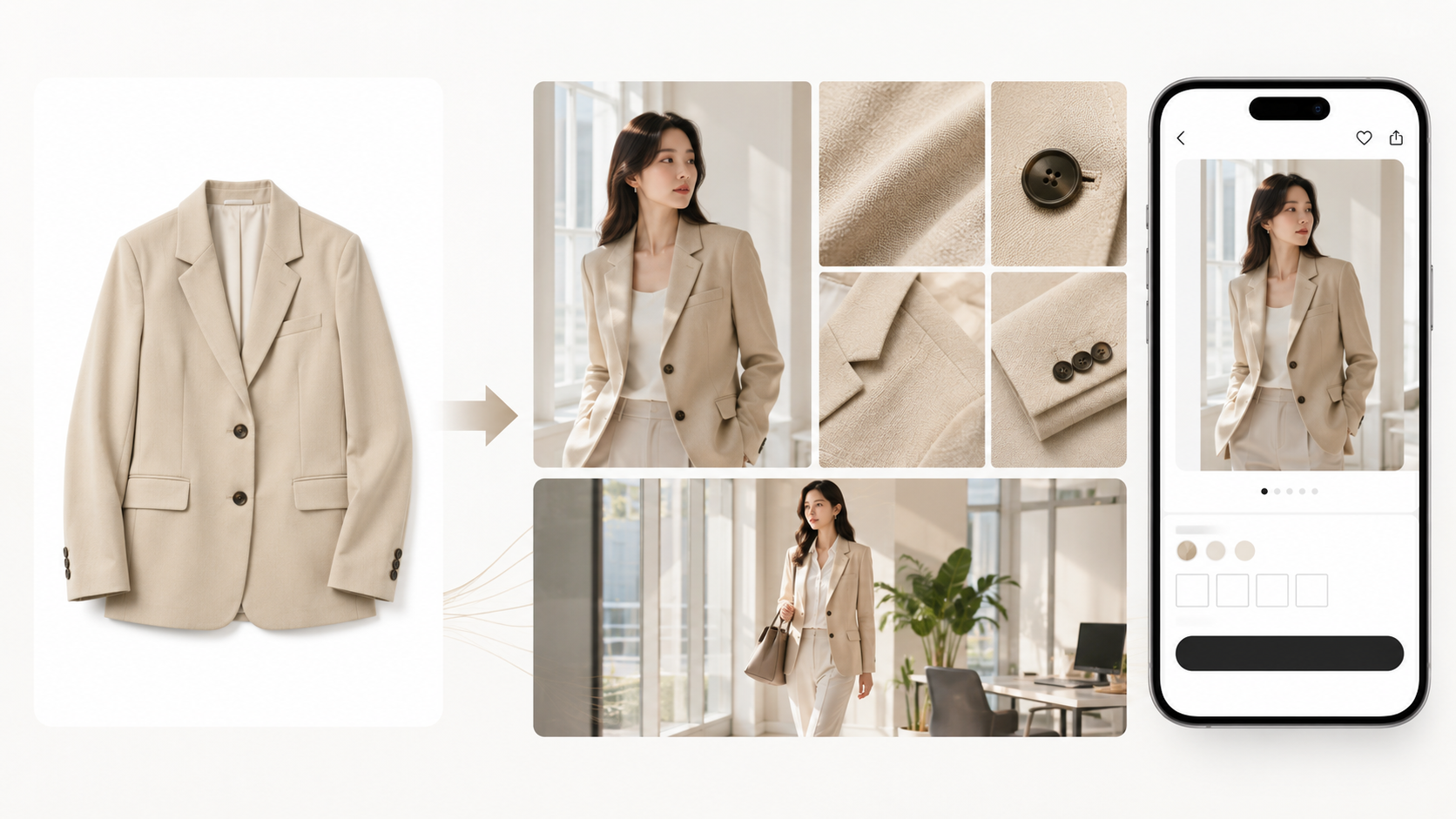
💡 TLDR: A 3-point summary for busy people
|
1. Before building your fashion detail page, focus on what shoppers actually care about

What customers care most about when buying clothes online is whether it will actually fit them well and if the product they receive will match what they saw on the page. To decide, they check the fit, length, ease, and size, while also looking at details like fabric thickness, stretch, drape, actual color, as well as the neckline, cuffs, buttons, and stitching quality.
If your detail page only has flat product shots and a basic size chart, it is hard for shoppers to judge the fit accurately. Instead of using abstract phrases like "luxurious fabric" or "comfortable fit," showing the specific proportions, fabric characteristics, and product details is much more effective in reducing pre-purchase anxiety and helping customers order with confidence.
2. How can you show the actual fit on your fashion detail page?
An online detail page can never fully replace an offline fitting room. However, by providing enough visual information, you can help customers judge the fit, fabric texture, and how the item is worn. Rather than just adding more images, it is crucial that every image answers a shopper's specific questions.
Use model images to show front, side, and back views
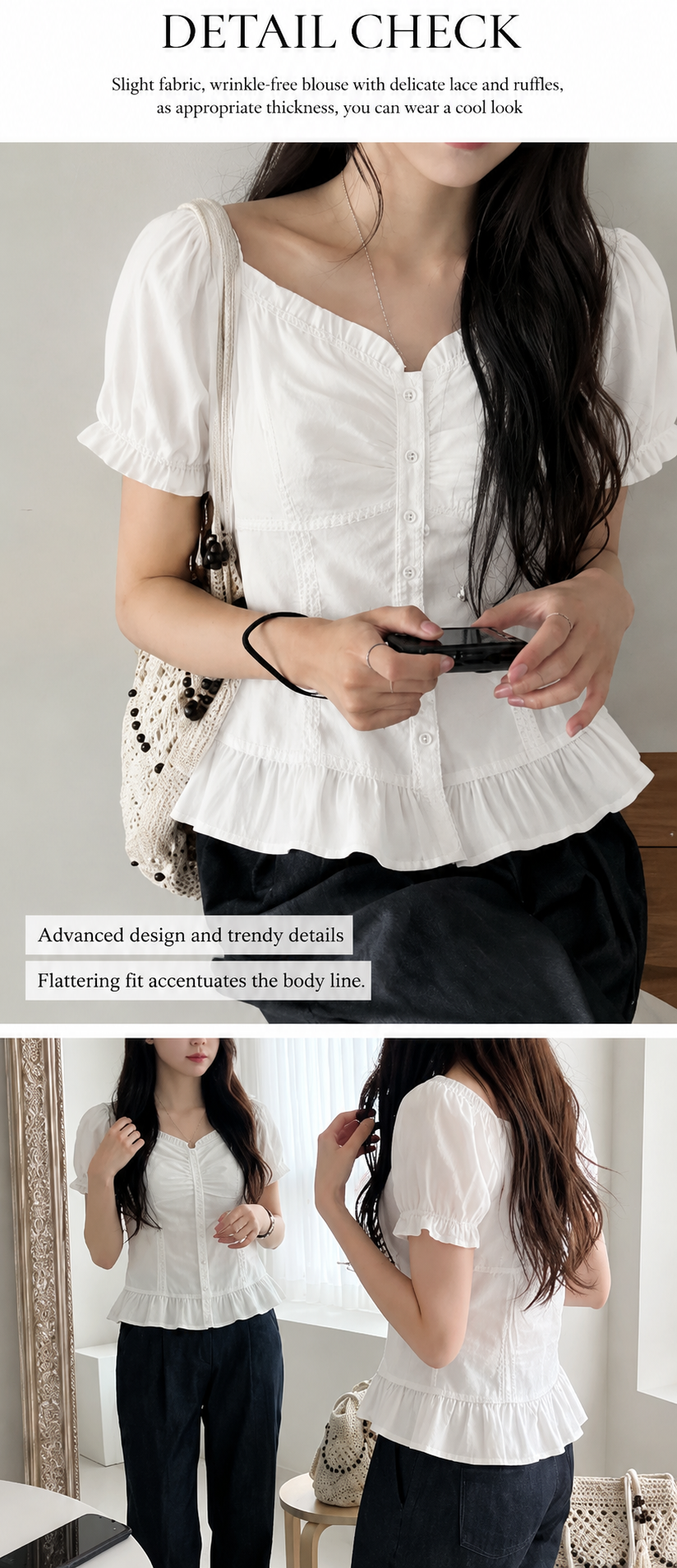
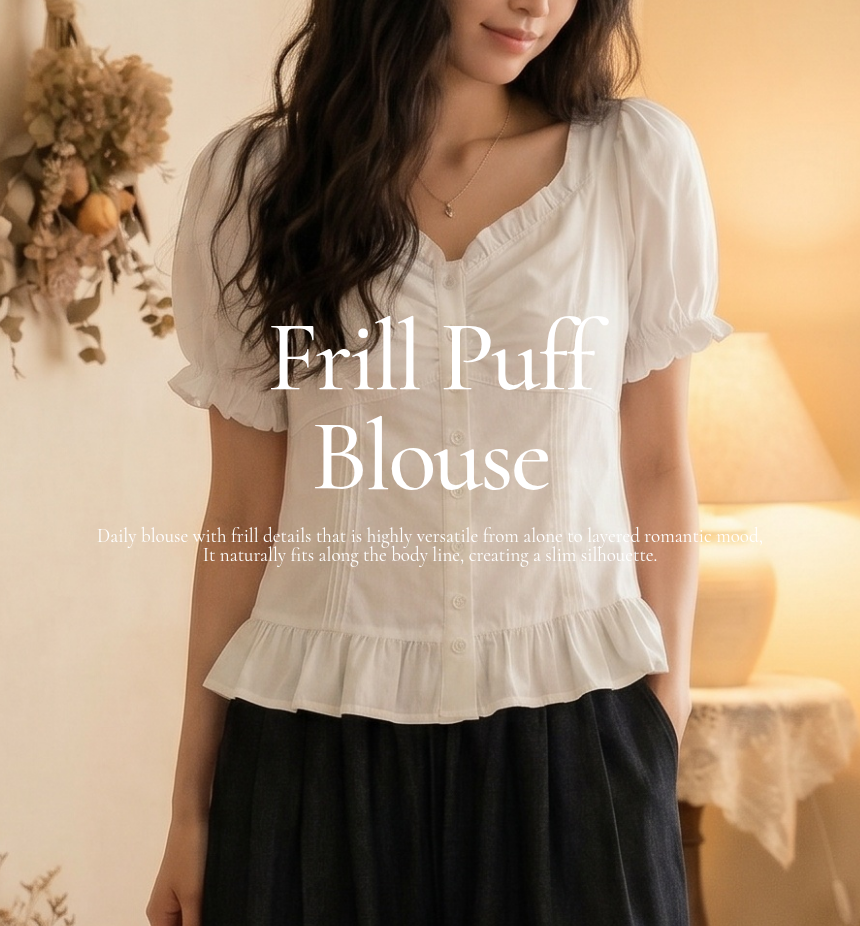
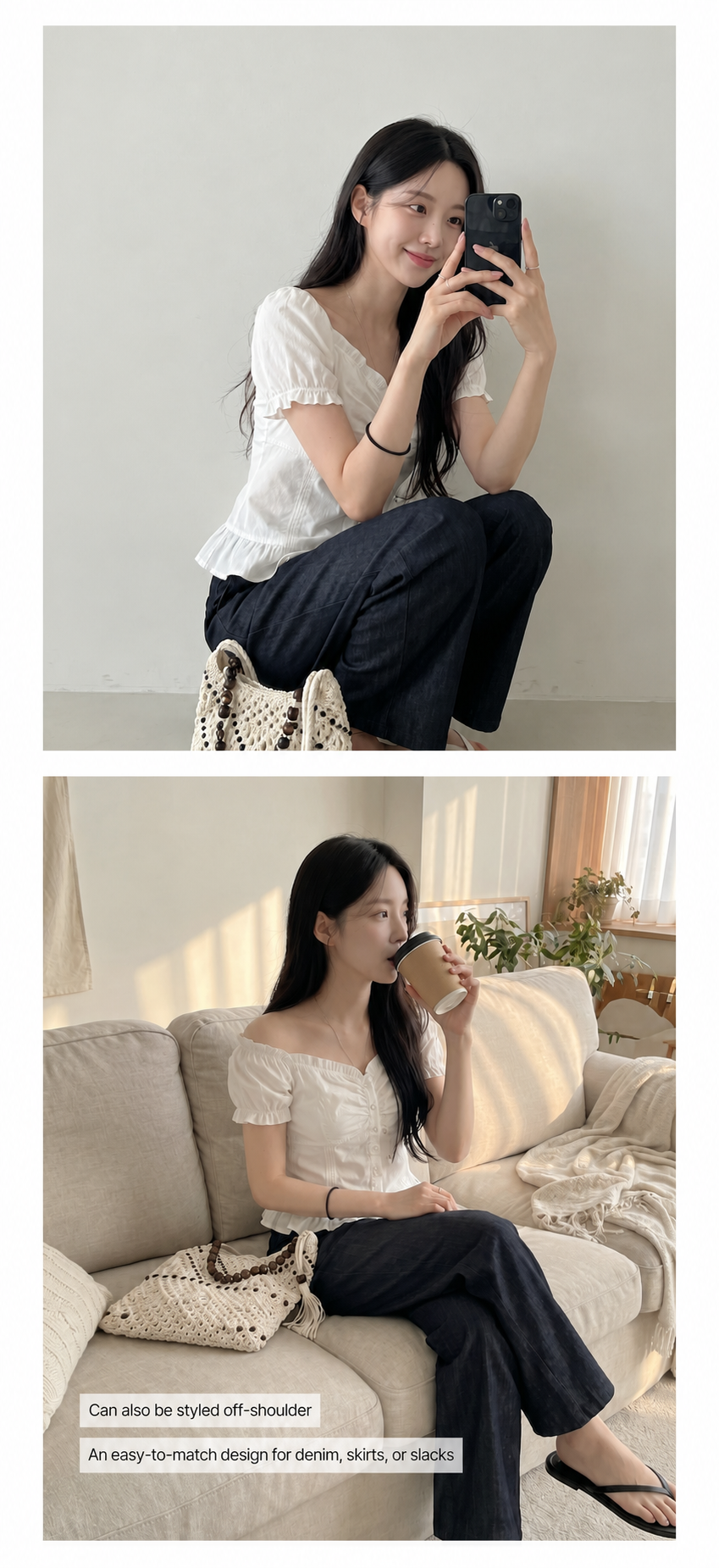
Flat product shots only show the basic shape of the clothing, making it hard to convey how it looks on a person. Therefore, your detail page should use model photos to show the front, side, and back, allowing shoppers to clearly see the shoulder lines, waist, length, sleeves, and overall silhouette.
Beyond static poses, showing natural movements like walking, sitting, or turning allows shoppers to better grasp the silhouette and comfort of the garment in action. This is especially important for pants, dresses, and outerwear, where a front view isn't enough to judge the fit; multiple angles help minimize guesswork and uncertainty.
Use detail images to show fabric, finish, and garment construction
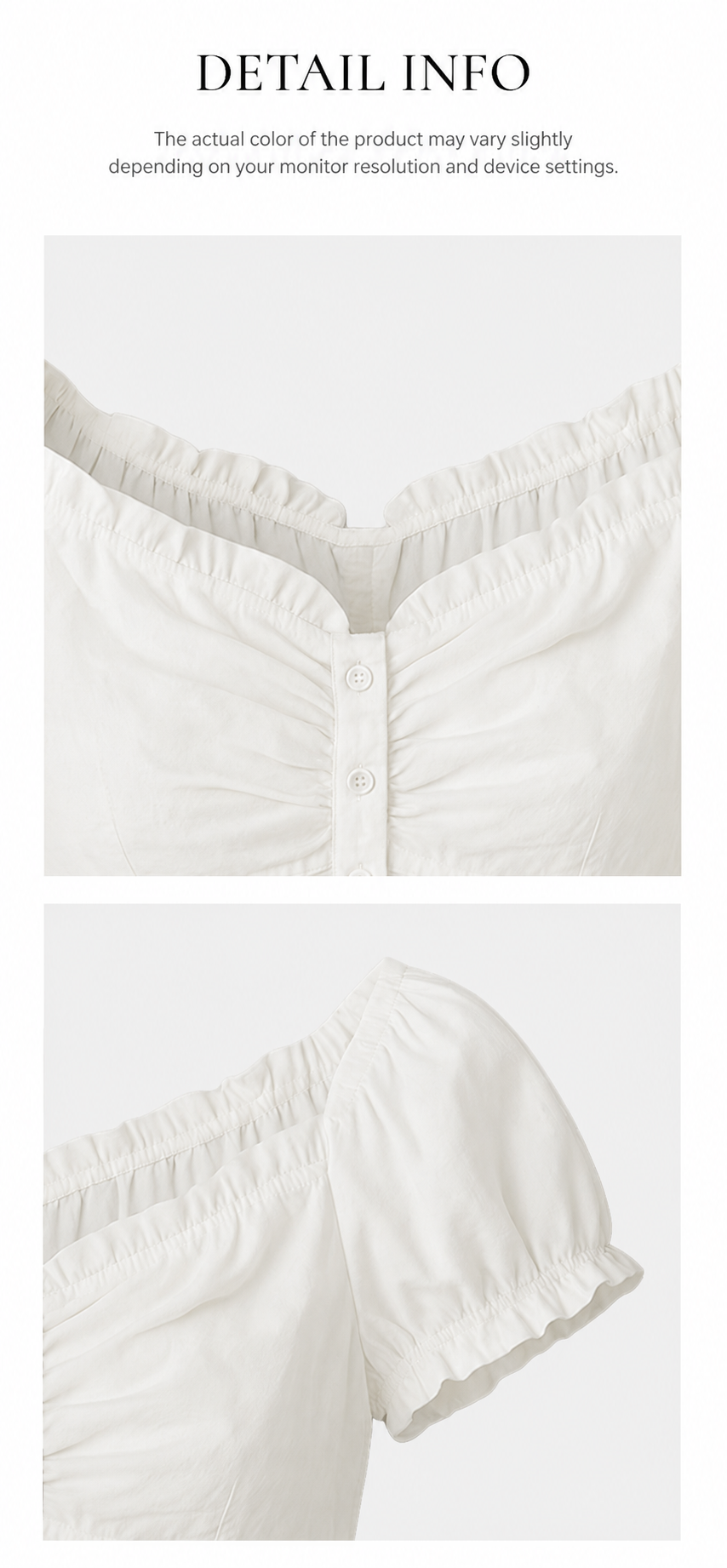

Since shoppers cannot touch the fabric online, your detail shots must do the work of explaining the quality. Zoom in to show the fabric texture, neckline, cuffs, buttons, zippers, pockets, stitching, and lining, and provide information on thickness, stretch, opacity, and the ideal season to wear it.
Using specific, descriptive details is much more effective for building trust than abstract phrases like "premium feel" or "soft and comfortable." Clearly explaining the material and construction ensures customers know exactly what they are getting.
Use styling scenes to help shoppers imagine their daily life
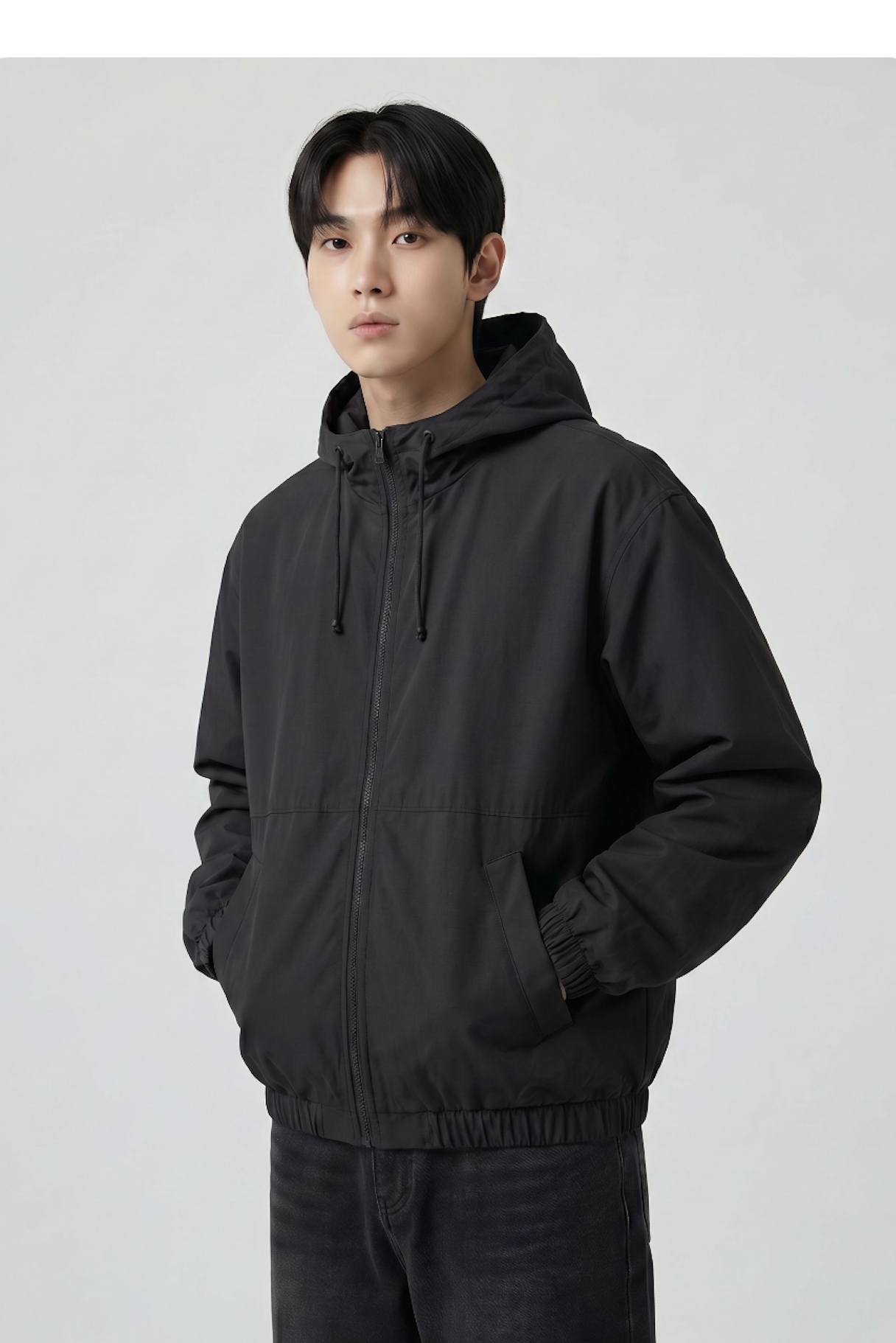
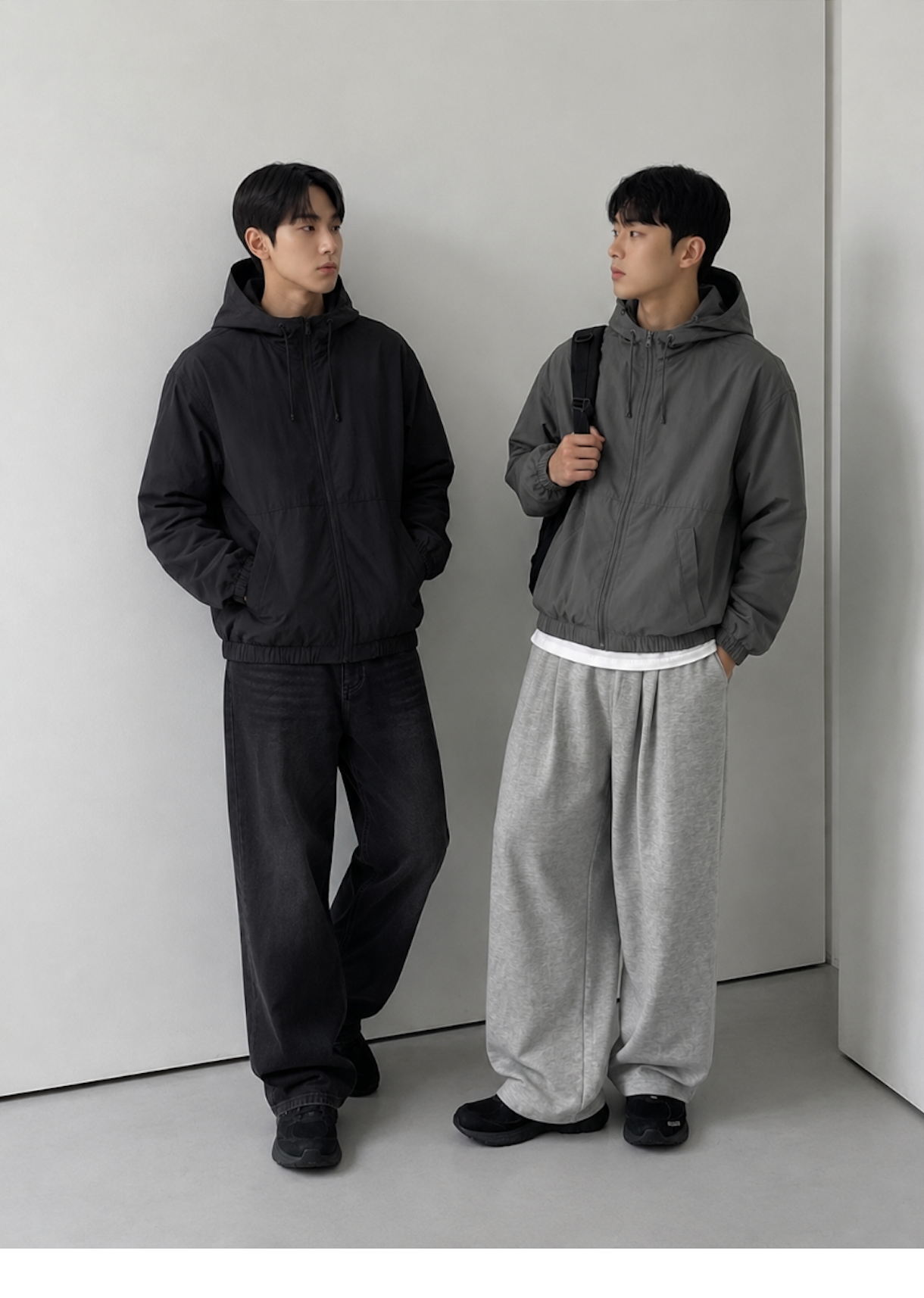
When buying clothes, customers also think about what they can pair them with and where they would wear them. On your detail page, you can show the item styled with pants, skirts, shoes, bags, or outerwear to illustrate outfits for work, daily life, or travel.
The same piece can be shown in various ways, such as worn alone, layered, or styled for different seasons. This helps shoppers easily picture how the item would fit into their existing wardrobe.
3. For a great fashion detail page, how you use information matters more than the number of images
A fashion detail page isn't necessarily better just because it has more images. If you just repeat similar product shots and model poses, the customer might still struggle to decide if the clothes are right for them, even after scrolling through the entire page.
An effective fashion detail page should organize content according to the customer's decision-making process.
- First, showcase the overall style and core features.
- Next, explain the fit, proportions, and fabric texture.
- Then, provide sizing information and styling tips.
- Finally, include laundry instructions and precautions.
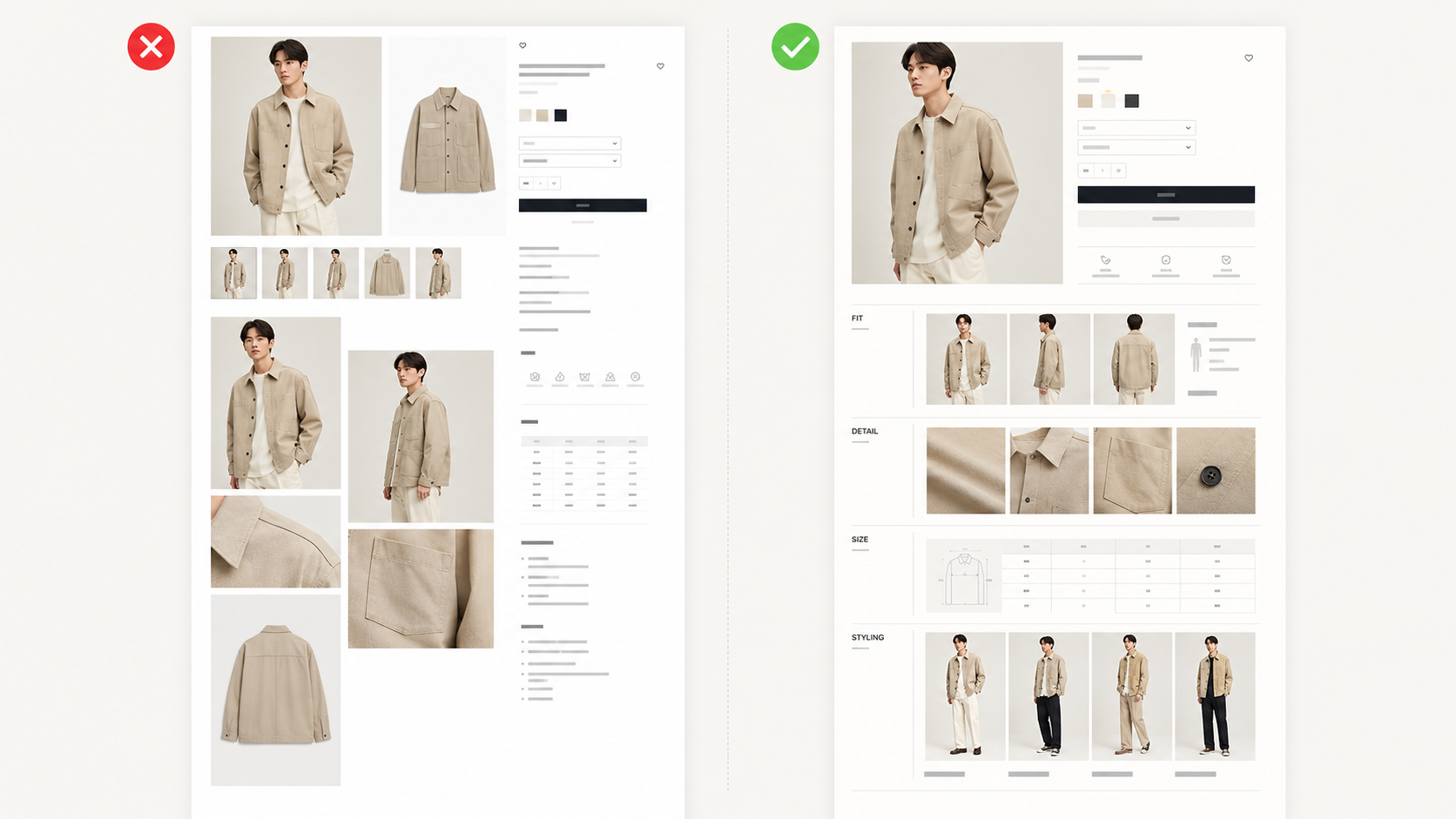
| Comparison Category | Simple Image-List Detail Page | Draph Art Fashion Detail Page |
| Page Structure | Arrange images in the order of the products you have. | Organize them to follow the customer's buying journey. |
| Role of Images | Multiple images repeat similar points. | Each image addresses a different customer question. |
| Product Description | Images and text descriptions are separated. | Show images and related product descriptions together. |
| Navigation Experience | The page is long, but the key points are unclear. | Easy to quickly find the information you need. |
| Final Purpose | Shows the product's appearance. | Helps customers decide if the product is right for them. |
At first, a customer might just think a product 'looks nice,' but before buying, they really check the fit, material, size, and how to style it. A fashion product page should reduce the guesswork for shoppers and turn their interest into a confident purchase.
4. Build an AI fashion product page in just 3 steps with Draph Art
To make a clothing product page that helps shoppers judge how it fits, you usually have to prepare product photography, model images, lifestyle shots, product copy, and page design separately.
With Draph Art, you can handle all these scattered tasks in one simple process. Just upload a clear photo of your clothing, enter basic info like the product name, category, color, material, fit, design details, and target audience, and the AI will generate the right images and fashion product page content for you.
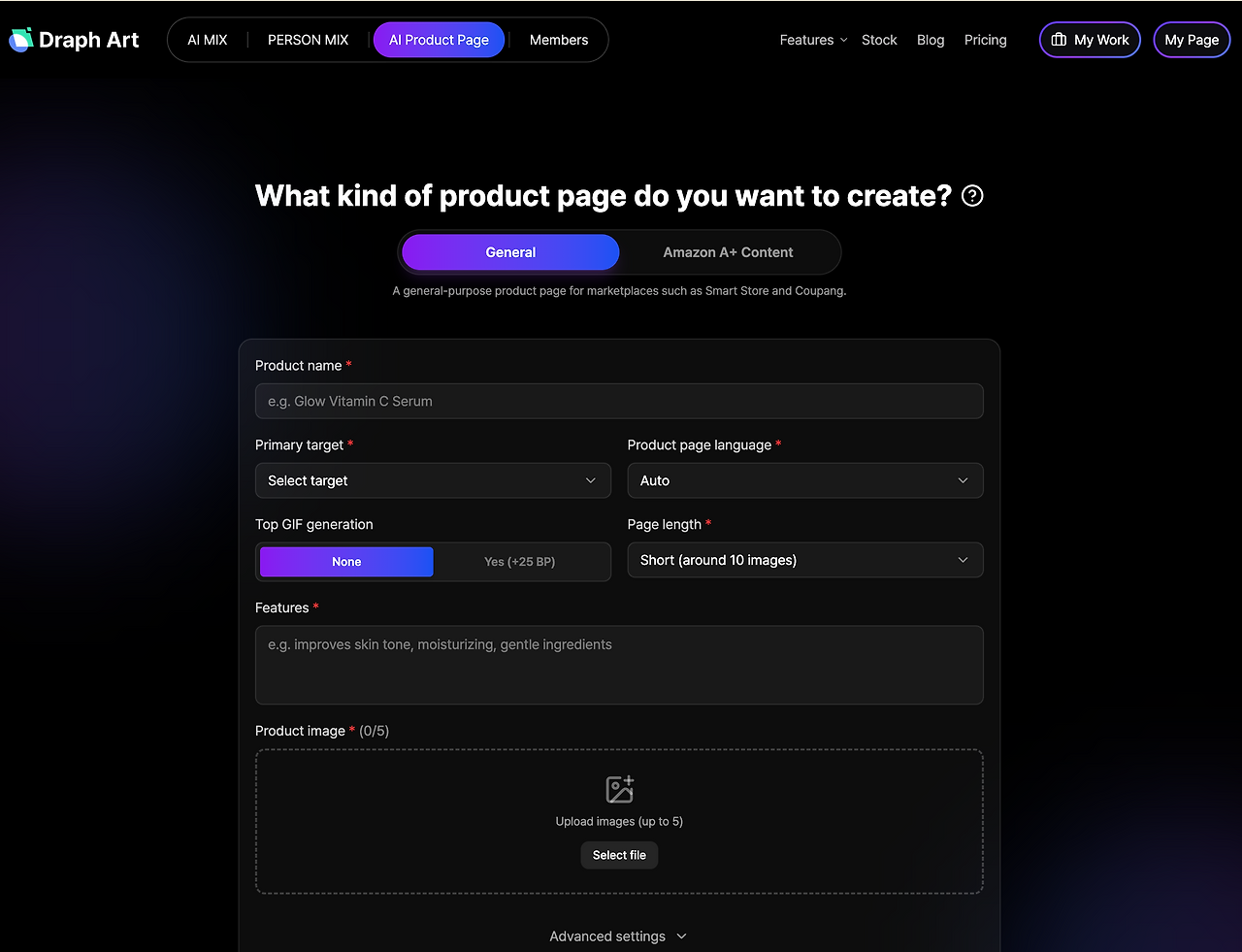
STEP 1|Upload product photo and basic info
Upload a clear photo of the clothing and enter the product name, category, color, material, fit, and key design features.
STEP 2|AI automatically generates a complete fashion product page
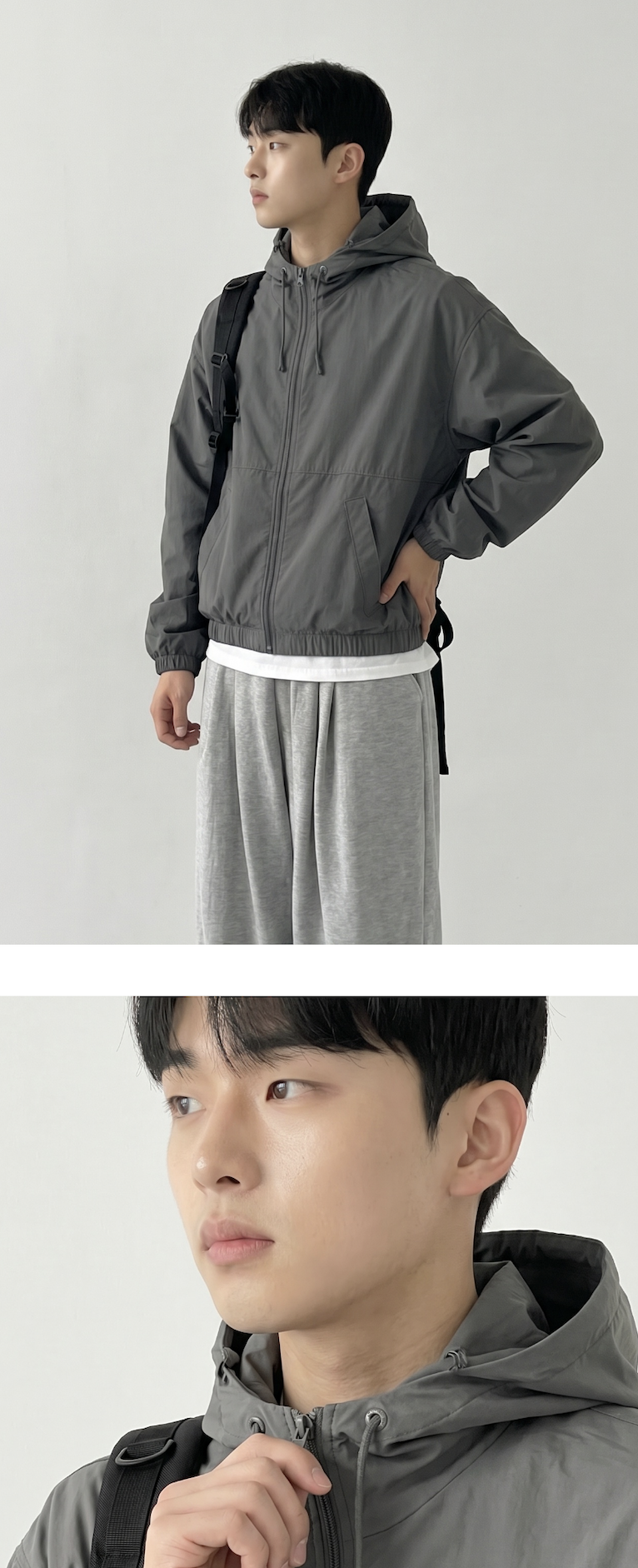
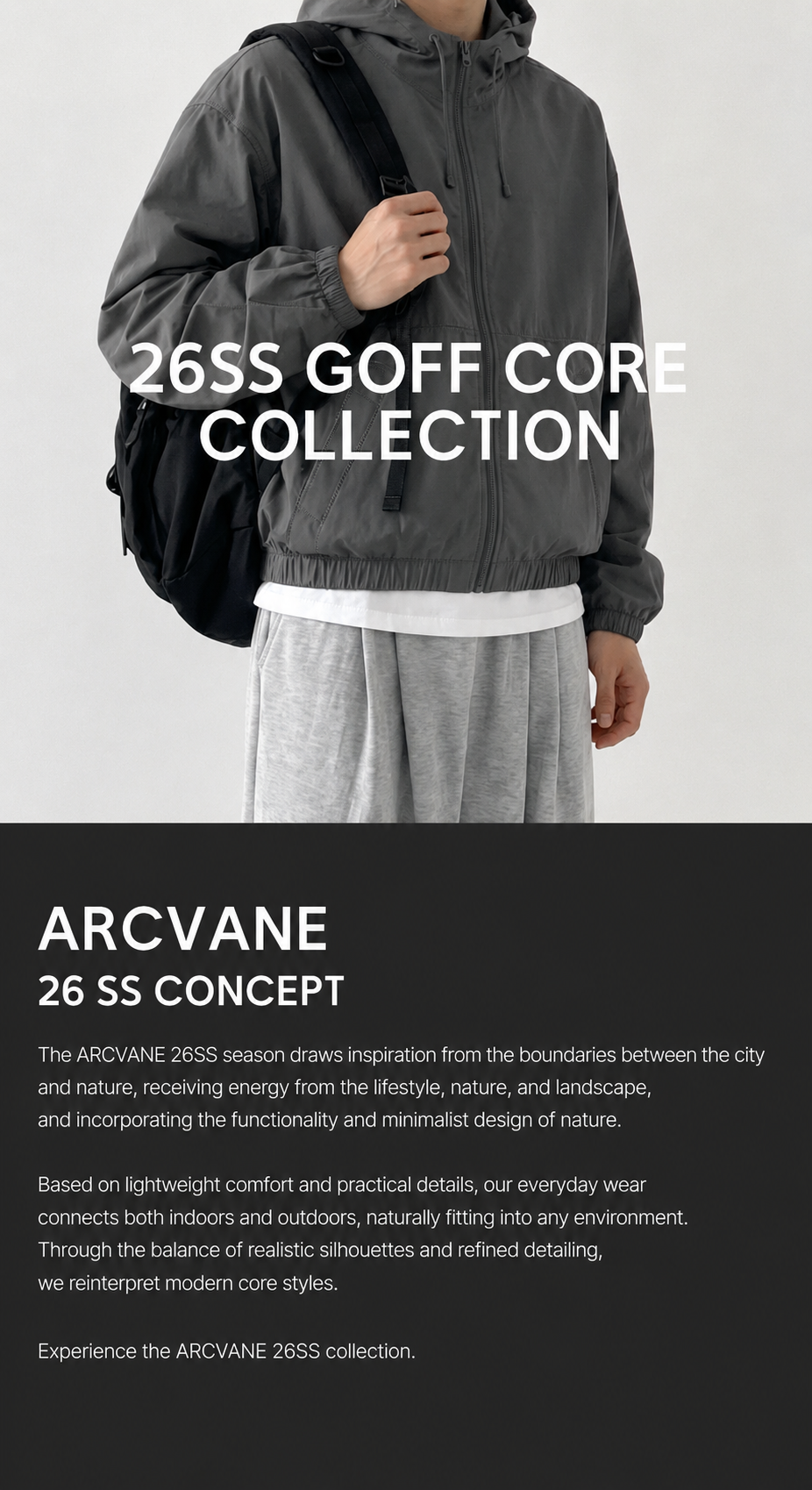
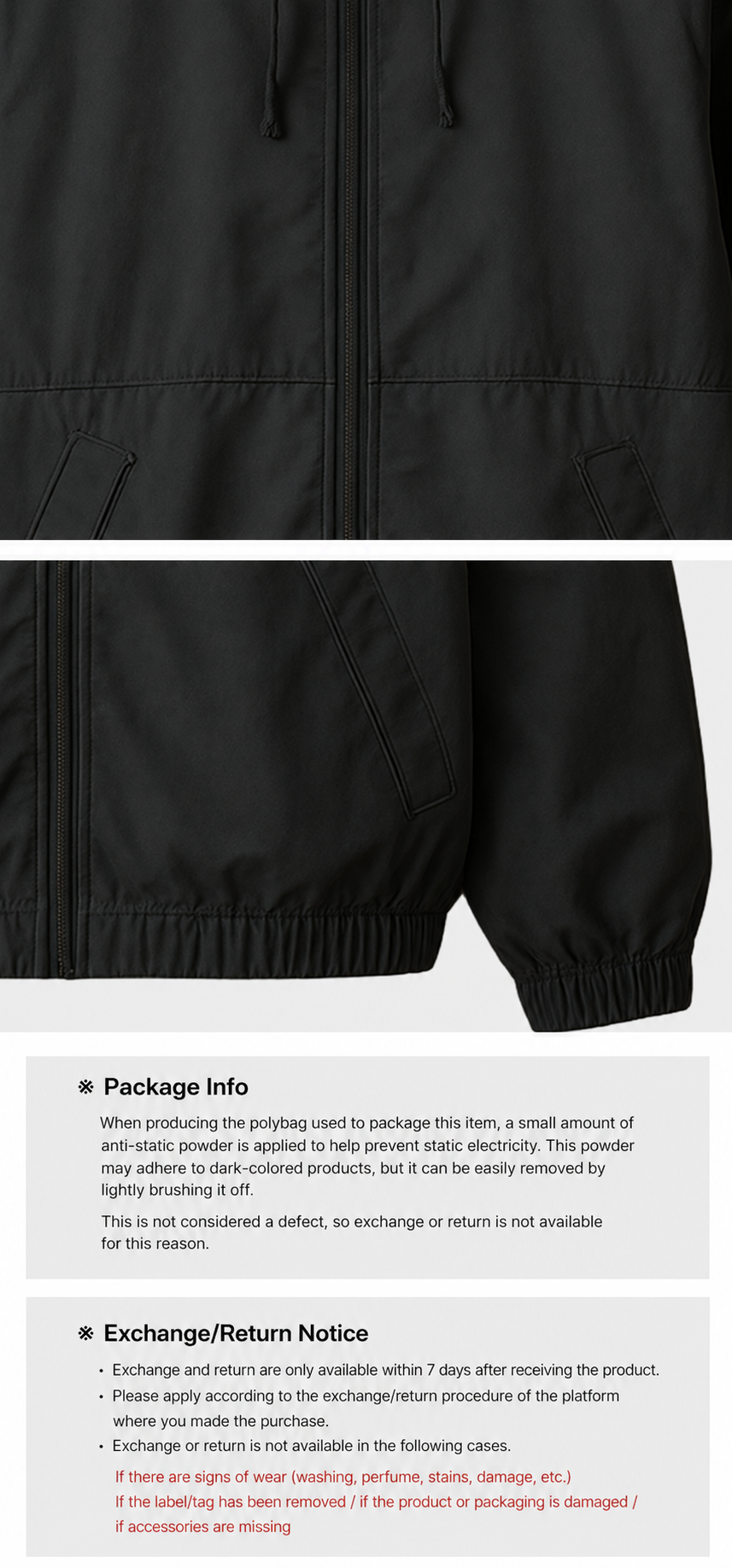
Draph Art automatically creates the main visuals, AI model shots, detail shots, styling scenes, product copy, and a full fashion product page layout tailored to your product.
Key visual elements change depending on the type of clothing. For tops, it highlights the shoulder line and length; for pants, the fit and length; for dresses, the waistline and silhouette. For outerwear, it can show both open and closed looks, as well as layering styles.
STEP 3|Edit as needed and export your results
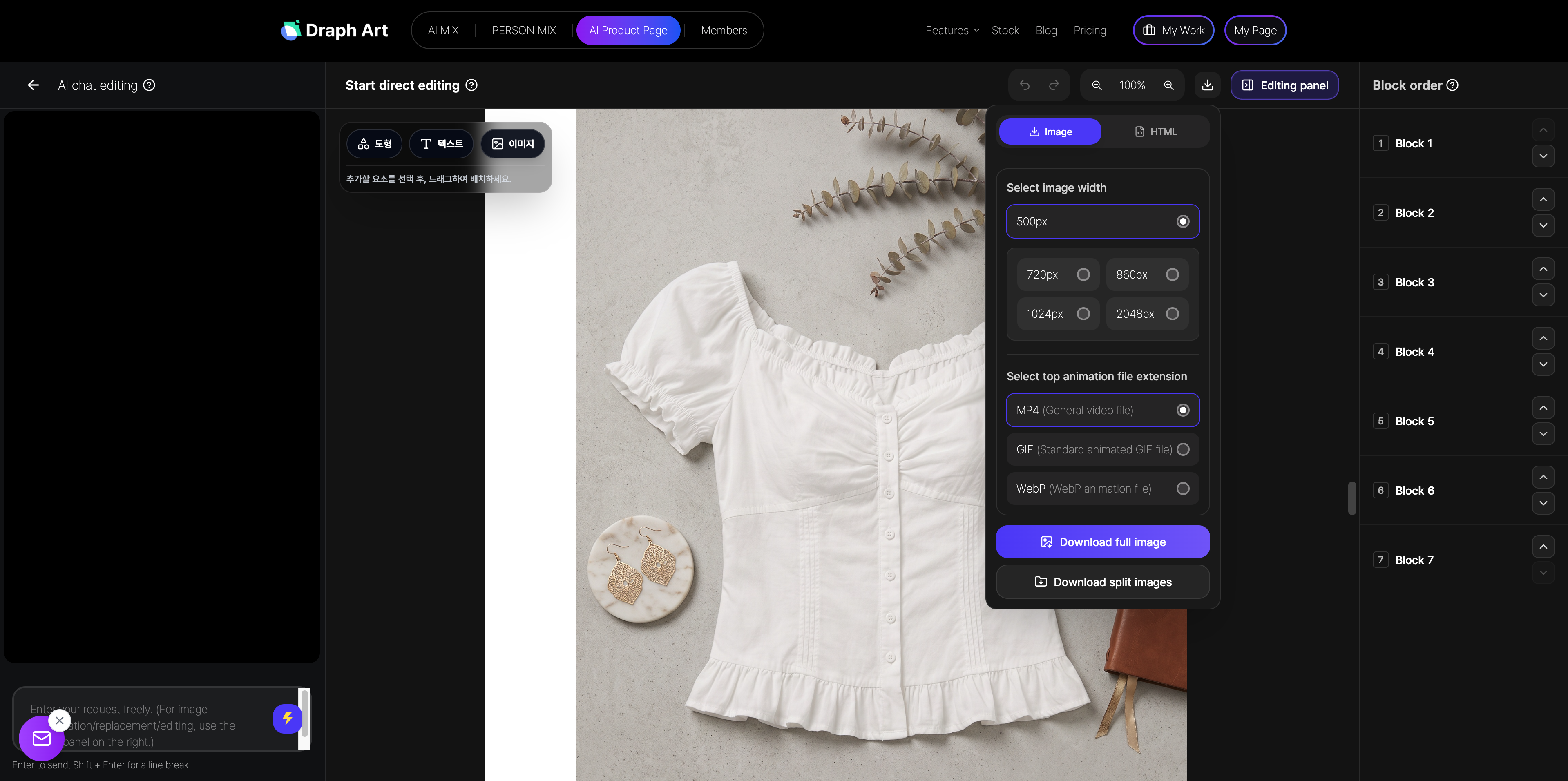
You can edit the models, backgrounds, copy, or page modules individually, so you don't have to redo the whole page. Once you're happy with the content, just export the final assets to use on your product page.
Tasks that used to be done separately—like photography, image production, writing product copy, and page design—can now be completed quickly using this AI fashion product page creation process.
💡 Frequently Asked Questions (FAQ)
Q1. Can I make AI model shots using flat product photos?
A1. Yes, you can. As long as the product's shape and details are clear, whether it's a flat-lay or a hanger shot, you can use it. Draph Art generates AI model shots based on your clothing's features and lets you adjust the model, pose, background, and overall fashion vibe.
Q2. Can I create different styling images with the same clothing?
A2. Yes, absolutely. You can create various styling scenes for the same product, such as workwear, casual looks, street style, travel outfits, or a minimalist lifestyle, depending on your target audience and brand positioning. This helps you show customers more ways to wear your clothes.
Q3. Can I edit the clothing detail page I generated?
A3. Yes, you can. After creating a draft, you can individually tweak the AI model, pose, background, styling scene, product description, or page modules. You don't have to start from scratch if you're not happy with just a few parts of your detail page.

.png&w=1920&q=75)
