.jpg&w=1920&q=75)
목차

The smartest way to create banner ads for different ad platforms without the hassle of manual resizing is by using 'VariAid'. It’s an AI solution that completely automates resizing to fit the exact specs of every platform.
The biggest headache for marketers and designers is making one main design and then manually resizing it dozens of times to fit the strict specs of Kakao Ads, Naver Ads, and Google Ads. Officially launched in March 2026 by Draph—the same team behind the AI product page automation tool 'Draph Art'—VariAid eliminates this repetitive grunt work. It provides the ultimate B2B digital marketing workflow, allowing your team to stop resizing and start focusing on creative planning.
Why is Repetitive Banner Resizing So Inefficient?
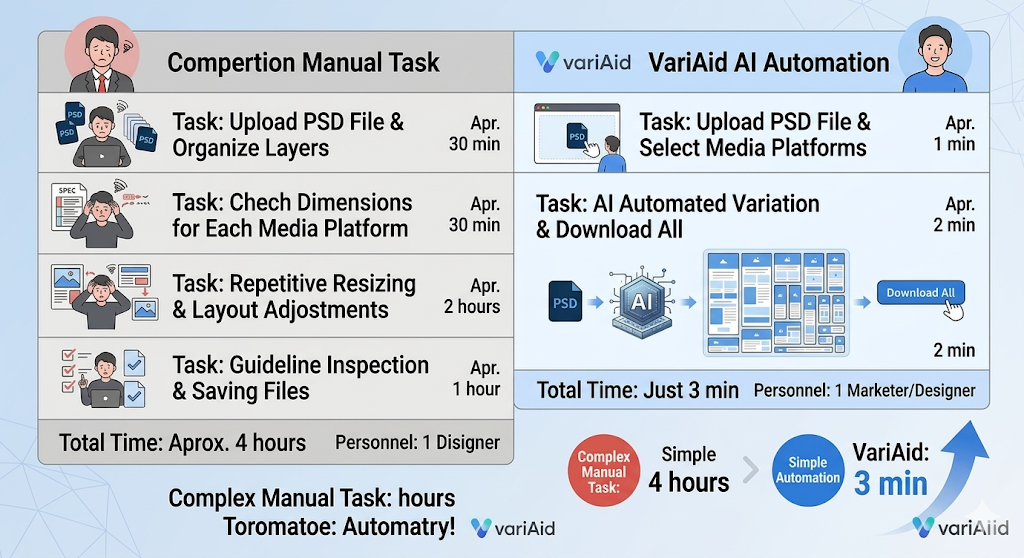
The traditional method is incredibly inefficient. Because it relies entirely on manual work—from creating new canvases for each platform to rearranging elements and double-checking guideline violations—it wastes an average of 4 hours, costing you both time and money.
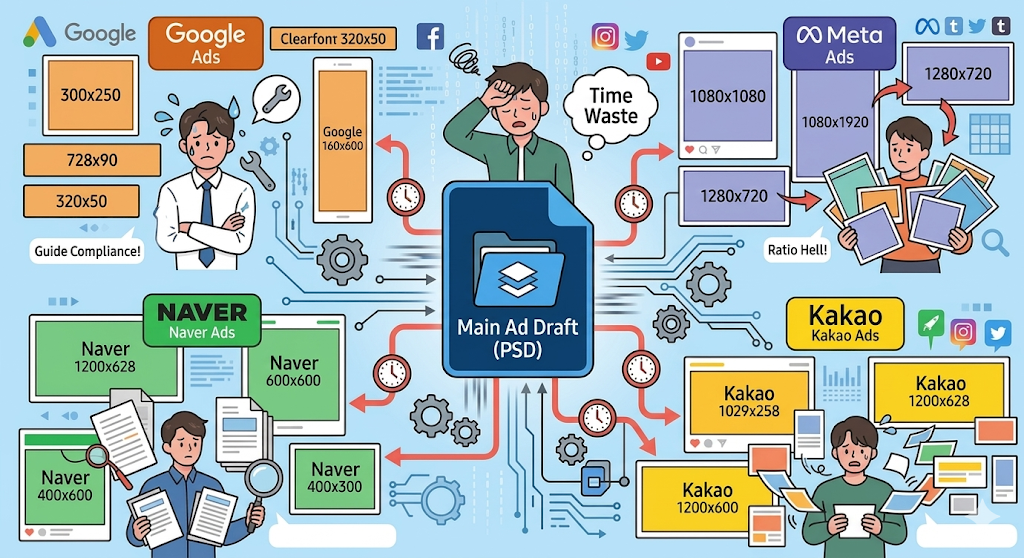
The Limits of Manual Banner Creation: Wasted Time and Strict Guidelines
Every ad platform demands different banner specs, text areas, and guidelines. When you manually rearrange your advertising materials, it’s super easy to miss something or make a human error. Saving files and changing names for every single size isn't just a time sink; it often leads to ad rejections, meaning your team has to do the work all over again.
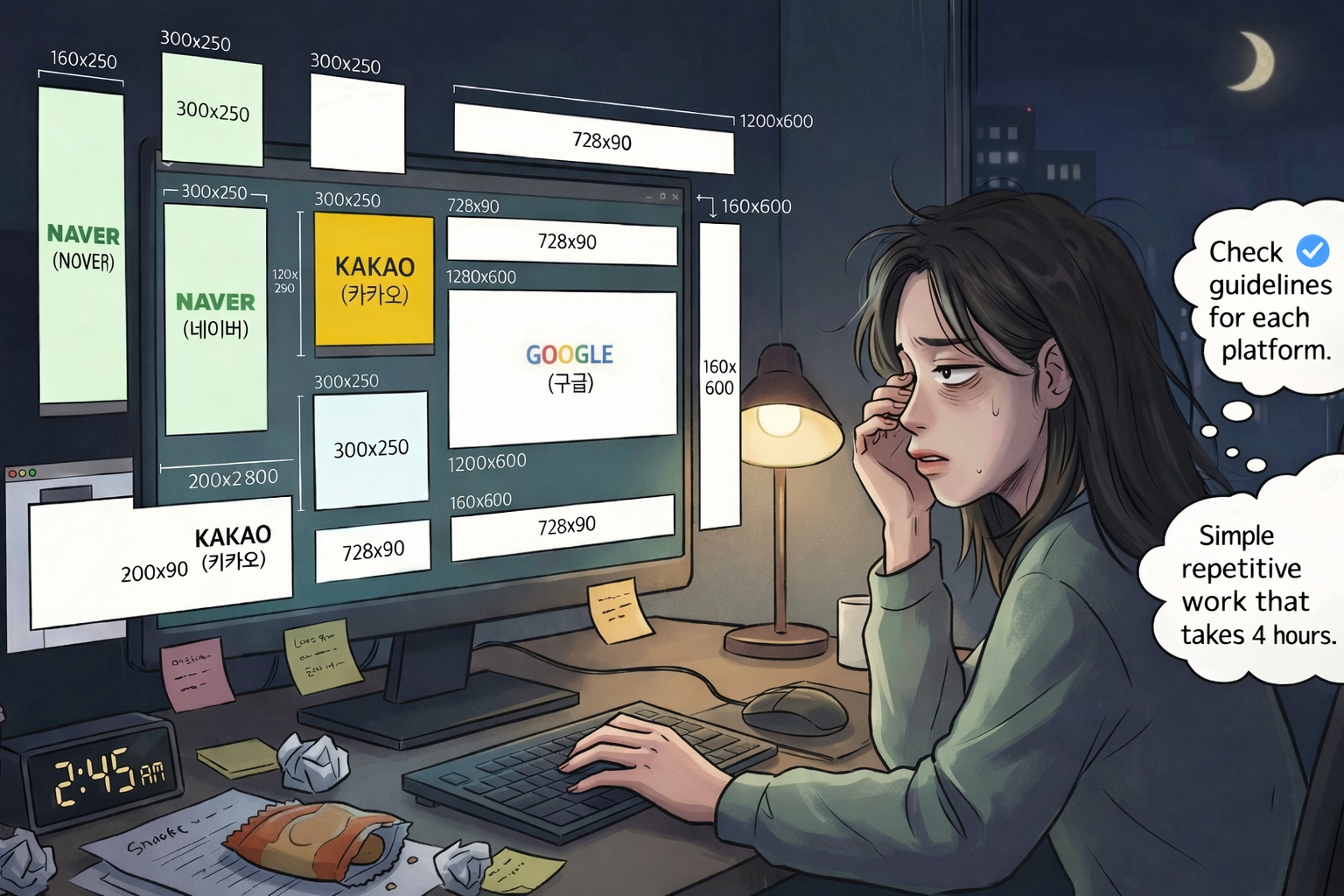
The Burnout Manual Resizing Causes Marketers and Designers
Taking a single original PSD file and turning it into dozens of versions for various platforms is hands down the most repetitive, soul-crushing task for designers. Manually shifting text and images over and over again increases fatigue and distracts from the actual core of the design.
What is VariAid? The Key Difference from the Old Way
Developed through a collaboration between Cheil Worldwide and the generative AI startup Draph, VariAid is a highly intelligent solution powered by a Vision Language Model (VLM). It analyzes the elements inside your original PSD file and automatically generates layouts perfectly tailored to each platform's specs.
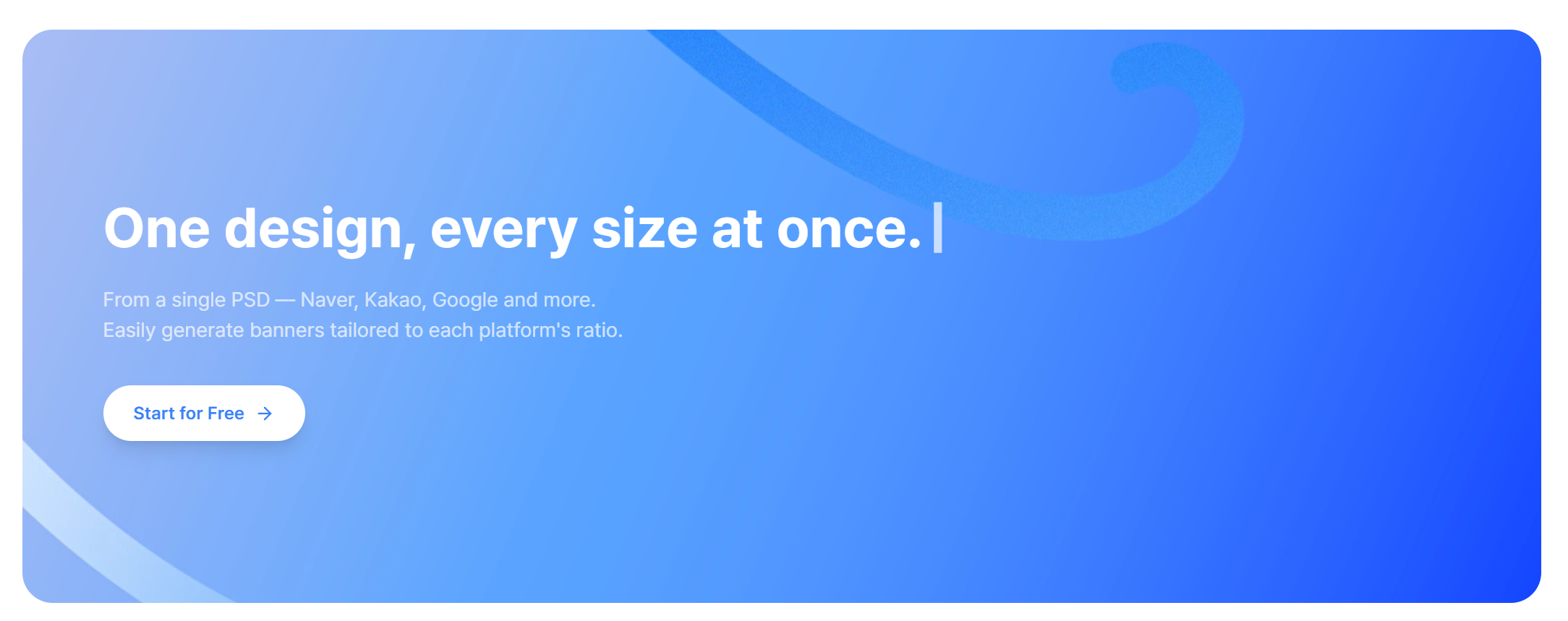
Precise Automated Layouts Powered by VLM Technology
The magic of VariAid lies in its AI. It precisely reads components like text and images in your original banner and automatically generates customized results for over 50 different specs across major online platforms like Google, Naver, and Meta. Because these automated banners are built specifically to reflect each platform's guidelines, they boast a rock-solid 100% approval rate in our internal tests.
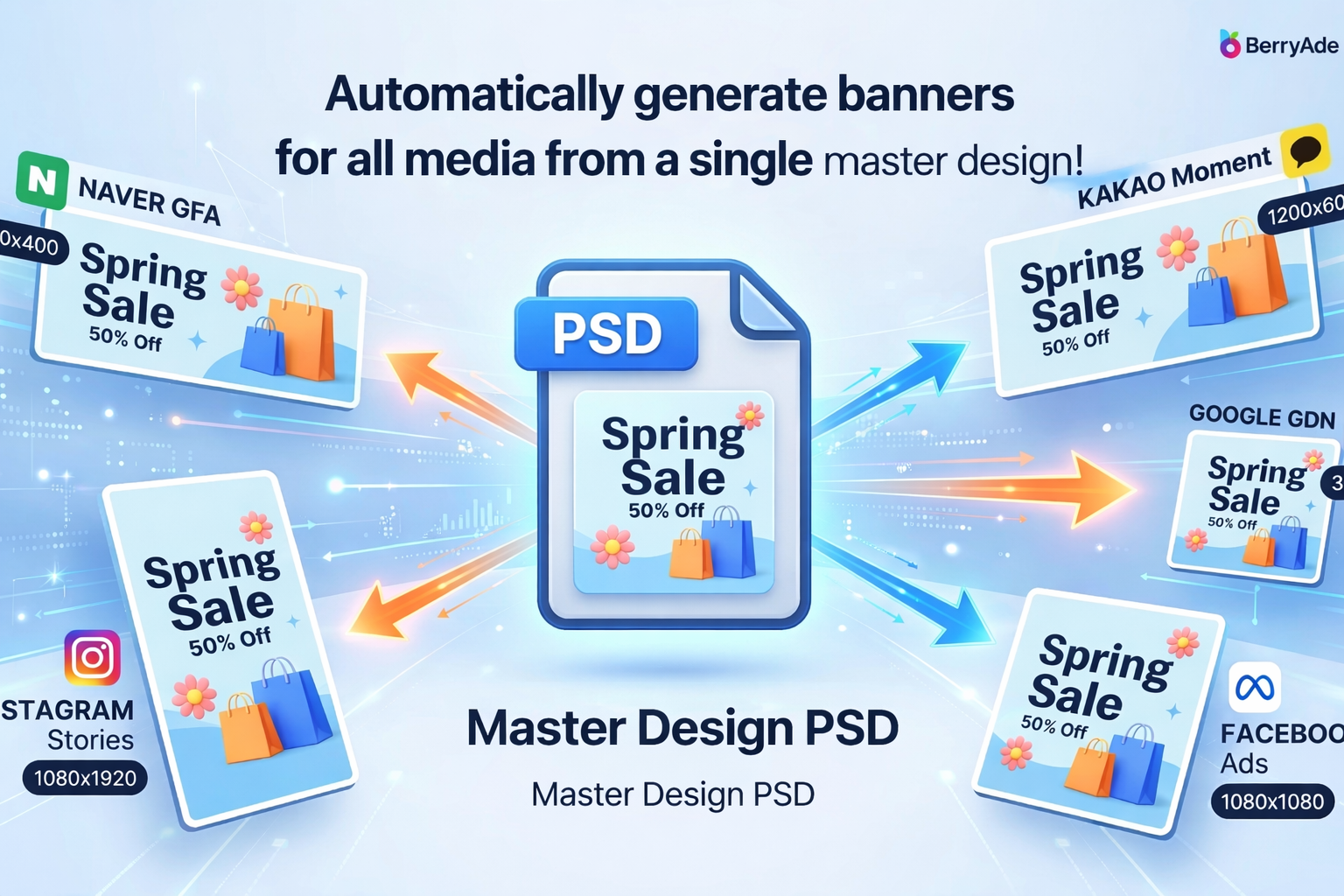
The Fundamental Difference Between Web Templates and AI Solutions
With the old web template method, you were forced to cram images into a pre-made, rigid frame. This made it really tough to capture your campaign's unique tone and perfectly adhere to guidelines. VariAid is completely different. Based on a single PSD design, the AI analyzes the layout and proportions, automatically resizing everything to perfectly fit the specific sizes of different platforms and placements.
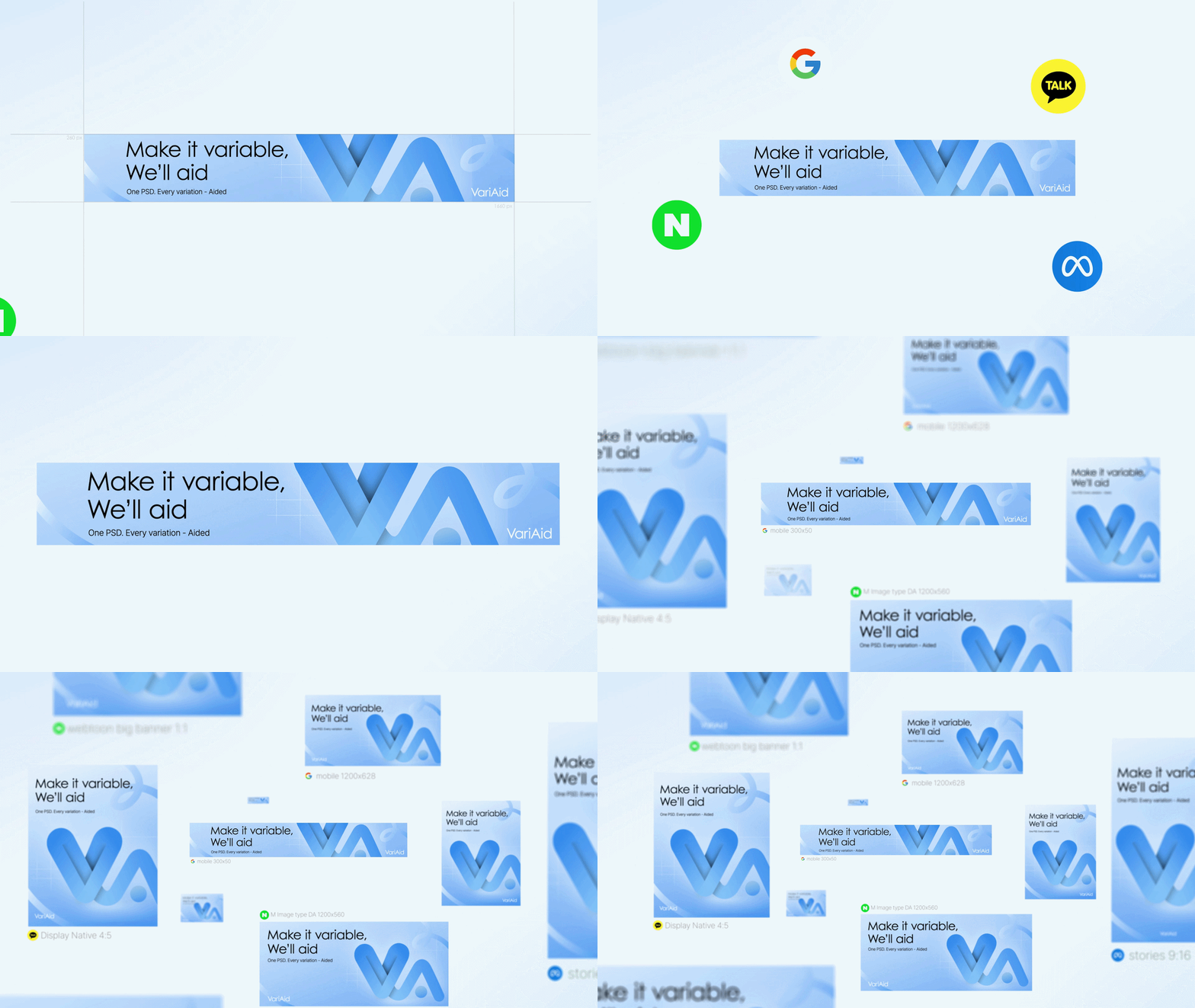
Easy 3-Step Banner Resizing with VariAid
From upload to download, using VariAid is incredibly intuitive—no complicated settings required!
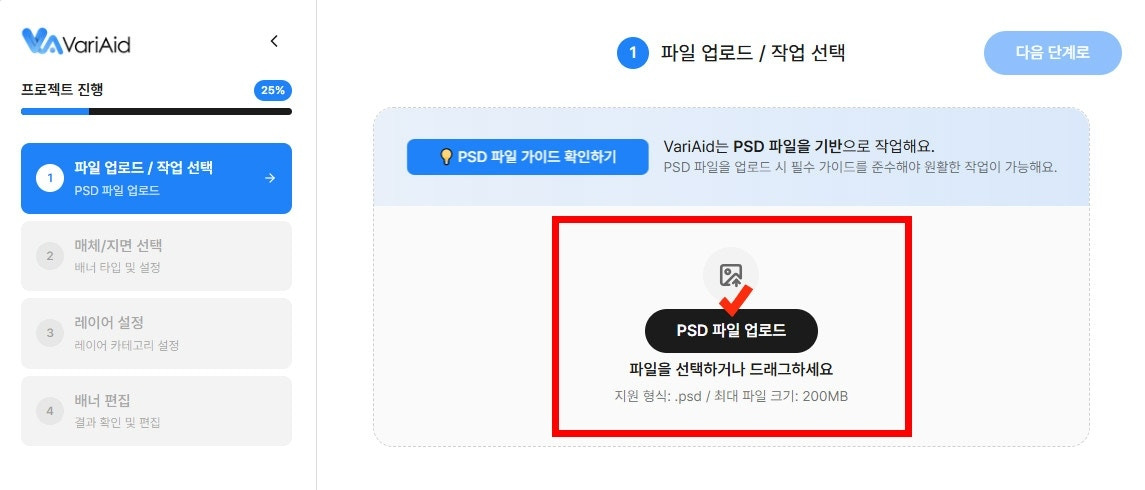
Step 1: Upload your cleaned-up Photoshop (PSD) source file into the system, making sure your layers are merged and follow the naming rules.
Step 2: Choose your target ad platforms and placements (like Naver, Kakao, Meta, etc.) and select your banner type (Background or Transparent) based on what you need.
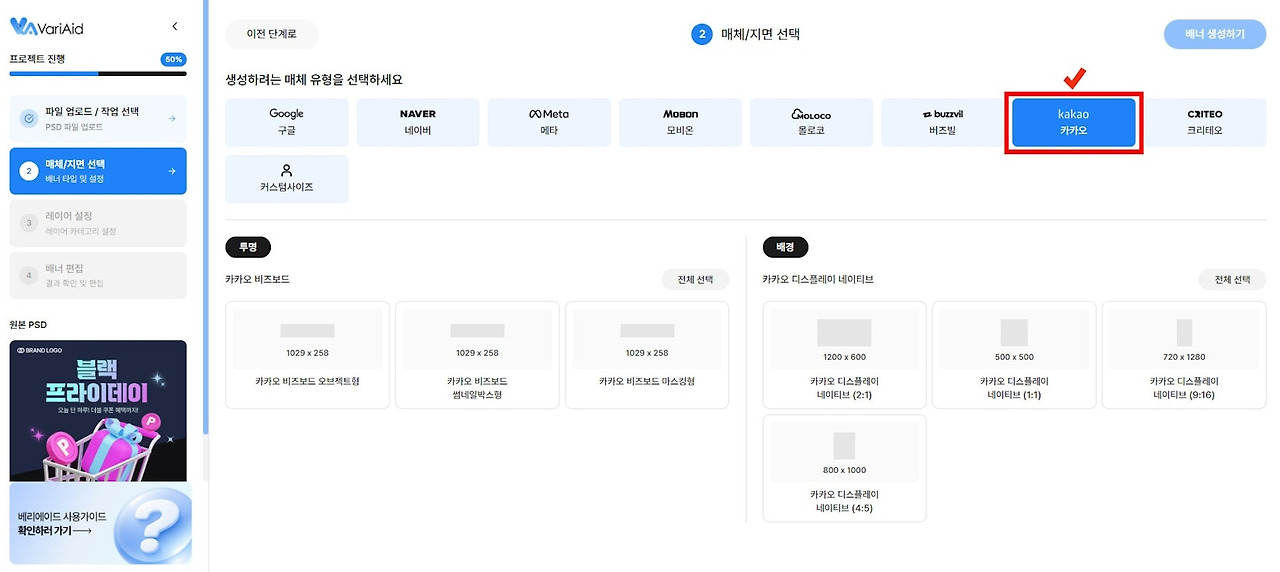
Step 3: Finally, click 'Generate Banners'. Transparent banners take just about 10 seconds, while background banners take about 3-5 minutes to perfectly resize. You can easily save all your finished banners at once using the 'Download All' button.
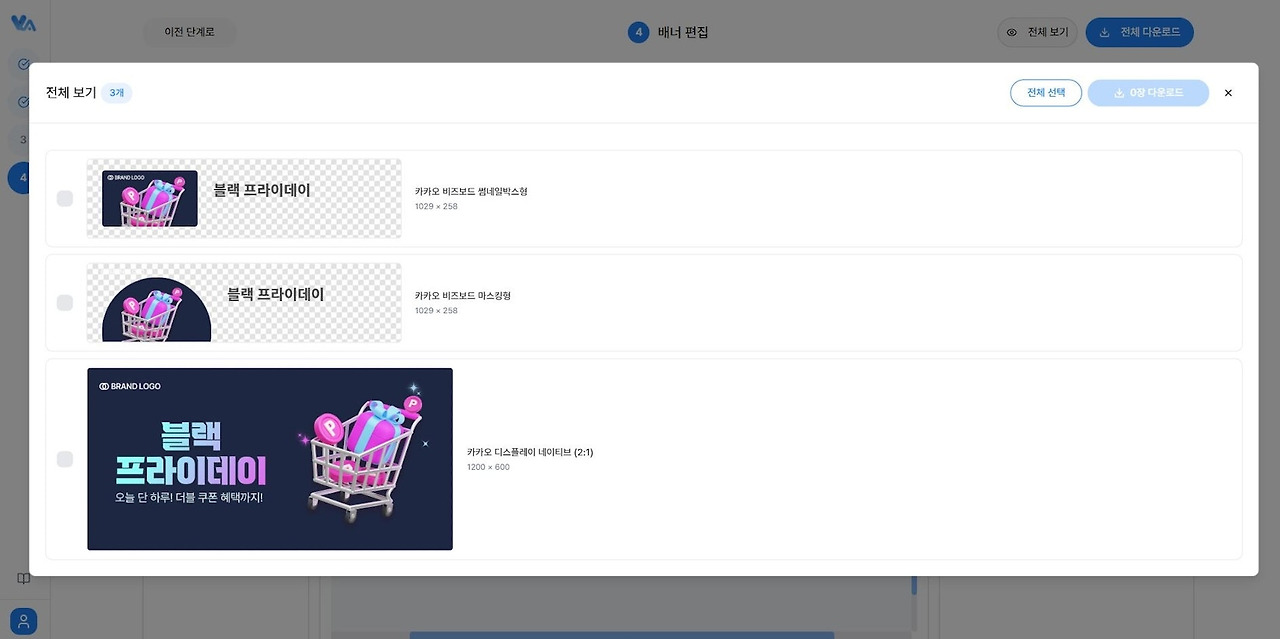
If you want to know more about how to use it, please check out the VariAid User Guide!
3 Essential Strategies to Optimize Your PSD for VariAid
For the VariAid AI to work its magic and generate perfect banners, you need to prep your PSD before uploading. This essential cleanup involves merging layers, applying the right naming rules, and deleting hidden layers. Make sure to check our pre-upload checklist for a successful banner generation!
1. Essential Layer Rules: Merge and Rasterize
Objects that need to stay together after the variation (like an item and its shadow, or text and a background box) absolutely must be merged into a single layer to prevent errors. Also, merge any effect layers with the original, and rasterize shape layers (or turn them into smart objects) to optimize file size. This makes it much easier for the AI to process your file.
2. Layer Naming Guide for Auto-Analysis
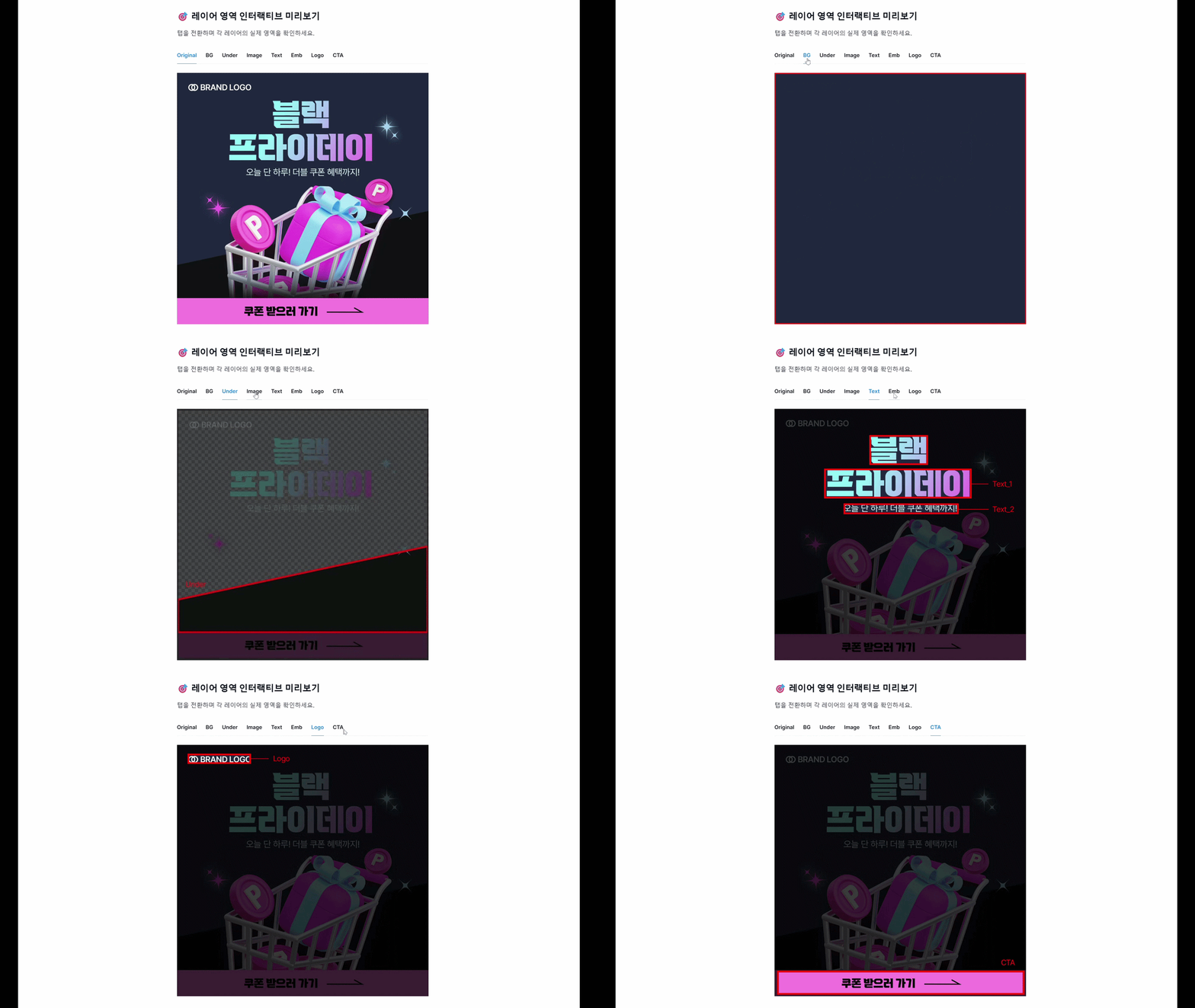
If you name your layers using set rules like 'BG', 'Image', 'Text', and 'CTA', the program instantly knows what each element is meant to do. It then automatically categorizes and places them perfectly according to the guidelines. (You can find more detailed info in the Variation User Guide).
Real ROI: Cost and Time Before and After
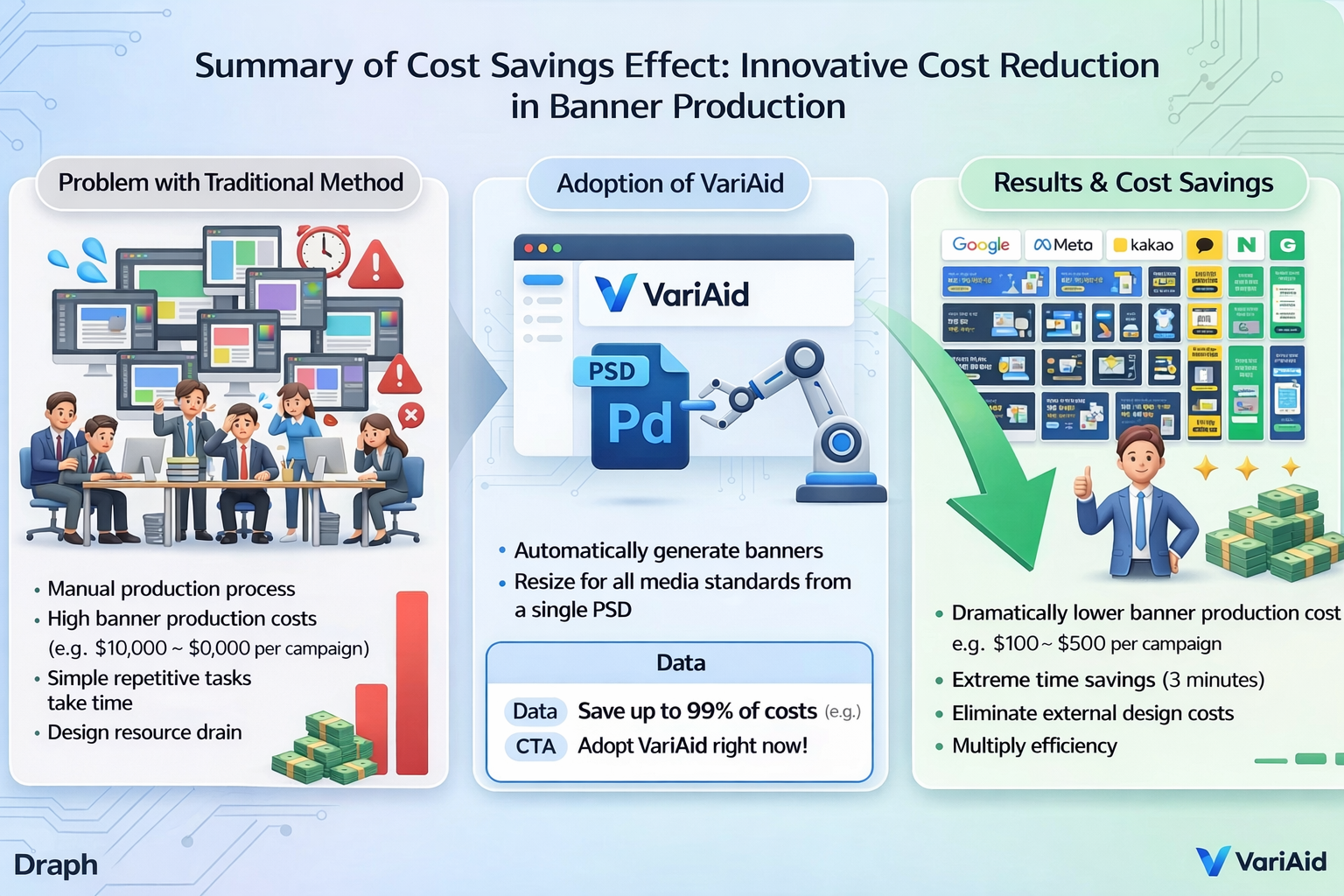
When you switch to VariAid, a manual resizing job that used to take 4 hours is slashed to just 3 minutes. Plus, your average production cost per banner drops drastically to about 1/100th of what you used to pay!
Production Time Saved: From 4 Hours to 3 Minutes
Say goodbye to the average 4 hours of tedious manual labor—checking sizes, creating individual canvases, and manually dragging text and images around. With the VariAid system, a single PSD upload automatically generates sizes for all your platforms in about 3-5 minutes (for background-type banners).

Cost Efficiency: What Saving 1/100 per Banner Means
By cutting out the ridiculous amount of time and effort spent on repetitive manual resizing, you can look forward to a massive drop in marketing costs. VariAid brings the average banner production cost down to just 1/100th of traditional methods. Check out VariAid's pricing plans to see how much you can save!
Free Banner Variation Trial for New VariAid Sign-Ups!
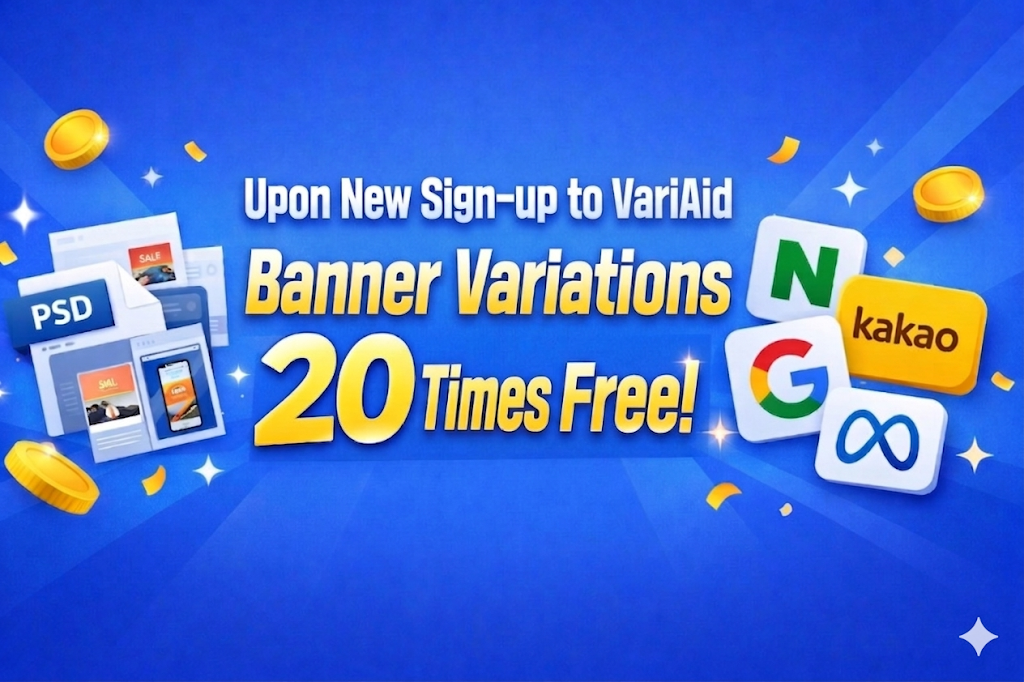
Right now, we’re running a special promo: sign up for VariAid today and get 20 banner variations for free. Start experiencing the most efficient way to manage your advertising materials.

VariAid FAQ
Q. I'm worried that organizing the original PSD layers will be too complicated.
A. It's actually very simple! Just applying basic naming rules (like BG, Image, Text) and merging the elements that need to move together is all it takes. Upload your file without any complex settings, and the AI automatically analyzes the layer structure. No advanced technical skills needed.
Q. Can AI-generated banners actually pass the review process for major platforms like Naver and Kakao?
A. Yes! The latest ad guidelines for major platforms like Google GDN, Naver GFA, Kakao Bizboard, and Meta are fully integrated. Based on our internal tests, the banners achieved a stable 100% approval rate.
Q. Is there a difference between how background banners and transparent banners are generated?
A. Yes. For transparent banners, you manually drag and drop the objects you want into the banner, and it’s done in about 10 seconds. Background banners take around 3-5 minutes and feature an awesome upscale function that can boost your image quality up to 4x.
Q. What is a 'Vari' in the paid subscription plans?
A. 'Vari' is simply a usage credit. It gets deducted when you generate banners or use post-processing features (like upscaling). You can pick a pricing plan that perfectly matches your workload.
Key Takeaways
- VariAid, officially launched in March 2026, is an AI solution that automatically resizes one original design into dozens of perfectly fitted variations for different ad platforms.
- It drastically cuts down production time compared to manual resizing, dropping the average cost per banner to 1/100th of traditional methods.
- Built with the latest platform guidelines in mind, it guarantees a stable 100% approval rate on your very first review.

