

목차
- 1. The Rules of Smart Store Search Optimization and Sales Conversion Every Beginner Seller Needs to Know
- 2. 5 Essential AI Prompts for Your Smart Store: Just Copy and Paste
- [Prompt 1] Product Name Recommendation Prompt for SEO and Higher CTR
- [Prompt 2] Product Description Prompt to Maximize Conversion Rates
- [Prompt 3] Social Media Advertising Copy Prompt for Instagram Feeds and Marketing
- [Prompt 4] Customer Service (CS) Response Prompt for Turning First-Time Buyers into Regulars
- [Prompt 5] Automated Message Prompt to Encourage Text and Photo Reviews
- 3. The Reality of Design Limitations Faced After Getting Text from Prompts
- 4. No Prompts Needed! Automatically Generate a Product Page in 3 Minutes with Draph Art
- Ultimate Convenience: Just One Rough Raw Photo is All It Takes (No Figma, No Prompts!)
- Automation Powered by Over 4.6 Million E-Commerce Data Points, Model Styling, and Layouts
- Get High-Res Images & Ready-to-Use HTML Codes in Just 3 Minutes
- A Full-Funnel Solution Handling Everything from Thumbnails to Model Shots and Product Pages
- 💡Draph Art Frequently Asked Questions (FAQ)

Struggling to grow your sales on Smart Store or Coupang? The key for beginner sellers to more than double their sales in a short time comes down to product planning and copywriting—the things that get customers to click and convert. To solve this, many sellers are turning to AI like ChatGPT or Claude. They use it for product name recommendations to boost click-through rates (CTR) or to write product descriptions and pages. That’s not all. With AI, you can craft marketing copy and banner ads for social media that drive sales, or write customer service (CS) responses and review requests to pump up your repurchase rate—all in just a few seconds.
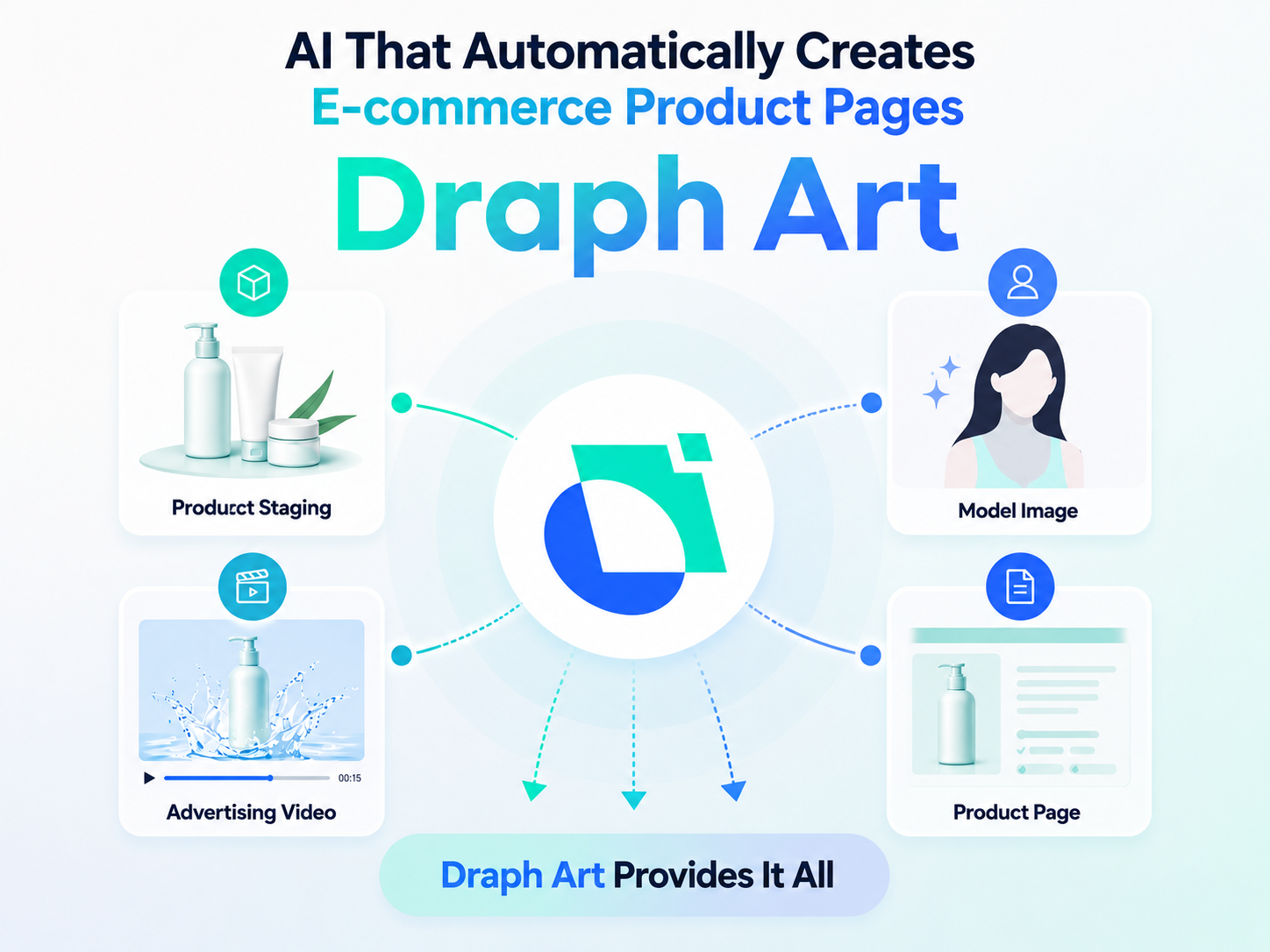
However, having to wrangle with image design tools all over again after generating your text is still a massive headache. Draph Art solves all these problems at once. It’s an AI tool that automatically generates e-commerce product pages. With just a single photo, it takes care of everything from planning and copywriting to photo styling and layout design. On top of that, it creates product thumbnails, model cut shots, and even video ads in under 5 minutes. It handles your entire full-funnel marketing strategy, taking you straight from traffic generation to sales conversion.

💡 TLDR: 3-Line Summary for Busy Sellers
- The Old Way: You worked hard to improve your sales copy, coming up with plans and product names using ChatGPT prompts.
- The Catch: The copy turned out great, but you ended up trapped in "design hell," doing manual work with templates on platforms like Canva or MiriCanvas. This delayed new product launches and cost you serious sales opportunities.
- The Solution: With Draph Art, you don't need to type out prompts or link up with Figma. Just upload a rough raw photo, and it automatically generates images and HTML code in just 3 minutes—handling the planning, copy, styling, and layout all on its own.
1. The Rules of Smart Store Search Optimization and Sales Conversion Every Beginner Seller Needs to Know
To do more than just survive and truly thrive in the online e-commerce market, you need to clearly understand two main mechanisms: the "Traffic" stage (where customers discover your product) and the "Conversion" stage (where visitors actually open their wallets). No matter how great your product is, if it doesn't show up in searches or if your product page isn't appealing, your sales will stay stuck.

The Key to a "High-CTR Product Name" That Search Engines (SEO) Love
Search engine bots categorize products and rank them based on the text data you enter. To get your product to the top of store shopping search results, you can't just pick a pretty or emotional name. You need keyword combinations strictly backed by data.
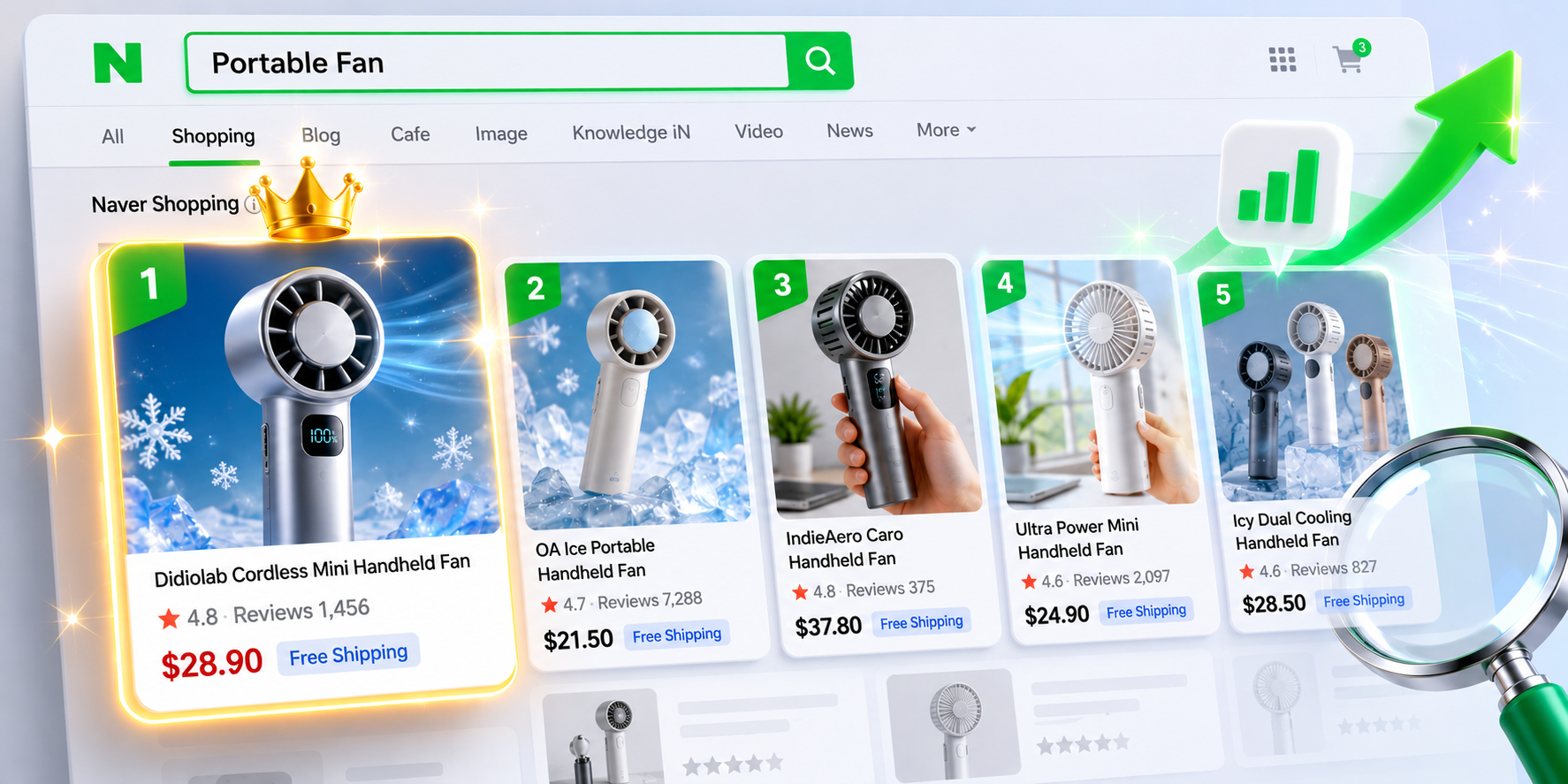
Search bots on Naver Shopping or Coupang look closely at how relevant your product name is to what shoppers are searching for. The secret here is to blend "high-volume keywords" with "niche target keywords" seamlessly. At the same time, you need to apply product name recommendation principles that raise your CTR, making shoppers instinctively tap your item out of endless competitors, thinking, "Hey, this is exactly what I need." When your brand name, core category, features, and benefits flow naturally, your CTR goes up, and you earn extra points from the algorithm.
The Blueprint for Product Descriptions That Lower Bounce Rates and Stop the Scroll
Once a customer clicks through, you have to stop them from leaving within the first 3 seconds. To catch shoppers who scroll down and drop off halfway, your product description structure needs a rock-solid foundation.
Here is the basic formula for a successful product page:
- First, Hooking: Call out the most frustrating pain point your target audience faces and build deep empathy.
- Second, The Solution: Show them clearly with visuals why your product is the one and only answer to that problem.
- Third, Social Proof: Wipe away any doubt by lining up real reviews from past buyers, certification marks, or impressive numbers that build trust.
- Fourth, Scarcity Effect: Give them a solid reason and an attractive benefit to buy right now, guiding them smoothly to an immediate checkout.

2. 5 Essential AI Prompts for Your Smart Store: Just Copy and Paste
To help you easily get high-quality planning drafts while juggling ten other tasks, here are 5 proven, practical prompts that deliver professional results with a simple copy-and-paste.

[Prompt 1] Product Name Recommendation Prompt for SEO and Higher CTR
[Copy-and-Paste Template]
"You are a seasoned e-commerce SEO expert and copywriter with 10 years of experience. Analyze the target customers for the product below alongside the Naver/Coupang algorithms, and write a list of 5 product name recommendations that maximize click-through rates.
- Product Name: [e.g., Organic Cabbage Juice]
- Core Selling Point: [e.g., Low-temperature extraction minimizes nutrient loss, no bitter taste, individual pouches]
- Main Target Audience: [e.g., Office workers in their 30s and 40s who suffer from frequent heartburn]
- Conditions: Keep it under 30 characters (including spaces). Avoid spammy keywords. Recommend names in a trustworthy, clickbait-free tone that drives search traffic and boosts conversion rates."
Run this prompt, and the AI will match your product attributes with your target audience's preferences, combining the best traffic-driving keywords to give you solid product name recommendations.
[Prompt 2] Product Description Prompt to Maximize Conversion Rates
[Copy-and-Paste Template]
"You are a top-tier copywriter boasting a 15% conversion rate. Craft a compelling product description that highlights the strengths of the item below and convinces consumers to buy.
- Product Name & Category: [e.g., Wireless Quiet Neck Massager]
- Target Pain Point: [e.g., Office workers whose necks are stiff from looking at a computer for 8 hours a day, but don't have time to visit a massage shop]
- 3 Core Features: [e.g., 42°C heating function, ultra-quiet operation under 40dB, ergonomic C-curve support]
- Overall Structure: [1. Empathetic question-style opening -> 2. Pointing out the downsides of traditional massagers -> 3. Our product's unique technical edge -> 4. Real-life expected lifespan and usage scenarios -> 5. Trust-building marketing copy (Quality Guarantee)]
- Tone & Manner: Write smoothly in a polite, logical, yet warm and trustworthy tone."
This prompt acts as a highly optimized AI template for product pages, delivering a solid flow that taps into consumer psychology rather than just listing features.
[Prompt 3] Social Media Advertising Copy Prompt for Instagram Feeds and Marketing
[Copy-and-Paste Template]
"You are a social media performance marketer who completely understands the latest trends among Gen Z and Millennials. I want to create copy for Instagram Reels and feed ads. Write 3 types of marketing and social media advertising copy sets (Empathy-focused, Hard Facts, and Benefit-driven) designed to stop users mid-scroll and maximize performance.
- Product to Promote: [e.g., Vegan Moisturizing Cream]
- Target Audience: [e.g., Women in their 20s worried about flaky makeup due to dry skin during seasonal changes]
- Must-Include Keywords: [e.g., deep hydration, vegan certified, moisture boost, special deal]
- Format: Use emojis and proper line breaks for easy readability, and suggest 7 relevant hashtags to include at the bottom of the feed."
Using this layout, you can easily pull feed captions that fit the social media algorithm perfectly, along with marketing and social media advertising copy that stamps your brand into the public's mind.
[Prompt 4] Customer Service (CS) Response Prompt for Turning First-Time Buyers into Regulars
[Copy-and-Paste Template]
"You are a professional CS manager known for delivering touching customer service. Write a sincere and elegant response to the customer complaint below that provides a clear solution. The goal is to turn a crisis into an opportunity and convert this user into a loyal customer.
- Customer Inquiry: [e.g., The box arrived crushed during delivery, so I can't give it as a gift. Please exchange it.]
- Our Solution: [e.g., Immediate 100% free exchange, plus an extra apology coupon]
- Guidelines: Follow this structure: Apology -> Cause of the issue & fast solution -> Promise to prevent reoccurrence -> Compensation details. Keep the tone warm, polite, and deeply sincere."
Handling tricky issues quickly with this prompt transforms complaints into a brilliant tool for customer service (CS) and review requests that build lifelong fans.
[Prompt 5] Automated Message Prompt to Encourage Text and Photo Reviews
[Copy-and-Paste Template]
"You are a highly skilled retention marketer who excels at driving voluntary customer participation. Write a natural and pleasant review-inducing message to send to customers via Naver TalkTalk or notification texts after their order is delivered.
- Purchased Product: [e.g., Eco-friendly Wooden Cutting Board]
- Review Reward: [e.g., 5,000 points and a Starbucks gift con for the best photo reviews]
- Key Points: Avoid sounding pushy or demanding. Remind them gently of the product's eco-friendly value, and sincerely express how much photo feedback supports the seller."
This framework helps you gather rich, thoughtful feedback, acting as a highly efficient strategy for customer service (CS) and review requests.
3. The Reality of Design Limitations Faced After Getting Text from Prompts
But here is the catch. Once you break your head over ChatGPT to perfect your sentences, does it actually solve all your problems? The moment you move on to registering your actual product, you hit a massive wall.
The Text Looks Great... But Welcome Back to Canva and MiriCanvas Hell
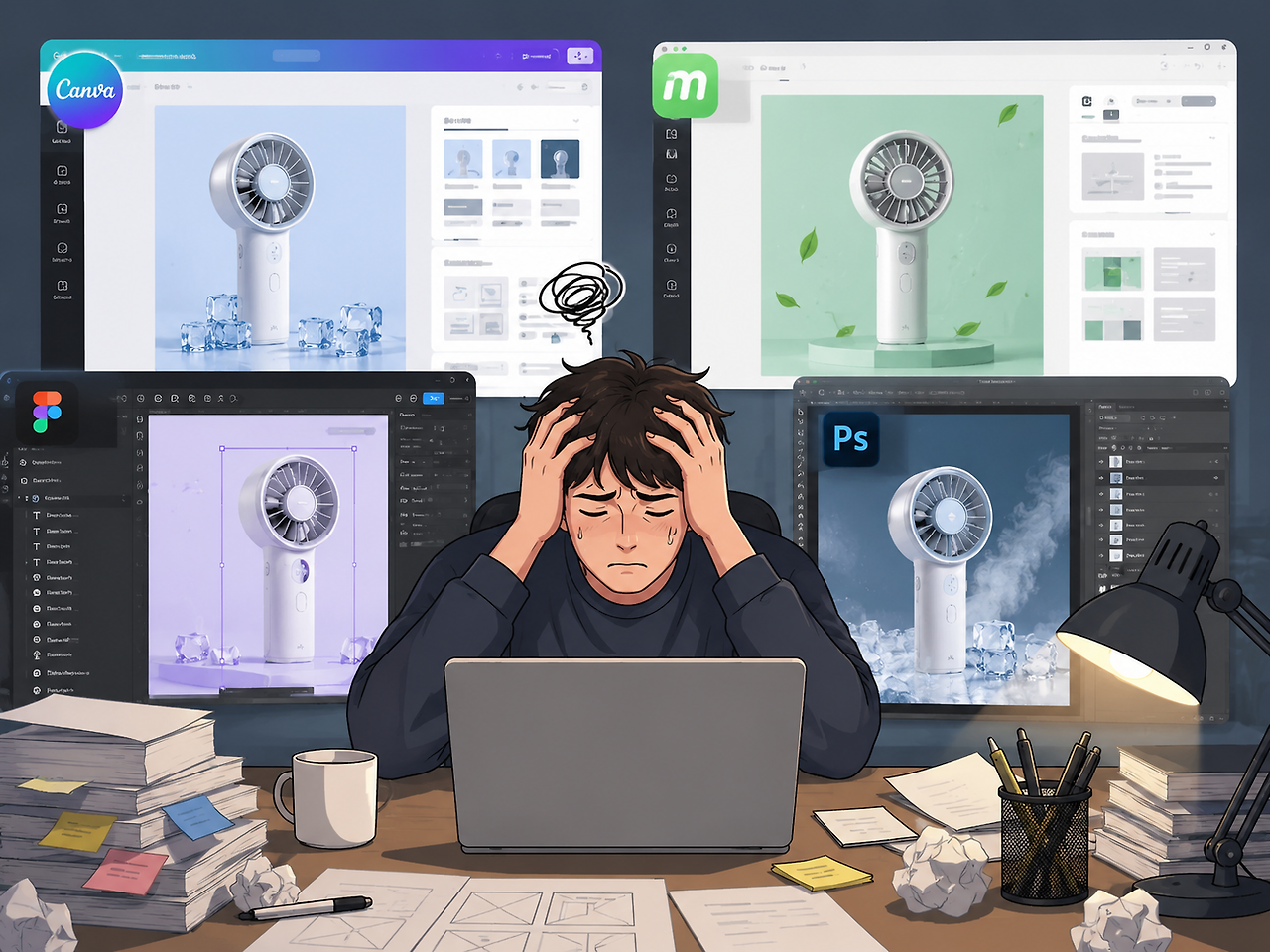
You might have beautiful copy ready, but turning it into visuals is a whole different story. To take that smooth text and turn it into an eye-catching layout, you have to fire up template tools like Canva or MiriCanvas all over again.
In the process, you find yourself jumping between Photoshop or background removal sites just to clean up your product photos. If you feel lacking in design skills and try to set up a matching background, you often end up with a messy result that looks like a product photo slapped onto a poor PPT template. The free images you find online to get that "aesthetic feel" often look cheap, or they are so overused that they end up hurting your brand value. Even if you look into popular AI image generator sites to create something trendy, typing in difficult prompts often leaves you frustrated with unnatural-looking product photo composites.
Delayed Product Launches Cost You Sales and First Orders
In the end, you spend your entire weekend glued to the computer, taking three full days just to list a single product. Delaying your product launch isn't just a waste of time. In the fast-moving e-commerce ecosystem, if your schedule gets pushed back because you're stuck making product pages, you lose your day-one sales opportunities and precious first orders directly to your competitors. Every moment spent struggling with a design tool is a moment you're losing invisible potential customers.

Figma Integrations and Vibe Coding? The Barrier for Sellers Without Tech or Design Skills
You might have tried using some of the "automated AI design tools" out there recently. But despite the automated label, many of them are incredibly difficult. They require you to weave multiple generative programs together using vibe coding or force you to link up with Figma. For regular sellers who are incredibly busy and value every second, asking them to learn professional design or development tools creates a massive barrier, making it almost impossible to use in daily work. This complexity is exactly why so many sellers give up on complicated product page AI tools.
4. No Prompts Needed! Automatically Generate a Product Page in 3 Minutes with Draph Art

It is time to completely break free from all that trial and error and tedious manual work. You don't need to type long, exhausting commands into a prompt box, nor do you need to study tutorials for professional design software. Draph Art takes care of it all.
| Category | Traditional Design | Standard Prompt AI | Draph Art |
| Creation Speed | Takes at least 3 days to a week | Text takes seconds, design takes hours | Fully completed in just 3 minutes |
| Barrier to Entry | Burden of photography and design outsourcing costs | Requires advanced skills like Figma integration and vibe coding | Solved with a single raw photo (No prompts needed) |
| Final Deliverable | Image files only | Simple text or temporary templates | High-res images + ready-to-use HTML code |
| E-Commerce Optimization | Relies entirely on the designer's personal taste | Fails to stand out due to generic templates | Planned based on over 4.6 million e-commerce data points |
Ultimate Convenience: Just One Rough Raw Photo is All It Takes (No Figma, No Prompts!)
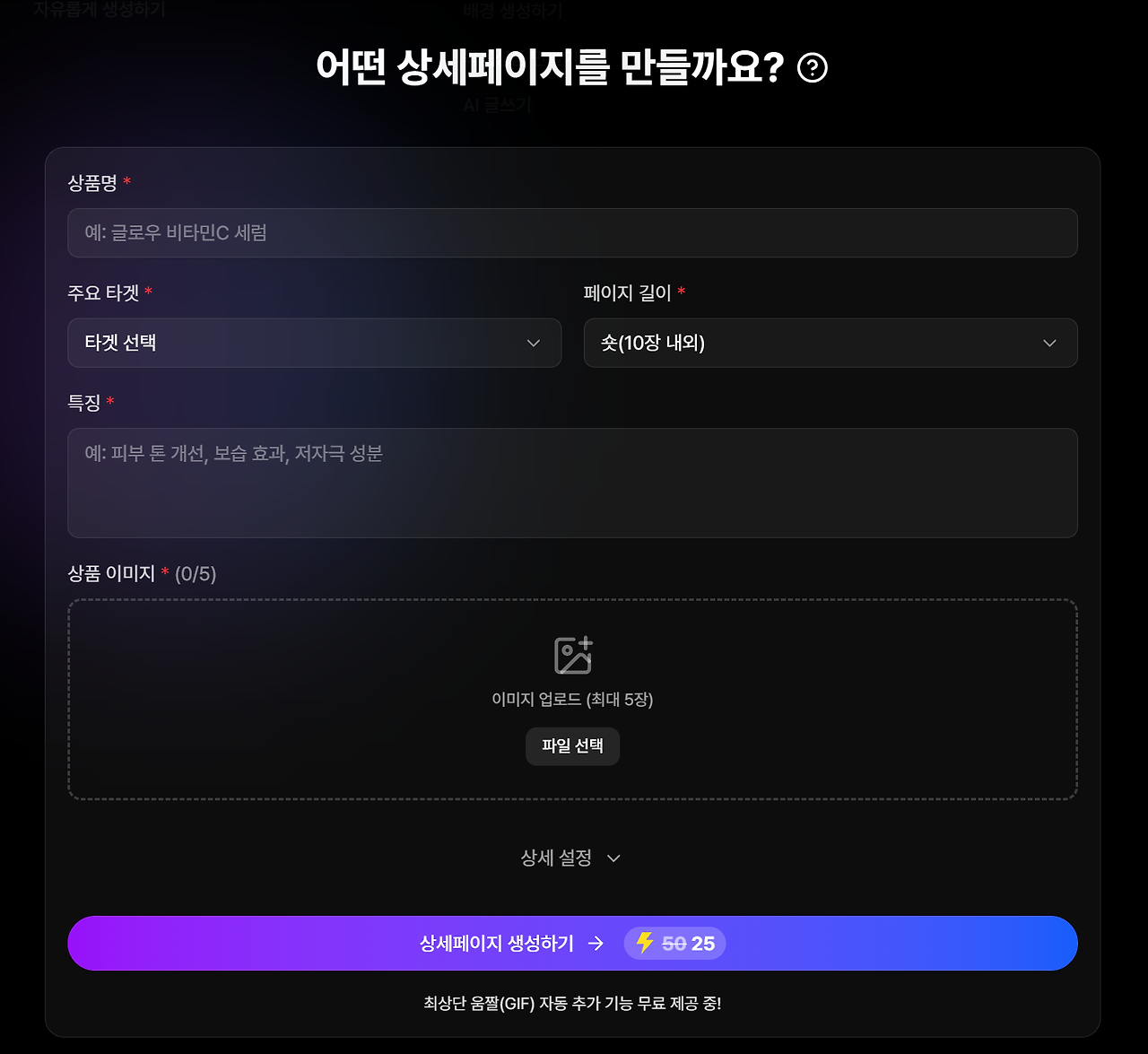
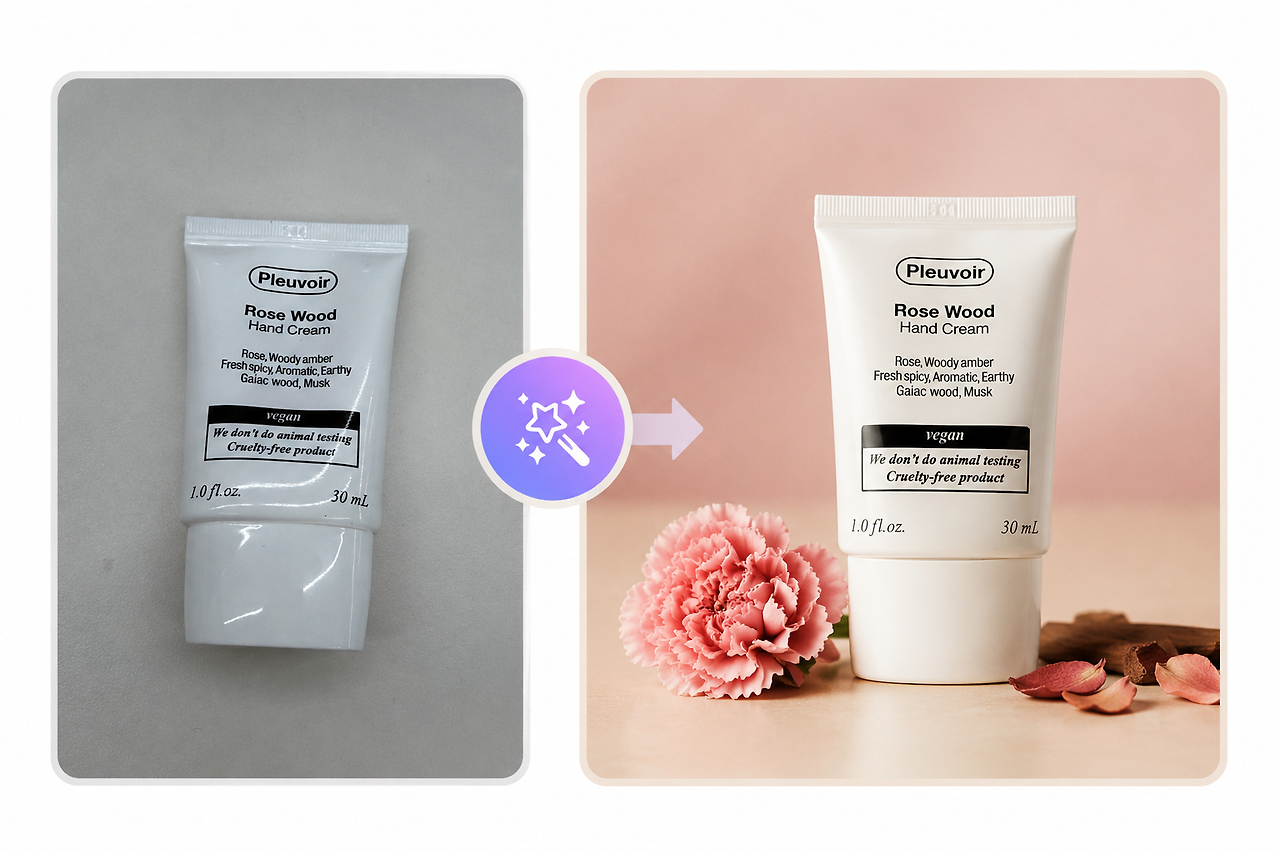
Draph Art offers a level of simplicity that sets it apart from other AI product page makers. Just snap a raw, unedited photo of your product with your phone on your office desk or in a corner of your room, and upload it to Draph Art. There is absolutely no need to translate complex background descriptions into English prompts. The AI accurately recognizes the core product, cleans up the messy background, and automatically generates a stylish, emotional studio shot that makes your product shine.
Automation Powered by Over 4.6 Million E-Commerce Data Points, Model Styling, and Layouts
This isn't just a tool that slaps on a pretty background. The core of Draph Art lies in its unique marketing planning engine, which runs on over 4.6 million accumulated e-commerce data points. It completely understands the buying patterns of your category and target audience. It handles everything on its own—from generating catchy hook copy that speaks to consumers to arranging layouts at a professional designer level for visual balance.
Its quality and reliability are proven on the field, boasting an impressive 81% download rate. Instead of going through the risky and expensive process of hiring foreign models, the AI naturally dresses virtual models or applies props, building the framework for a high-end product page. This has quickly made it the ultimate product page AI tool.
- 3 Core Benefits of Draph Art:
- Prompt-Free Generation: Get top-tier lifestyle shots in just a few clicks without any design knowledge or complicated prompt writing.
- Proven Layout System: Learns from millions of e-commerce sales metrics to automatically arrange layouts optimized for higher conversion rates.
- Virtual Fitting Technology: Drastically cuts down on the costs of hiring professional fitting models or renting photo studios.

Get High-Res Images & Ready-to-Use HTML Codes in Just 3 Minutes
Saving time means securing sales. The results you get from Draph Art aren't just high-quality images with beautiful visuals. It also delivers a fully coded, complete HTML format that you can copy and paste directly into your store's product description field.
This means you can complete a perfect store upload within 3 to 10 minutes on average, with zero Photoshop editing or coding required. While your competitors are busy picking templates and spending days communicating with design agencies, you can launch your product and capture sales in just 3 minutes. There is simply no more powerful or seamless product page AI out there.
A Full-Funnel Solution Handling Everything from Thumbnails to Model Shots and Product Pages
With Draph Art, you no longer need to waste time brainstorming product name recommendation prompts for better CTR or manually handling inefficient product descriptions. Turn low-performing thumbnails into high-click magnets, and transform solo product shots into high-end model lifestyle cuts to fill your product page flawlessly.
Draph Art also takes care of planning your blog content and marketing copy for natural viral growth, bringing together perfectly crafted text and layouts into an advanced AI-generated product page. Finally, by providing customer service (CS) and review request guidelines that erase any final doubts and build customer trust, it automates your entire user journey—from marketing traffic to final checkout and repeat purchases.
Start running an easy and successful e-commerce business right now with Draph Art, the powerful product page AI solution that delivers proven results instantly!
💡 Draph Art Frequently Asked Questions (FAQ)
- Q1. Are there really no copyright issues if I make product pages with AI?
- A1. Yes, there are absolutely no issues, so you can use them commercially with total peace of mind. All copywriting text and design images provided by Draph Art are engineered and generated completely from scratch every single time using our proprietary AI engine trained on over 4.6 million e-commerce data points. It does not infringe on anyone else's intellectual property, guaranteeing you complete ownership and safety.
- Q2. Can I really get a beautiful background composite from just one rough smartphone photo?
- A2. Yes, absolutely. You don't need to spend energy trying to cut out clean outlines (누끼). Just upload a raw photo where the product stands out against any casual background. The Draph Art AI will detect the product boundaries precisely, apply realistic 3D shadows, and naturally blend it into a beautiful, high-end virtual studio background in a flash.
- Q3. Can a complete beginner seller with no design tool skills, Figma knowledge, or coding experience use this right away?
- A3. Yes, it is designed so simply that anyone can use it immediately without any prior knowledge. Draph Art completely cuts out complicated steps with steep learning curves like Figma integrations or vibe coding. Once you sign up, simply upload a single raw photo, and it delivers high-res images alongside web-standard HTML code within 3 to 10 minutes on average. You can copy and paste it directly onto your Smart Store right away.

