
.png&w=1920&q=75)
목차
- The Key Things to Check First When Your Smart Store Isn’t Ranking Higher
- How to Check Main Images and First Impressions That Affect Click-Through Rate
- Why Ranking Alone Is Not Enough, and Why You Also Need to Review the Product Detail Page
- What Happens When Many Customers Leave After Clicking
- What Role the Product Detail Page Plays After Exposure
- What to Check on the Detail Page When the Product Title Seems Fine but Orders Still Do Not Come In
- Why You Shouldn’t Treat Product Titles, Main Images, and Product Detail Pages Separately in Real Work
- How to Speed Up Product Detail Page Improvements withDraph ArtSo You Can Support Performance After Exposure
- How to Quickly Create a Product Detail Page Draft with Just One Photo

When a Smart Store product is not ranking well, many sellers first start changing the product title over and over again. But in reality, it is more important to first check the direct factors that affect exposure, such as keywords, category settings, and the click-through rate of the main image. Then, you also need to review the product detail page that supports performance after the product gets exposed. So today, we will go over the key checkpoints that affect Smart Store search ranking, and at the end, we will also show you how to quickly improve your product detail page with Draph Art, an AI tool that automatically creates shopping mall product detail pages.
The Key Things to Check First When Your Smart Store Isn’t Ranking Higher
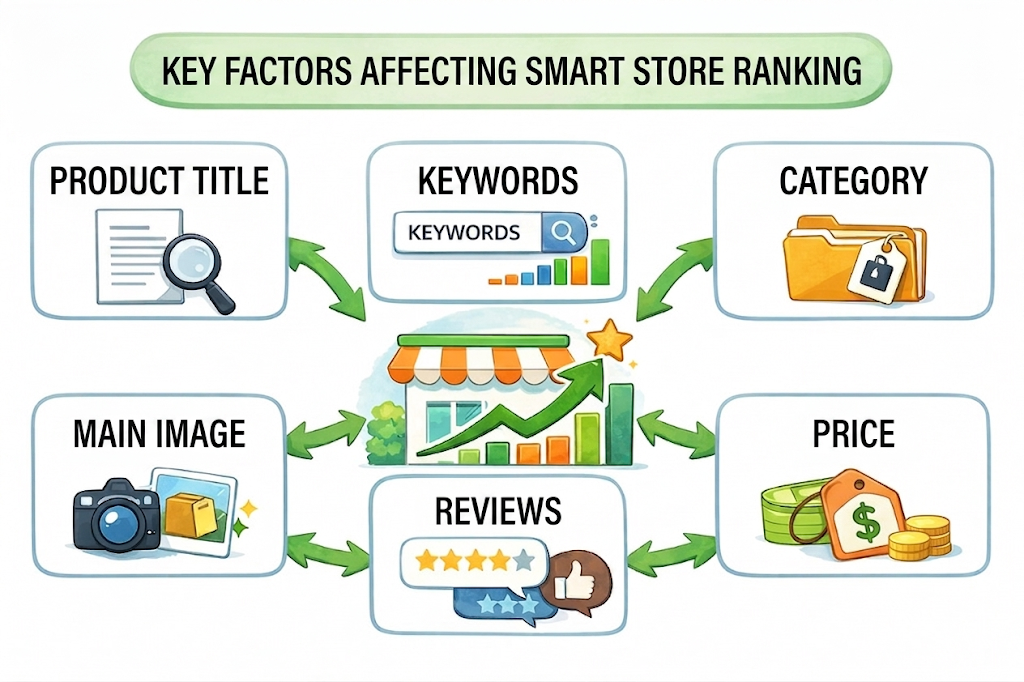
Why You Shouldn’t Look at Ranking Problems Through the Product Title Alone
This happens a lot. When a product does not show up well, sellers often rewrite the whole product title first. Of course, the product title matters. But Smart Store ranking is not decided by just one line of text.
In reality, many factors work together at once, including the product title, keyword relevance, category settings, product attributes, the click appeal of the main image, price competitiveness, reviews, and sales signals. So if you keep changing only the product title, you are not really solving the problem. You are only narrowing your focus too much.
To explain it more practically, ranking should be looked at in two stages.
First, there is the stage where your product qualifies to appear in search results. At this stage, keyword relevance and category fit matter the most.
Second, there is the stage after exposure, where your product needs to generate clicks and reactions. At this stage, the main image, price, benefits, number of reviews, and overall first impression start to matter.
So when your Smart Store is not ranking higher, the first question should not just be, “Is the product title bad?” It should be, “Does this product really match the current search intent?”
What to Check First in Keyword Relevance and Product Title Structure
Even when you edit the product title, you need a clear standard. Just making it longer does not make it better.
There are three things to check first.
First, does the main search keyword match actual buying intent? For example, someone searching for “summer dress” and someone searching for “wedding guest dress” have different intentions. It is not always better to use only the higher-volume keyword. You need to put the keyword first that is more likely to bring in people who are actually looking for your product.
Second, are the most important words placed at the beginning of the product title? On mobile, people often only read the first part. So it is better to place the main keyword, the product’s purpose, and the strongest selling point near the front.
Third, are there too many unnecessary descriptive words? Beginner sellers often overuse words like “high-end,” “premium,” “popular,” “recommended,” or “emotional.” But the more these words pile up, the more the important product information gets buried. A product title is not a pretty sentence. It needs to be structured for both search visibility and clicks.

How Category Settings and Product Attributes Affect Ranking
One thing sellers often overlook is the category and attribute values. Even if the product itself is good, if the category is vague or mismatched, the search match can become unstable from the start.
For example, even with the same product, if it is placed in a category that does not match the search context customers expect, its exposure efficiency can easily drop. Also, if product attributes like color, size, material, or target user are incomplete, the product can lose out during both search and filtering.
This is something every seller should remember.
Ranking higher is not just about describing your product well. It is also about classifying it accurately.
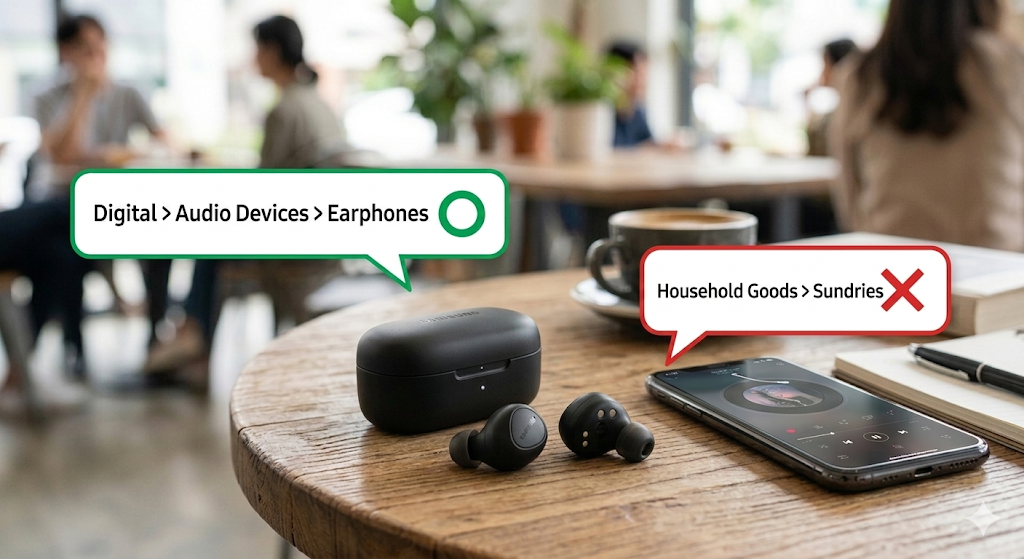
Basic Setup Checkpoints That Beginner Sellers Often Miss
In actual practice, a product often fails to rank well simply because of basic setup issues. The items below are especially worth checking first.
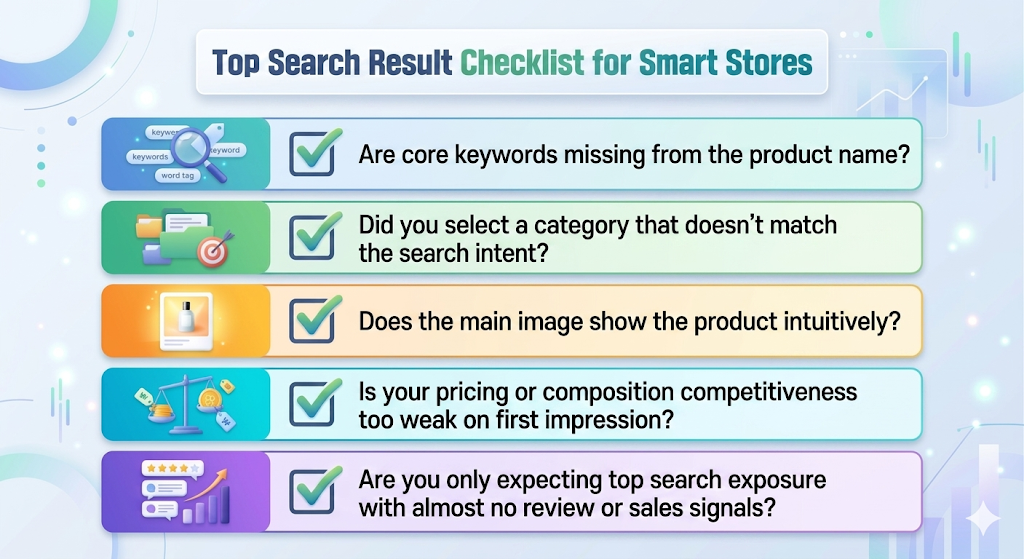
- Is the main keyword missing from the product title?
If the words customers actually search for are missing, you may lose the chance to appear in search in the first place. - Did you choose a category that does not match search intent?
Even if the product itself is good, a mismatched category can lower search matching efficiency. - Does the main image show the product clearly and directly?
If your product gets exposure but not clicks, the main image often gives a weak first impression. - Is the price or product offering too weak at first glance compared with competitors?
When customers compare products in the same category, they need to see a reason to click. - Are you expecting high ranking even though there are almost no reviews or sales signals yet?
In the early stage, building basic trust signals is just as important as optimizing the product title.
Each of these may look small on its own, but when several stack together, they can become the reason your Smart Store is not ranking well. That is why, in practice, it is usually better to organize these basics first instead of repeatedly editing only the product title.
How to Check Main Images and First Impressions That Affect Click-Through Rate
What Products Get Exposure but Still Fail to Get Clicks Have in Common
This is the second stage. Sometimes your product is not completely invisible. It gets some exposure, but the clicks do not follow.
In that case, you should look at the main image and first impression before looking at the product title.
In search results, customers do not spend much time. Within just a few seconds, they decide, “Is this the product I am looking for?” If the main image feels unclear, even a decent product title will not turn into clicks.
Products that do not get clicks usually have some common problems like these.
- The product looks too small and does not stand out at a glance
- There are too many background elements or props, so it is unclear what is being sold
- The product does not look worth the price
- The difference in bundle, benefits, or features is not obvious at first glance
From a seller’s point of view, the main image is not just an image. It works like an ad banner inside the search results.
What Information Should Be Seen First in the Main Image?
The key to a strong main image is not “pretty.” It is “clear.”
Usually, customers should understand one of these three things right away.
- What the product is
- Who it is for
- What makes it different from other products
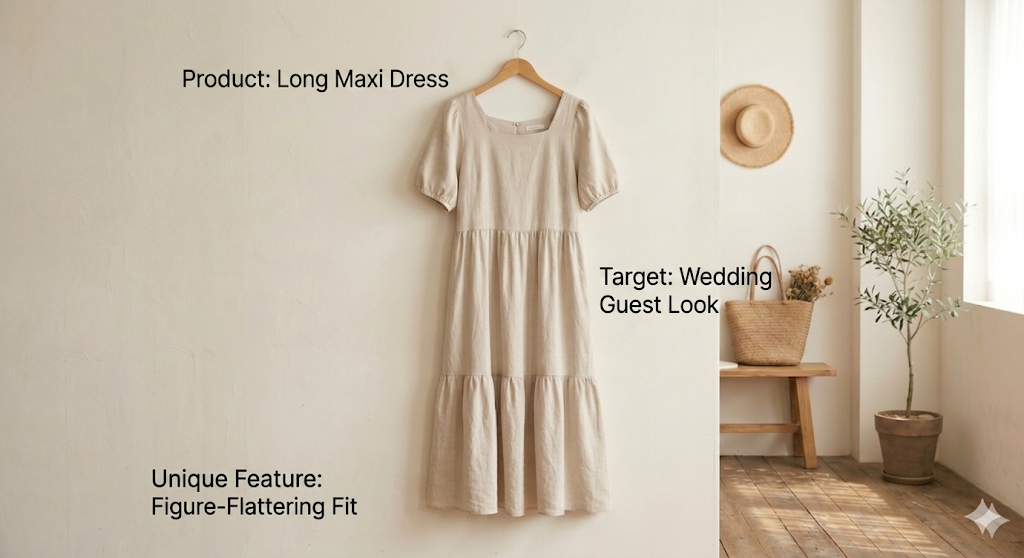
Examples of the key information that should appear first in the main image of a high-ranking Smart Store product
For example, with accessories or general goods, the product shape should be clear. For functional items, it helps to show the key use scene. For clothing, the fit or mood should come across first.
But beginner sellers often focus too much on brand vibe. Branding matters, of course. But in search results, clear product value matters before brand mood.
Why Price, Benefits, and Bundle Differences Need to Show Up in the First Impression
Some products can generate clicks from just the product title and the main image alone. Those products usually make it easier for customers to decide.
For example:
- The bundle looks better than others in the same category, such as an extra 1+1 offer
- The value for the price is easy to understand
- The use case or usage scene becomes clear immediately
- The positioning is obvious, such as gift item, starter item, or large-size option
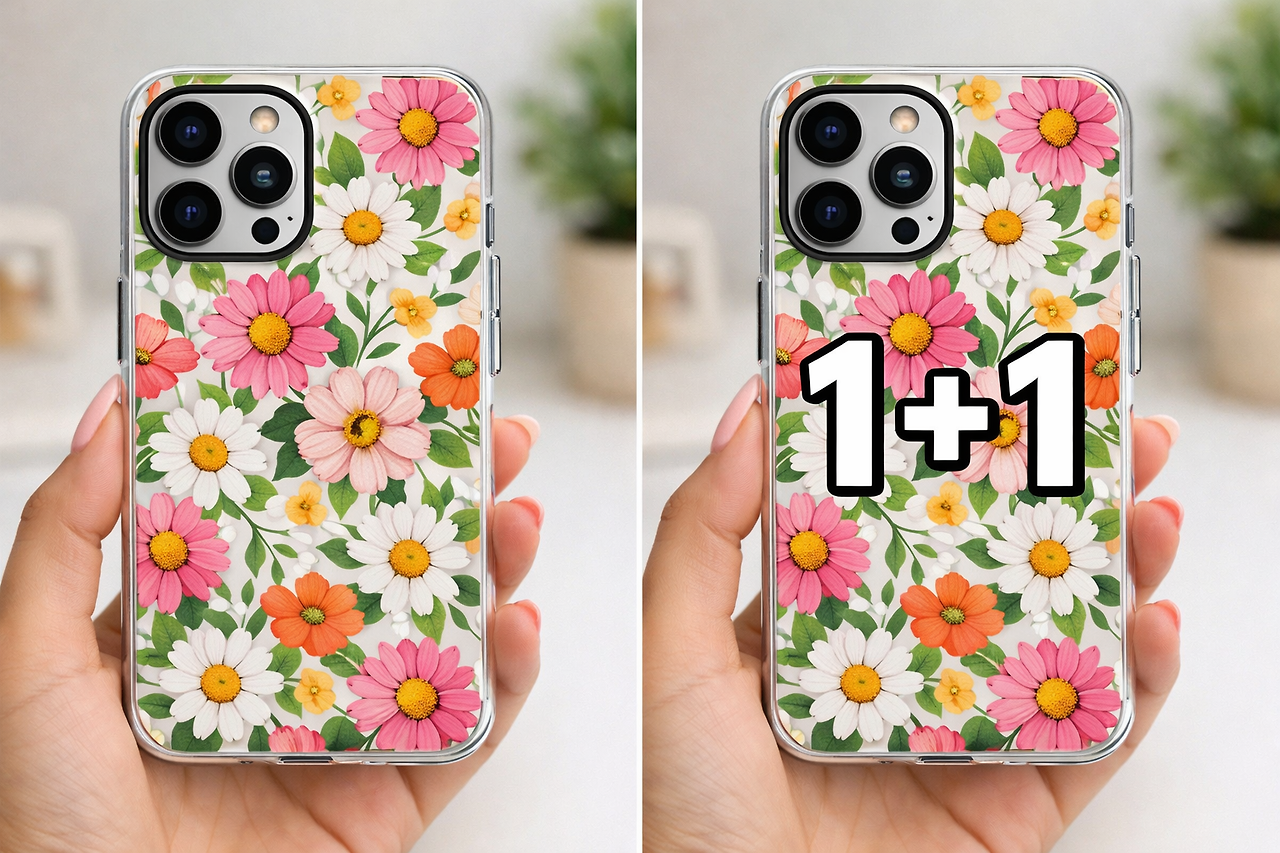
In search results, quick understanding matters more than a perfect explanation.
So when you review your main image, ask this:
Can a customer who sees this image for the first time understand the product’s strengths within one second?
If that is hard to answer, there is a good chance your click-through rate can be improved.
Why Ranking Alone Is Not Enough, and Why You Also Need to Review the Product Detail Page
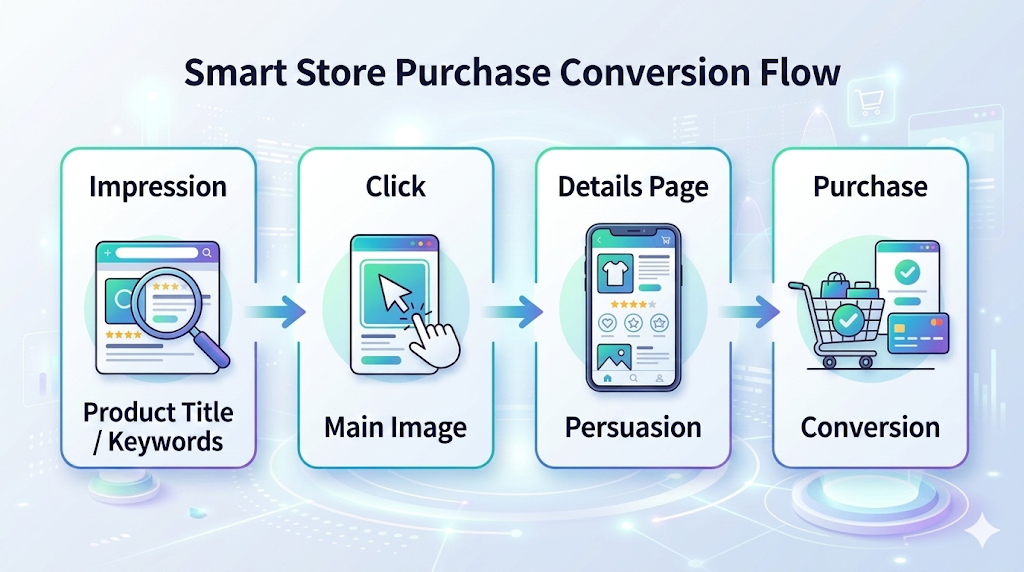
What Happens When Many Customers Leave After Clicking
Now this is where the product detail page comes in. The important point is that the detail page is better understood not as the first cause of ranking, but as a follow-up factor that supports performance after exposure.
You may have products that are getting some exposure and some clicks, but still not leading to orders. In those cases, you need to review the product detail page too. That is because customers do not stop at clicking. They decide whether to buy based on what they see on the detail page.
In other words, if the first impression in search results creates the click, the product detail page is what turns that click into a purchase.
What Role the Product Detail Page Plays After Exposure
The product detail page mainly does three things.
First, it helps customers understand the product
Second, it reduces hesitation before purchase
Third, it makes the reason to buy feel clear
But beginner sellers often build their detail pages more like product brochures. There is a lot of information, but the persuasion flow is weak.
A good detail page is not just a page packed with information. It is a page where, as the customer scrolls, the thought becomes clearer: “Okay, this is why I should buy this.”
What to Check on the Detail Page When the Product Title Seems Fine but Orders Still Do Not Come In
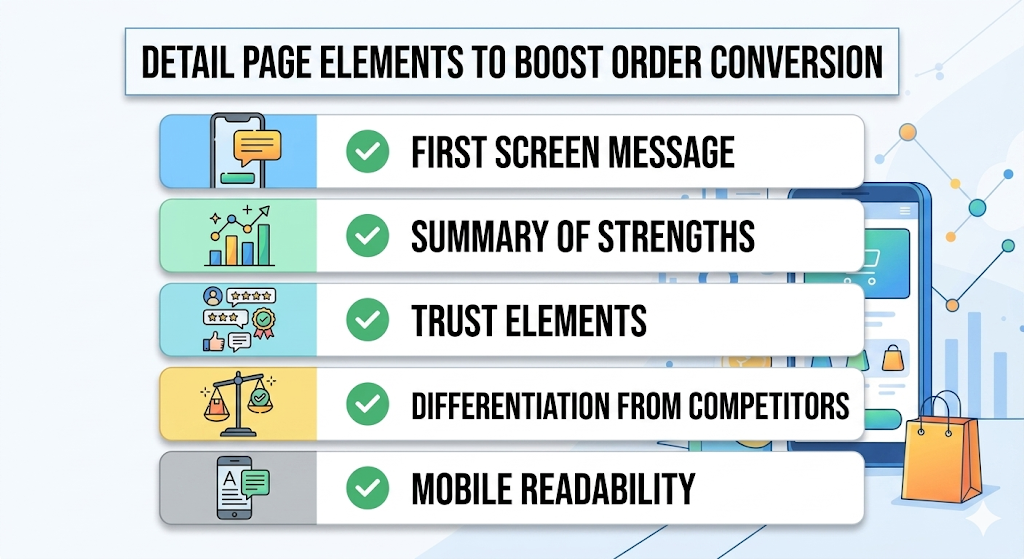
In this case, check the following:
- Can customers immediately see what the product is and what its strengths are on the first screen?
- Are the visuals and copy pushing the same message together?
- Does the page address the reasons customers hesitate, step by step?
- Is it easy to read on mobile?
- Does the product’s unique selling point stand out compared with competing products?
A common problem here is a detail page that says many nice things but does not answer the customer’s real questions.
For example, customers want to know:
“Why is this product better?”
“Will this work for my situation too?”
“What will it actually feel like to use?”
But many pages just repeat brand mood or long-winded explanations.
When that happens, you may get clicks, but not orders.
Why You Shouldn’t Treat Product Titles, Main Images, and Product Detail Pages Separately in Real Work
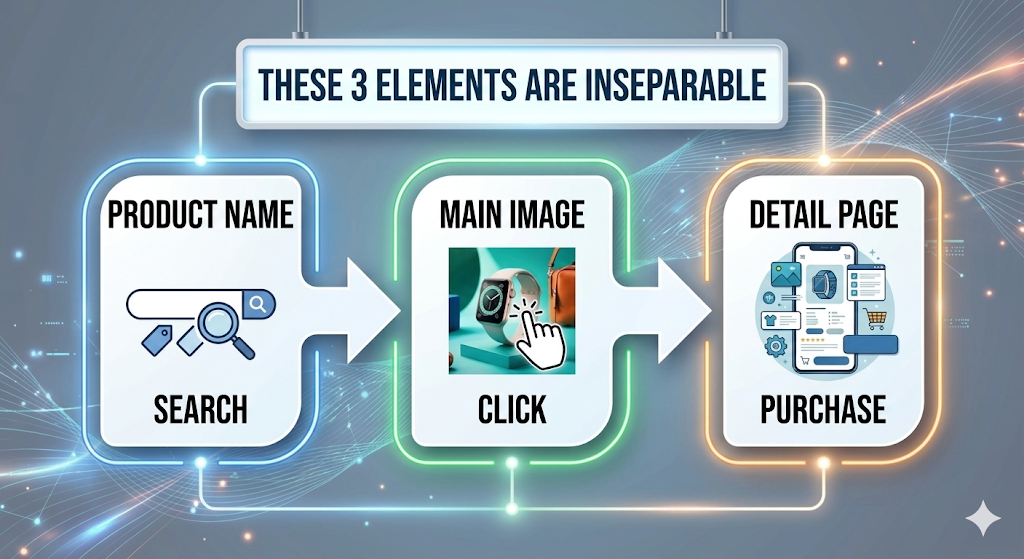
In real e-commerce work, it is better to look at the product title, main image, and product detail page as one connected flow rather than managing them separately. That is because each one plays a different role in the customer journey.
| Element | When the customer sees it | Role | What to check |
| Product title | When first seen in search results | Connects search intent with the product | Whether the main keyword is placed near the front and whether it matches search intent |
| Main image | When deciding whether to click after exposure | Creates a first impression that drives clicks | Whether the product is immediately recognizable and whether the selling point stands out |
| Product detail page | When thinking about buying after clicking | Persuades conversion and reduces drop-off | Whether the benefit structure, trust signals, and mobile readability are strong enough |
In other words, the product title creates search visibility, the main image creates clicks, and the product detail page creates conversions. These three need to move in the same direction to produce results. If you only improve one of them separately, the outcome often falls short of expectations.
For example, if the product title says “for beginners,” the main image should show “easy to use,” and the product detail page should continue by explaining why it is a good fit for beginners. If these messages are disconnected, customers get confused.
That is why, when your Smart Store is not ranking higher, you should not stop after changing only the product title. You need to review the full flow of exposure, clicks, and conversion together.
How to Speed Up Product Detail Page Improvements with Draph Art So You Can Support Performance After Exposure

Why Product Detail Page Updates Keep Getting Delayed
This is the last part. As mentioned earlier, the first priority when checking ranking issues is the product title, keywords, category, and main image. But after you work on those, there is usually one more wall you run into: updating the product detail page.
The problem is that this task keeps getting pushed back. That is because product detail pages take a lot of work. You need to revisit the planning, rewrite the copy, adjust the image flow, and also check mobile readability.
This is even harder for solo sellers or small teams. So many people know what is wrong but still cannot fix it. You may be able to edit the main image or product title right away, but the detail page often gets delayed because it feels like rebuilding a PPT template from scratch.
How Draph Art Reduces the Time Needed for Planning, Copywriting, Layout, and Visual Production

A strong option here is Draph Art, the AI tool for automatically creating shopping mall product detail pages.
Draph Art should not be seen as just a simple editing tool. It should be understood as a solution that reduces the planning burden at the very beginning of the detail-page creation process.
And the most accurate way to describe Draph Art is this:
Draph Art is an AI tool that automatically handles everything from planning and copywriting to photo direction and layout design using just a single product photo. It can also create product thumbnails, model cut images, and ad videos within five minutes, helping you cover the full funnel of e-commerce from traffic to conversion all at once.
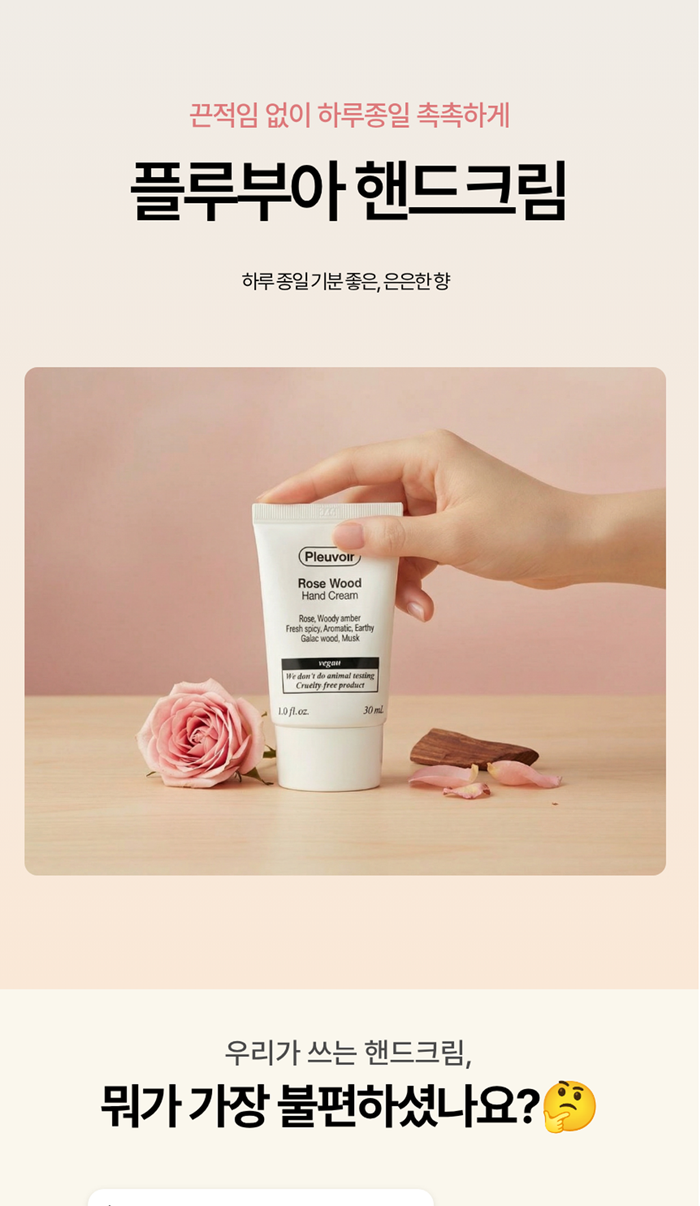
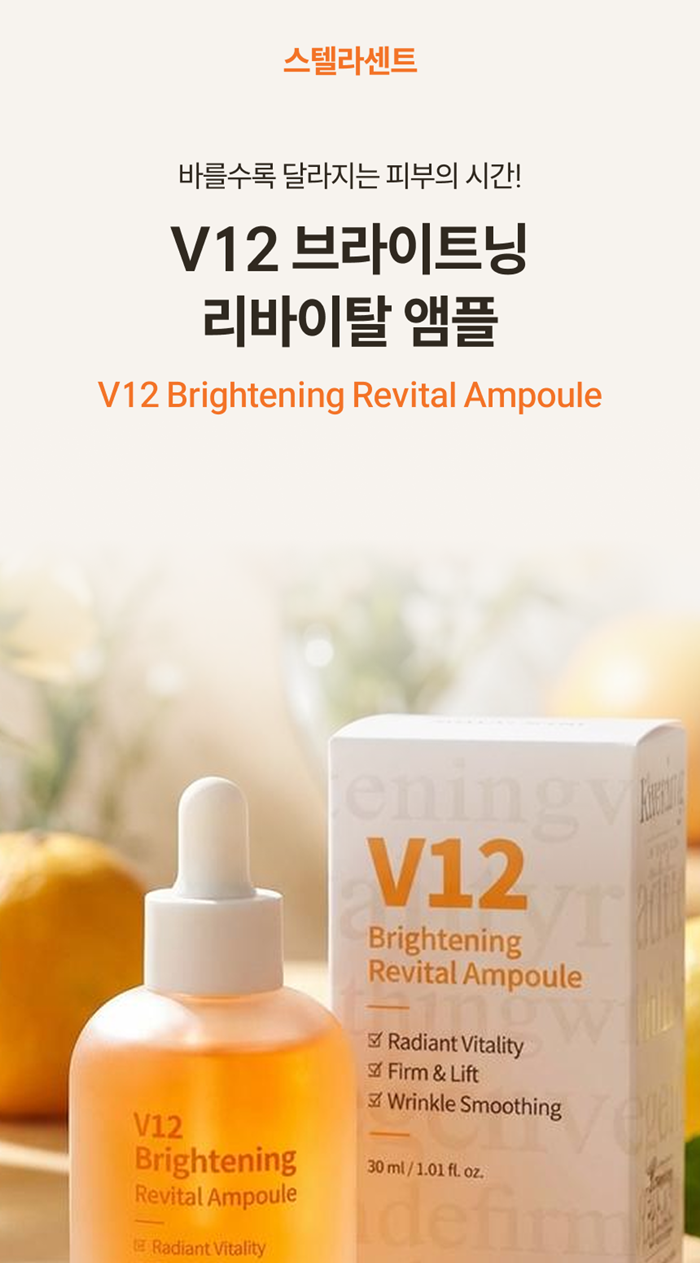
In other words, if you have a product photo and basic product information, the AI builds the structure of the detail page, writes the copy for each section, and generates styled images that fit the context to complete a first draft. The key point is that it works not just like a template editor, but like an automatic product detail page generation engine.
Also, in actual e-commerce work, a product detail page never exists alone. The main image, thumbnail, use-case cuts, and ad creatives all move together. So when looking at Draph Art, it is better to understand it not just as a detail page maker, but as a solution that shortens the whole workflow of conversion-focused content production. Since Draph Art also handles the styled images needed inside the detail page, it helps reduce the hassle of using a separate image generation AI and then moving everything back into an editing tool.
→ Try Draph Art AI Product Detail Page
How to Quickly Create a Product Detail Page Draft with Just One Photo

Draph Art AI Product Detail Page can start with just one original product photo, and you do not need to enter complicated prompts. The average generation time is around 3 to 10 minutes, and the results can be used right away as image files and HTML code, which makes it highly practical for real work.
This matters because after you improve the product title and main image to respond to ranking issues, there often comes a point where you think, “Now I should improve the product detail page too.” Draph Art makes that next step feel much less heavy.
For example, sellers often spend a lot of time before editing the detail page just removing backgrounds or cleaning up the image background. Even that repetitive work becomes tiring when you have to keep moving between different background removal tools. And when you start comparing separate AI photo compositing sites just to create styled product images, you often end up with less time to improve the structure of the detail page itself. By reducing those steps and helping you create a sellable first draft quickly, Draph Art clearly shows its practical value as an AI tool for automatically generating shopping mall product detail pages.
A Practical Workflow for Connecting Ranking Improvement to Conversion Improvement with Draph Art
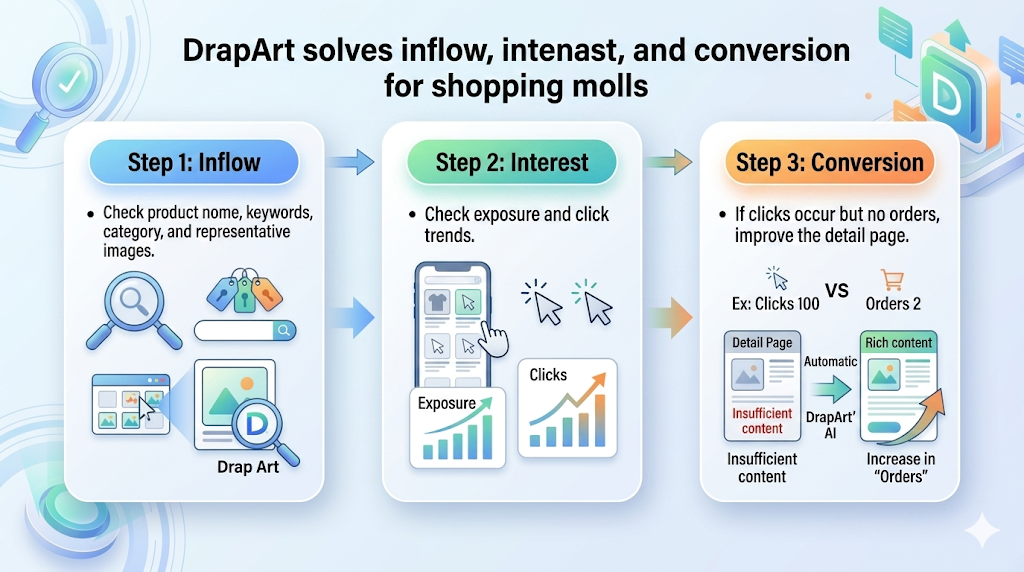
In practice, Draph Art works well in this flow:
First, check the product title, keywords, category, and main image.
Then, review the exposure and click flow.
If the product gets clicks but weak orders, improve the product detail page.
At that stage, use Draph Art to quickly create a first draft of the detail page, then refine it around the product’s strengths, unique selling points, and mobile readability.
This way, ranking improvement and conversion improvement do not operate separately. They become one connected workflow.
Also, Draph Art carries a strong trust point with its foundation in over 4.6 million pieces of commerce data, and its messaging is designed to reduce missed order opportunities and delayed sales launches caused by slow product detail page production. So the key value is not just that it helps you “make it faster,” but that it helps you start selling sooner.
That is why, when your Smart Store is not ranking higher, you should not stop after changing only the product title. You need to review the full flow from exposure to clicks to conversion. Especially if your weak point is the conversion stage, it is much more practical to consider a solution like Draph Art, an AI tool for automatic shopping mall product detail page creation, rather than rebuilding the detail page by hand from the beginning.

