
.jpg&w=1920&q=75)
목차
【要約】
- 商品ページの購買率(CVR)を決めるのは、派手なレイアウトではなく顧客の心を動かすビジュアルです。
- 単なる白背景の商品写真よりも、具体的な利用シーンやライフスタイルを見せる方がはるかに効果的です。
- **ドラップアート(Draph Art)**は、プロ級の商品写真やモデル着用画像を瞬時に生成し、ビジュアルコンテンツの悩みを数秒で解決するAIソリューションです。

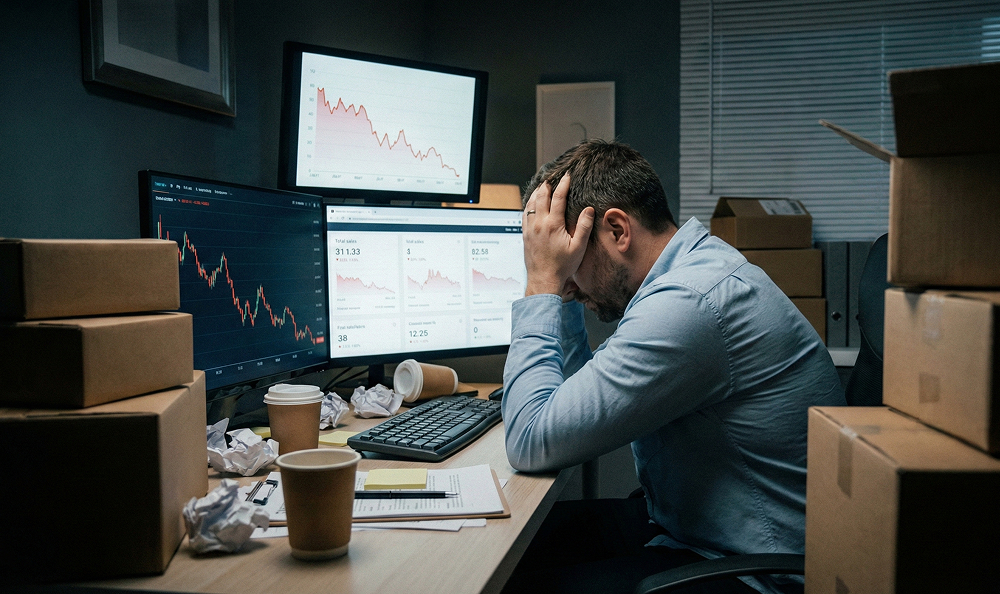
一生懸命商品を仕入れてオンラインストアに登録したのに、反応がイマイチで悩んでいませんか?デザインはすっきりしていて、写真の画質も良いのに、「カートに入れる」ボタンがなかなかクリックされない…。
そんな時、多くのセラー(販売者)は「もっと高いウェブデザイナーが必要かな?」「フォントを変えるべき?」と考えがちです。しかし、顧客がページから離脱する本当の原因はデザインのレイアウトではなく、見たものに「説得されなかった」からである場合がほとんどです。派手なデザインは一瞬目を引くかもしれませんが、実際に購入を決断させるのは、顧客の欲求を刺激する「ビジュアル・ストーリーテリング」なのです。
今日は、購買率が高い商品写真の秘密と、それを簡単に解決する方法をお話しします。ドラップアート(Draph Art)というサービスを初めて聞く方もいるかもしれません。ドラップアートは、商品写真をアップロードするだけで、AIが自動的にプロレベルの背景やモデルを生成してくれるサービスです。撮影コストやスケジュール調整に頭を抱えている方にとって、これは朗報となるはずです。
売れる写真はただ「見せる」のではなく、問題を「解決」する
商品撮影における最大の間違いは、商品そのものだけを見せてしまうことです。スタイリッシュなパッケージを自慢したい気持ちはわかりますが、顧客は単に商品を買うのではなく、**「より良くなった自分」**を買うのです。「これを買ったら、私の生活はどう変わるの?」という問いへの答えを知りたがっています。
単調な画像をページに並べるのではなく、あなたの写真が顧客に語りかけているかを確認してみてください。「ただの写真」と「売れるビジュアル」の違いを比較してみましょう。
ビジュアル事例 1. スキンケア:商品単体 vs 使用シーン
これは美容商品でよくある間違いです。白背景にボトルだけがポツンとある写真は、まるで医薬品のように見えてしまいます。
- 悪い例: 白背景に置かれた保湿クリームのボトルの単純な写真。
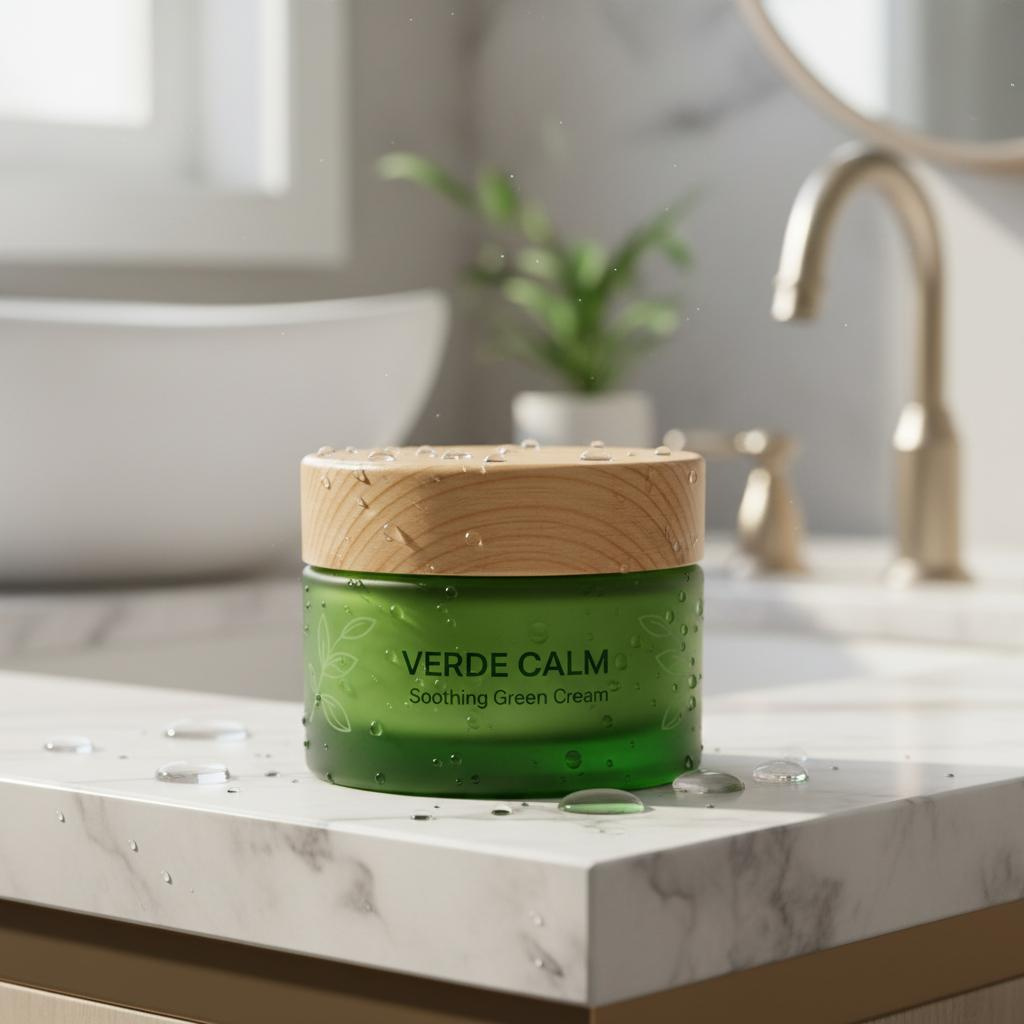
- 良い例: 日差しの入る大理石の洗面台に置かれたクリーム。水滴がついていて、潤い(保湿感)が伝わる演出。
- 理由: 顧客は「化学成分」を買いたいのではなく、「潤った肌」を買いたいのです。**AIミックス(AI MIX)**の「背景を生成」機能を使えば、退屈なスタジオ撮影から高級感あふれるバスルームへと、商品を瞬時に移動させることができます。

ビジュアル事例 2. ファッション:置き画 vs AIモデル着用
ネットで服を買う時、一番の不安は「サイズ感やフィット感」です。床に畳んで置かれたシャツでは、そのストーリーは伝わりません。
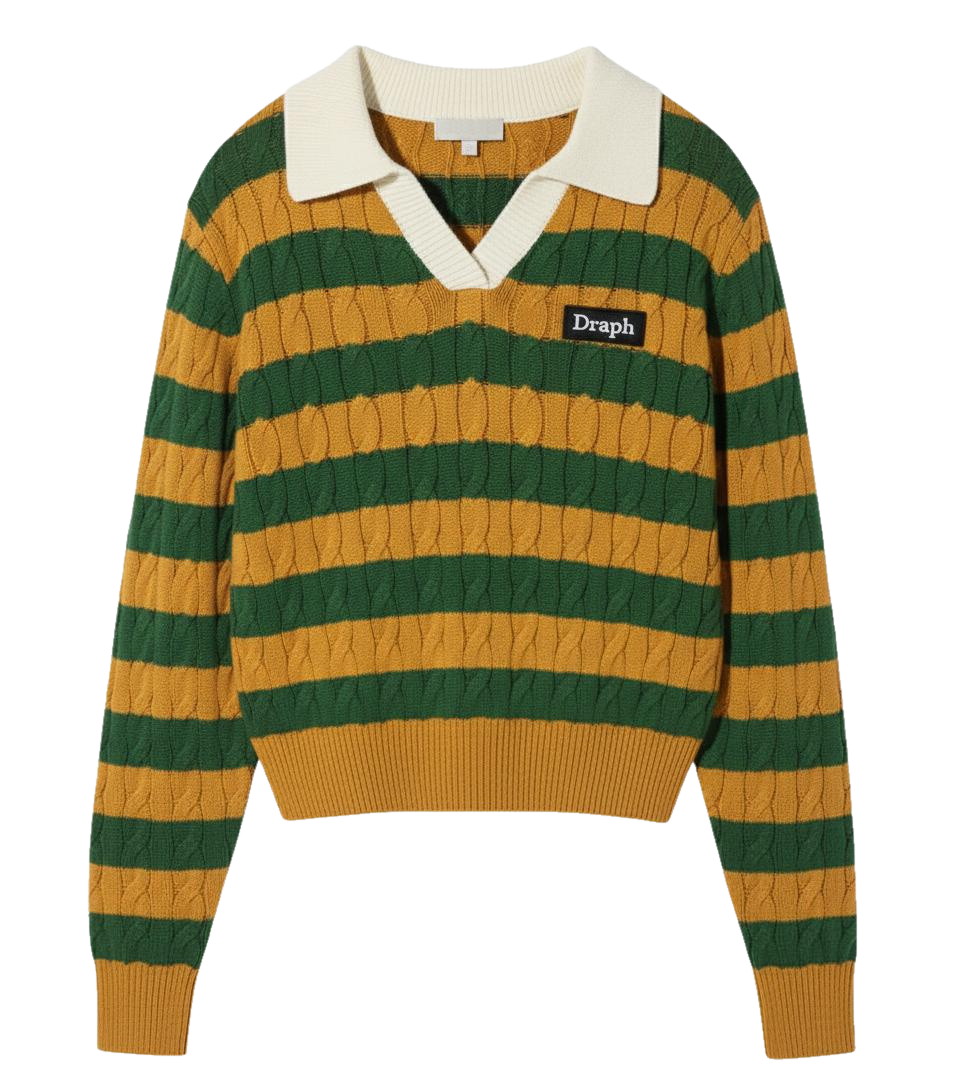
- 悪い例: 床に平置きされたTシャツや、ゴーストマネキン(透明人間)写真。
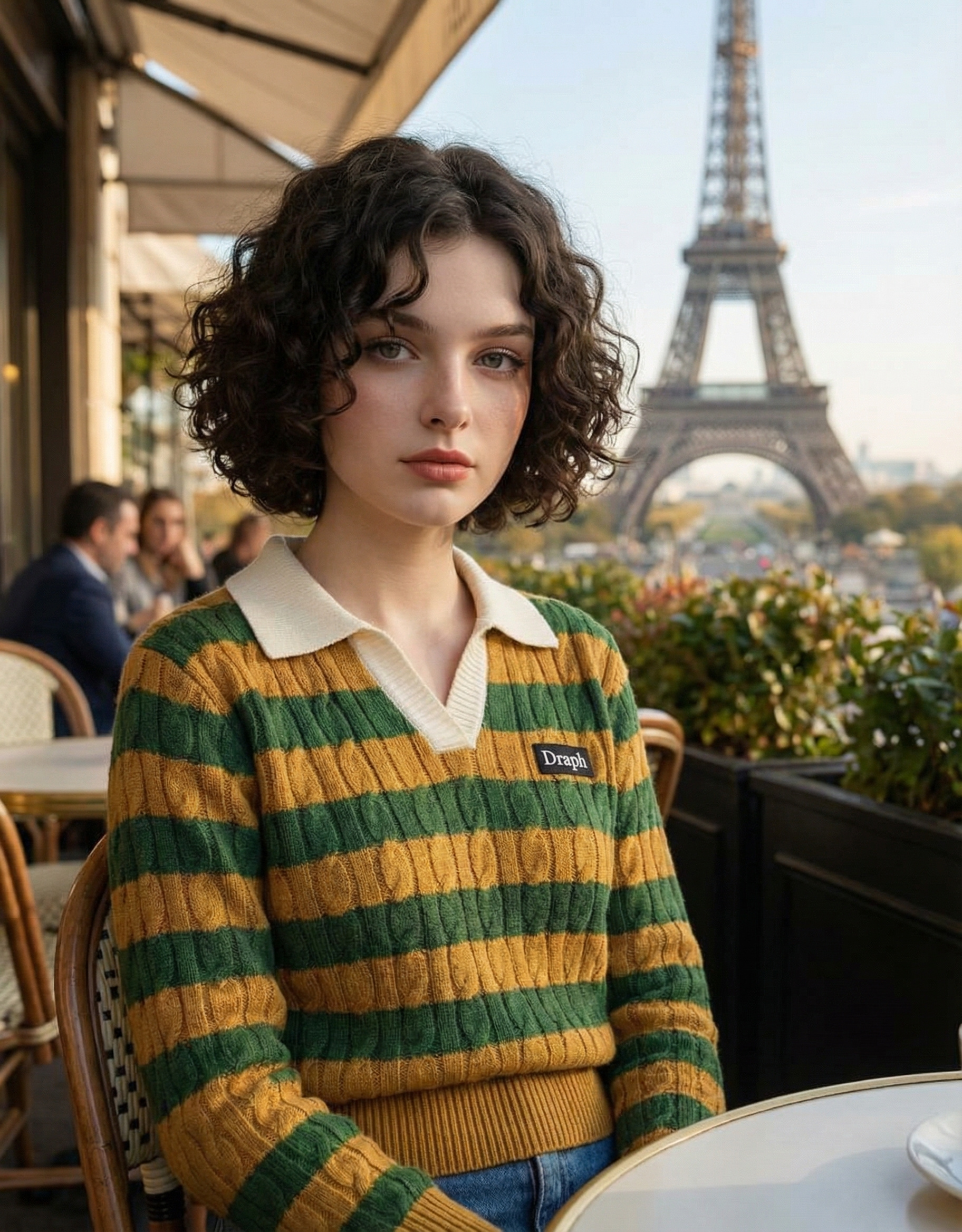
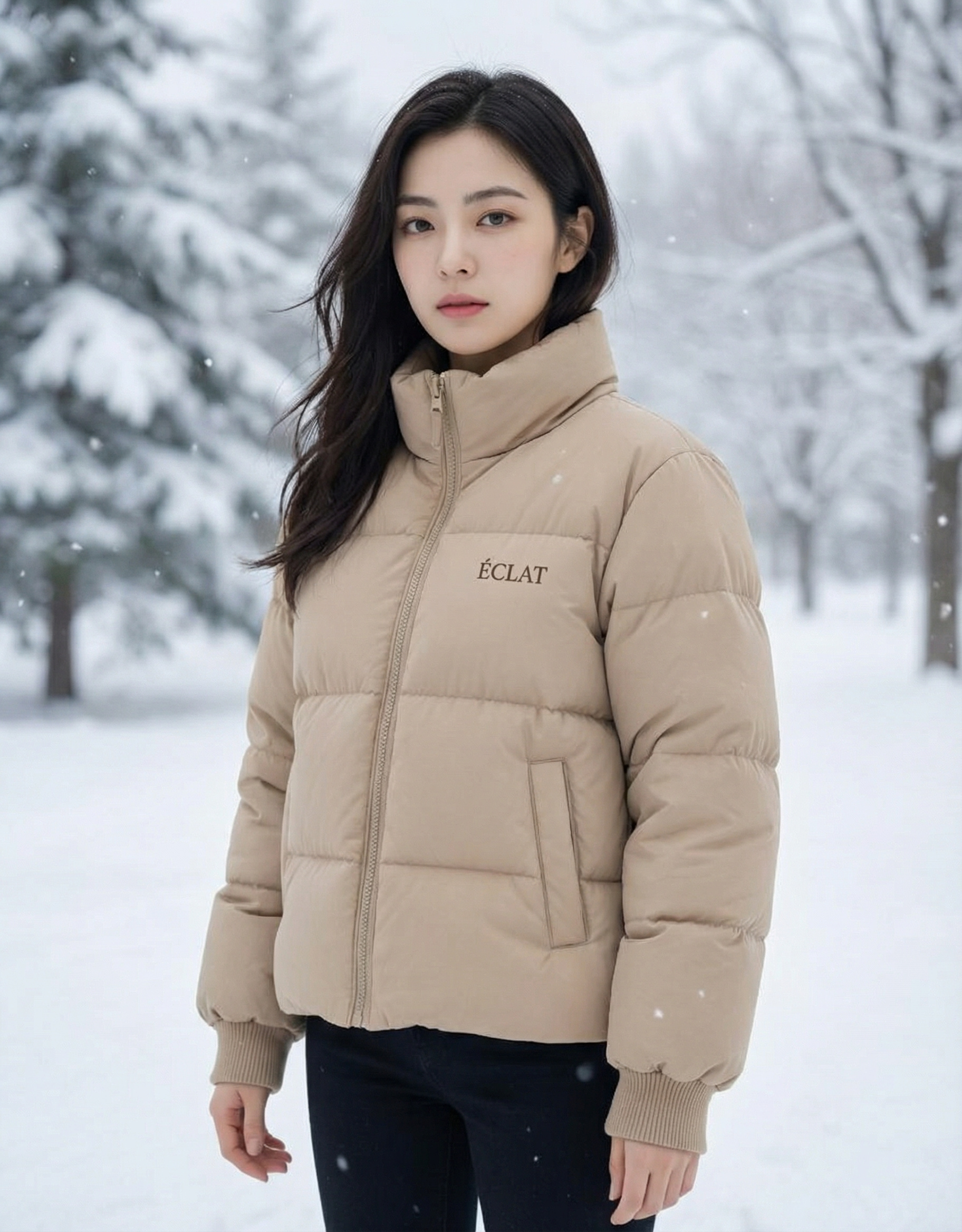
- 良い例: そのTシャツを着て街を歩いたり、カフェに座っているリアルなモデルの写真。
- 理由: 顧客はそれを着ている自分を想像する必要があります。**AI人物(Person MIX)**を使えば、高額なモデルを雇う必要はありません。AIが生成したモデルに、あなたの服を自然に着せることができます。
ビジュアル事例 3. 食品・リビング:モノ vs 雰囲気(ムード)
食品やインテリア雑貨にとって、「ムード」こそがすべてです。
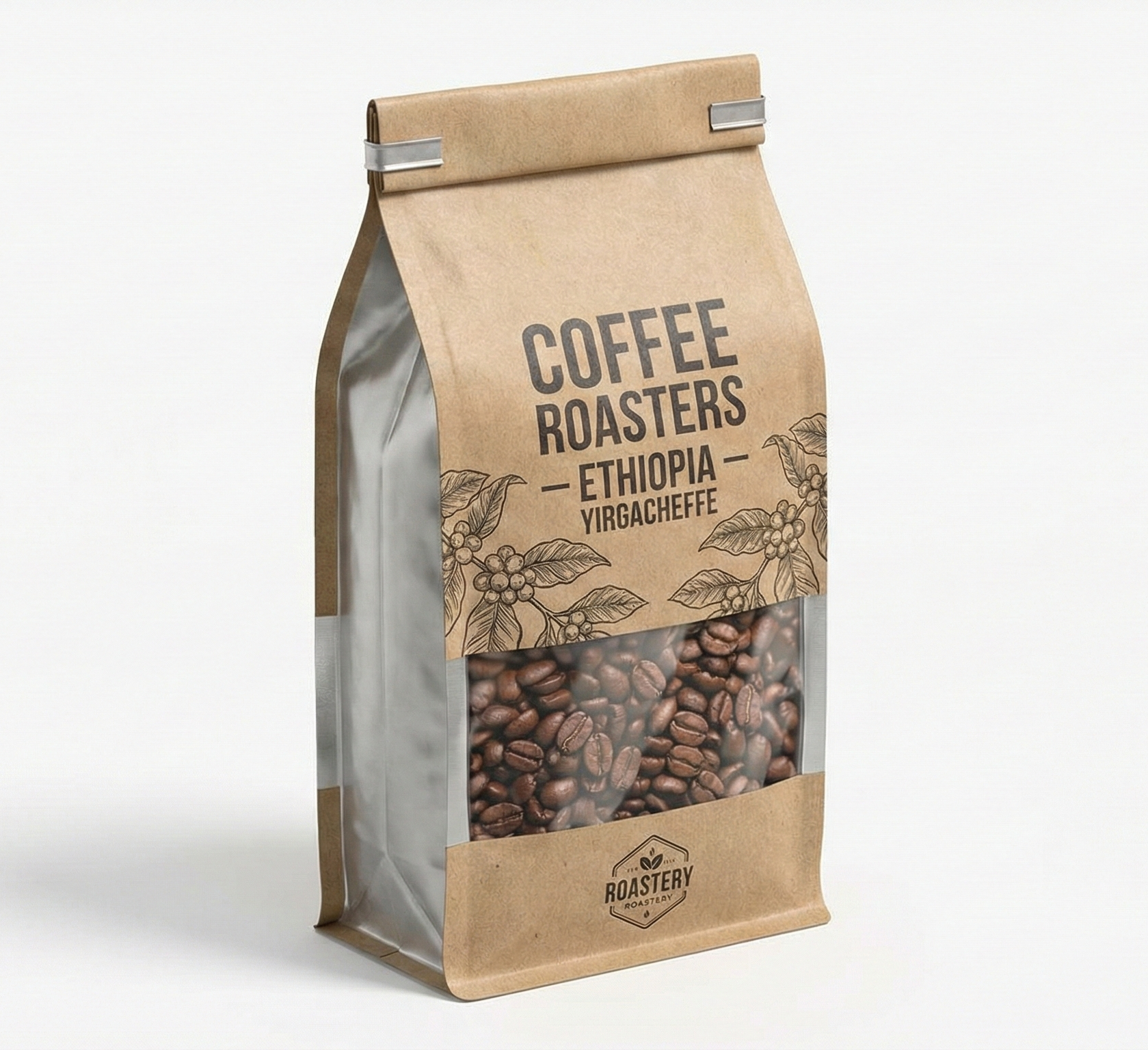
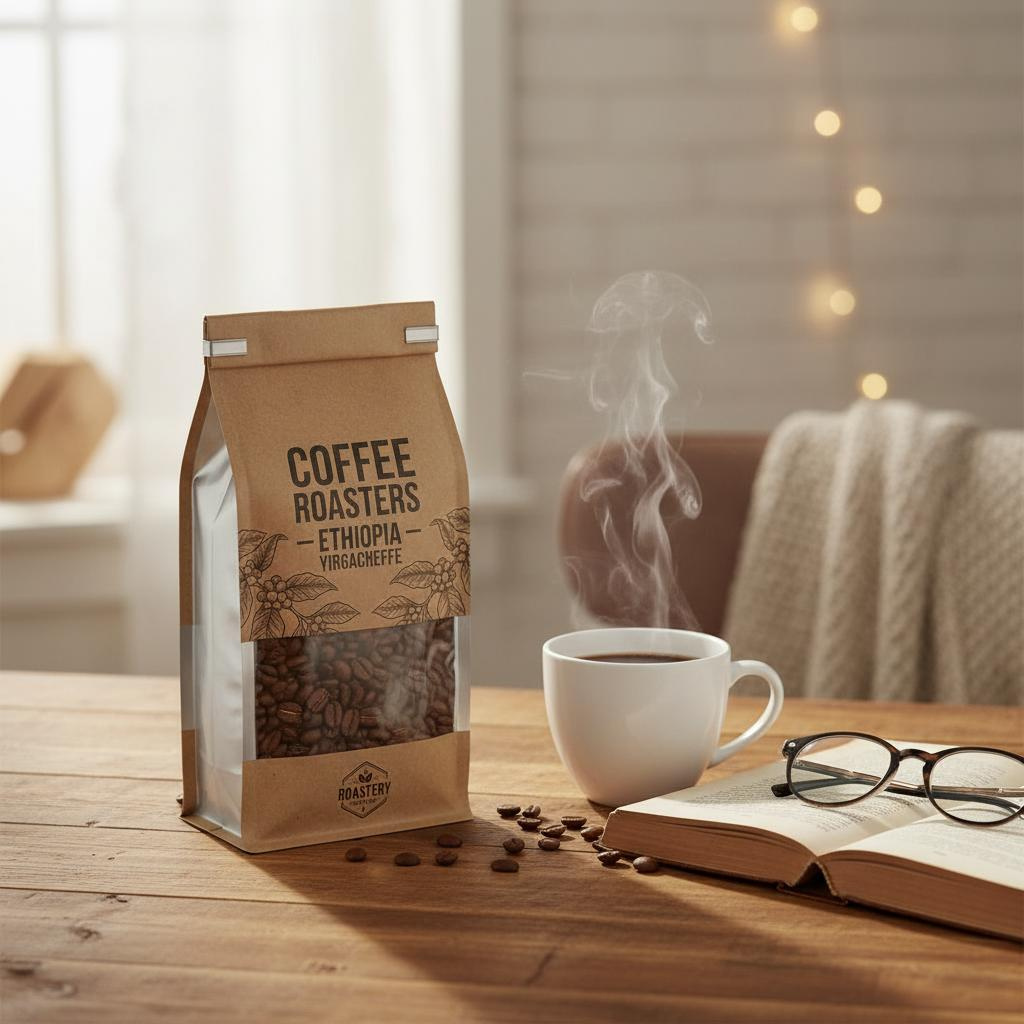
- 悪い例: 灰色の壁を背景にしたコーヒー豆の袋。
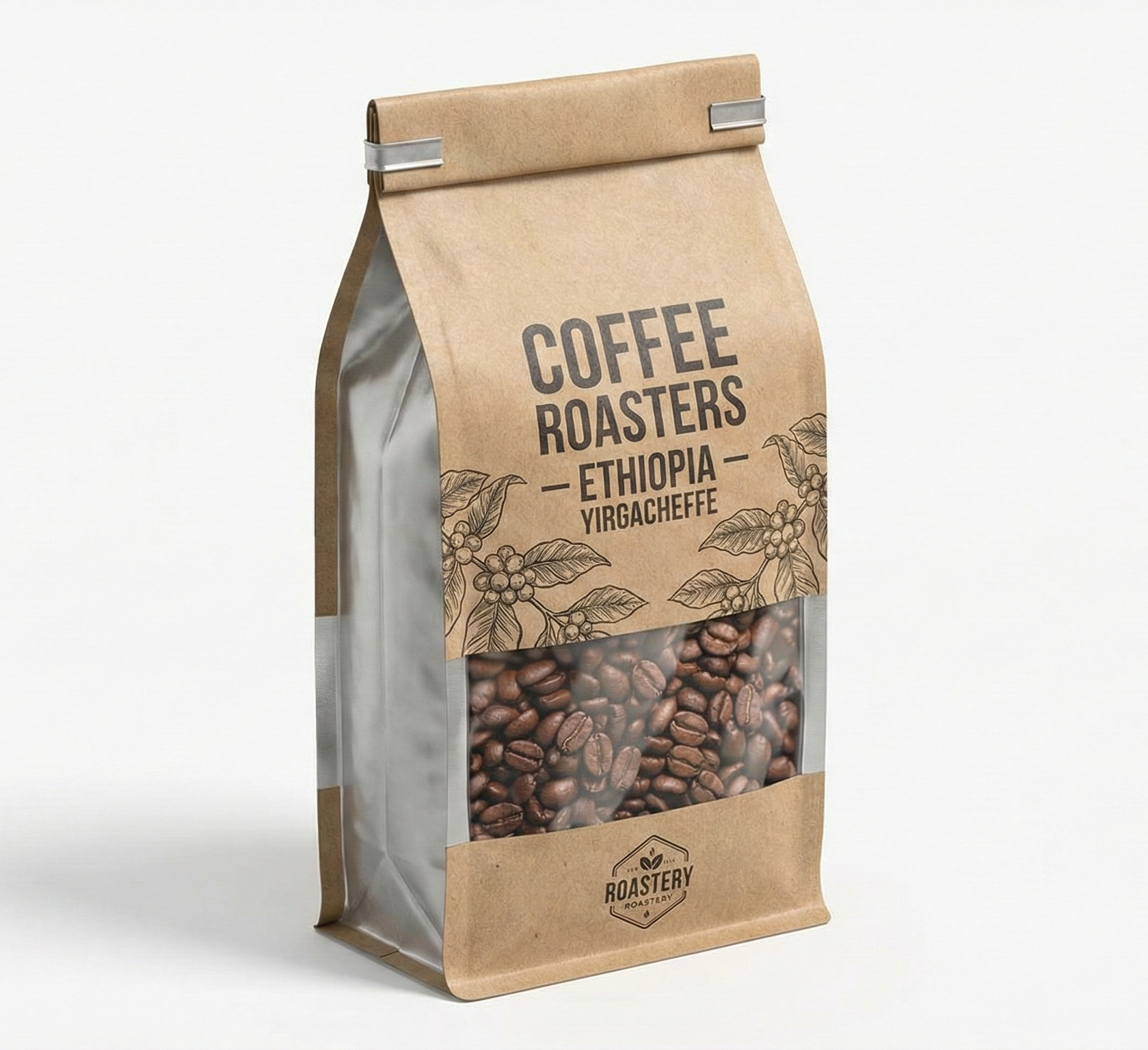
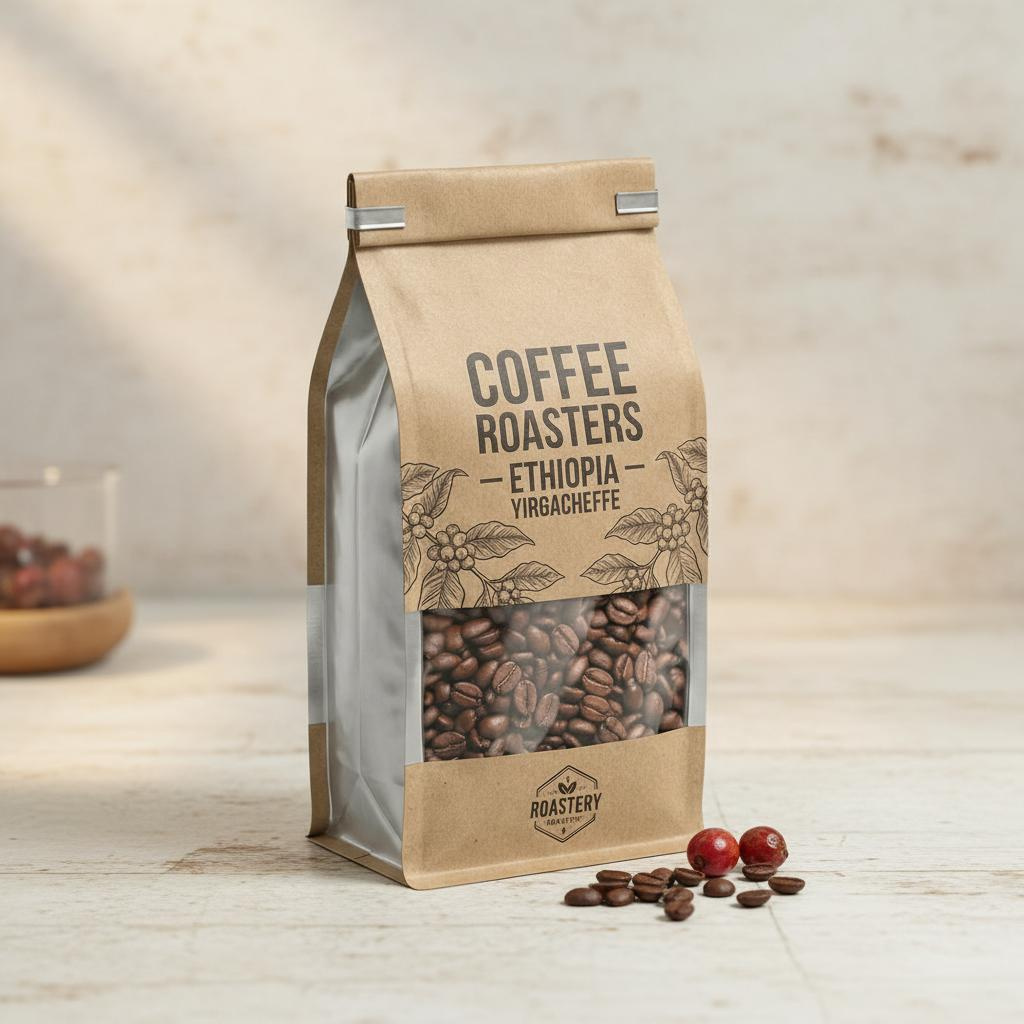
- 良い例: 湯気の立つマグカップ、開かれた本と一緒に木製のテーブルに置かれたコーヒー豆。ゆったりとした日曜の朝を連想させる写真。
- 理由: あなたが売っているのは単なる豆ではなく、「くつろぎの時間」だからです。
理論はわかったけど、プロの撮影は難しすぎる?
「利用シーンを見せろ」「モデルを使え」。頭ではわかっていても、実行するのは悪夢のように大変です。スタジオを借りて、カメラマンを雇い、モデルをキャスティングし、ライティングをセットする…。これだけで数千ドル(数十万円)かかり、数週間を要します。自分で撮ろうとしても、素人っぽい仕上がりになりがちです。

「画像生成AI」を探して試してみても、商品をリアルに保ったまま思った通りの背景を作るためのプロンプト(命令文)作成は非常に難しいものです。
もし、シンプルな商品写真を1枚アップロードするだけで、AIが自動的に完璧なプロ仕様のセットに配置したり、モデルに着せたりしてくれるとしたらどうでしょう?
構想からプロ級の写真完成まで1分。ドラップアートで解決
ドラップアートは、単なる画像編集ツールを超えています。Eコマースにおいて最も苦痛な部分である「高品質な素材(アセット)制作」を解決します。
セラーのためのドラップアート主要機能
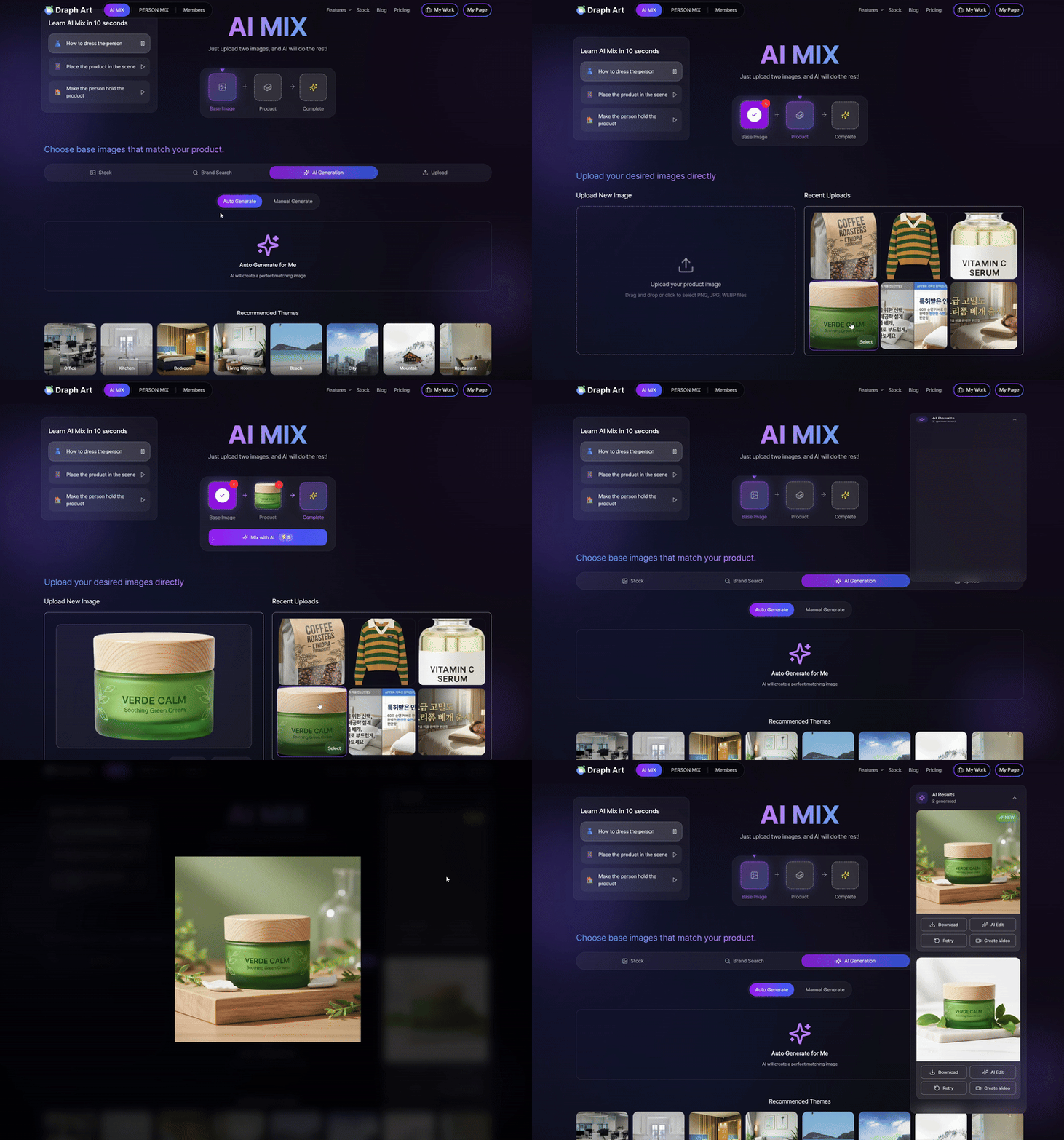
1. AIミックス - 背景を生成(BG Generation)
商品をアップロードするだけです。AIが角度や照明を分析し、あなたのコンセプトに完璧に合う背景(居心地の良いリビング、爽やかなビーチ、モダンなスタジオなど)を生成します。退屈な白背景とはおさらばです。
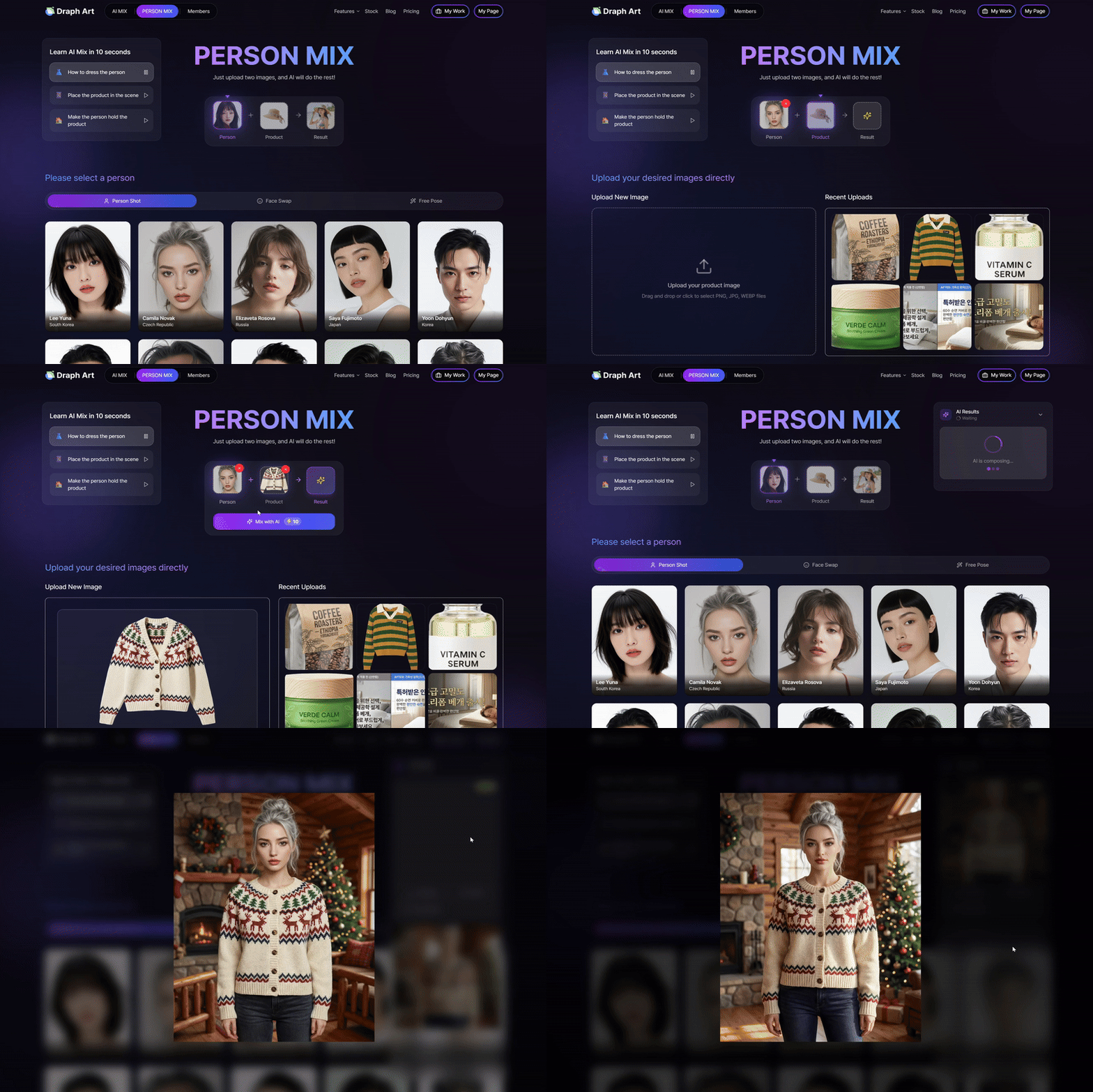
アパレルを販売していますか?服の写真(ハンガーにかけてある状態やマネキンでもOK)をアップロードしてください。ドラップアートのAIが、そのアイテムを着用した多様なモデル画像を生成します。モデルの年齢、人種、ポーズも選択可能です。
3. 背景を削除(BG Removal) & 自然なライティング
「背景を削除」するために別のツールを使う必要はありません。AIが背景除去を行うだけでなく、最も重要な点として、新しい背景に合わせて商品の照明や影を完璧に調整します。
ドラップアートで違いを実感してください
信じられませんか?スマホで撮った単純な写真を使って、ドラップアートが100%作成した結果をご覧ください。
(ここにビジュアル例をイメージしてください)
- 🧴 [ビューティー] 味気ないボトル → 高級スパの雰囲気へ
- 👗 [ファッション] マネキン撮影 → プロのモデルルックブックへ
- ☕ [食品] 商品パッケージ → カフェでのライフスタイルショットへ
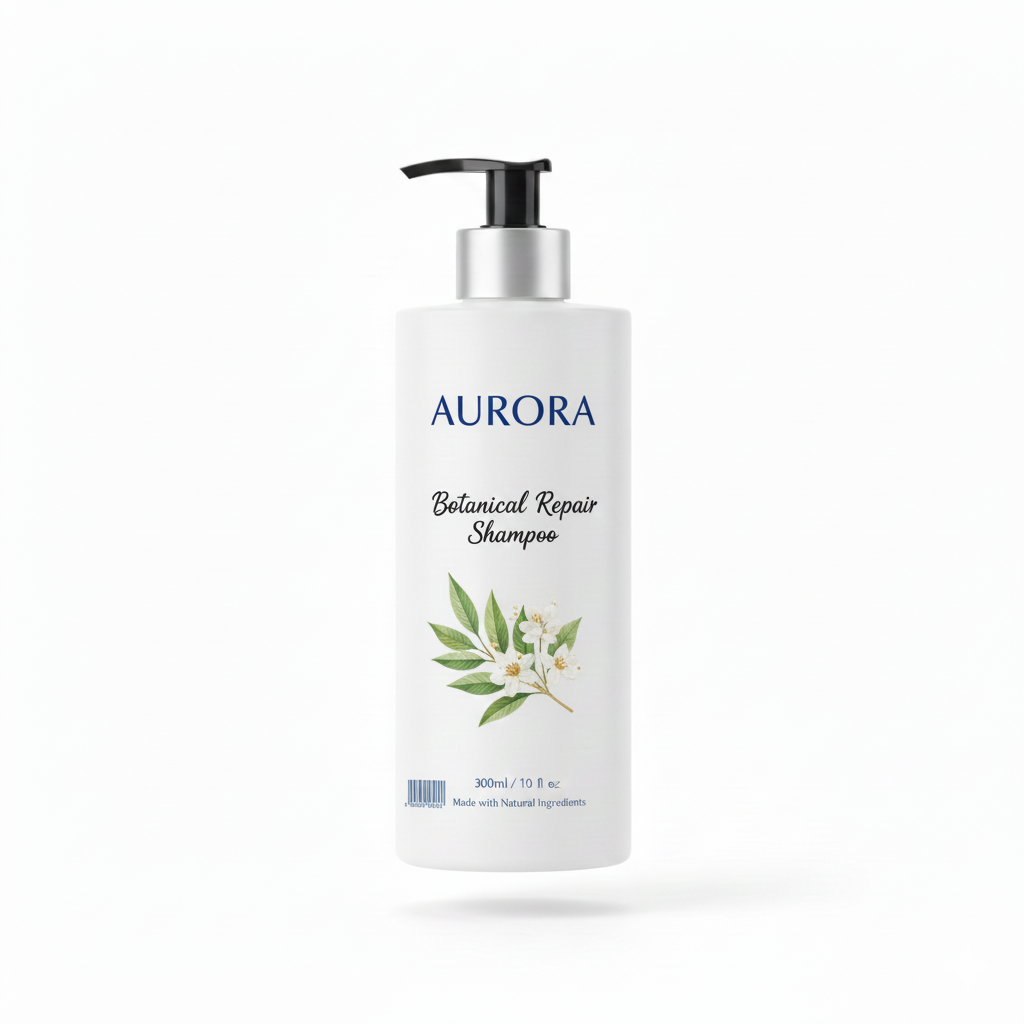
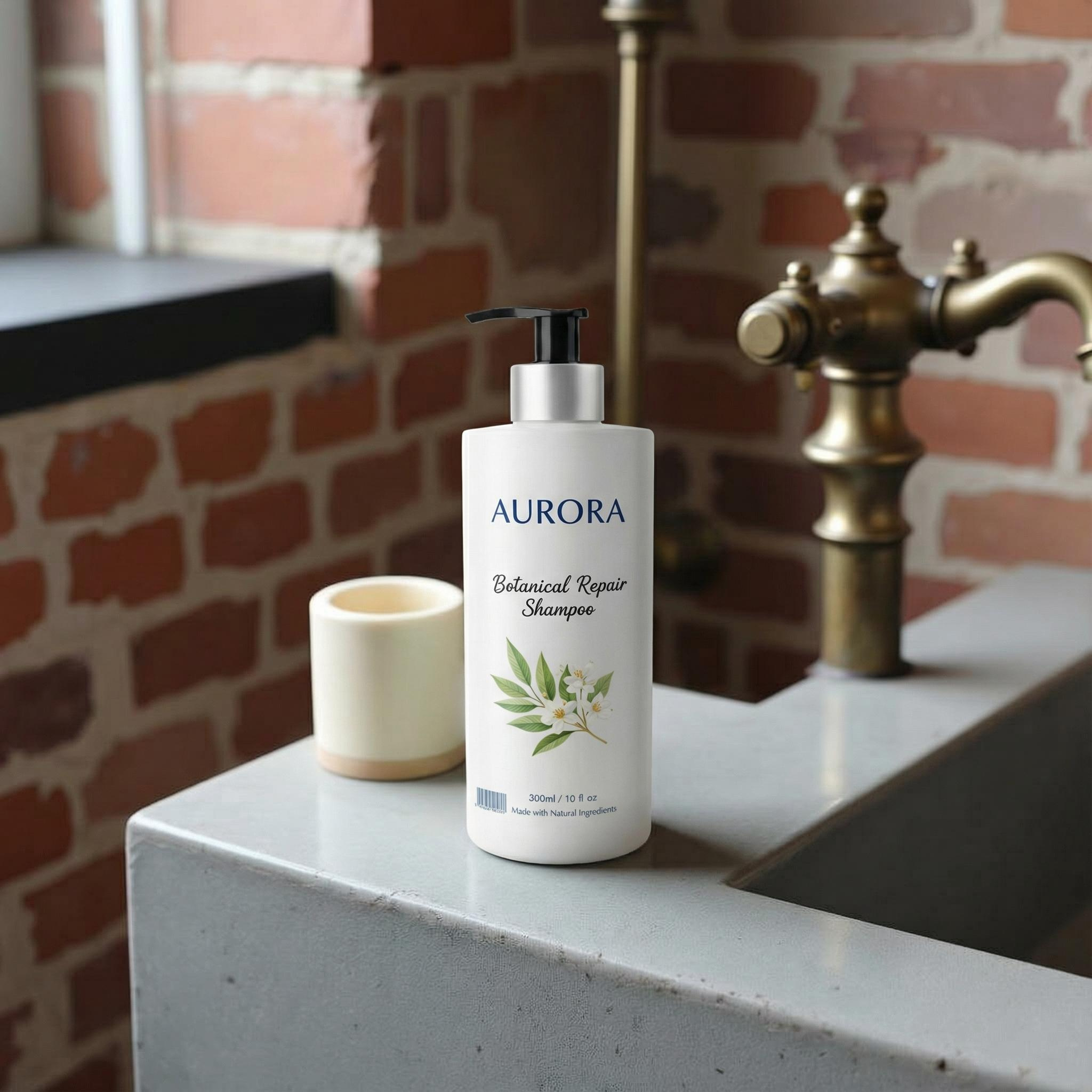
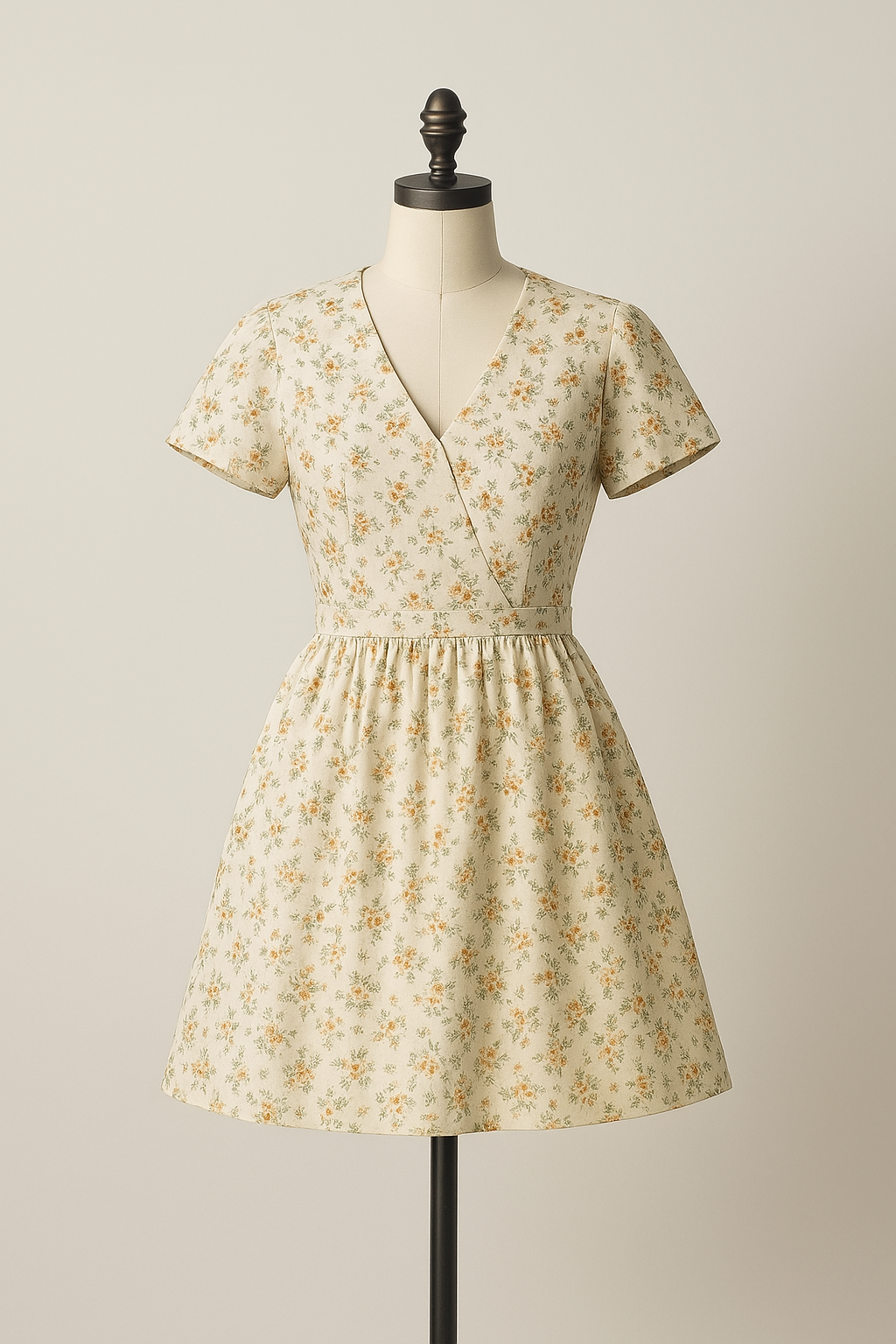
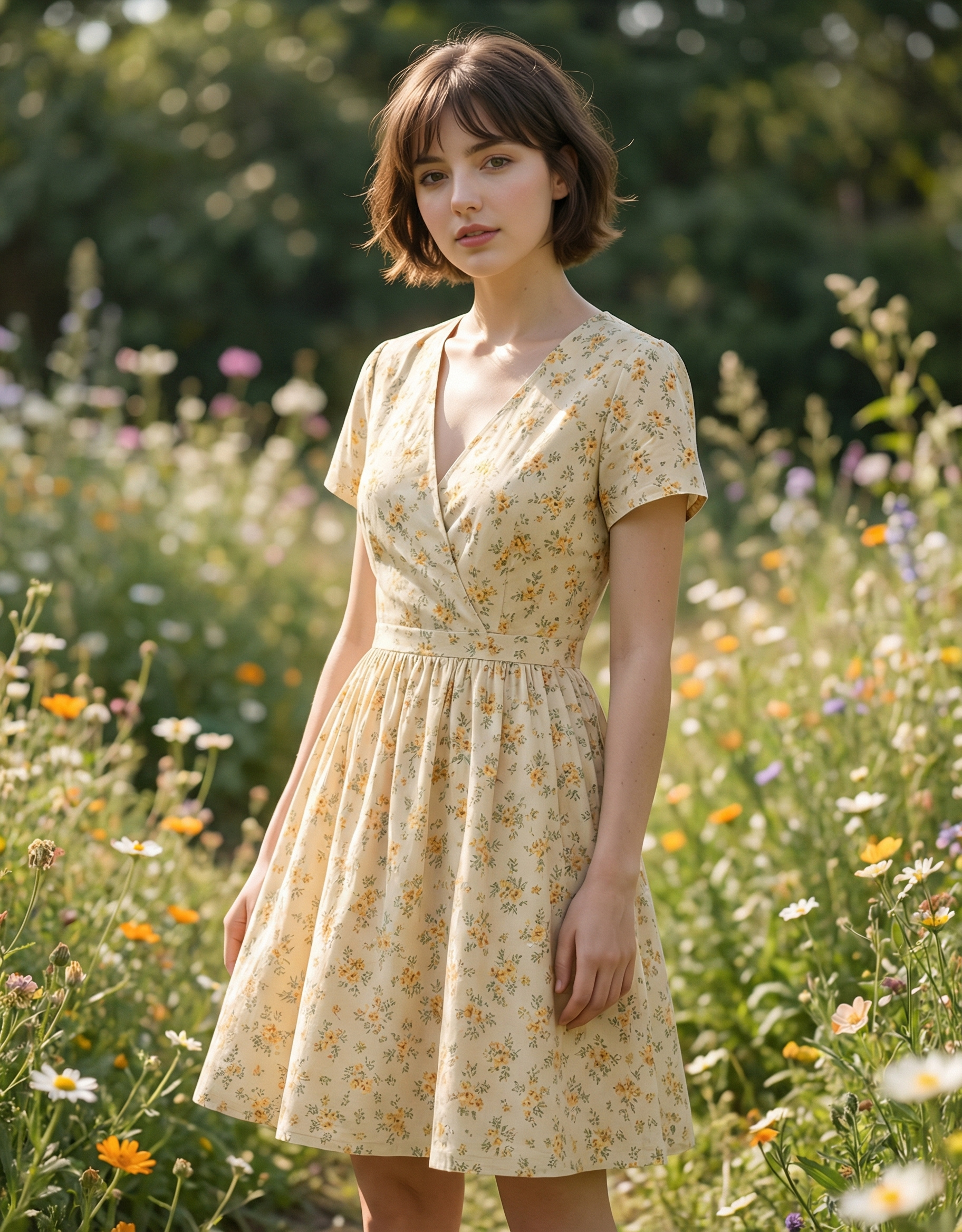
撮影とPhotoshopで時間を浪費するのはやめましょう
これまで、詳細な商品画像を1枚作るには以下の工程が必要でした。
- スタジオレンタル & 機材セッティング
- モデルのキャスティング & メイクアップ
- 撮影(数時間)
- レタッチ & 色補正
ドラップアートを使えば、これが数分で終わります。AIミックスがシーンを作り、AI人物がモデル役を務めます。ビジネスオーナーであるあなたは、ブランドに合った「バイブス(雰囲気)」を選ぶだけでいいのです。




高転換率のページは、優れたビジュアルから始まる
結局のところ、オンライン販売は**「視覚的な説得」**の戦いです。顧客のかゆいところに手が届く1枚の画像は、1000文字の説明文よりも価値があります。しかし、企画・撮影・編集をすべて一人でやるのは不可能です。
複雑な制作作業はAIに任せましょう。ドラップアートをあなたのプロフェッショナルな撮影パートナーにして、あなたは優れた商品のソーシング(仕入れ)やマーケティング戦略の立案に集中してください。複雑なプロンプトエンジニアリングを勉強する代わりに、今すぐドラップアートでもう5枚、高品質な商品画像を作ってみませんか?

