

목차
要約
- HeyGen(ヘイジェン)は、AIアバターでテキストを動画に変換する動画制作AIツールで、2025年G2で最も急成長した製品1位に選ばれました。
- 無料プランで毎月3本の動画生成が可能で、Creatorプランは月額24ドルから始まり、無制限の1080p動画を作成できます。
- 100種類以上のAIアバター、175言語翻訳、自動リップシンク機能でグローバルコンテンツ制作が可能です。
- 人物の音声が不要な商品動画は、ドラップアートのAI人物機能でより速く安価に制作できるため、EC向けに効果的です。

最近、AI動画制作市場が急速に成長し、動画を作ってくれるAIツールが次々と登場しています。その中でもHeyGen(ヘイジェン)は、AIアバターベースの動画制作AIサイトとして特に注目されています。今日はHeyGenのすべてを徹底解説します!
あ、動画も重要ですが、オンラインビジネスをしているなら静止画像も必須ですよね?特にモデル写真が必要な時は、ドラップアートを活用してみてください。ドラップアートはAIベースの商品&モデル画像生成サービスで、プロのスタジオ撮影と比べて90%以上のコストを削減しながら、高品質なモデル画像を作成できます。著作権フリー素材サイトのように著作権フリーの背景を提供し、AIミックス機能でモデルが商品を着用した画像を30秒で制作できます。そして、ドラップアートで作った画像は動画にも変換できるので、静止画像と動画の両方を活用できます!

1. HeyGen(ヘイジェン)とは?AIアバターで作る動画制作AI
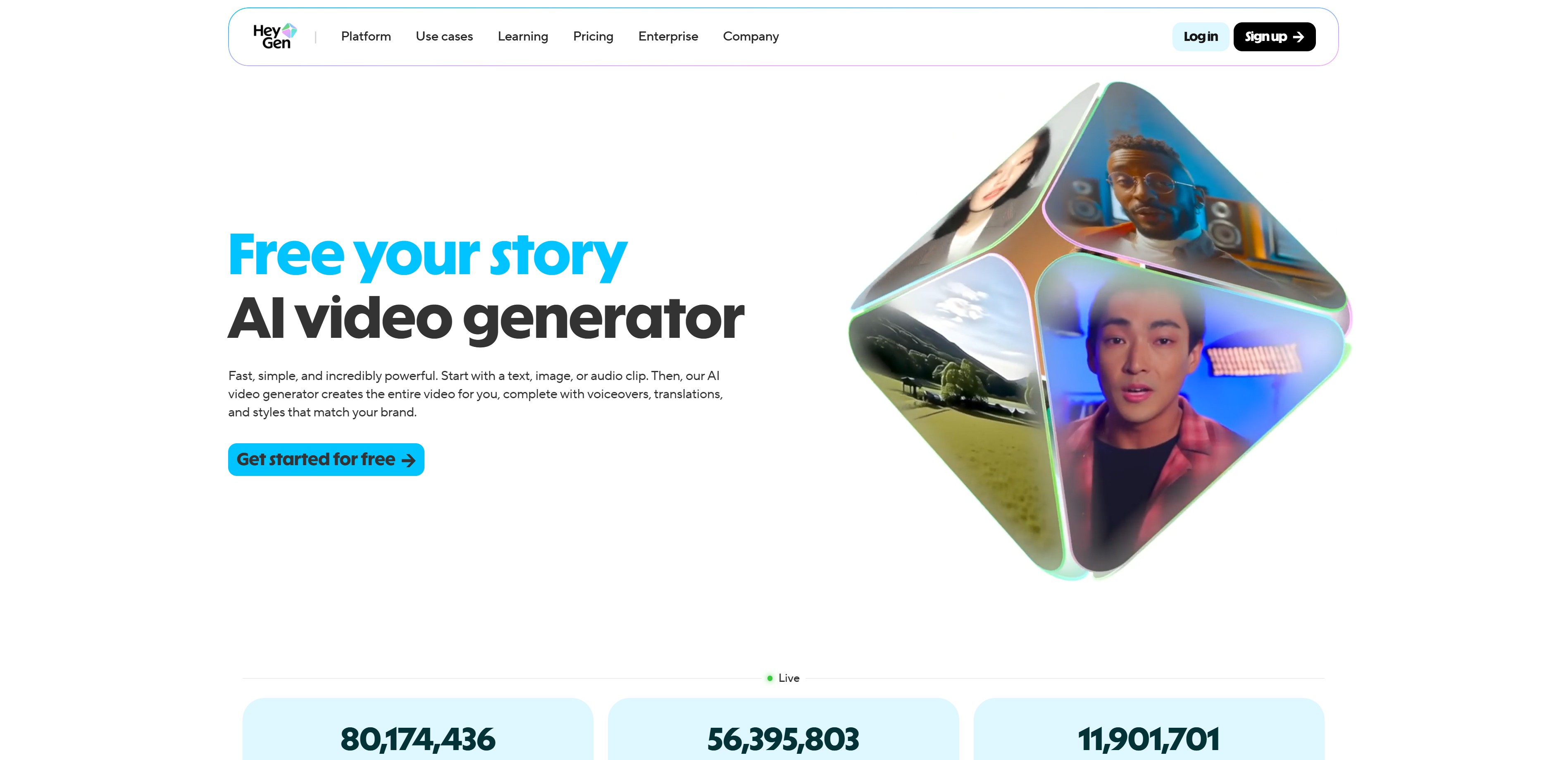
HeyGenは、テキストを入力するだけでAIアバターが自然に話す動画を作ってくれるAI動画制作サイトです。2025年G2で最も急成長した製品1位に選ばれ、現在世界中で85,000社以上が利用しています。
HeyGen主要機能
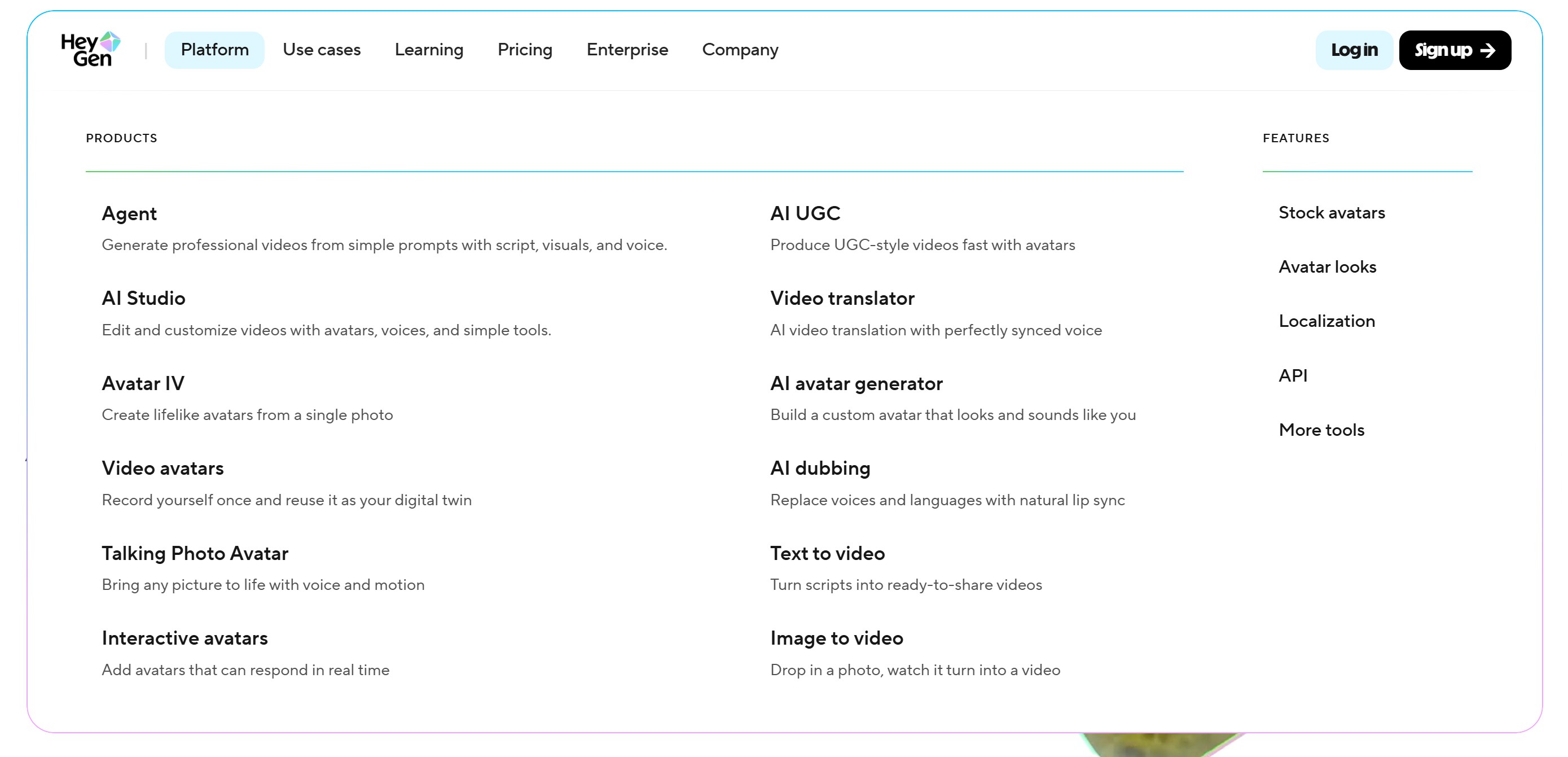
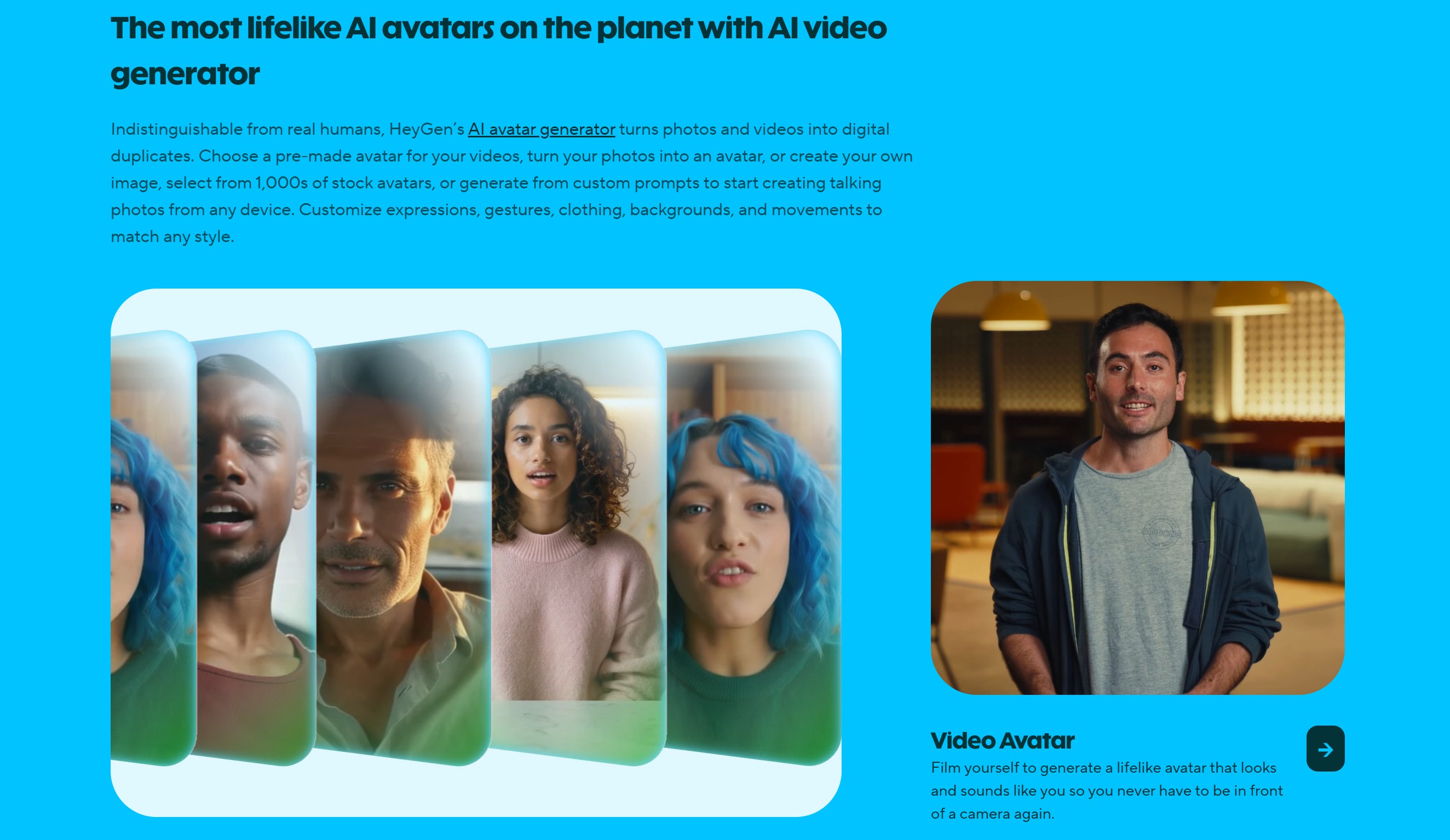
- AIアバター動画生成: 100種類以上の多様なアバターと300種類以上の音声を選択可能
- 175言語翻訳: 一度に多言語動画制作が可能
- 自動リップシンク: 口の動きがセリフと完璧に同期
- カスタムアバター: 自分の顔と音声でオリジナルアバターを制作
Veo 3、Sora 2と比較したHeyGenの強みは?
Veo 3やSora 2が一般的なAI動画制作に特化しているのに対し、HeyGenはAIアバターベースのコンテンツに集中しています。特に教育動画、商品説明動画、マーケティングコンテンツのように人が直接説明する必要がある動画を作る時、HeyGenがはるかに効率的です。カメラの前に立たなくても、プロフェッショナルなプレゼンテーション動画を作れることが最大の強みです!
2. HeyGen料金とプランは?
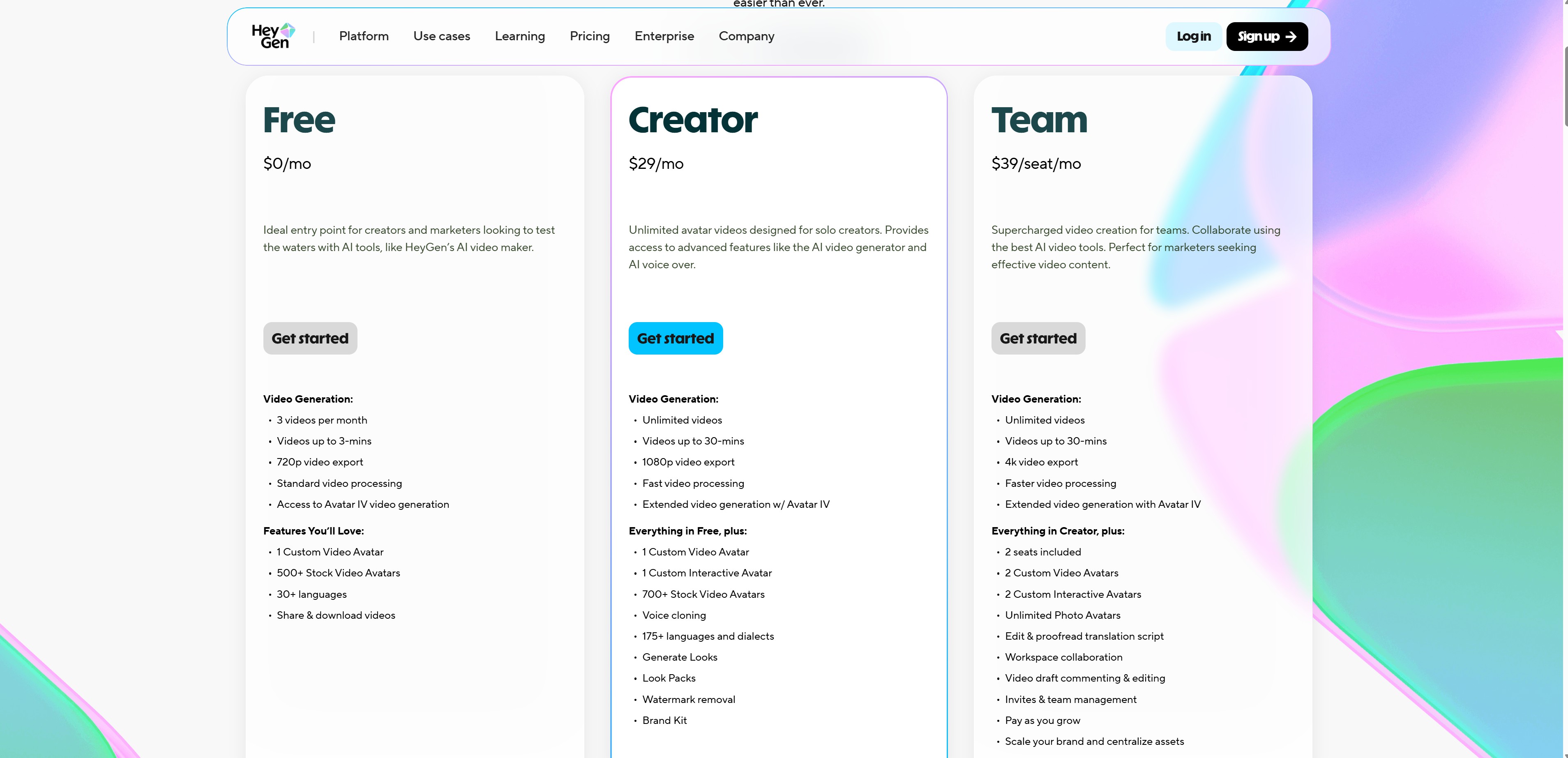
AI動画制作サイトHeyGenの料金は無料から始まり、使用量に応じて選べます。無料AI動画制作サイトとして始めてみて、必要ならアップグレードする方式です!詳細はHeyGen料金ページで確認してください!
無料プラン
- 月額0円
- 毎月3本の動画生成(各3分まで)
- 720p解像度
- 透かし入り
- 500種類以上のストックビデオアバター使用可能
Creatorプラン
- 月額29ドル
- 無制限1080p動画生成
- 最大30分の動画
- 透かし削除
- 700種類以上のストックビデオアバター使用可能
- カスタムアバター1つ制作可能
Teamプラン
- 月額39ドル
- 2アカウントから開始
- Creatorプランのすべての機能
- チーム協業機能
- 4K動画エクスポート
- 2つのカスタムアバター
Enterpriseプラン
- カスタム見積もり(営業チームに問い合わせ)
- 無制限動画生成
- 4K解像度
- 優先カスタマーサポート
- 専任カスタマーサクセスマネージャー
初めて始めるなら無料プランでテストしてみて、本格的に使うなら年間Creatorプランをおすすめします。月額24ドルで無制限に動画を作れるのでコスパが良いです!
3. HeyGen使い方完全ガイド
AI動画制作サービスHeyGenの使い方は本当に簡単です。動画制作AIが初めてでも5分で最初の動画を作れます!まずHeyGenウェブサイトにアクセスして会員登録します。Google、Apple、SSO連携ログインもサポートしています。
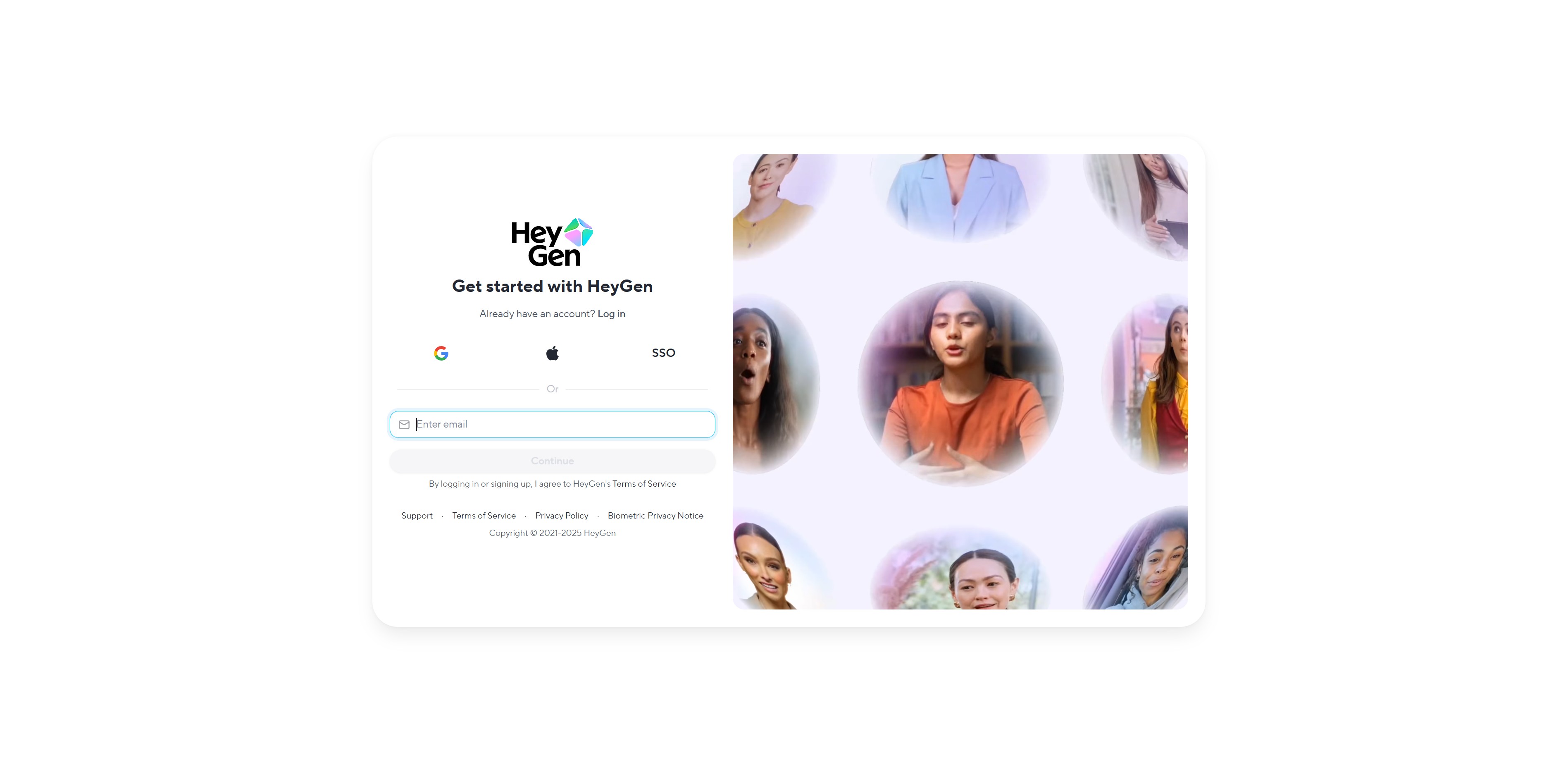
HeyGen(ヘイジェン)でアバター動画を作る
本文では「英語」で動画を作りましたが、「日本語」動画も自然に作ってくれます!
1. 「Create Video」ボタンをクリック、Video agent、Create in AI studio、Use a templateなど動画生成方法を選択
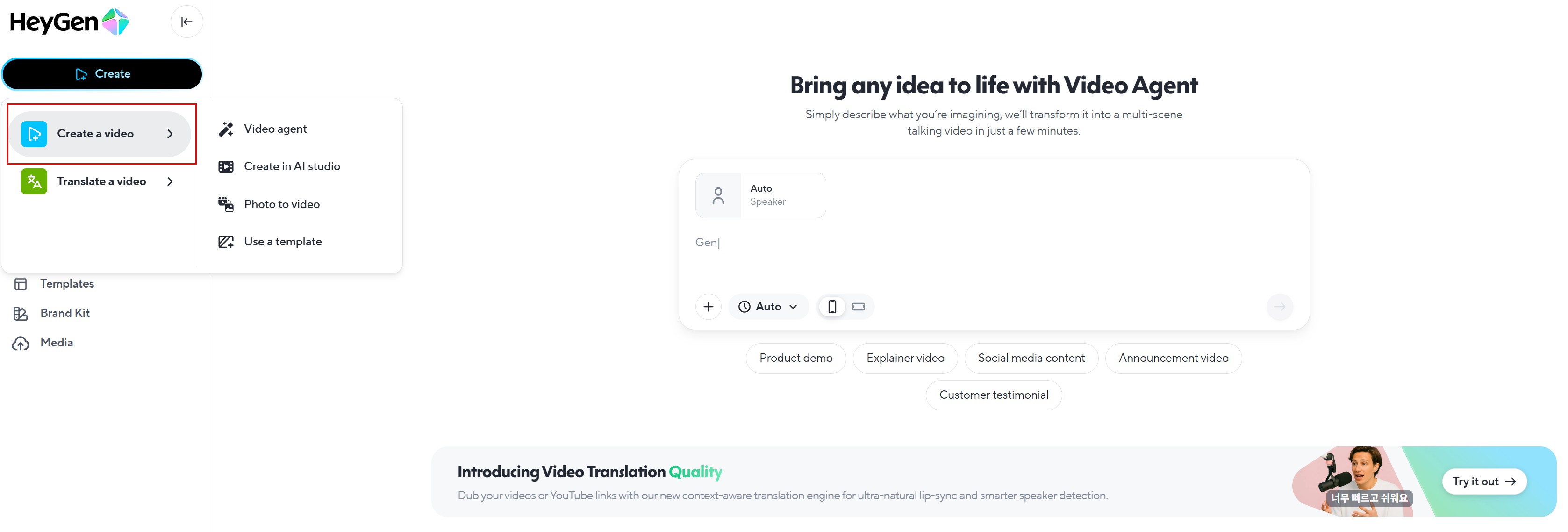
2. Create in AI studio(基本提供AIアバターで制作)を選択
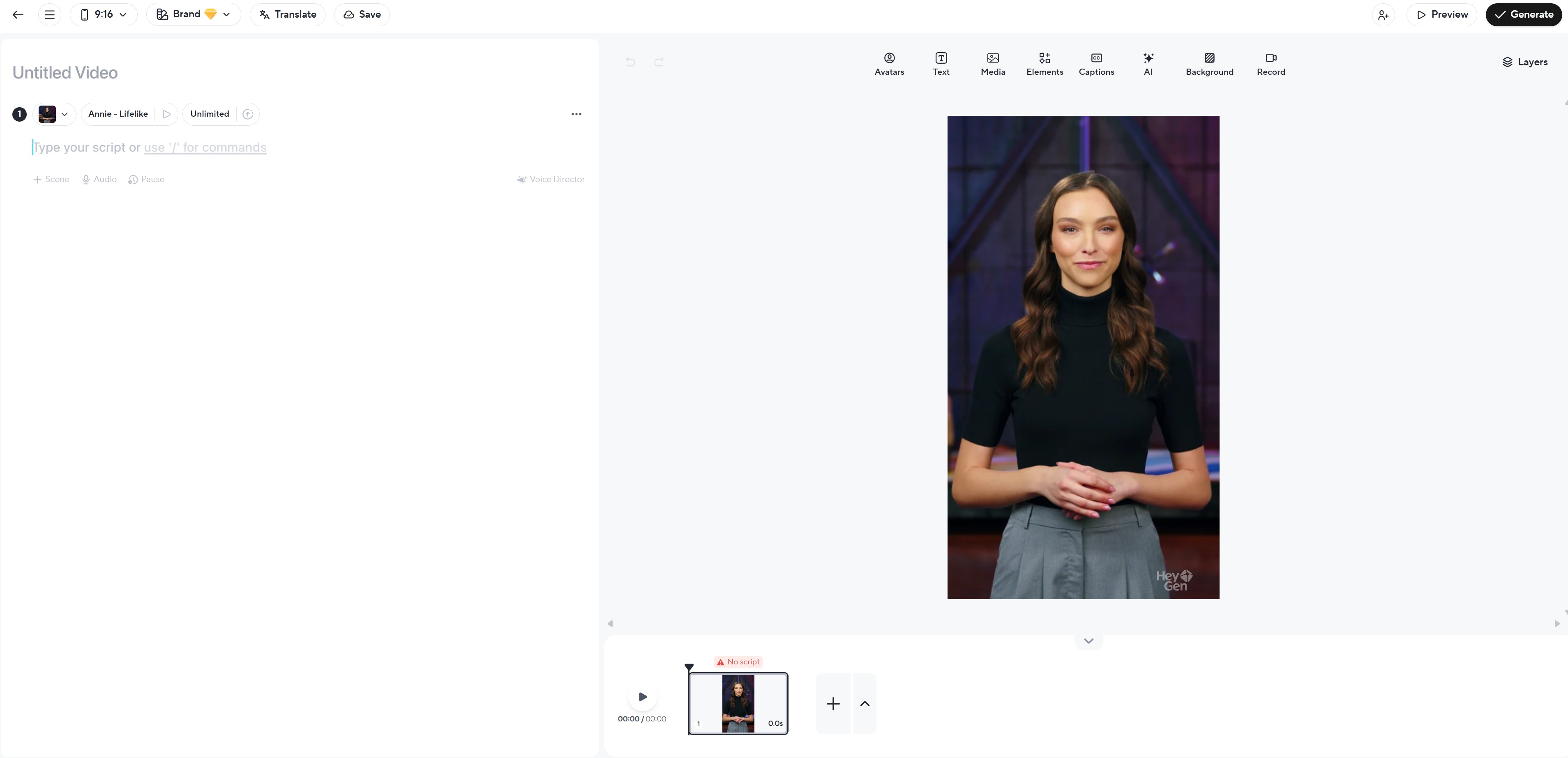
3. 希望のAIアバターを選択
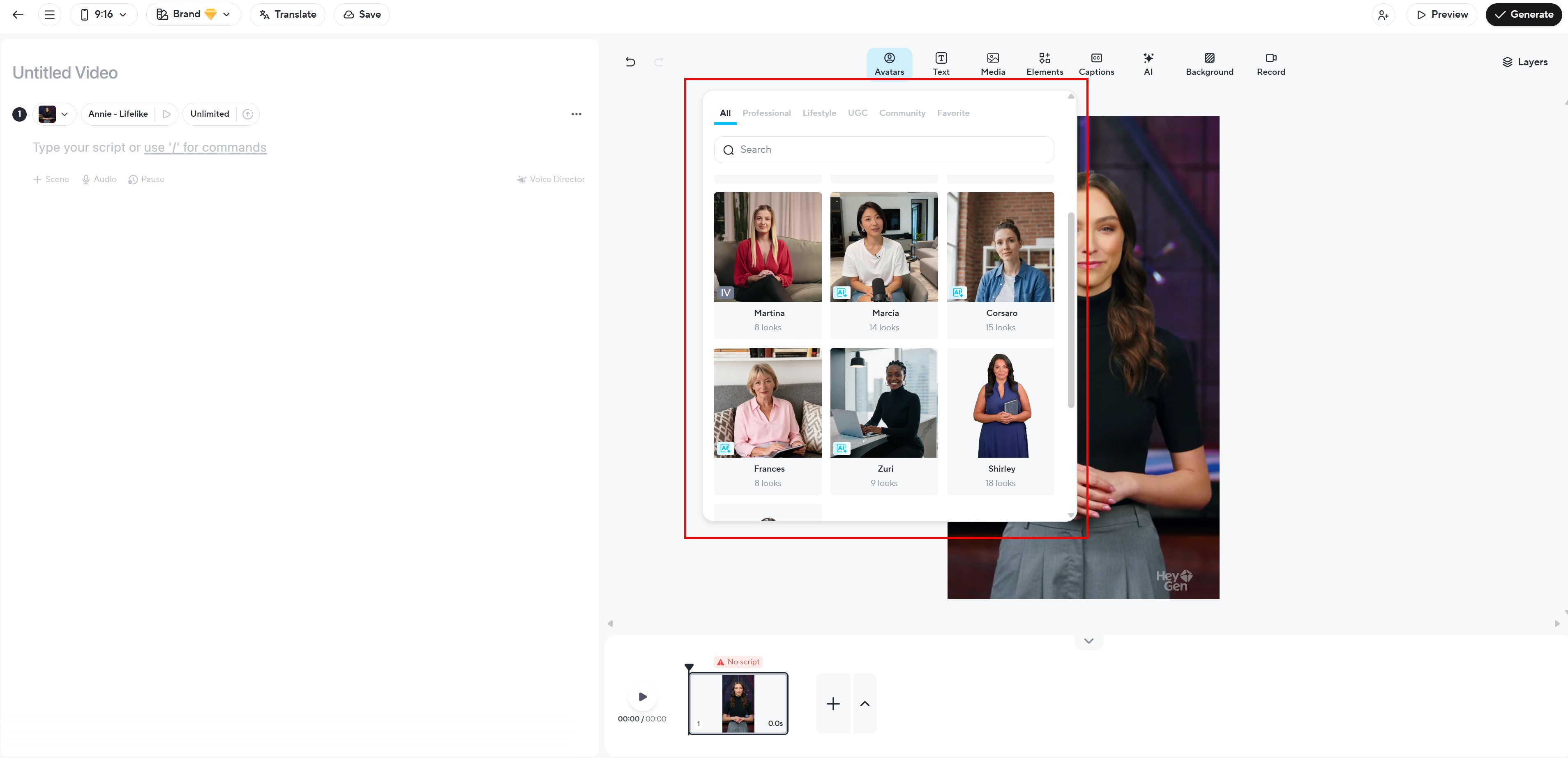
4. スクリプトを入力(テキストで作成)
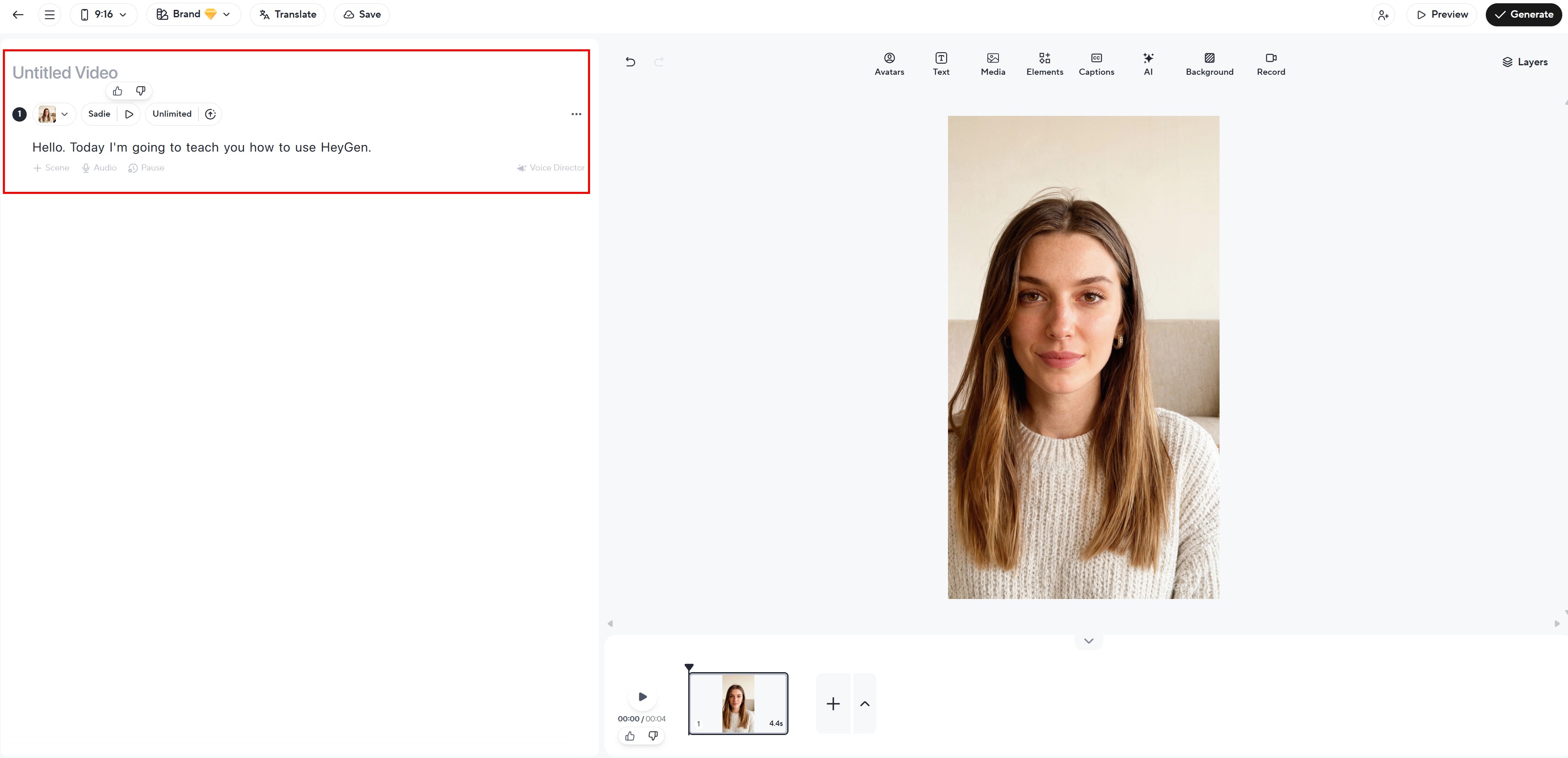
5. 音声を選択(40言語以上、300種類以上の音声)
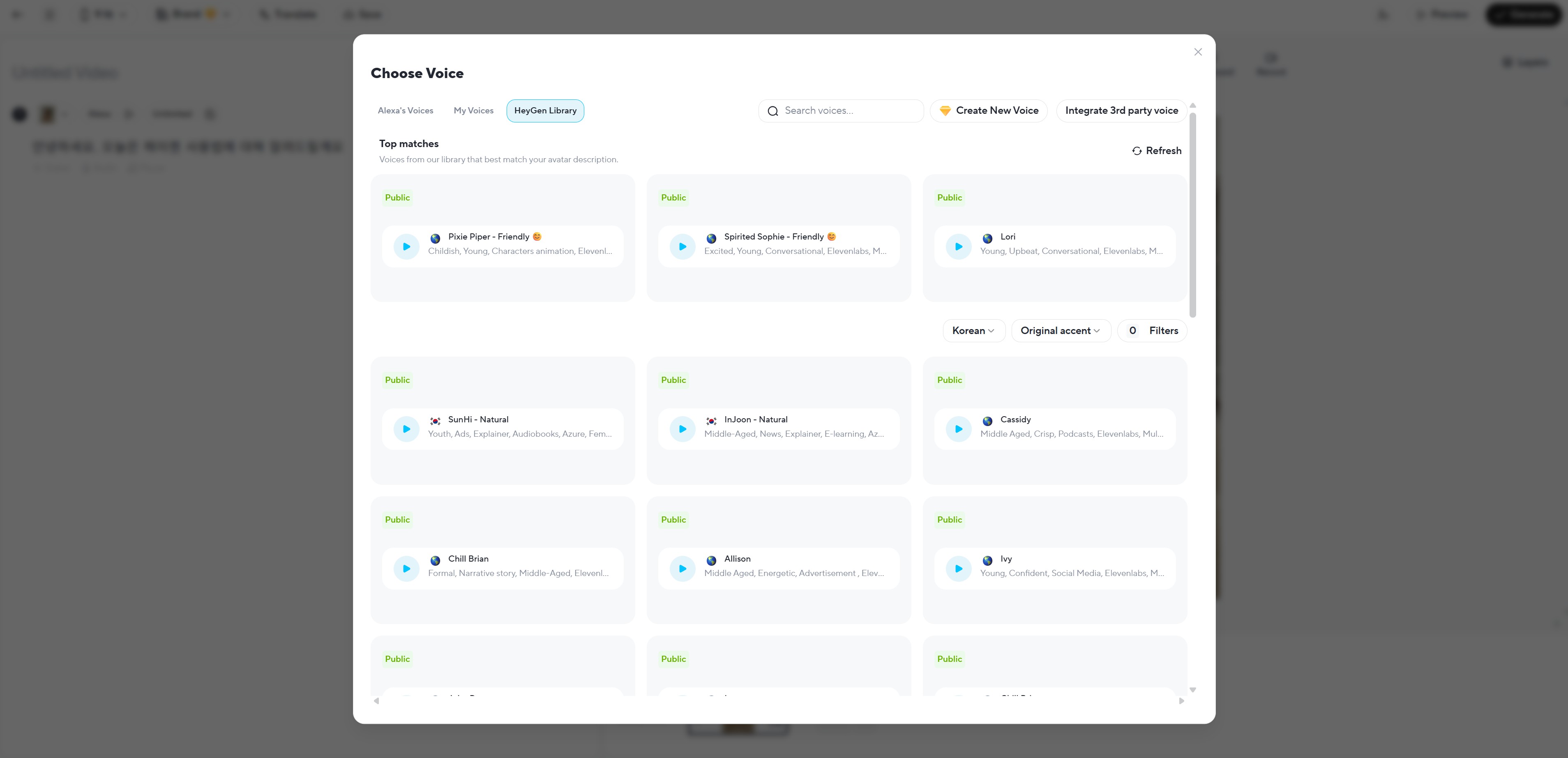
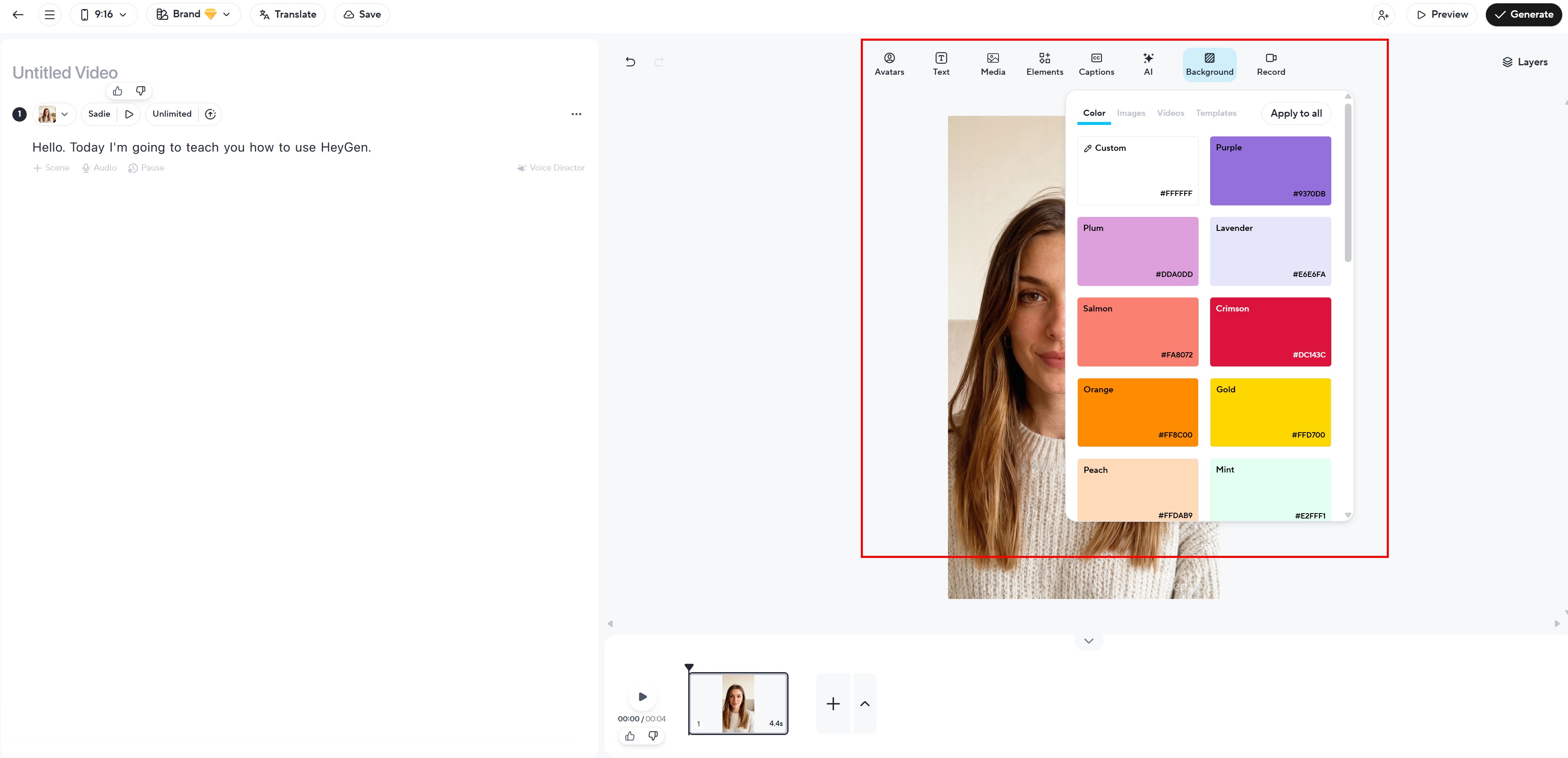
6. 動画編集(テキスト追加、メディア追加、キャプション追加、背景変更など)
7. 「Generate」ボタンをクリック! 約2〜3分後に動画が完成します。本当に簡単ですよね?この他にもカスタムアバターを作ったり、グローバルコンテンツ制作のために韓国語動画を英語、日本語、中国語で一度に作れる機能も提供しています!
동영상 서비스가 종료되어 해당 콘텐츠를 재생할 수 없습니다.
4. HeyGen活用分野は?
HeyGenはAI動画制作ツールとして様々な分野で活用できます。
マーケティング&広告
- 商品紹介動画
- ブランドPR動画
- SNSショート動画コンテンツ
- 広告キャンペーン動画
教育&eラーニング
- オンライン講座制作
- チュートリアル動画
- 社内教育資料
- 社内お知らせ伝達

コマース&EC
- 商品詳細説明動画
- 顧客対応FAQ動画
- 多言語商品紹介
- ライブコマース用コンテンツ
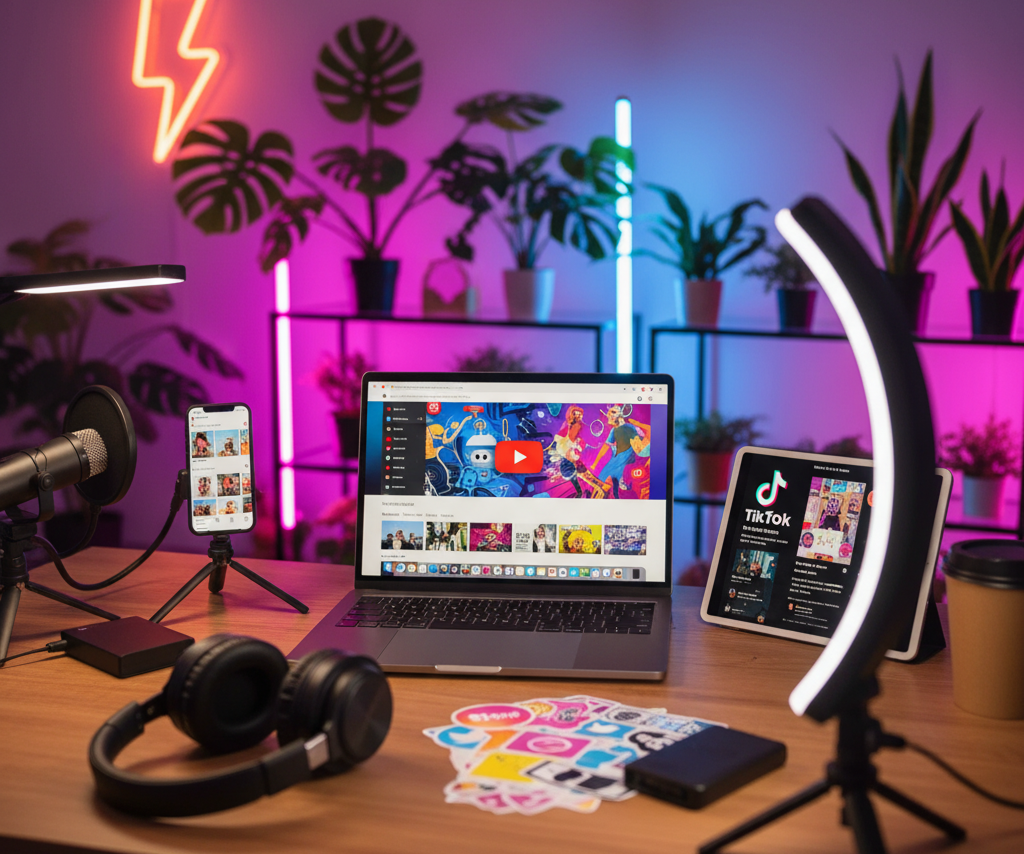
コンテンツクリエイター
- YouTube動画制作
- Instagramリール
- TikTokコンテンツ
- ブログ用動画
5. HeyGen AIスクリプト作成のコツ
動画を作ってくれるAIヘイジェンをうまく活用するには、スクリプトをうまく書く必要があります。以下のガイドに従ってみてください。
効果的なスクリプト作成のポイント
- 明確で簡潔に: 1文は20語以内で作成
- 自然な話し言葉: 書き言葉より話し言葉で作成
- 適切な句読点: 息継ぎのための句読点を追加
- 感情表現を含める: (笑顔で)、(真剣に)のような指示語を追加
スクリプト例
- 悪い例: 「本製品は最新技術を適用した画期的なソリューションとしてお客様に最高の価値を提供します。」
- 良い例: 「この商品は最新AI技術で作られました。(笑顔)皆さんの日常をもっと便利にしてくれますよ!」
6. 話す動画が不要なら?ドラップアートでもっと簡単に!
HeyGenはAIアバターが話す動画を作るのに最高です。でも、すべての動画に話すモデルが必要なわけではありません。特にECや商品マーケティングでは、モデルが商品を着用したり使ったりする様子だけを見せる簡単な動画の方が効果的な場合が多いです。こんな時は、ドラップアートのAI人物機能を活用したAI動画制作がはるかに効率的です!
HeyGenを使うべき時:
- 商品を詳しく説明する必要がある時
- 教育コンテンツやチュートリアル動画
- ブランドストーリーを伝える必要がある時
- 多言語で同じ内容を説明する必要がある時
ドラップアートを使うべき時:
- 商品の着用/使用シーンを見せるだけでいい時
- SNSショート動画コンテンツ(Instagramリール、TikTok)
- 商品詳細ページのサムネイル動画
- 大量の商品動画が早急に必要な時
ドラップアートの強み
- より速い制作スピード: HeyGenはスクリプト作成が必要、ドラップアートはモデル画像生成後、プロンプト入力で生成するだけ
- 低コスト: プロのスタジオ撮影と比べて90%以上のコスト削減
- EC特化: 商品着用/使用動画に最適化
- 説明不要: 音声や字幕なしでビジュアルだけで訴求

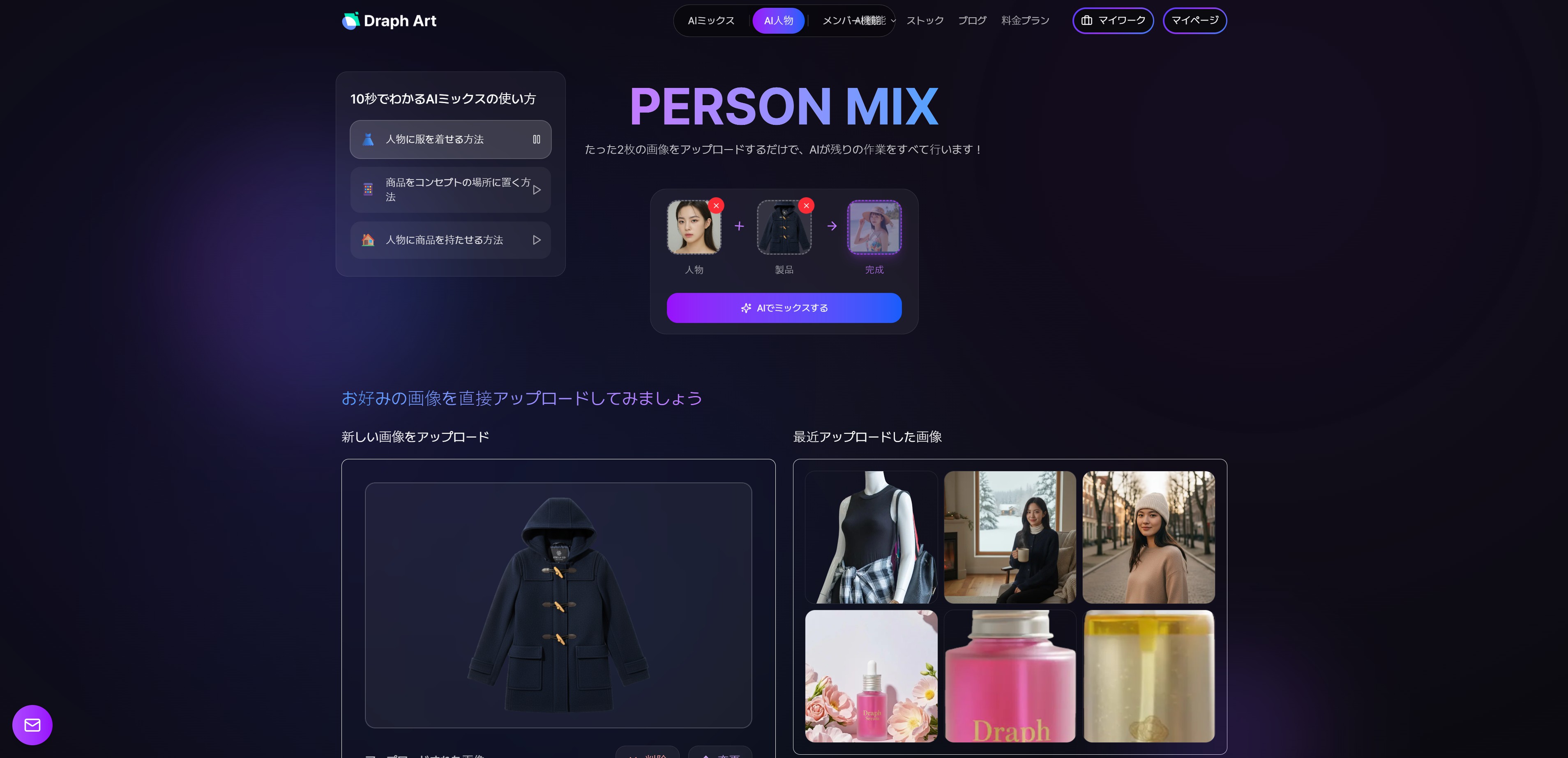
ドラップアートで商品モデル広告動画を作る(3分で完成!)
レディース冬用コートを販売すると仮定して、モデル着用動画を作ってみます。
Step 1: モデル画像を作る
1. ドラップアートで[AI人物でスタート] - [人物ショットを作成]メニューに移動

2. 希望のAI人物を選択
- 様々な性別、年齢、国籍のモデルを提供
- 商品ターゲットに合ったモデルを選択可能

3. 販売する衣類商品画像をアップロード後、[AIで合成する]ボタンをクリック
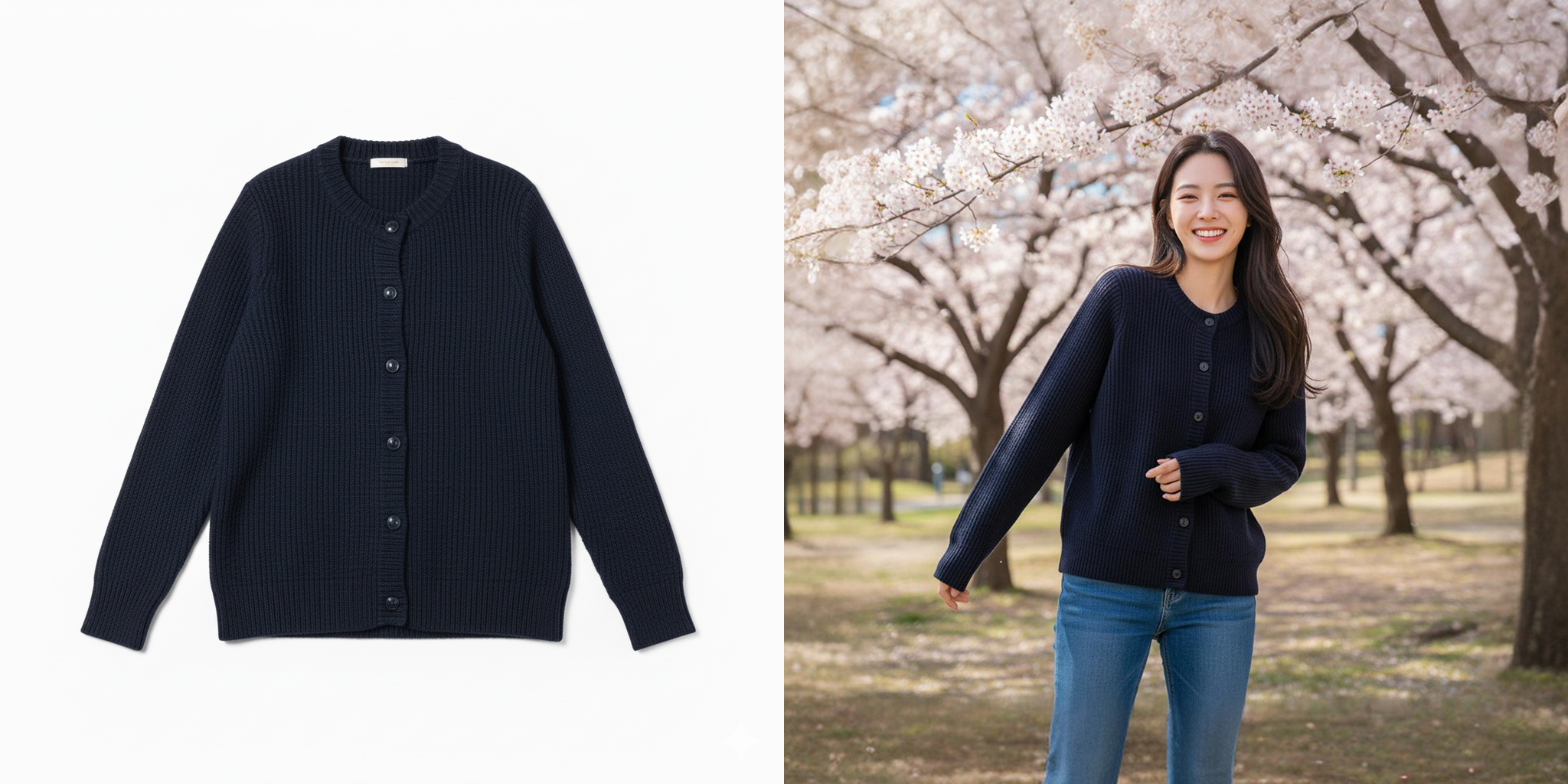
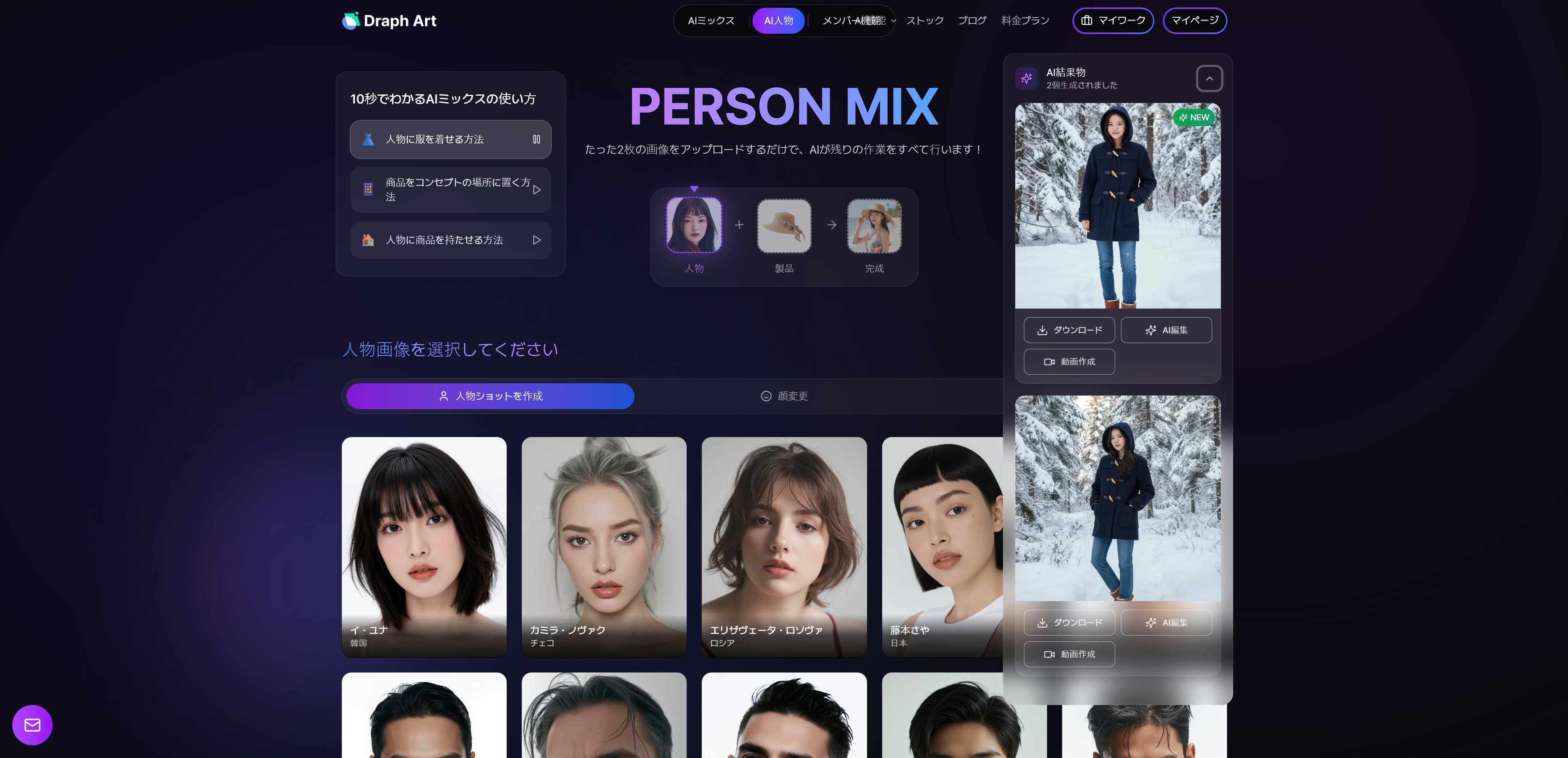
4. 高品質モデル着用画像が完成!合計2枚が生成されます!

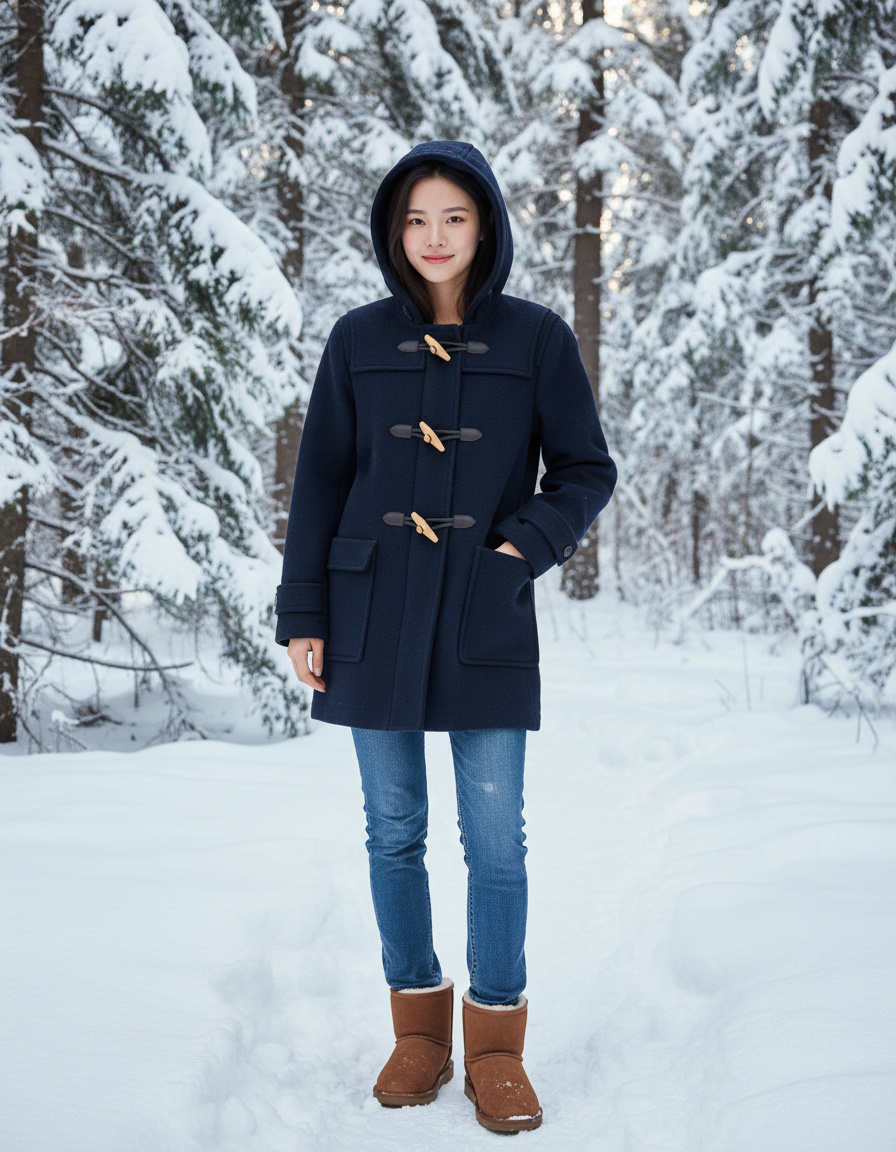
ドラップアートのAIは、モデルのポーズを商品に合わせて自動調整し、衣類がモデルの体に自然にフィットするように合成します。同時に照明や影も自動補正して、実際のスタジオで撮影したような完成度の高い画像を作ります。
Step 2: モデル画像を動画に変換する
1. 完成した画像の下部にある[動画生成]ボタンをクリック
2. 簡単なAI動画制作プロンプトを入力
- 「モデルが笑顔でゆっくり体を回す様子」
- 「モデルが商品に触れながらカメラを見つめる様子」
- 「モデルが自然に歩いてくる様子」
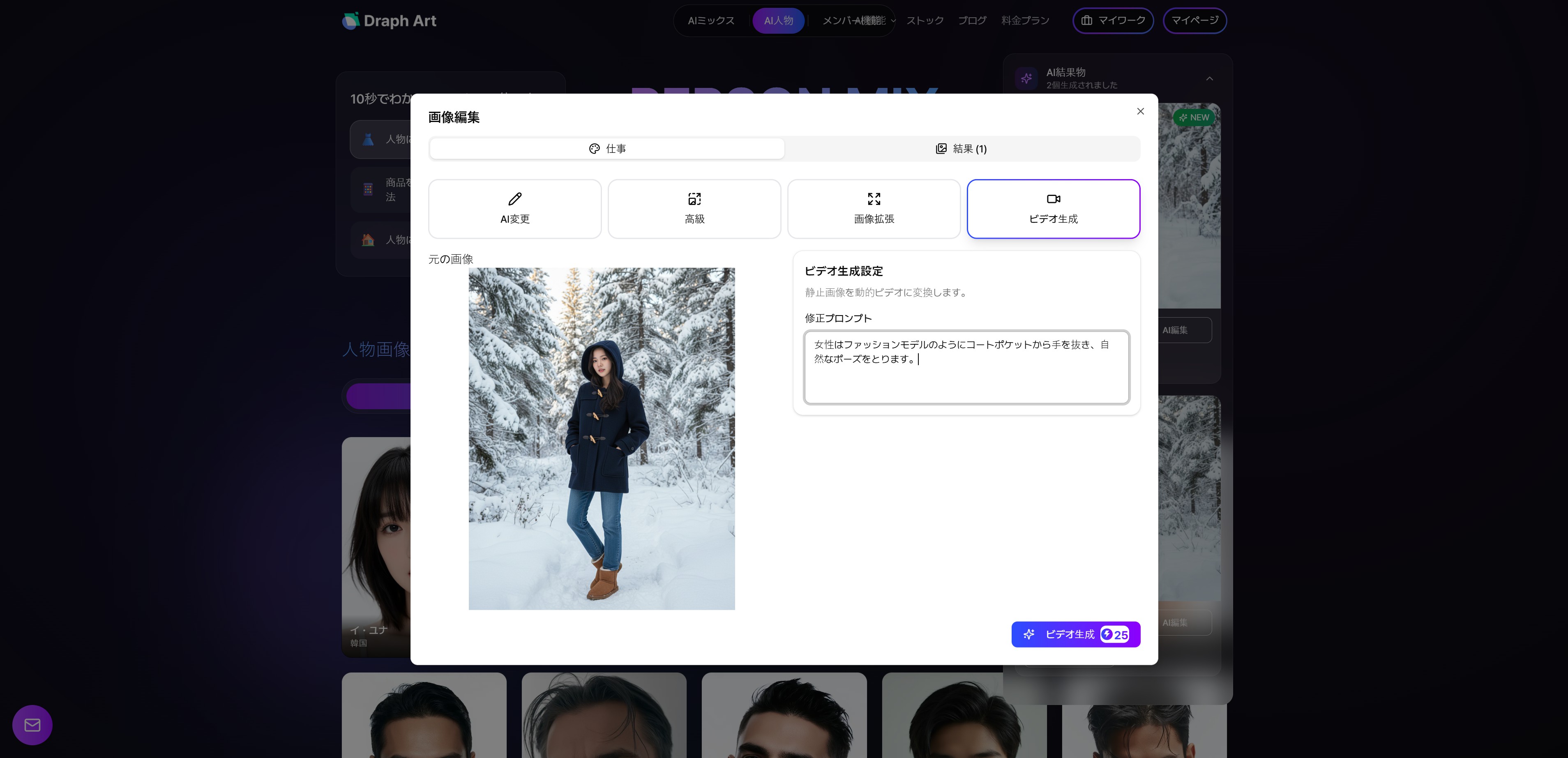
3. 動画生成をクリック。高品質モデル広告動画が完成!
동영상 서비스가 종료되어 해당 콘텐츠를 재생할 수 없습니다.
HeyGenとドラップアート、用途に合わせて選んでください!
HeyGenとドラップアートは競合関係ではなく、相互補完関係です。
- 動画内で詳細な商品説明が必要なら → HeyGenでAIアバター説明動画
- 商品ビジュアルだけを見せればいいなら → ドラップアートでモデル着用動画
特にオンラインショップを運営しているなら、ドラップアートですべての商品の基本動画を作り、主力商品や新商品にだけHeyGenで人物が登場してホームショッピングのように詳細説明動画を追加する戦略をおすすめします。こうすればコストパフォーマンスが最も高くなります!

.png&w=1920&q=75)