
목차
- Why is it so hard to make product detail pages with traditional design tools?
- How is Draph Art different from traditional design tools?
- The 4-Step Draph Art Process: Build Product Pages Without Design Skills
- Is the AI Product Page Quality Actually Good?
- Why Sellers Choose Draph Art: Cost Savings and Marketing Efficiency
- Draph Art AI Product Detail Page FAQ
- Key Takeaways
Do you feel stuck every time you try to create a product detail page with Canva or MiriCanvas? Scrolling through countless templates to find the perfect one for your product, and then wasting hours manually dragging and dropping elements... that way of working is quickly becoming a thing of the past. You don't need to be a design pro to build a great product page anymore. With the AI solution 'Draph Art', even beginner sellers can go from basic planning to expert-level designs in no time, without any steep learning curves. If you're a seller who is completely burned out by complicated design tools, this post will show you how to automate your product detail page creation with AI.
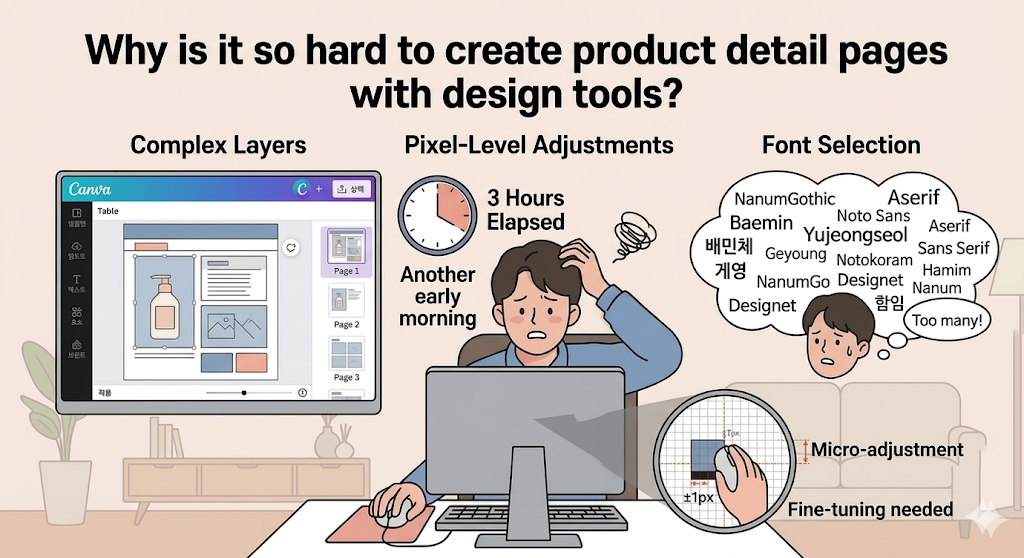
Why is it so hard to make product detail pages with traditional design tools?
The root of the problem is that traditional design tools demand high-level design skills and tedious manual placement. Most sellers hit a wall right at the beginning—just trying to pick a template. Tweaking that template usually turns into an exhausting process of trying to force your unique product into a rigid, pre-made box. If you're spending over 3 hours a day just clicking your mouse and arranging elements, that time itself is a massive opportunity cost for your business.

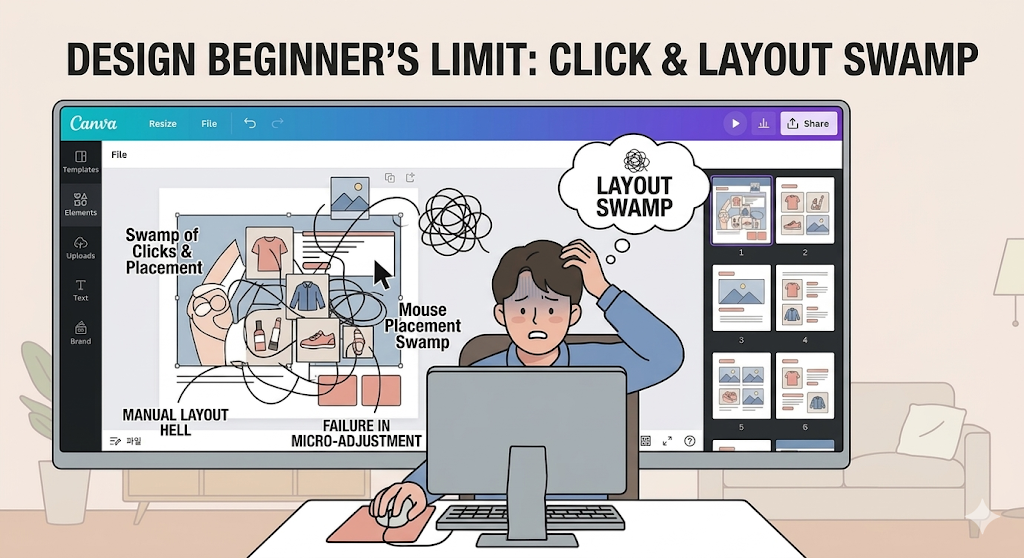
The Beginner's Limit: The Trap of Clicking and Dragging
For beginner sellers who aren't used to design tools, pixel-perfect adjustments and building layouts from scratch are huge barriers. You end up wasting so much time just cropping and pasting images to get the exact vibe you're looking for.

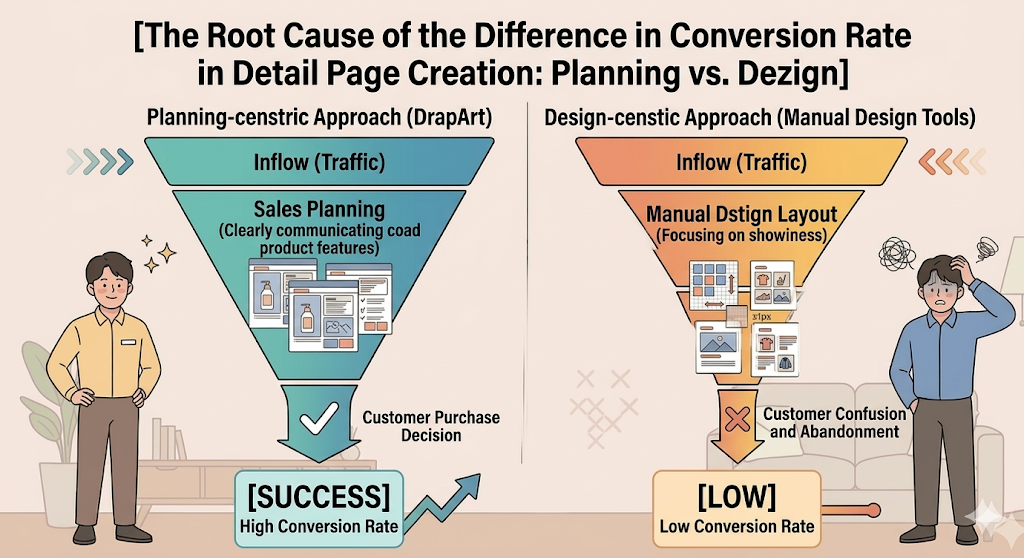
Product Page Creation: Why is the conversion rate so low compared to the time spent?
A flashy design doesn't automatically mean people will buy. The real key to conversion is how clearly you communicate your product's core features to your customers. But when you're entirely focused on figuring out how to use a design tool, the most important part—your 'sales strategy'—takes a back seat. You end up with a page that looks pretty, but completely misses the mark on actual sales.

How is Draph Art different from traditional design tools?
Draph Art isn't just a simple design tool. It's an e-commerce-specific engine where AI handles the planning, copywriting, and even generating the promotional images. The biggest difference is that this AI, which has learned from massive amounts of product data, structures your page in a flow designed to drive 'conversions'—all just from entering your basic product info. According to our user surveys, it cuts down product page creation time by over 70% compared to traditional tools.

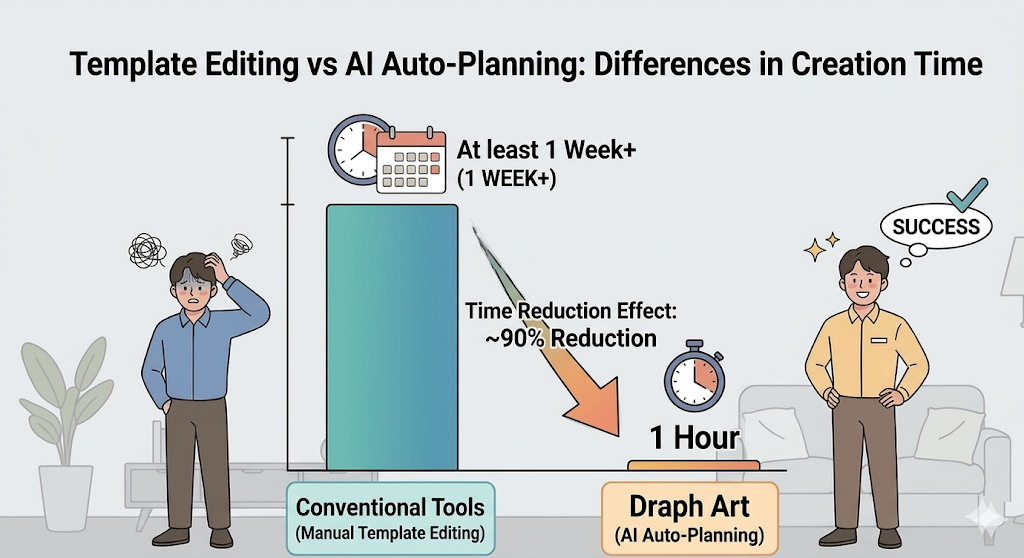
Tweaking Templates vs. AI Automated Planning: The Difference in Time
Before, you'd spend hours searching for and editing templates. Now, by using Draph Art's AI product page feature, you get a full draft generated just by entering your product info. That’s the real difference between simply picking a template and having AI plan out your page based on actual sales data.

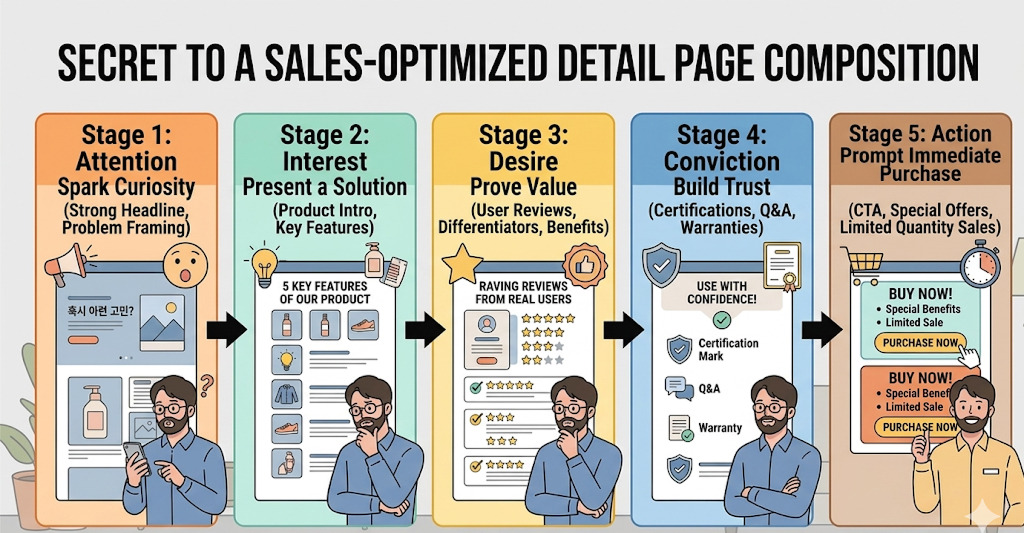
The Secret to a Sales-Optimized Product Page Structure
If you're a seller and not a professional designer, what you really need isn't better tool skills—it's a smart assistant that helps you plan how to show off your product. Draph Art's AI is built to maximize your core selling points, giving you a layout that is perfectly optimized for the journey customers take before making a purchase decision.

The 4-Step Draph Art Process: Build Product Pages Without Design Skills
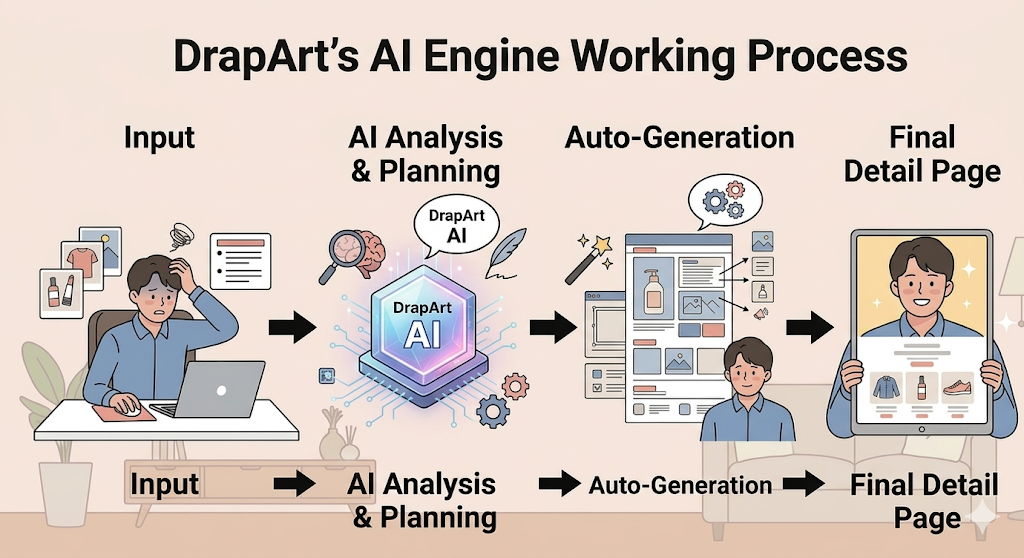
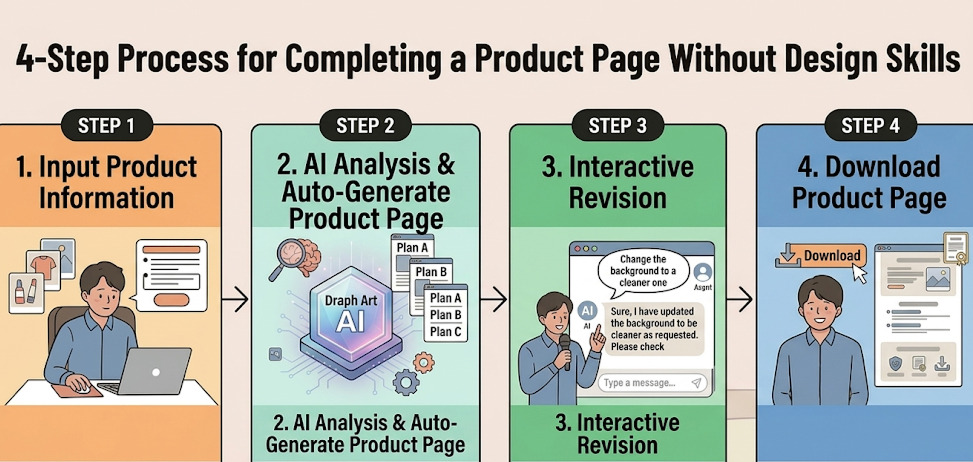
Draph Art's process is incredibly intuitive and requires zero studying. Just upload your product photos and key info, and the AI automatically analyzes your product to generate the best layout and copy. After that, you just use the interactive editing feature for any minor tweaks. Over 70,000 sellers are currently using Draph Art, and the consensus is that the design difficulty is practically zero.

1. Enter Product Info & AI Auto-Generates Layouts
Just upload your product photos and type in a few key features. The AI instantly creates a layout that perfectly matches your product's vibe. You don't need any professional design knowledge for this part at all.
2. Real-Time Interactive Editing with Just a Word
If you aren't completely in love with the generated page, you can easily fix it through an interactive chat interface. Just give a command like "Clean up the background" or "Highlight the feature section," and the AI updates it in real-time. Check out the [Draph Art AI Product Page Interactive Editing Guide] for more details.
Is the AI Product Page Quality Actually Good?
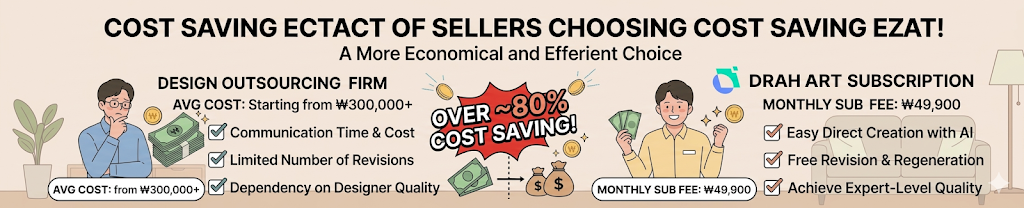
AI-generated product pages go way beyond simple image merging. They use pro studio-level tech for BG Generation (Background Generation) and model synthesis (like Person shot and Face Swap) to deliver stunning, high-quality results. When you compare it to the average cost of hiring a freelancer on design gig sites, a Draph Art subscription is an incredibly economical alternative that can cut your costs by over 80%. Even total beginners use these expert-level results right away.


How to Use Image Regeneration and Editing Features
If the AI-generated image doesn't quite fit your brand identity, you can regenerate it instantly with just a few clicks. This feature drastically cuts down the editing time you'd normally waste on traditional tools. By using the 'regenerate image' feature on your Draph Art AI product page, you can create a truly unique layout that stands out.
Why Sellers Choose Draph Art: Cost Savings and Marketing Efficiency
At the end of the day, a product detail page is a tool designed to sell. Instead of pouring precious time and money into design, sellers are choosing AI to maximize their efficiency. This allows them to redirect those saved resources into real sales strategies, like creating advertising material for Banner Ads or focusing on marketing. Sign up now and use your [25 GBP equivalent credit] to experience generating an AI product detail page for free!

Draph Art AI Product Detail Page FAQ
Q. Is the quality of AI-made product pages low?
A. Not at all! It uses professional studio-level background synthesis technology, which actually helps boost your brand's professional look much more than standard, generic templates.
Q. What's the biggest difference between Canva/MiriCanvas and Draph Art?
A. Instead of a manual drag-and-drop process where you do all the work, Draph Art's AI automatically handles everything from the initial planning to the final design based purely on your product information.
Q. I've never made a product page before. Is Draph Art hard to use?
A. It's incredibly easy. The whole process is driven by entering basic product info and giving simple conversational commands. You can create a great page without knowing a single thing about design tools.
Q. Can I make a free product detail page when I sign up for Draph Art?
A. Yes! When you create a new account, you instantly get free credits that you can use to generate one AI product detail page completely for free.
Q. Does the AI actually do the planning and copywriting for me too?
A. Yes. Based on the product info you enter, the AI suggests the most logical layout flow and even writes engaging, attractive copy for you.
Key Takeaways
- Doing manual work on design tools can be a massive waste of time for beginner sellers. Draph Art completely solves this with AI automation.
- It’s not just picking a pretty template. It’s an 'e-commerce-specific' method where AI handles the planning and design based on actual sales data.
- You can build high-quality product pages just by typing in product info—no expert knowledge needed. This cuts your creation time down by over 70%.
- Sign up today, and anyone can generate one Draph Art AI product detail page for free. Go check it out right now!